A Cincinnati business owner can lose an entire afternoon moving information between a website, customer relationship management system, accounting software, online store, and marketing platform. A new contact fills out a form, but the sales team doesn't see it until someone copies the details into the CRM. An order changes, but inventory and accounting still show the old status. A customer receives an irrelevant email because one system never received the latest update.
These disconnected tasks don't always look like major problems individually. Together, they create delays, duplicate records, avoidable mistakes, and a growing dependence on manual work. API integration services connect the tools you already use so information can move between them automatically and reliably.
You don't need to be a developer to benefit from this work. You need to understand which business processes are slowing you down, what systems are involved, and how a provider will protect and maintain the connection. HDM, a Cincinnati-area digital agency, approaches technical projects in business terms, connecting custom web applications, e-commerce platforms, marketing systems, and operational tools to support measurable growth.
Introduction Why Disconnected Systems Slow Your Business Down
Consider a Cincinnati home-services company with a modern website, an online quote form, a CRM, scheduling software, invoicing tools, and an email platform. Each application may work well on its own. The trouble begins after a customer submits a request.
Someone has to move the contact information into the CRM. Another person checks whether the service area is covered. A team member may create a job in the scheduling system, while an office manager later enters billing details into accounting software. If one person misses a field or copies an old phone number, the error can follow the customer through the entire process.
The same pattern appears in retail, healthcare, manufacturing, professional services, and hospitality. A WooCommerce order may not update inventory quickly enough. A patient inquiry may sit in a website inbox instead of reaching the right staff member. A marketing dashboard may show incomplete revenue information because it can't receive dependable data from the sales system.
The business cost of disconnected tools
Manual entry consumes time, but the larger problem is that it makes your operation harder to manage. Employees spend energy checking and reconciling records instead of serving customers. Owners struggle to answer basic questions because information is scattered across several systems.
Disconnected systems can also create inconsistent customer experiences. A person may receive a sales message after already becoming a customer, see an incorrect product availability message, or wait for a response because a form submission wasn't routed properly.
Practical rule: If an employee repeatedly copies the same information from one application into another, that workflow deserves an integration review.
API integration services create the connection between those applications. They can send a new lead from your website to a CRM, pass order information to accounting, update inventory after a purchase, or move approved customer data into a reporting system. The exact design depends on your tools and goals, but the business objective is straightforward: less repetitive work, fewer preventable errors, and faster access to useful information.
This guide explains what providers do, where integrations help growing companies, which security questions matter, how a project typically works, and how pricing is structured. By the end, you'll have a clearer way to decide whether an integration project can improve revenue operations or add complexity.
What API Integration Services Actually Do
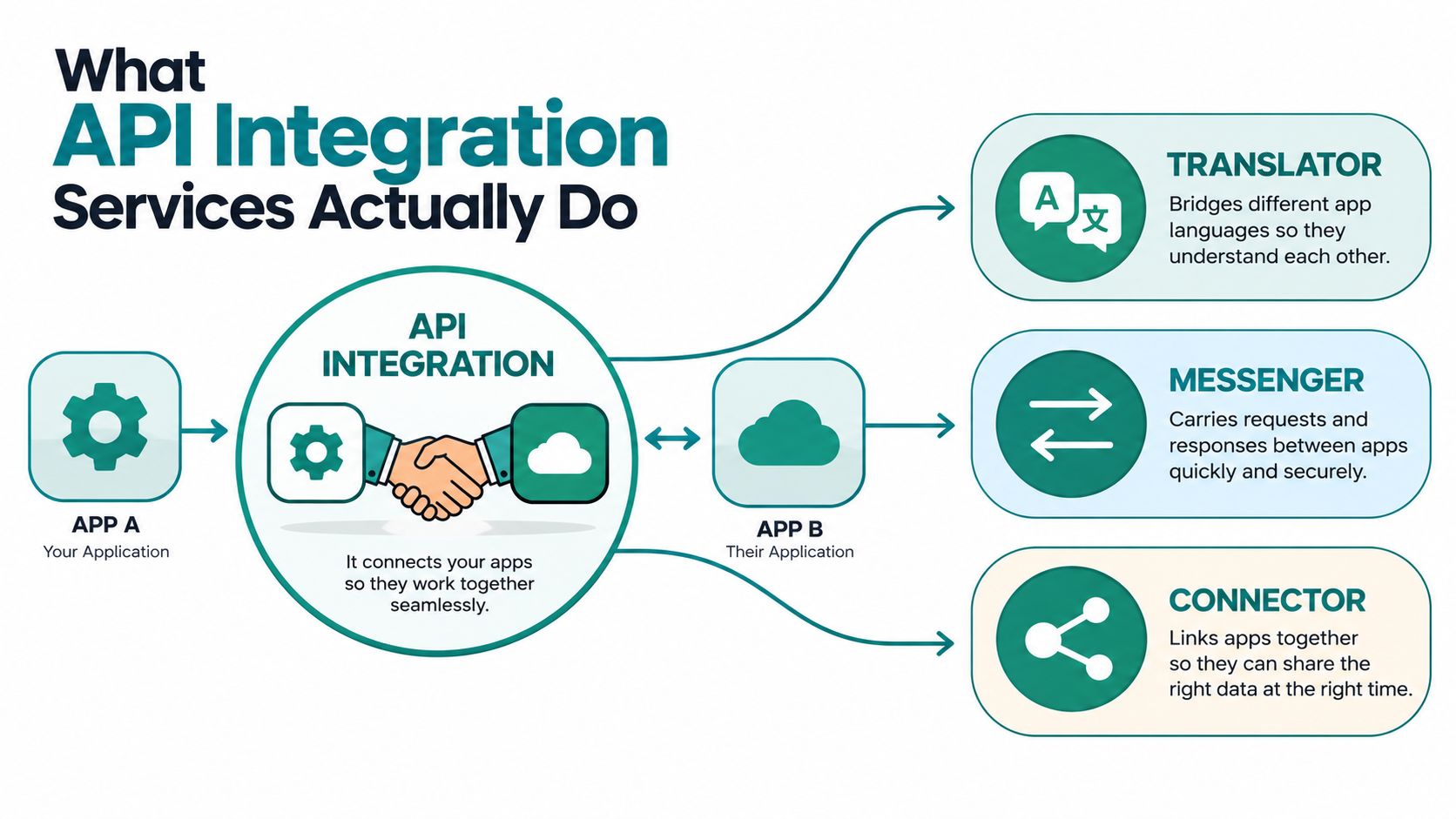
Think of an API as a digital handshake between two software applications. One system asks for information or sends an instruction. The other system recognizes the request and returns a response in a format both sides understand.
The applications don't need to be built by the same company. A website can communicate with a CRM. An online store can share order details with inventory software. A scheduling platform can pass appointment information to reminders or billing tools. The integration makes those exchanges dependable instead of forcing employees to transfer information by hand.
Core concept: An API integration service acts as a translator, messenger, and connector between the software your business relies on.
What the provider handles
A provider usually begins by identifying the systems involved and the information that needs to move. The team then determines how each application labels fields, authenticates users, handles errors, and responds when something changes.
That work may involve:
- Mapping data: Matching fields such as name, email, order status, product ID, or appointment date across systems.
- Building connections: Using existing connectors where they fit, or creating custom API logic when your workflow is unique.
- Managing authentication: Making sure each application can communicate without exposing unnecessary access.
- Testing edge cases: Checking what happens when a customer submits incomplete information, an order is canceled, or a service temporarily becomes unavailable.
- Monitoring the workflow: Recording failures and alerts so problems can be corrected before they disrupt customers or staff.
A one-off connection may solve a narrow problem, such as sending website leads into a CRM. A managed integration takes a broader view. It documents the workflow, accounts for future changes, monitors performance, and gives your team a process for handling failures.
Why businesses outsource this work
Do-it-yourself automation tools can be useful for simple workflows. They become less comfortable when several systems, sensitive data, custom business rules, or compliance requirements are involved. A provider can evaluate the entire process rather than connecting two applications without considering what happens downstream.
For example, a manufacturer that needs product information to appear consistently across a website, dealer portal, and internal catalog may benefit from a structured product data workflow. A resource about integrating product data API systems can help business owners understand why product records need consistent fields and controlled movement between platforms.
A Cincinnati business evaluating custom web app integrations should ask for a plain-English explanation of the workflow, not only a list of technologies. The right explanation should tell you what changes operationally, who owns each step, and how your team will know when something needs attention.
Common Use Cases and Architectures That Power Growth
Most small and mid-sized businesses don't need to connect every application at once. The strongest starting point is usually a workflow that affects customers, cash flow, fulfillment, or staff time.
Where integrations create practical value
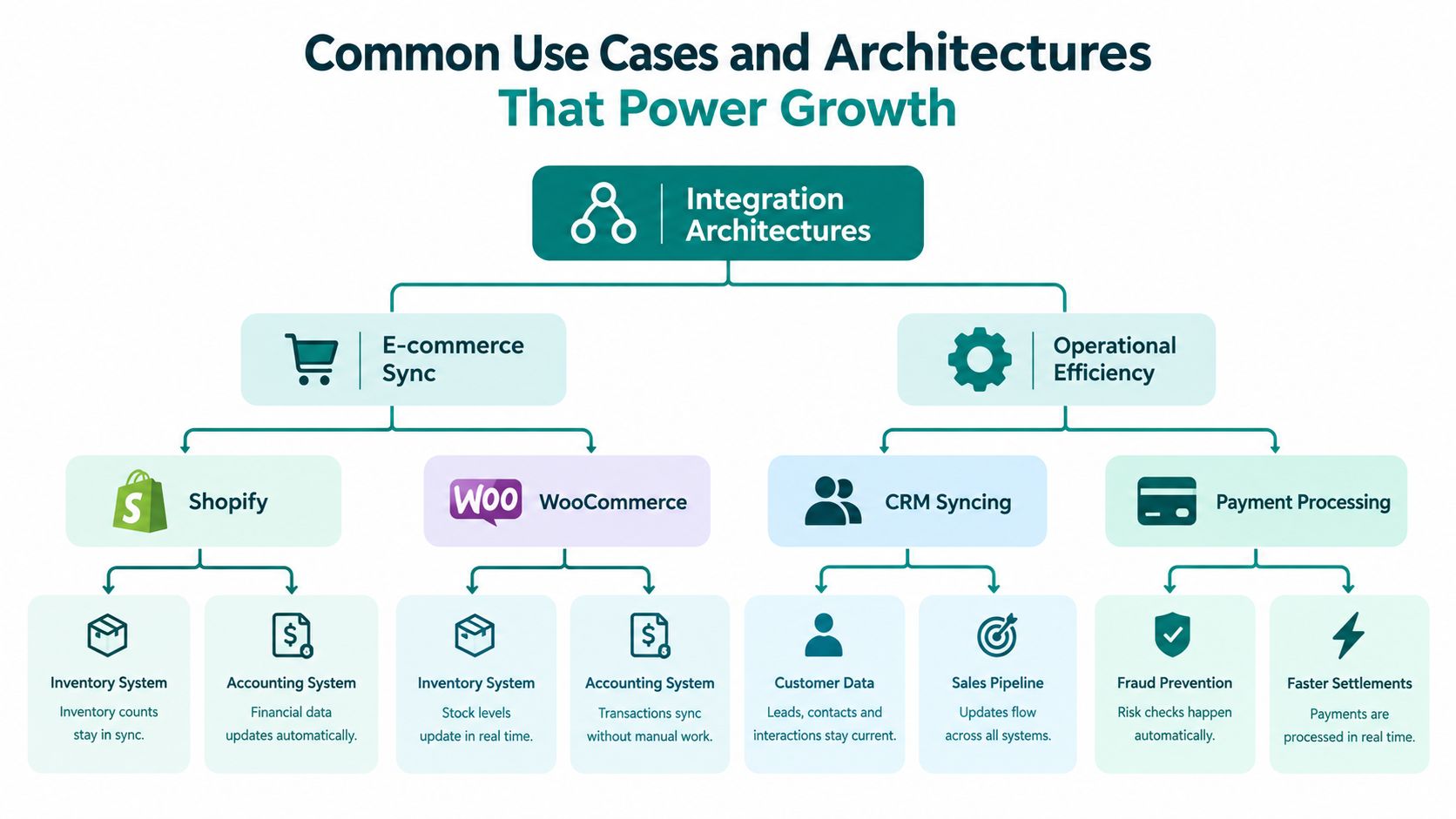
An e-commerce company may connect Shopify or WooCommerce with inventory and accounting systems. When an order arrives, the workflow can pass the relevant details to fulfillment, reduce inventory availability, and prepare financial records for review. The owner doesn't need to open several dashboards to understand whether the order was received and processed.
A service company may connect a contact form to its CRM and marketing tools. The integration can assign the inquiry, preserve the original message, and trigger an appropriate follow-up. That gives the sales team better context while reducing the chance that a promising lead disappears in an inbox.
Healthcare organizations need a more careful design. A website, booking system, patient portal, and internal platform may need to exchange limited information, but every transfer must account for protected health information. The integration should send only what each system needs, protect it throughout the journey, and maintain an appropriate record of access.
Marketing teams can also connect campaign platforms, analytics, CRM records, and sales information. A unified view helps owners compare lead generation with actual pipeline activity instead of judging every channel only by clicks or form submissions.
Choosing an architecture
Point-to-point integration connects one application directly to another. It can suit a small workflow with limited change ahead, such as a website form sending a notification to a CRM. The risk appears when the business keeps adding direct connections. Each new relationship can create another dependency to maintain.
Middleware or an integration platform as a service, often called iPaaS, places a managed layer between applications. That layer can translate formats, apply business rules, handle retries, and provide a central place for monitoring. It tends to fit businesses with several systems or workflows that will grow over time.
A headless CMS connection separates the content management system from the customer-facing website or application. This approach can help a business reuse structured content across a website, mobile experience, client portal, or other digital channel. It requires thoughtful planning because the content model and API behavior become important parts of the experience.
The right architecture depends on the number of systems, the sensitivity of the data, the frequency of changes, and the business consequences of an outage. An overview of enterprise integration architecture can help owners see why a connection that works today may need a more reusable structure as the company expands.
Tech Stack and Security Essentials Business Owners Should Understand
You don't need to understand the code behind an integration, but you should understand the parts that affect reliability and risk. Providers may use APIs, connectors, middleware, cloud platforms, and monitoring tools. Each has a different job.
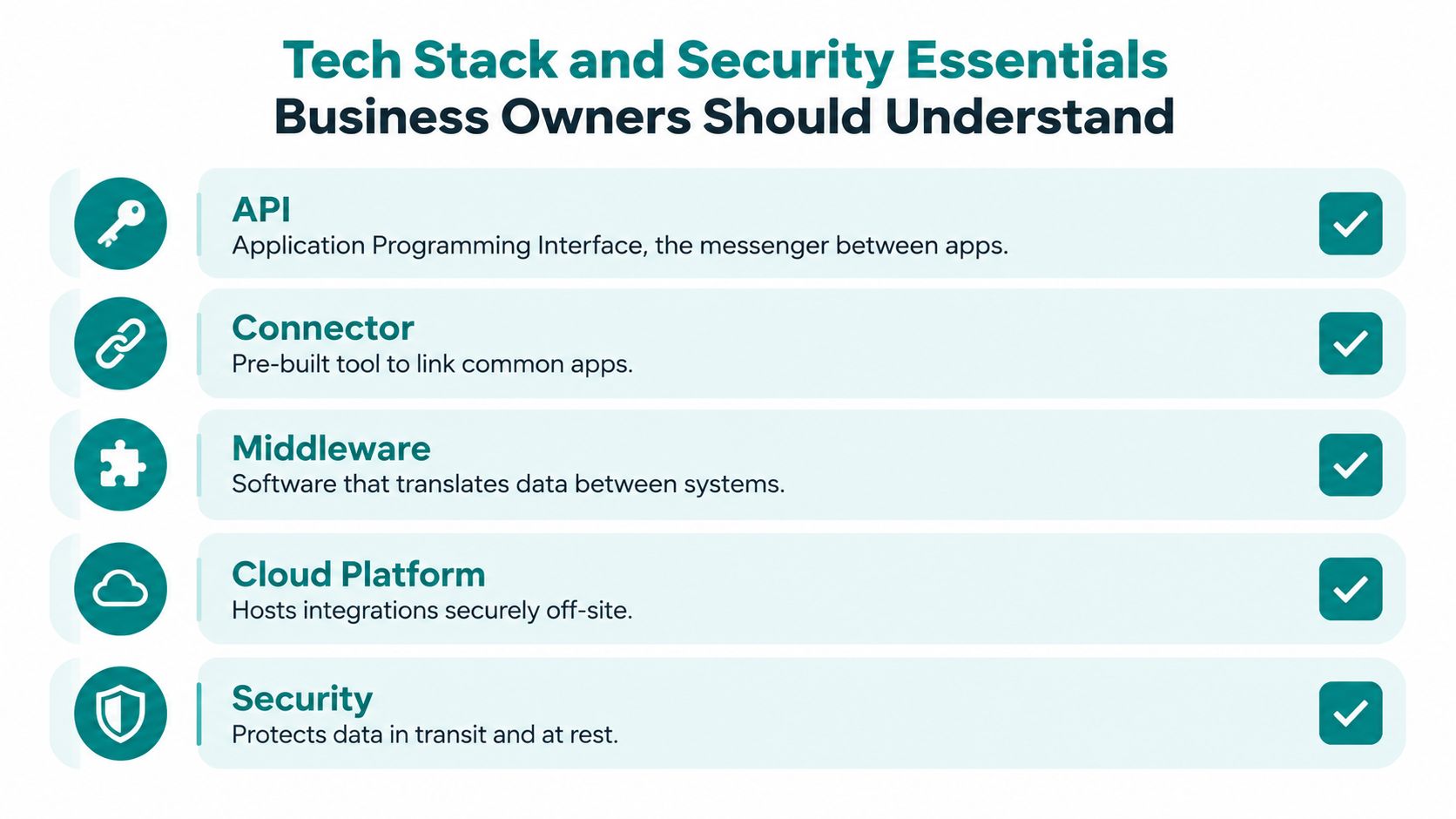
An API is the communication interface an application makes available. A connector is a pre-built method for linking common tools. Middleware sits between systems and translates data or applies workflow rules. A cloud platform hosts some or all of the integration outside your office infrastructure. Monitoring helps the team see whether messages are moving successfully.
The important question isn't whether a provider uses a particular brand of platform. It's whether the design fits your systems, handles failure responsibly, and limits access to the information each connection needs.
Questions about everyday security
Ask how the provider protects information while it travels and while it's stored. For healthcare API integration services, the technical baseline should include TLS 1.2 or newer for data in transit, AES-256 for data at rest, scoped OAuth 2.0 or equivalent least-privilege access, and immutable audit logging. These controls are especially important when protected health information passes through middleware, caches, logs, or vendor connectors. The healthcare API integration security guidance provides the relevant baseline.
OAuth 2.0 controls what an application can access on behalf of a user or service. Current OAuth guidance recommends Authorization Code flow with PKCE, exact redirect URI matching, and avoiding Implicit and Password grants. It also recommends sender-constrained tokens such as DPoP or mTLS where possible. Providers should also use HTTPS for token traffic, restrict token scopes, and keep access tokens short-lived, using refresh tokens when appropriate. See the OAuth 2.0 security best practices and the OAuth 2.0 API guidance.
Special care for healthcare data
A zero-data-retention design can make the middleware a pass-through proxy rather than a storage location for raw payloads. That may reduce the impact of a breach and simplify HIPAA alignment, but it isn't a complete compliance strategy. It should be paired with signed BAAs for every vendor handling PHI, field minimization, and monitoring that records metadata instead of sensitive payloads. The zero-data-retention integration pattern explains those requirements.
Ask who can access credentials, where logs are stored, how failed messages are handled, and what happens when a vendor changes its API. A trustworthy provider should answer directly and document the decisions.
How API Integration Services Work From Discovery to Monitoring
A well-run integration project begins with business operations, not software preferences. Before anyone builds a connection, the team should understand what happens today, where work stalls, and what a successful result looks like.
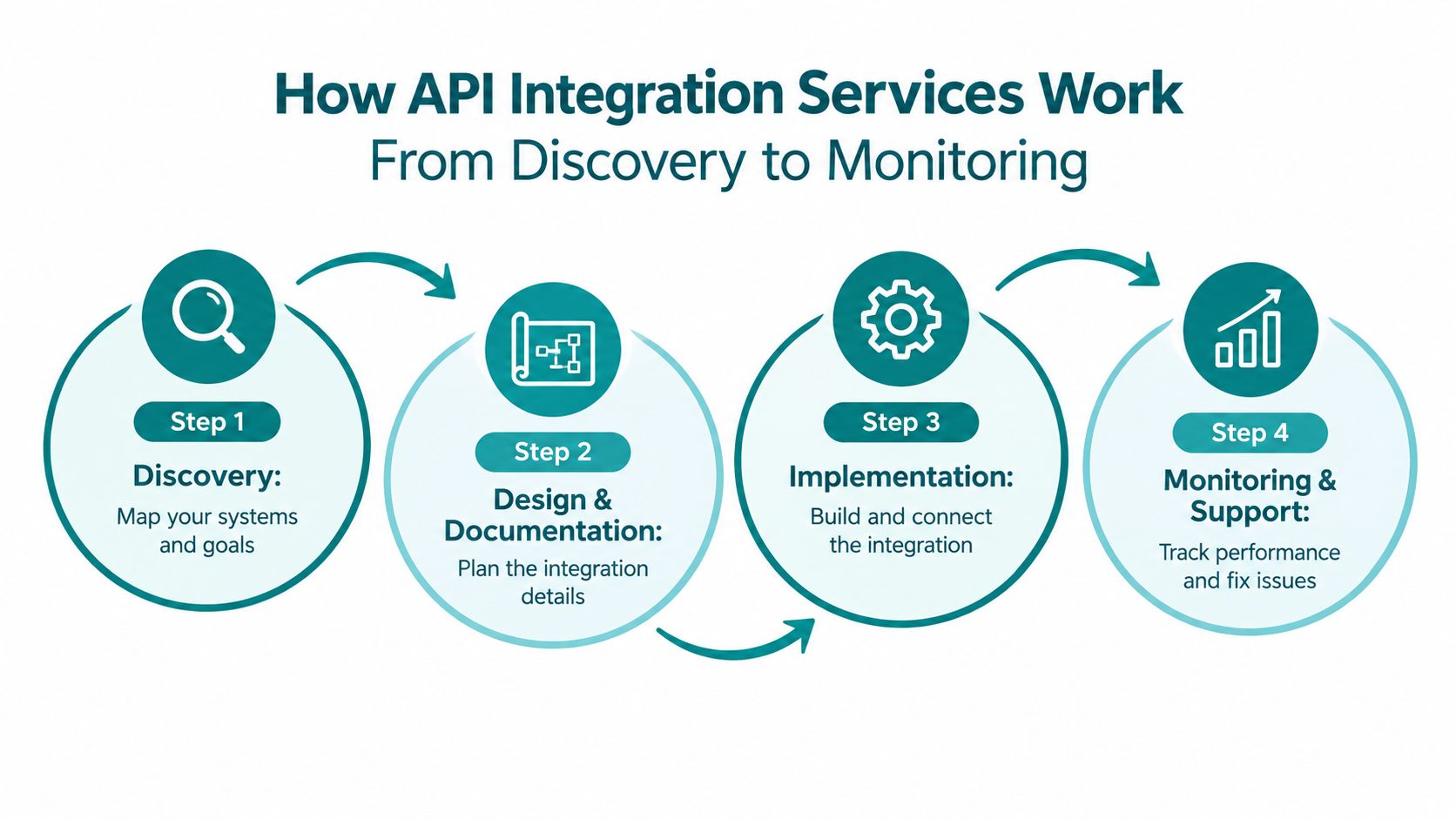
Discovery and design
During discovery, the provider inventories your systems, users, data owners, and business rules. You might describe how a new lead arrives, who qualifies it, which employee follows up, and what information needs to appear in reporting. The provider turns that conversation into a map of events and responsibilities.
Design documentation should identify what moves, when it moves, and what happens when the normal path fails. It should also define ownership. If a customer record can't be created, someone needs to know whether the system retries automatically, sends an alert, or places the item in a review queue.
Your checkpoint is simple: can you understand the proposed workflow without technical translation? If not, ask for a diagram and a plain-language walkthrough before approving the build.
Implementation and testing
Implementation connects the systems, configures authentication, applies data rules, and builds any custom logic. Testing should include normal transactions as well as incomplete forms, duplicate records, canceled orders, expired credentials, and temporary service outages.
A provider should show you how the integration will be tested and what evidence confirms that the business rules work. For an e-commerce workflow, that may mean reviewing a test order from checkout through inventory and accounting. For a CRM workflow, it may mean confirming assignment, notifications, and duplicate handling.
Launch and monitoring
A controlled launch can begin with a limited workflow or carefully observed production release. Afterward, monitoring should identify failures, delays, authentication issues, and unexpected changes in the connected applications.
HDM presents itself as an AI-first, full-stack partner, which matters when integrations connect websites, custom applications, analytics, and automation. Its DevOps best practices resource provides additional context for disciplined deployment and ongoing operational care.
A useful process includes a support contact, documented recovery steps, and a plan for API changes. Integrations aren't finished just because data moved successfully once. They need ownership after launch.
<div style="position:relative;padding-bottom:56.25%;height:0;overflow:hidden;"><iframe src="https://www.youtube.com/embed/bxuYDT-BWaI" style="position:absolute;top:0;left:0;width:100%;height:100%;" frameborder="0" allow="accelerometer; autoplay; clipboard-write; encrypted-media; gyroscope; picture-in-picture" allowfullscreen></iframe></div>Understanding Pricing Models and What Drives Cost
Providers generally price API integration services according to the amount of design, implementation, testing, security work, and ongoing support required. A simple connection between familiar tools may be straightforward. A custom workflow involving several systems, sensitive records, unusual business rules, and long-term monitoring requires more planning.
API Integration Pricing Models Compared
| Pricing Model | How It Works | Best For | Watch Out For |
|---|---|---|---|
| Fixed project fee | The provider defines a scope and price for agreed deliverables. | A clearly defined integration with known requirements. | Changes outside the scope may require a new estimate. |
| Hourly or time and materials | You pay for the time used by the project team. | Discovery-heavy work or systems with uncertain documentation. | Ask how hours are tracked and how cost changes are approved. |
| Ongoing retainer | You reserve recurring support or development capacity. | Businesses that need monitoring, improvements, and responsive maintenance. | Confirm what support hours, response expectations, and included work mean. |
| Usage-based platform fees | A platform or service charges according to activity or plan limits. | Workflows with predictable platform usage and a suitable managed tool. | Review what happens when usage grows and whether provider fees are separate. |
What changes the estimate
The number of systems matters, but it isn't the only driver. A provider will also consider how cleanly the data matches, whether pre-built connectors exist, how much custom logic the workflow needs, and whether the systems have reliable documentation.
Security and compliance can add design and review work, particularly for healthcare or other regulated operations. Ongoing maintenance may also be necessary when software vendors change authentication methods, field names, permissions, or API behavior.
How to request a useful quote
Give each provider the same information: the systems involved, the current manual process, the desired outcome, known security requirements, and examples of exceptions. Ask the proposal to separate discovery, implementation, testing, launch, documentation, and support.
A strong quote should identify assumptions and exclusions. It should explain whether monitoring, error handling, staff training, platform fees, and future changes are included. Comparing proposals this way is more useful than choosing the lowest initial price because it reveals the total operating responsibility.
How to Choose the Right API Integration Provider
Choose a provider based on fit, clarity, and accountability, not only the project fee. The right partner should understand your business process, work with the systems you already use, and explain technical decisions in terms your team can act on.
Ask these questions before signing:
- Relevant experience: Have they connected the platforms, data types, and workflows your business depends on?
- Security practice: How do they handle OAuth 2.0, least-privilege access, encryption, credentials, and audit logs?
- Failure handling: What happens when a message fails, a field is missing, or a vendor changes its API?
- Post-launch support: Who monitors the integration, responds to alerts, and performs maintenance?
- Documentation: Will your team receive a clear map of the workflow and ownership instructions?
- Business outcomes: Can they connect the work to faster follow-up, cleaner records, smoother fulfillment, or better reporting?
Be cautious if a provider promises a connection without asking about your current process. A proposal that lists tools but ignores error handling, access controls, testing, and support is incomplete. Extremely broad promises with no defined scope can create budget problems later.
Cincinnati-area owners may also value a partner who can support the surrounding digital ecosystem, including website improvements, SEO, analytics, e-commerce, custom applications, and ongoing Website Wellness work. Integration often exposes broader issues, such as inconsistent product data, weak form flows, or reporting gaps. You don't need to solve everything at once, but your provider should recognize those connections.
The broader market reflects why this work has become a strategic business concern. One industry estimate places the API integration platforms market at USD 7.48 billion in 2025, with a projection of USD 8.82 billion in 2026 and USD 24.69 billion by 2032, implying an 18.60% CAGR across the forecast period, according to API integration platform market estimates. For a small business, the practical lesson isn't the market size. It's that connected systems now support everyday growth decisions.
HDM offers custom integrations, API development, web applications, e-commerce implementation, analytics, and ongoing digital support for businesses in the Greater Cincinnati area and beyond. Visit HDM to discuss which disconnected workflow is costing your team the most time and identify a practical integration path tied to growth.