
A client sends a contract approval in a reply-all email. Someone on your team saves the attachment to a desktop, another person updates a shared folder, and the client later asks which version is current. In the meantime, an approval sits unanswered, a payment link gets buried, and nobody has a complete view of the relationship.
That situation is common for growing businesses in Cincinnati, from professional services firms in downtown offices to manufacturers, healthcare practices, and agencies serving clients across Greater Cincinnati. The problem isn't just disorganized administration. Scattered communication creates a client experience that feels slower, less certain, and less professional than the service you provide.
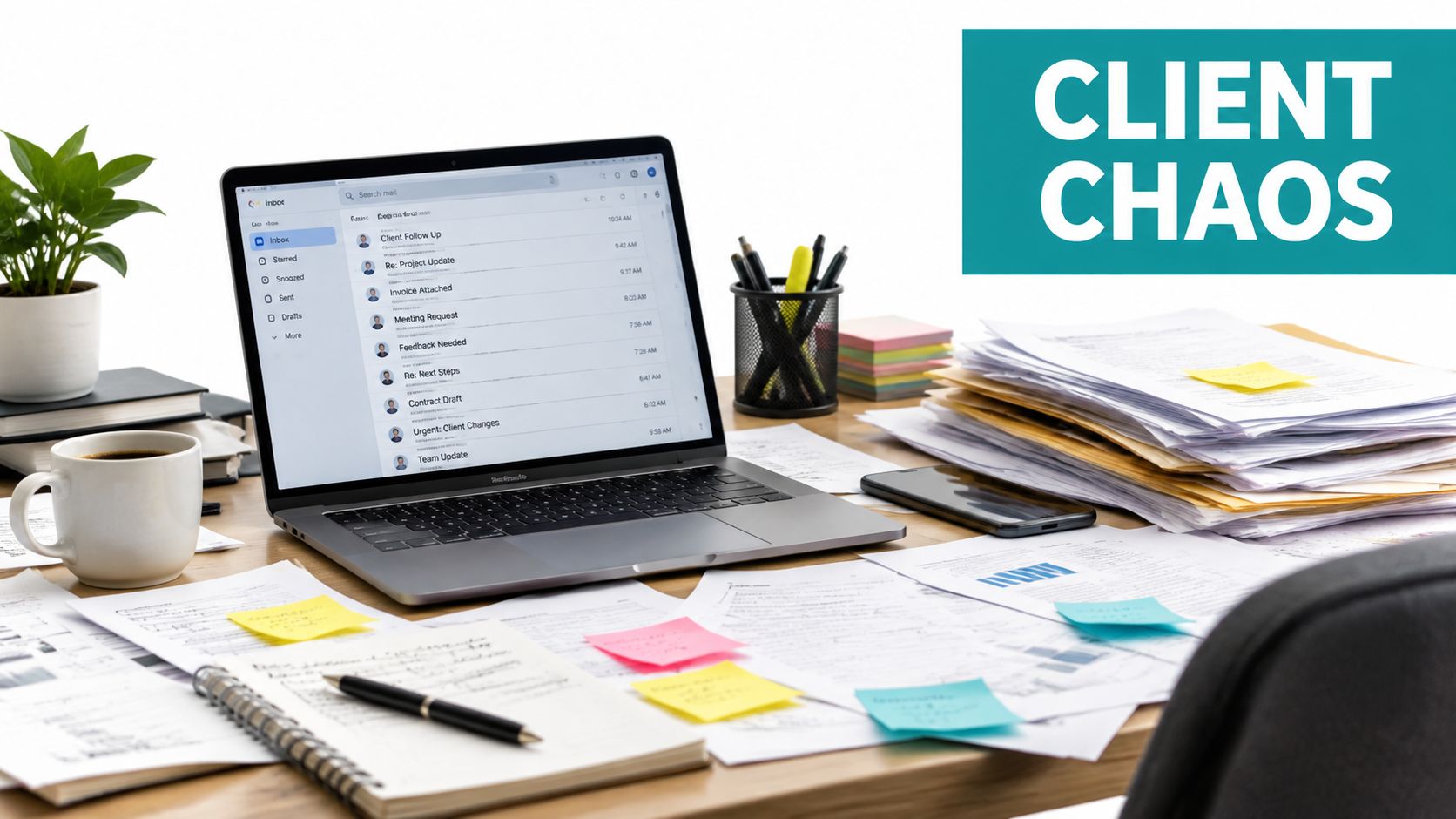
Introduction Why Client Chaos Signals You Need a Portal
A client portal gives your business and each client a shared, controlled destination for documents, messages, tasks, approvals, and selected account information. Instead of asking clients to remember which email contains the latest file, you give them a clear place to log in and see what matters.
That shift can improve more than internal organization. Clients know where to upload paperwork, your team can see outstanding actions, and important conversations stay connected to the relevant project or account. The portal becomes part of the service itself, much like a well-organized front desk makes a physical office easier to move through.
The category is no longer a niche experiment. The client portal software market was valued at USD 1.7 billion in 2023 and is forecast to reach USD 3.5 billion by 2032, implying a CAGR of over 8% from 2024 to 2032, according to Global Market Insights' client portal software analysis. That growth reflects demand for better customer experience, centralized communication, secure document exchange, project visibility, and self-service access.
Practical rule: If clients repeatedly ask where a file is, what happens next, or whether you received something, your process needs a reliable source of truth.
This guide is for owners evaluating web design, SEO, or digital marketing services and wondering whether a portal belongs in the next stage of their digital growth. You'll learn what client portal software does, which features deserve attention, when buying makes more sense than building, how compliance changes the decision, and how to launch without overwhelming your team or clients.
A Cincinnati agency partner such as Helbling Digital Media can help map that decision to your existing website, CRM, analytics, and marketing systems. The right approach might be a focused SaaS tool. It might also be a custom portal that fits a complicated approval process. The important first step is understanding the job the portal must perform.
What Client Portal Software Really Is and How It Works
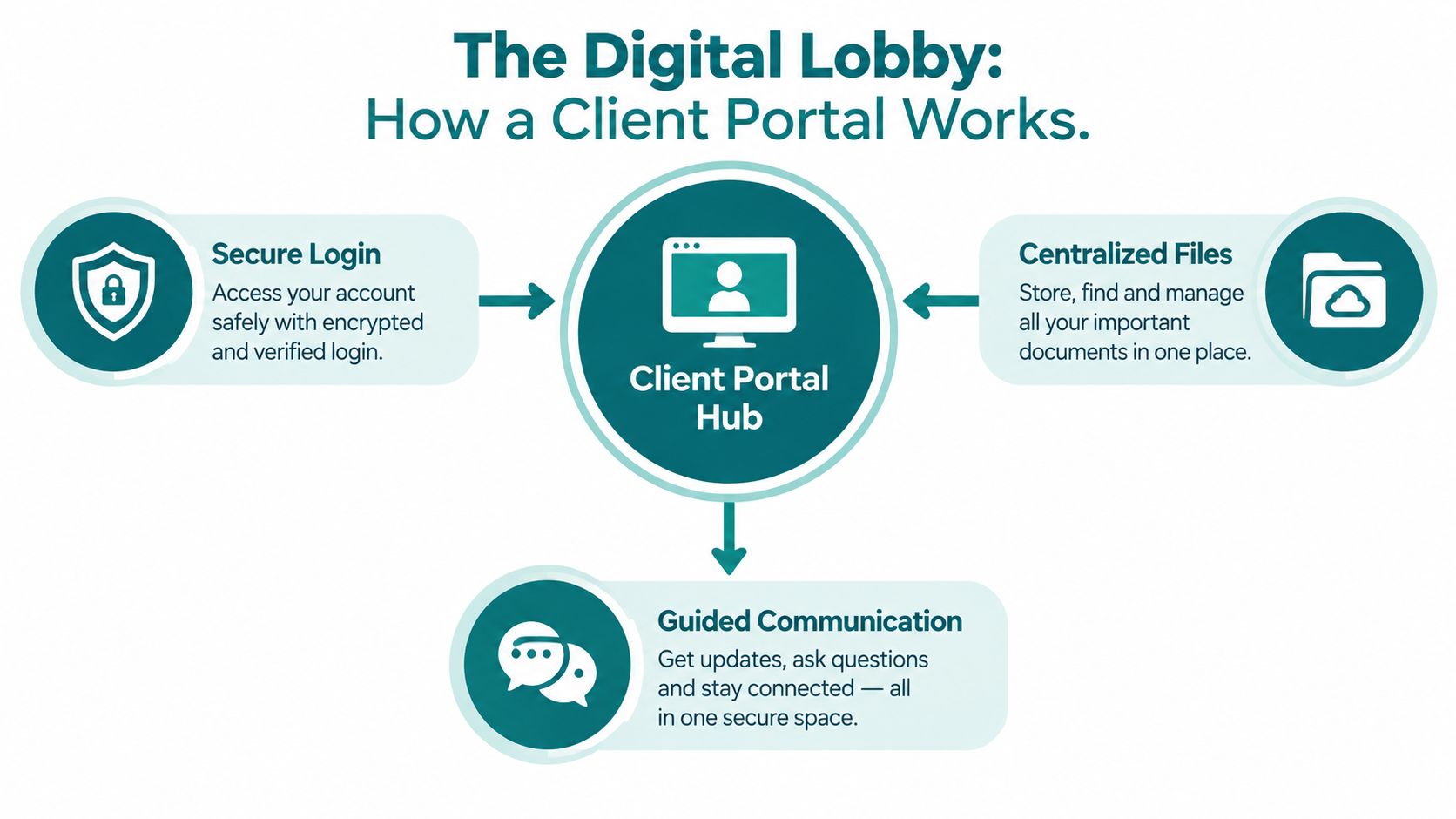
Think of your business as a storefront. Email is like handing documents to people through different doors, while a generic cloud folder is like leaving a key under the mat. A client portal is the secure digital lobby where approved visitors enter, find the right information, complete assigned actions, and communicate with your staff.
A portal isn't just a place to store files. It's the organized front door for an ongoing client relationship.
The experience usually works in a straightforward sequence:
- Your team creates a client workspace. The workspace might represent an account, matter, project, engagement, or service relationship.
- Each person receives the right access. A client contact may see their files and tasks, while an internal project manager sees additional operational information.
- The portal guides the next action. Clients can upload requested documents, review a deliverable, respond to a message, sign an agreement, or check project status.
- The activity stays connected. Files, conversations, approvals, and updates remain associated with the right client instead of spreading across inboxes and personal folders.
That makes a portal different from a CRM or an internal project-management tool. A CRM helps your staff manage contacts and opportunities. A project-management system organizes internal work. A client portal focuses on the external experience, showing clients only what helps them participate in the relationship.
A Cincinnati accounting firm might use a portal to request receipts and statements, collect completed forms, and deliver reports. A law firm might separate matters into controlled workspaces. A marketing agency might use one for creative approvals, campaign reports, and ongoing requests. A healthcare organization needs a more careful design when protected health information is involved.
The portal also fits into broader digital infrastructure. If your business is moving files, applications, or workflows into cloud services, resources on cloud migration strategies for businesses can help frame questions about data location, system dependencies, and operational continuity. Those questions matter because a portal shouldn't become another isolated island.
Essential Features Every Secure Portal Should Include
A useful portal isn't defined by the length of its feature list. It should help clients complete common jobs with less confusion while giving your staff enough control to protect information and maintain consistency.
Secure access comes first
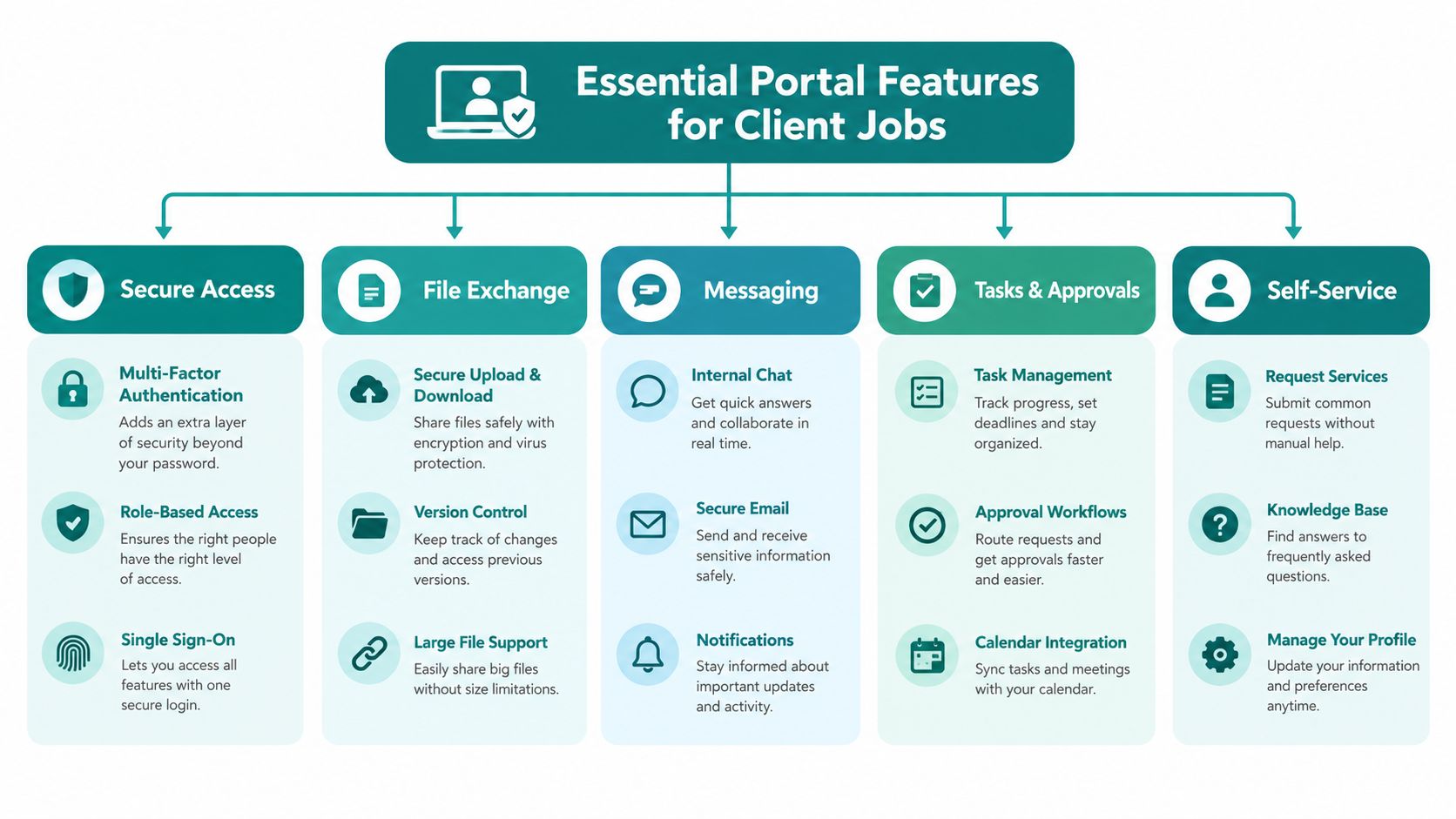
A client should sign in through a recognizable, protected experience. Look for multi-factor authentication, single sign-on where appropriate, and permission settings that limit each user to the information they need. Encryption should protect information while it moves between the user and the portal and while it is stored.
Role-based access is especially important when a client has multiple contacts. An owner, bookkeeper, attorney, project stakeholder, or outside consultant may not need identical visibility. The portal should let your team assign access by user, group, workspace, folder, or workflow.
Files need structure, not just storage
File exchange is often the first reason a business considers a portal, but uploading documents is only the beginning. Clients need clear folders, file requests, version visibility, search, download controls, and notifications that point them to the correct item.
A design agency might place brand assets, drafts, feedback, and final files in separate areas. An accounting practice might create recurring requests for specific records. The best arrangement depends on how your clients think about the work, not how your internal team names folders.
Communication should stay attached to the work
Messaging, comments, and notifications prevent important decisions from disappearing inside long email chains. A client should be able to ask about a specific deliverable, and your staff should be able to see the related file, task, and prior response in one place.
Tasks and approvals turn vague requests into visible next steps. A status such as awaiting client review is more useful than an email subject line that says follow-up. E-signatures can also keep approval workflows together when the portal supports them or connects with a signing service.
<iframe width="100%" style="aspect-ratio: 16 / 9;" src="https://www.youtube.com/embed/z9gObJ_aVE0" frameborder="0" allow="autoplay; encrypted-media" allowfullscreen></iframe>Self-service and mobile access reduce friction
Clients often want answers without starting another conversation. A dashboard can surface recent files, open tasks, deadlines, invoices, reports, frequently used resources, or support options. Mobile-friendly access matters when clients upload a document from a job site, approve creative work between meetings, or check an update away from a desk.
Industry adoption reflects that broader expectation. About 71% of U.S.-based service providers use digital client portals for secure communication and task management, while 68% of users prefer cloud-based portals with collaboration tools, e-signatures, and role-based access, according to Global Growth Insights' market report.
White-label branding and analytics can differentiate a portal once the basics work. Your logo, colors, domain, and language can make the experience feel like part of your service. Analytics can show which resources clients use and where they stop, but measurement shouldn't replace a simple, understandable interface.
For buyers comparing governance products around the portal, compare SOC 2 tools for 2026 with attention to how evidence, access reviews, and reporting fit your actual operating process.
Build vs Buy Choosing the Right Path for Your Business
The build-versus-buy decision usually comes down to one question: Is your portal a standard service workspace, or is it a business application that needs to behave in a highly specific way?
An off-the-shelf portal can cover familiar needs such as secure files, messaging, tasks, approvals, branding, and client dashboards. A custom-built portal gives you more control over workflows, data models, integrations, and the front-end experience, but your business also takes on more responsibility for maintenance, testing, security, and future changes.
| Criteria | Off-the-Shelf Portal | Custom-Built Portal |
|---|---|---|
| Time to launch | Usually faster because core functions already exist | Requires discovery, design, development, testing, and deployment |
| Customization | Configuration, templates, branding, and available workflow settings | Tailored screens, rules, roles, data, and integrations |
| Upfront complexity | Lower implementation burden, though setup still needs planning | Higher because the team designs and builds the operating model |
| Scalability | Depends on the vendor's plans, limits, and roadmap | Depends on architecture, engineering capacity, and maintenance |
| Ownership | Vendor controls the underlying platform and release schedule | Your organization controls the custom application and roadmap |
| Best fit | Repeatable client collaboration and secure information exchange | Distinctive workflows, complex integrations, or a portal that is itself a product |
Buy when your clients need a dependable place to exchange files, complete tasks, review updates, and communicate. A ready-made platform also makes sense when your team doesn't want to become a software company just to manage client relationships.
Build when a standard product forces staff into workarounds. Examples include complex intake logic, unusual approval paths, multiple connected systems, customer-specific dashboards, or a portal that must function as a core part of your product offering. Even then, custom doesn't mean improvising. The project needs documented requirements, security planning, user testing, and an ownership plan.
Decision test: If your team can describe the workflow with standard steps, start by evaluating software. If the workflow is part of your competitive advantage, investigate a custom application.
For a deeper look at how custom SaaS work is structured, review SaaS platform development. Helbling Digital Media, based in Springboro and serving Greater Cincinnati, can be one local option for businesses that need custom development, headless implementations, or integrations beyond a configurable product.
Ask vendors to demonstrate your real process, not a polished generic tour. Ask a prospective partner to show how a client uploads a file, receives an approval request, changes roles, searches for an old document, and loses access when the relationship ends. Those demonstrations reveal more than a feature checklist.
Security Compliance and HIPAA Essentials Made Simple
Security is not a decorative badge on a portal page. It determines who can enter, what each person can see, what actions the business can prove later, and how quickly the organization can respond when something goes wrong.
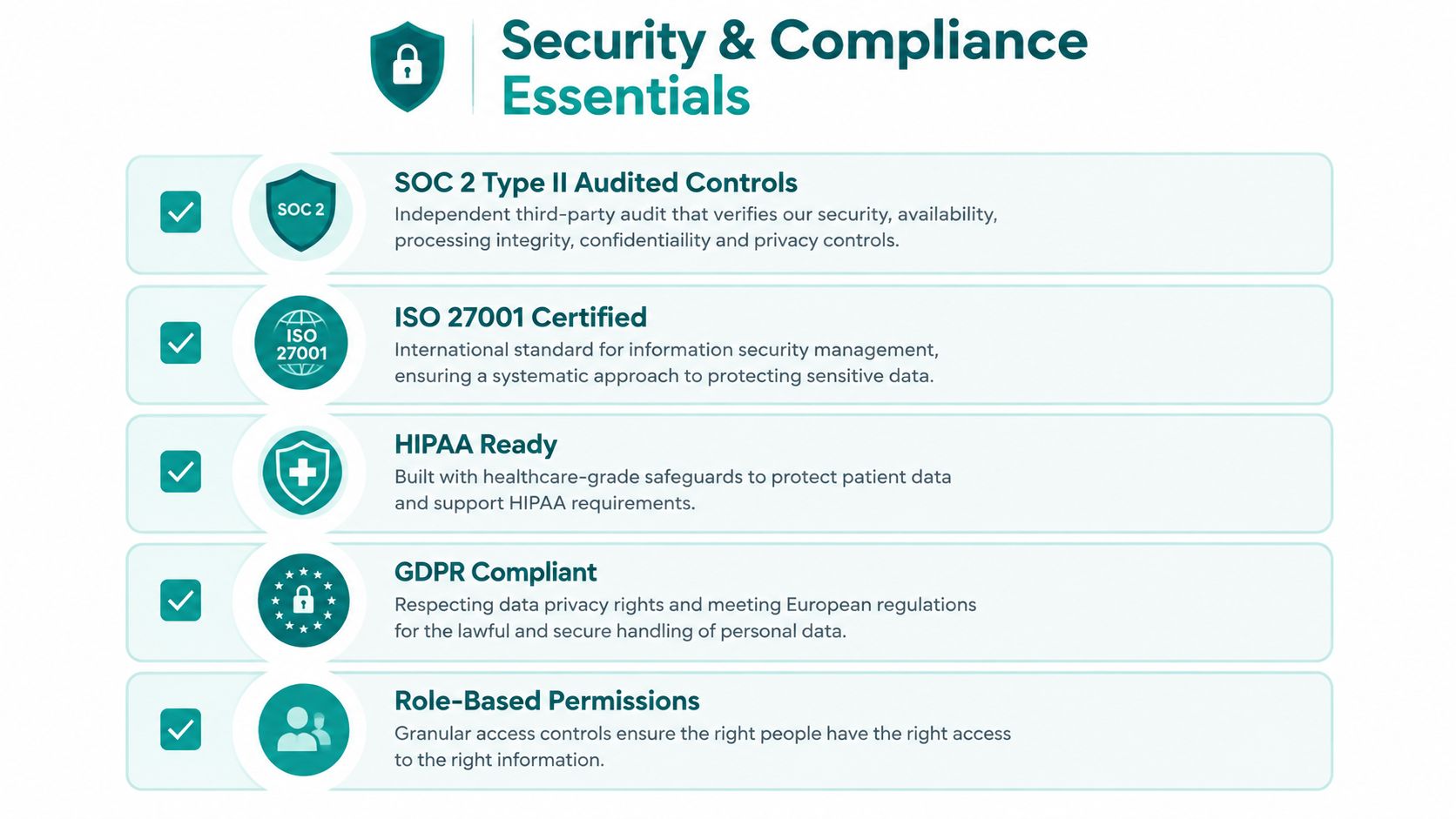
Enterprise client portal software should be designed around independently verified controls, not vendor claims. Recognized standards such as SOC 2 Type II and ISO 27001, along with sector requirements such as HIPAA and GDPR, can provide evidence that controls were audited by third parties, as explained in this client portal security checklist.
Match controls to the information you handle
HIPAA applies when a business handles protected health information. A healthcare organization therefore needs more than a generic upload form. It should evaluate access controls, logging, encryption, retention, breach response, and the contractual responsibilities connected to the service.
GDPR may require tools for consent collection, data export, right-to-erasure handling, and retention policies. A legal, financial, or professional services firm may have different obligations, but confidentiality and defensible access management still matter.
For Cincinnati healthcare organizations, how to comply with HIPAA can serve as a useful starting point for connecting website and digital experience decisions to broader privacy responsibilities.
Look for controls that answer practical questions
A vendor should be able to explain these controls in plain language:
- Mandatory 2FA or MFA: Can the organization require an additional verification step instead of relying on passwords alone?
- Role-based permissions: Can staff limit access by client, project, folder, document, or responsibility?
- Immutable audit logs: Can authorized administrators review activity without allowing the record to be altered?
- Encryption: Does the platform protect information in transit and at rest?
- Incident readiness: Are breach-response procedures, monitoring, backups, and communication responsibilities documented?
Integrations deserve the same scrutiny as the portal itself. Every API, plugin, or third-party connector expands the attack and failure surface. Review authentication, vendor security, patching, permissions, monitoring, credential storage, and configuration changes before releasing an integration into production.
A portal can make access more controlled, but no software removes the need for sound policies. Train employees, remove access promptly, review permissions regularly, and test how the business would respond to an incident. Compliance-by-design means building those practices into the workflow rather than trying to document them after launch.
Integrations ROI and How to Measure Portal Success
A portal creates more value when it connects to the systems your staff already use. Common connections include a CRM for account details, accounting software for billing, an e-signature service for agreements, cloud storage for documents, and a helpdesk for support requests.
The purpose isn't to connect everything because a connector exists. Each integration should remove a manual handoff, reduce duplicate data entry, or give the client a clearer next step. If an accounting update can appear in the client workspace without staff copying information between systems, the portal becomes part of an operating process rather than another destination to maintain.
Treat every integration as a managed dependency
APIs need authentication and authorization. Vendors need security review. Connectors need patching, monitoring, error handling, and clear ownership. Guidance on enterprise integration architecture is useful when your portal must communicate with several systems and remain maintainable as those systems change.
A failed integration can create more than an inconvenience. It may expose information to the wrong user, create duplicate records, show outdated status, or make staff trust data that hasn't synchronized. Keep a release checklist for every connector and decide what happens when the connection fails.
Choose measures that reflect business outcomes
Start with a baseline before launch, even if the baseline is informal. Then track whether the portal changes the experience in ways your team and clients can recognize.
- Onboarding progress: How long does it take a new client to submit required information and reach the next stage?
- Support demand: Are clients asking fewer “where is this?” and “what do I do next?” questions?
- Approval flow: Can your team see pending approvals without searching email?
- Payment movement: If billing is connected, do clients find invoices and payment actions more easily?
- Client engagement: Do clients return to review resources, updates, or open tasks?
- Retention signals: Do account teams have better visibility into unresolved issues before renewal conversations?
Don't confuse login volume with success. A client who logs in once and completes onboarding may be more successful than one who visits repeatedly because the interface is confusing. Combine usage information with staff feedback, client interviews, completed workflows, and support patterns.
Authentication expectations are also changing. Okta reported that workforce MFA adoption rose from 66% in January 2024 to 70% by January 2025, while phishing-resistant, passwordless authentication increased from 8.6% to 14.0% during the same period, a 63% one-year increase, as summarized by Cloudvara's secure client portal guide. Your portal strategy should leave room for stronger identity controls as client expectations and risk profiles evolve.
How to Select and Launch Your Ideal Client Portal
Start with the client journey, not the vendor catalog. Write down what a client needs to do from invitation through ongoing service, then identify the files, approvals, messages, payments, and systems involved at each stage.
Use this short evaluation list:
- Map the workflow: Document the current process, including email handoffs and repeated staff tasks.
- Review security: Verify authentication, permissions, encryption, audit records, compliance evidence, retention, and incident procedures.
- Test integrations: Confirm how the portal connects with your CRM, accounting, storage, e-signature, and support tools.
- Test the client experience: Ask a non-technical person to find a file, upload a document, respond to a message, and approve an item.
- Check operations: Understand support, training, data export, backups, maintenance, and ownership.
- Pilot deliberately: Start with a small client group, gather feedback, revise the workspace structure, and then expand.
Keep the first release focused. A clean dashboard with clear tasks and reliable file exchange will usually earn more trust than a crowded portal with every available module switched on. If AI features or automation are considered, define the business task first and review how sensitive information is handled. For organizations adding intelligent workflows, Ekipa AI implementation support offers useful context for turning AI ideas into managed implementations.
Helbling Digital Media is a Cincinnati-area option for custom portals, headless builds, integration work, analytics, SEO, and ongoing Website Wellness maintenance. Whether you buy a SaaS product or commission a customized application, choose the path that makes the client relationship easier to understand and easier to manage.
If scattered files and approval emails are slowing your Cincinnati business, visit Helbling Digital Media to discuss a client portal strategy, custom development, integrations, or the web and marketing systems that support it. HDM can help you map the workflow, evaluate build-versus-buy options, and create a practical next step for your team.