You've probably seen this version of the story before. A Cincinnati service business owner hires a designer, approves a polished homepage, waits through a long rebuild, and launches a site that looks current but produces little business. The owner then blames SEO, the copy, the market, or the agency, while the core problem sits earlier in the project: nobody agreed on what the website needed to accomplish.
A successful website design process is a business decision system. It determines where your budget goes, what your team must provide, which pages get built, how the site gets tested, and how results get judged after launch. The visuals matter, but they're only one part of a website that needs to attract the right visitors, help them decide, and create measurable opportunities.
Why the Website Design Process Matters More Than the Design Itself
A Cincinnati contractor can spend heavily on a beautiful website and still receive only a few leads each month if the project begins with pixel-pushing instead of discovery. The site may have impressive animation, professional photography, and a carefully selected typeface, yet fail to answer basic customer questions quickly: What services are available? Where does the company work? Why should someone call this contractor instead of another local option?
That failure costs more than the design fee. The business owner pays for new photography, rewritten content, developer time, internal meetings, and delays while the team debates pages that should have been defined at the start. Employees lose confidence in the project, stakeholders give conflicting feedback, and the rebuild becomes difficult to maintain. Six months after launch, nobody knows which changes matter, so the site returns to the bottom of the priority list.
Practical rule: Never approve a visual direction until the business goal, target audience, primary action, and measurement method are written down.
A website should earn its place in the budget
Your website might need to generate qualified inquiries, book consultations, sell products, support recruiting, or help existing customers complete a task. Each outcome changes the structure, copy, calls to action, forms, integrations, and reporting requirements.
That's why the website design process matters more than a mood board or a homepage concept. A process protects the owner from paying for attractive decisions that don't support the business. It also gives the agency a way to challenge requests that sound appealing but create friction, such as oversized hero graphics, vague service pages, or navigation organized around internal departments instead of customer needs.
The web has moved from manual, text-only page building toward standardized styling and quality checks. The first website launched on August 6, 1991, the W3C was established in 1994, CSS1 arrived in 1996, and WCAG 1.0 followed in 1999 — milestones documented in the history of web design. Those developments still shape how modern teams plan layout, styling, accessibility, and quality assurance.
Process failures become business failures
A weak process creates predictable problems:
- Wasted budget: Designers revise pages that lacked an approved purpose.
- Missed timelines: Content, approvals, and technical decisions arrive late.
- Internal friction: Owners, sales teams, and executives judge the site by different standards.
- Poor launch performance: Analytics, redirects, forms, and search visibility receive late attention.
- Abandoned optimization: No one knows which post-launch improvements deserve priority.
A disciplined engagement reverses that pattern. Every phase answers a business question before producing an agency deliverable. The rest of this guide follows that approach, from discovery through the first 90 days after launch.
Discovery and Strategy
Discovery isn't an agency presentation. It's the point where you, as the owner, make the decisions that prevent expensive confusion later.
Start with four questions:
- What must the site do? Decide whether the priority is lead generation, appointment booking, ecommerce revenue, recruitment, customer support, or another defined outcome.
- Who is it for? Describe the customer's problem and buying situation, not just age, location, or industry.
- What are competitors doing? Review Cincinnati competitors and relevant businesses beyond the region. Note their offers, page structures, proof, calls to action, and obvious gaps.
- How will success be measured? Select a primary KPI and supporting indicators before design begins.
Turn goals into measurable decisions
A plumbing company may prioritize completed service inquiries. A law firm may care about consultation requests and qualified calls. A manufacturer may need quote requests from specific industries. An employer may want completed applications for hard-to-fill positions.
Each goal should connect to a dashboard. The measurement plan should establish a baseline for monthly visitors, current conversion rate, average customer value, and pre-launch performance metrics. For B2B sites, one benchmark places average conversion at about 1.8%, with 3% considered good and 5% or more strong for higher-ACV companies. Use benchmarks as context, not as a substitute for your own baseline.
Define the customer through jobs to be done. "Homeowners in Cincinnati" is too broad to guide a page. "A homeowner with an urgent basement leak who needs proof of local experience and a fast way to request help" gives the team a usable design direction.
Require visible evidence from the agency
Competitor research shouldn't disappear into an agency's internal folder. Ask to see the findings and challenge them. You may know that a competitor's prominent offer is unpopular with customers, or that a service your team considers secondary drives profitable work.
Your discovery package should include:
- Strategy brief: Business goals, audiences, positioning, priority services, and customer actions.
- Measurement plan: Baselines, KPI definitions, analytics ownership, and reporting cadence.
- Competitor review: Relevant examples, patterns, gaps, and opportunities.
- Signed-off scope: Pages, functionality, content responsibilities, integrations, assumptions, and approval points.
| Owner Decides | Agency Delivers |
|---|---|
| Primary business goal | Strategy brief |
| Priority audience and customer problems | Audience and message direction |
| Competitive priorities | Competitor research summary |
| KPI and reporting expectations | Measurement plan |
| Budget, responsibilities, and boundaries | Signed-off scope and project schedule |
Nothing should move into design until these items are approved. HDM, a Cincinnati-area agency, can be evaluated on the same basis as any other provider. The important question isn't whether the agency has a polished portfolio. It's whether the team can connect its work to decisions you can defend internally.
Research, Sitemap, and Content Planning
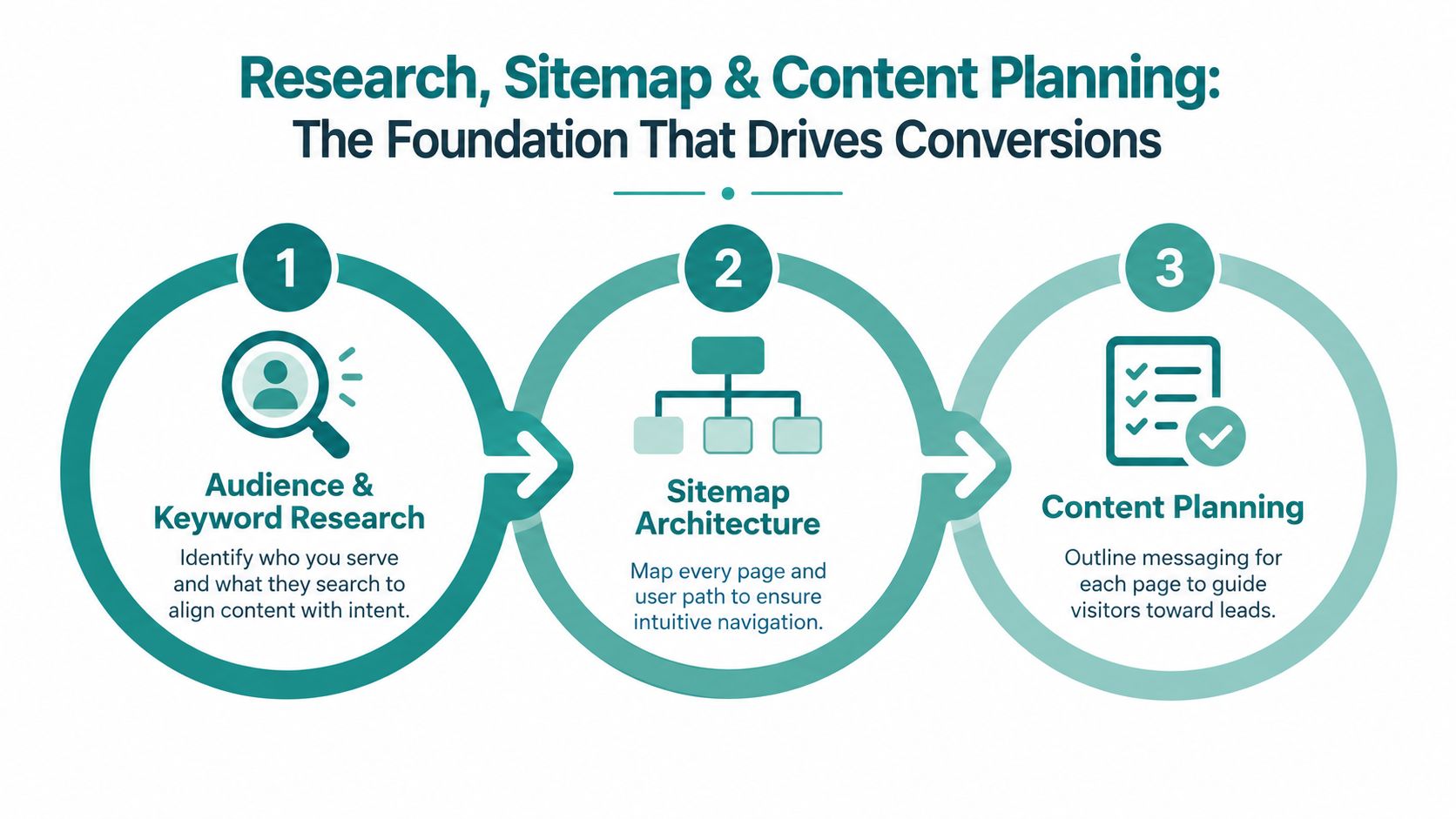
This is the less glamorous phase that determines whether the finished site helps visitors act. Research identifies demand, the sitemap organizes choices, and content gives each page a job. Skip any one of them and the design team starts making structural decisions by instinct.
Begin with audience and keyword research tied to the strategy brief. A keyword isn't valuable merely because people search for it. It needs to reflect an intent your business can serve and a page your team can support. A priority service page should answer the searcher's question, show relevant proof, explain the next step, and make the inquiry easy.
Build the structure around customer paths
A sitemap is not just a list of URLs. It defines hierarchy and movement:
- Services: Which offerings deserve top-level placement, and which belong under a broader category?
- Locations: Should Cincinnati-area service areas sit in one hub, or do specific locations require distinct pages?
- Resources: Does the blog support education, search visibility, customer objections, or all three?
- Calls to action: Where does a visitor request a quote, schedule an appointment, call, or begin checkout?
- Support pages: Which policies, FAQs, team pages, and contact details reduce uncertainty?
Review the proposed structure as a customer, not as an employee. If a first-time visitor can't identify the right service or next step, the sitemap needs more work.
Treat content as an owned project
Create a content inventory before anyone promises a launch date. Mark each existing page as keep, revise, combine, redirect, or replace. Then identify missing material, including service explanations, location coverage, customer proof, staff information, FAQs, photographs, legal text, and calls to action.
Assign ownership in writing. If the business supplies technical descriptions, name the subject-matter expert. If the agency writes content, define interviews, review rounds, fact checking, and approvals. A design can't be finalized around copy that doesn't exist.
For a mid-sized SMB site, plan on two to three weeks for research, sitemap work, and content planning. That timeline is a practical anchor, not an excuse for delay. Compressing this phase usually pushes unresolved decisions into design and development, where changes cost more and create schedule pressure.
The handoff is complete when the approved strategy brief meets an approved structure and content plan. At that point, the team knows what the site should say, which pages deserve attention, and how visitors should move toward a business outcome.
UX and Visual Design Decisions
You don't need to judge design like a designer. You need to approve whether the site makes the right action obvious, represents the business accurately, and works for the people you want to reach.
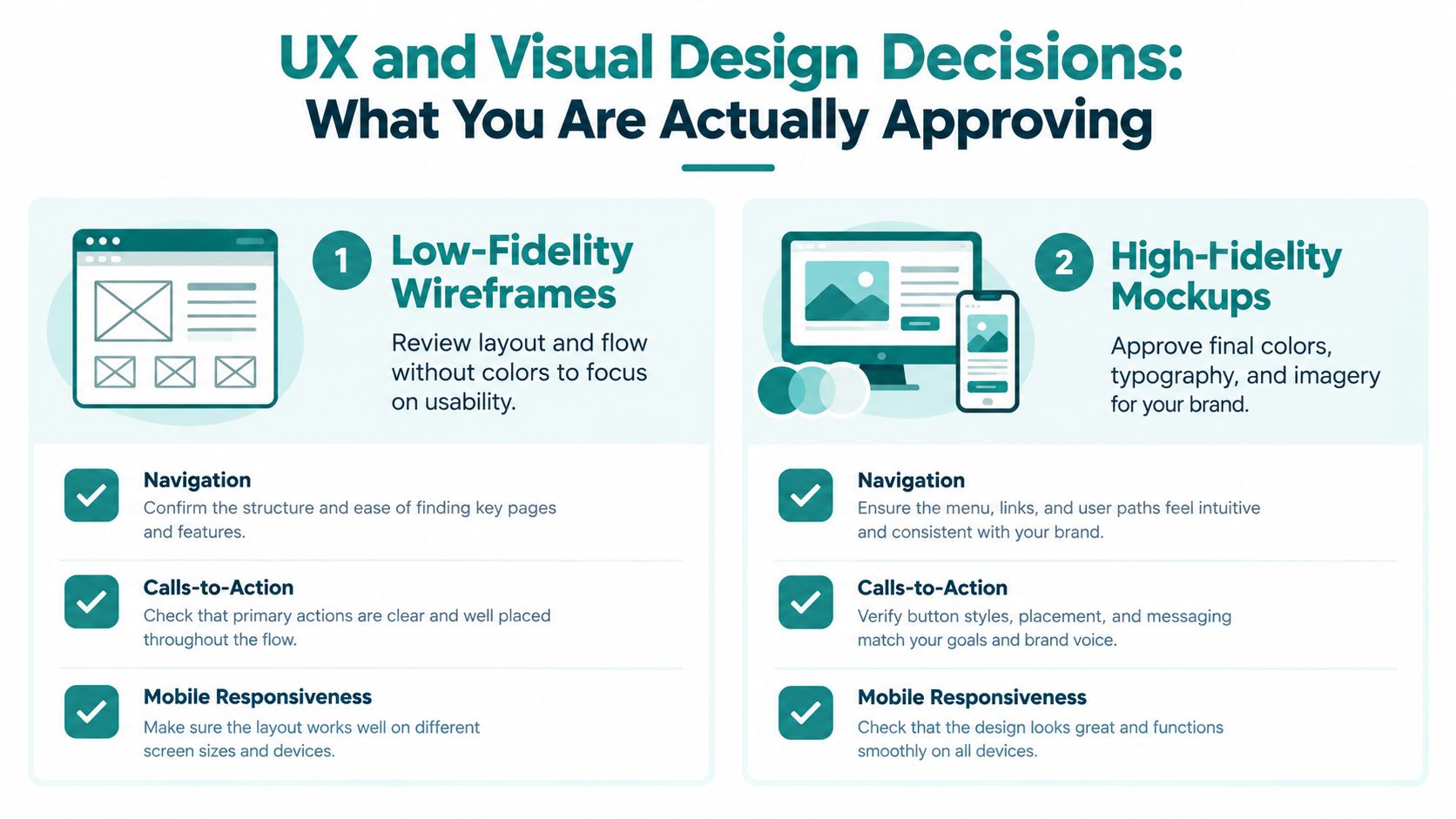
The first approval should cover low-fidelity wireframes. These plain layouts show navigation, page hierarchy, content blocks, forms, calls to action, and user flow without allowing color or photography to distract from usability. If the contact path is confusing in a wireframe, a polished mockup won't fix it.
After the structure works, review high-fidelity mockups. Look for brand consistency, readable type, useful imagery, clear emphasis, and a visual hierarchy that supports the strategy brief. Ask what a visitor should notice first, what concern the page answers next, and where the visitor can act.
Approve mobile behavior, not just desktop appearance
Mobile-first design means the team starts with the smaller screen and deliberately expands the experience for larger displays. On a phone, a wide comparison table may become stacked cards, a dense navigation menu may become a focused list, and a multi-column form may become a short sequence of fields.
Don't approve a desktop screenshot without seeing the corresponding phone layout. Buttons need enough space for thumbs, text must remain readable, and important actions shouldn't disappear below decorative content. Google's mobile speed guidance reports bounce rates around 13% for pages loading in under three seconds and approaching 60% for pages taking nine seconds or more, making speed a design concern as well as a development concern.
Put accessibility into the approval gate
Accessibility belongs in design review. WCAG 2.2 organizes requirements around four principles — perceivable, operable, understandable, and robust — and includes a focus-visibility rule that affects menus, popups, sticky headers, and keyboard navigation.
The owner's checklist should include:
- Contrast: Text and controls remain distinguishable against their backgrounds.
- Focus states: Keyboard users can see where they are on the page.
- Typography: Text remains comfortable to read across screen sizes.
- Alternative text: Images, icons, and charts have useful text alternatives. WCAG 2.2 requires alternatives for non-text content so it can be converted into formats such as speech, braille, large print, symbols, or simpler language.
- Forms: Labels, error messages, and instructions make completion understandable.
Approve the design only when the layout, brand, mobile behavior, accessibility notes, and calls to action all support the business goal.
Prototyping, Development, and Launch
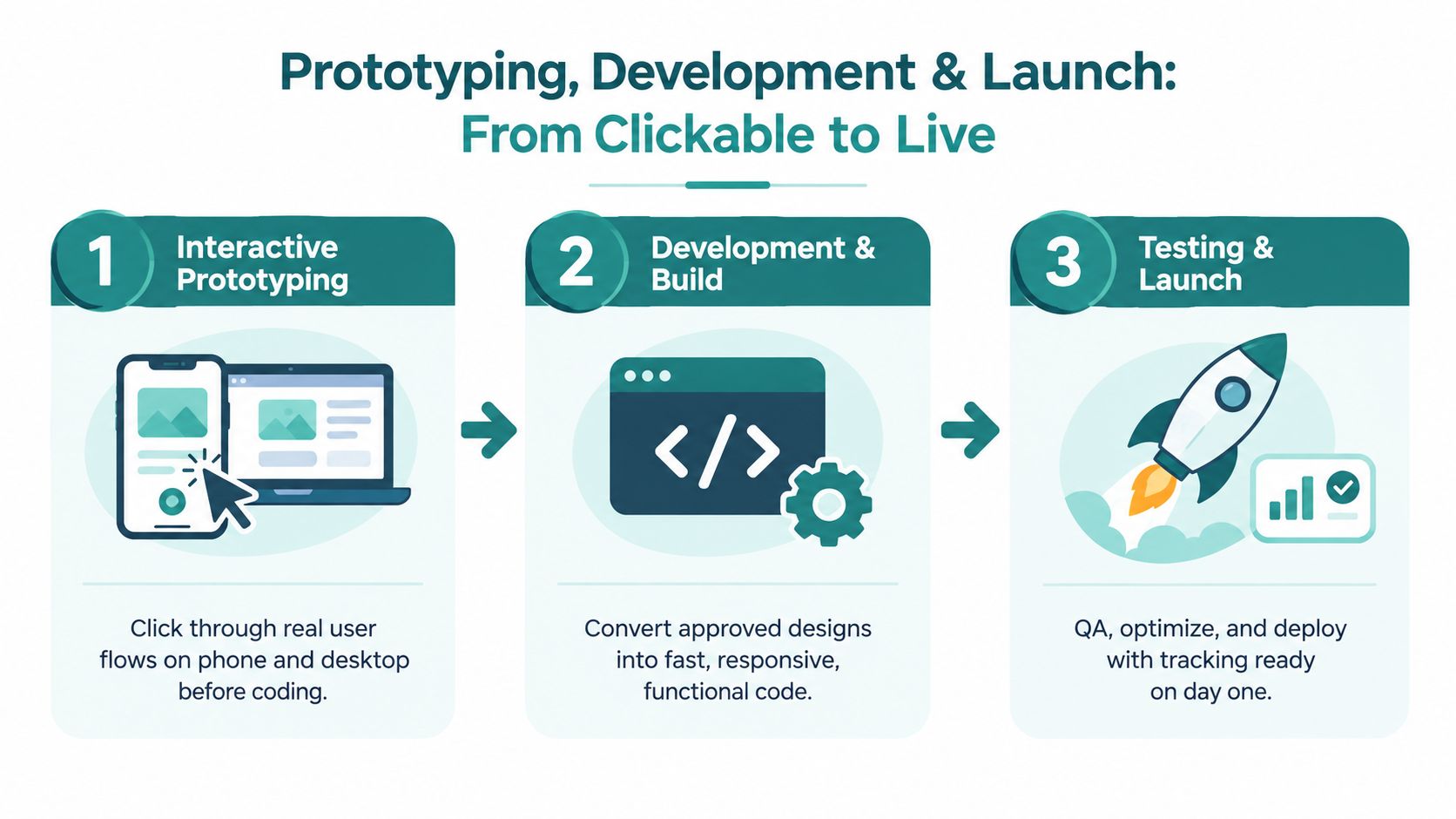
Prototyping, development, and launch should operate as one controlled sequence. The prototype tests the path, development builds the approved experience, and QA verifies that the live site performs the intended job.
Start with an interactive prototype that works on phone and desktop. Click through the important journeys: finding a service, comparing options, submitting a form, booking an appointment, requesting a quote, or checking out. This catches confusing navigation before code makes the problem expensive to correct.
Make the handoff inspectable
The developer should receive approved designs, component behavior, responsive rules, content, image specifications, integration requirements, and accessibility expectations. You should also receive a clear explanation of what the CMS can edit and which changes require development support.
Ask for:
- A staging environment: A private, reviewable version of the site before launch.
- A style reference: Approved colors, type, spacing, buttons, forms, and reusable components.
- CMS guidance: Instructions for editing pages, adding images, managing redirects, and reviewing submissions.
- Integration ownership: Named responsibility for forms, scheduling, ecommerce, CRM, email, and analytics.
- Handoff documentation: A record of decisions and unresolved items.
Test the parts customers actually use
QA should include current browsers, multiple phones, keyboard navigation, form submissions, confirmation messages, error handling, internal links, 404 behavior, image loading, and speed baselines. A performance budget should be agreed before launch, with a target of pages loading under three seconds treated as a requirement in the project plan rather than a hope.
The launch checklist should confirm DNS cutover ownership, analytics verification, search console verification, backups, redirect implementation, form routing, and a rollback plan. A thorough site redesign SEO checklist also recommends exporting baseline analytics, crawling the existing site, mapping content and keywords, and preserving a crawl or staging copy so old URLs, internal links, and metadata can be reviewed before launch.
Launch day should have named owners, a defined communication channel, and a short list of checks that someone completes after the site becomes public.
Measuring Results and Optimizing After Launch
Launch isn't the finish line. It starts a 90-day optimization window in which the owner and agency compare actual behavior with the baseline established before the redesign.
Track the signals that answer business questions, not every number available in a dashboard:
- Organic traffic: Use Google Search Console to see whether the site attracts the intended searches.
- Goal completions: Configure GA4 events for meaningful actions, such as form submissions, appointment requests, downloads, or purchases.
- Contact forms: Review completed submissions, quality, service requested, and whether leads reach the right employee.
- Phone calls: Use call tracking where phone inquiries are central to the sales process.
- Local visibility: Monitor local pack rankings for priority service keywords, while remembering that rankings alone don't prove revenue.
Read the funnel in order
First ask whether the right audience is arriving. If traffic grows but visitors search for services you don't offer, the research or content plan needs correction. If the audience looks relevant but few people act, inspect the offer, page clarity, proof, calls to action, form length, and mobile experience.
Then locate the drop-off. A visitor may reach a service page but never contact the company. They may start a form and abandon it after encountering unclear fields. They may call but fail to connect with the right department. Each pattern suggests a different response, so don't approve a redesign based on a single headline metric.
Performance deserves close attention because it can affect action directly. Industry UX research reports that a 1-second load delay can reduce conversions by roughly 7%, while a 0.1-second improvement in load time has been reported to raise retail conversions by 8.4%. The same research cites common accessibility error rates including low-contrast text at 83.9%, missing alt text at 53.1%, and unlabelled form inputs at 51%, reinforcing the need to fix usability problems rather than chase visual novelty.
Use a 30, 60, and 90-day rhythm
At 30 days, fix launch defects, confirm tracking, review lead quality, and identify obvious content or form problems. At 60 days, compare page behavior, search queries, calls, and conversions, then prioritize one or two changes with a clear business rationale. At 90 days, evaluate the normalized pattern, decide which tests or content investments deserve funding, and update the roadmap.
A maintenance plan keeps security updates, backups, performance tuning, and content upkeep from competing with growth work. Measurement turns opinions into an approval queue, which is exactly what a business owner needs.
Your Website Design Process Checklist
Use this checklist to judge an agency proposal before signing and to manage the work after kickoff. For a Cincinnati business owner, the proposal should make budget, timing, responsibilities, approvals, and post-launch measurement visible.
Seven phases with four approval gates
- Discovery: Define the business goal, audience, customer problems, KPI, budget, decision-makers, and responsibilities.
- Research and planning: Complete audience research, keyword mapping, competitor review, sitemap, content inventory, and gap analysis.
- UX design: Approve wireframes, navigation, page hierarchy, calls to action, forms, and user paths.
- Visual design: Approve brand application, typography, imagery, responsive layouts, and accessibility notes.
- Prototyping: Click through important journeys on phone and desktop before development.
- Development: Build the approved experience, configure the CMS and integrations, and provide a staging environment.
- Launch: Complete QA, redirects, analytics, backups, speed checks, training, deployment, and post-launch monitoring.
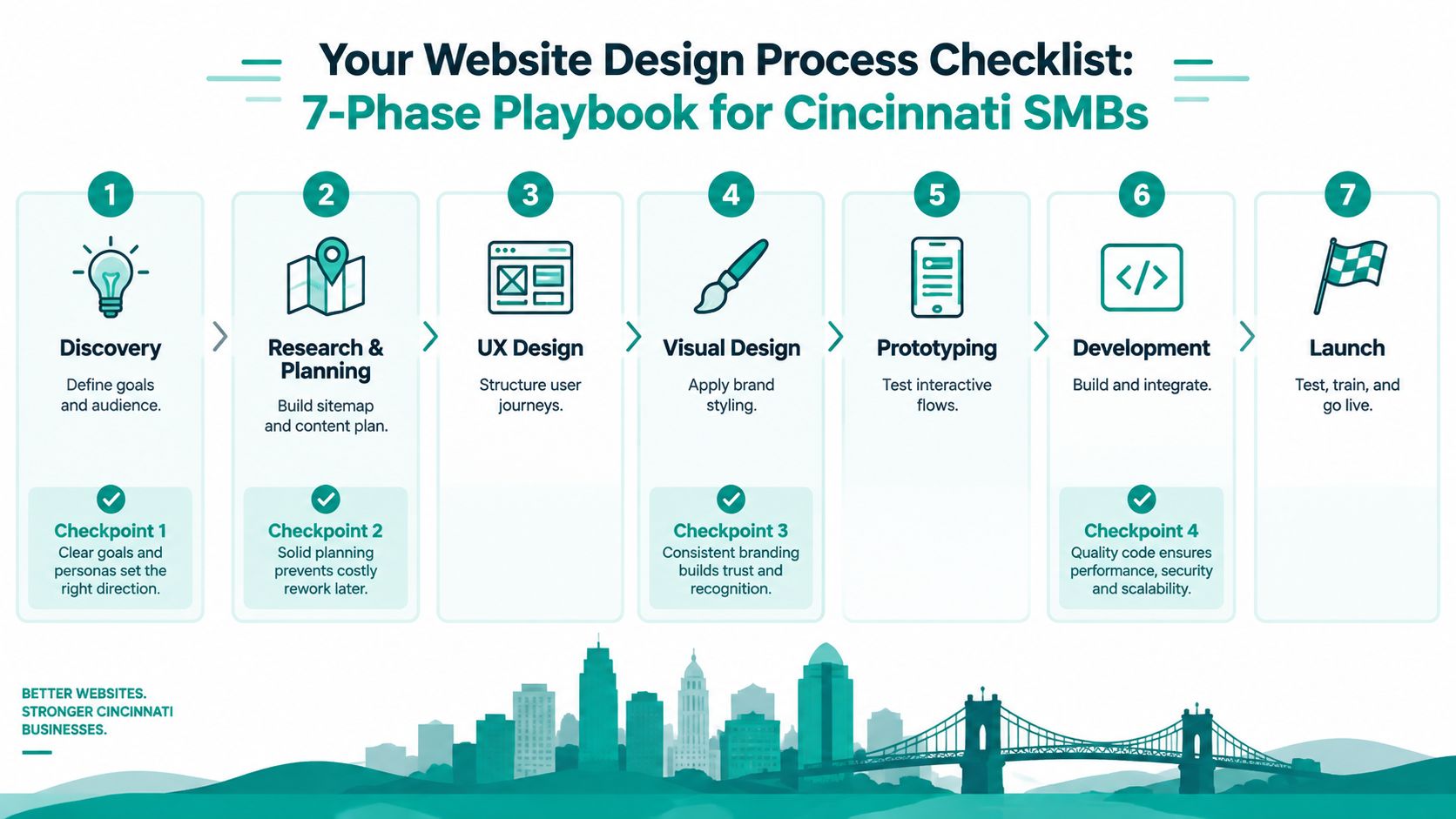
The four approval gates keep decisions from becoming vague:
- Discovery sign-off: Goals, audience, KPIs, scope, and responsibilities exist in writing.
- Design sign-off: Wireframes, mobile compositions, accessibility considerations, and content direction are approved.
- Pre-launch sign-off: QA, redirects, analytics, backups, forms, and rollback procedures are complete.
- Post-launch review: The team has scheduled reviews at 30, 60, and 90 days.
Owner's checkpoint: A proposal is only useful when it states who does what, by when, for which pages, with which approval criteria.
An agency that skips discovery is asking you to approve design without a decision framework. An agency that will not share a staging environment prevents review before launch. An agency that locks you out of the CMS creates unnecessary dependence. An agency that quotes without scoping content is leaving a major source of cost and delay undefined.
Before contacting agencies, set a realistic budget range and identify the internal people responsible for content, technical access, subject-matter expertise, and approvals. Shortlist three Cincinnati agencies, request proposals organized by phase, and compare deliverables rather than headline prices. Ask each provider what happens after launch, how results are reported, and which changes fall inside or outside the agreed scope.
HDM is a Cincinnati-area option for businesses that need mobile-first website design, custom development, SEO, analytics, performance marketing, or ongoing website wellness. Treat the agency as one candidate in your evaluation and request the same evidence from every provider.
Schedule the 30-day post-launch review before the site goes live. That meeting should examine tracking, lead quality, obvious form or content problems, and whether the site is producing the business outcomes defined during discovery.
If your Cincinnati business needs a website tied to clear goals and measurable reporting, visit HDM. Bring your current site and biggest conversion problem, then ask the team to map the work phase by phase.