A Cincinnati-area practice can spend weeks improving its website, ranking for local searches, and investing in paid campaigns, then send every patient inquiry into an ordinary contact form. The page looks polished. The padlock appears in the browser. A notification lands in a shared inbox. None of that proves the intake journey protects protected health information.
HIPAA compliant web forms require more than a secure-looking widget. The form, hosting environment, vendors, confirmation page, analytics, notifications, backups, staff access, and response procedures all matter. For a small healthcare business, the practical question isn't "Does this form have SSL?" It's "Can we trace and control every place patient information travels?"
What HIPAA Compliant Web Forms Actually Require
HIPAA became law on August 21, 1996, and the U.S. Department of Health and Human Services finalized the HIPAA Security Rule in February 2003. That rule established national standards for protecting the confidentiality, integrity, and availability of electronic protected health information, or ePHI, which is the regulatory foundation for online forms that collect patient data. The HHS HIPAA professional resources provide the governing framework.
The Privacy Rule became enforceable for most covered entities on April 14, 2003. Small health plans had until April 14, 2004, and HHS says Office for Civil Rights enforcement began on April 14, 2003. For web forms, that means the compliance framework has been operating for more than two decades, not waiting for a new form technology to define it. HHS explains the enforcement milestones in its HIPAA compliance and enforcement guidance.
The rules work together
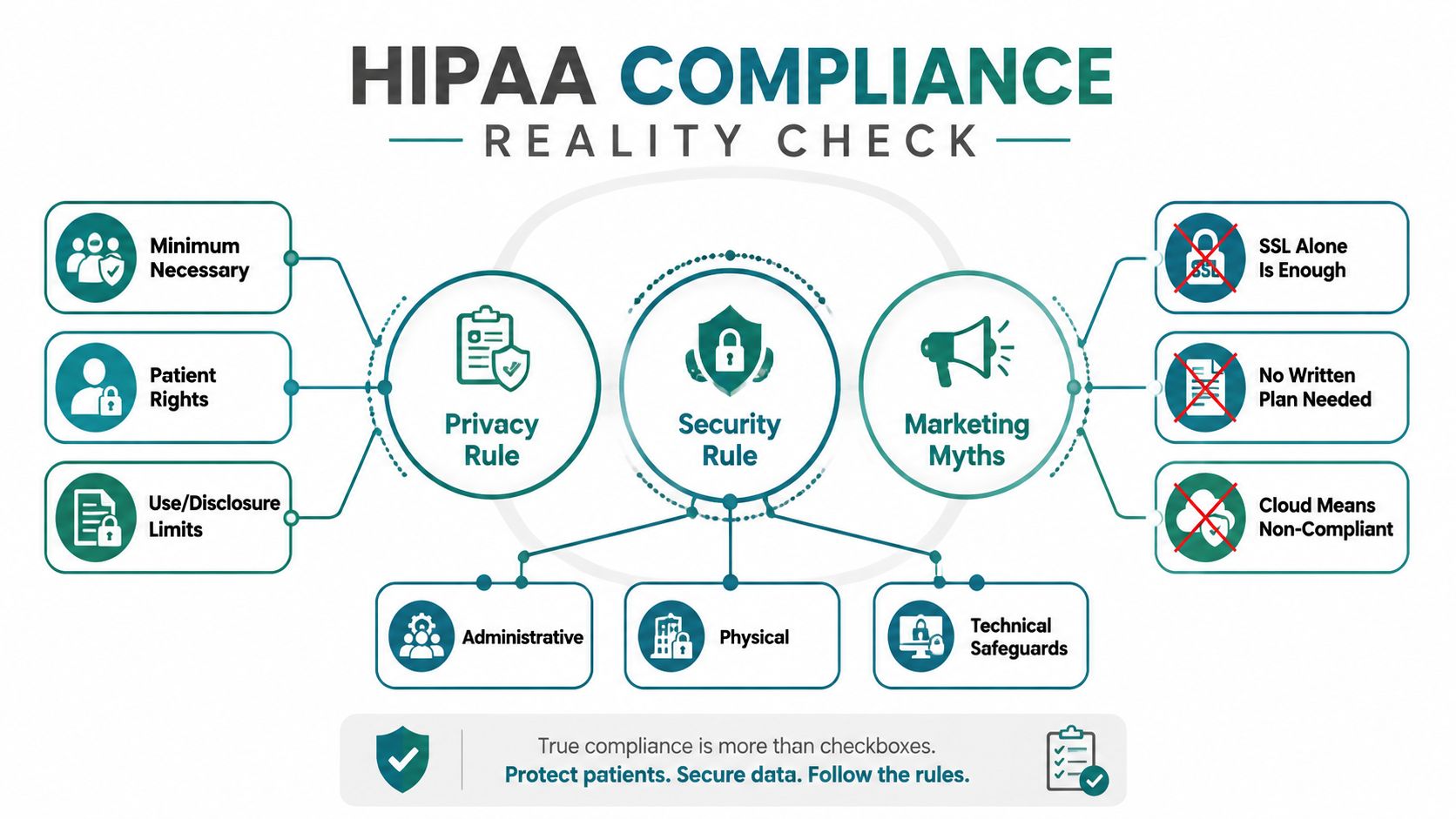
The Privacy Rule governs how protected information may be used and disclosed. The Security Rule focuses on ePHI and requires appropriate administrative, physical, and technical safeguards. HIPAA is technology-neutral. It doesn't tell you to use a particular form builder, database, content management system, or cloud provider. It requires an organization to manage risk and protect the information appropriately.
That distinction matters because a checklist can create false confidence. An owner checks for HTTPS, obtains a Business Associate Agreement, and assumes the project is complete. The actual work also includes a documented risk analysis, workforce training, written policies, controlled facilities and devices, access restrictions, auditability, and incident procedures. HHS's Security Rule guidance emphasizes identifying and documenting reasonably anticipated threats and vulnerabilities before implementation.
Practical rule: Treat the patient's entire intake journey as the compliance surface, not just the form widget.
A useful primer for comparing broader compliance responsibilities is the RapidNative compliance guide. Use it to expand your questions, not to replace a risk analysis specific to your practice.
The Hidden Privacy Leaks Beyond the Form
The input fields are often the easiest part to secure. The surrounding plumbing creates more opportunities for accidental disclosure.
A thank-you page may echo a patient's name, appointment type, or submitted value into the URL. A confirmation email may copy the patient's address or medical details into a mailbox that wasn't approved for PHI. Meta, Google, or LinkedIn tracking pixels can fire after submission and send page titles, URLs, event names, or identifiers to third parties. A chat widget may capture sensitive text while a visitor is typing, even if the visitor never presses Submit.
Server logs deserve the same scrutiny. A poorly configured application can record full POST bodies, including every submitted field. Webhook retries can push the same payload into an unsecured CRM, spreadsheet, or automation platform. Browser autofill can also pre-populate sensitive fields on shared devices, creating a privacy problem before the server receives anything.
| Surface | What Leaks | Risk Level |
|---|---|---|
| Thank-you page | PHI in page text, URLs, titles, or analytics events | High |
| Confirmation email | Patient contact details or intake content in message bodies | High |
| Tracking pixels | Health-related page context, identifiers, and submit events | High |
| Chat widget | Typed information captured before submission | High |
| Server logs | Full request bodies and sensitive field values | High |
| Webhooks and retries | PHI sent to CRMs, spreadsheets, or automation tools | High |
| Browser autofill | Sensitive values exposed on shared or public devices | Medium to high |
A secure endpoint can't protect information that your marketing stack sends somewhere else.
Healthcare guidance increasingly treats condition-specific landing pages, appointment requests, and confirmation pages as PHI-adjacent surfaces. The sensible response is to remove third-party scripts from those pages, avoid echoing submissions, and measure performance server-side after scrubbing PHI. Cincinnati practices should also review the broader implications of their site cookies and tracking setup through HDM's website cookie compliance guide.
The Technical Safeguards Explained in Plain English
Technical safeguards aren't abstract requirements for an IT department. Each one represents a build decision that affects how your staff receives, views, exports, and removes patient information.
Protect data while it moves and rests
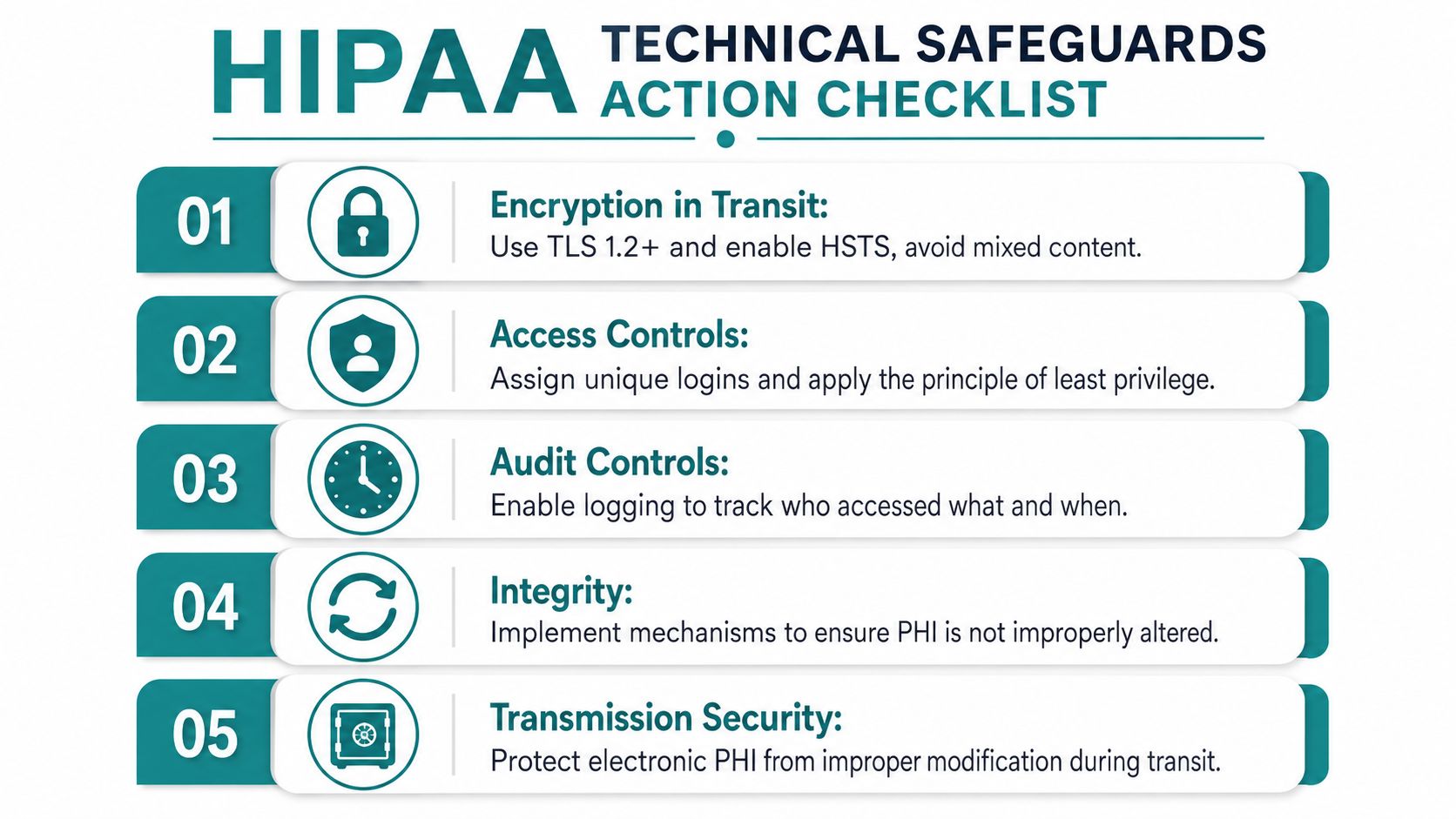
Encryption in transit protects information moving between the patient's browser, your application, APIs, webhooks, and storage services. Require modern TLS, preferably TLS 1.3, with TLS 1.2 or later where compatibility requires it. Enable HSTS, eliminate mixed content, and prevent PHI from appearing in URLs.
Encryption at rest protects stored data in databases, object storage, backups, and exports. AES-256 is a practical benchmark for stored form data, but encryption must cover more than the primary database. A 2025 data-forms survey found that 81% reported using TLS 1.3, 48% still relied on TLS 1.2, and only 58% adopted AES-256 for stored form data (2025 data-forms report). The same report warns that cluster-level encryption can leave gaps in logs, backups, and individual fields.
Use a managed KMS or HSM for keys. For especially sensitive fields, add field-level encryption so one compromised layer doesn't expose every submission.
Control people, actions, and changes
Every staff member should have a unique user ID. Require MFA, apply role-based permissions, and give each person only the access needed for their job. A receptionist may need to route appointment requests, while a billing employee may need a different view. Remove access promptly when someone changes roles or leaves.
Audit logs should answer who accessed what, when, and what action occurred. Protect logs from alteration and make them available during investigations and restoration testing. Integrity controls, such as checksums, signed webhooks, and write-only API keys, help demonstrate that data wasn't improperly changed during processing.
Transmission security also means keeping PHI out of ordinary email and SMS. Send staff a secure notification that a submission is ready, then require authenticated access to view it. Use signed URLs or tokenized callbacks that expire and don't reveal patient information.
Put vendors under contract
Any vendor that touches PHI needs a BAA, and the HHS model Business Associate Agreement states that business associates must use appropriate safeguards and comply with Subpart C of 45 CFR Part 164 for electronic PHI.
A BAA doesn't make a weak workflow safe. It clarifies responsibilities between parties. You still need to review subprocessors, storage, backups, exports, logging, key management, and account administration. For a practical overview of hosting considerations, see HDM's HIPAA website hosting guidance.
A Realistic Build Path for a Small Healthcare Business
Consider Maple Ridge Rehab, a fictional physical therapy clinic serving patients in the Cincinnati area. The owner wants appointment requests and pre-visit information online, but doesn't want a marketing form to become an untracked intake system.
Start with risk, not design
The first deliverable is a documented risk analysis. Maple Ridge lists every system that may touch PHI, including the browser, web server, form application, API, webhook provider, storage, backups, staff dashboard, billing exports, and support access. The team identifies threats and vulnerabilities before anyone writes code.
Next, the clinic maps the data flow on paper. Each arrow answers a basic question: who sees the information, where is it stored, how long does it remain there, and which vendor receives it? This step often exposes unnecessary destinations, such as an email notification, spreadsheet export, or analytics event.
Build the workflow in sequence
Maple Ridge then selects hosting with a BAA, configures TLS 1.3, enables HSTS, and encrypts the database at rest with managed keys. The form uses server-side validation and CSRF protection. PHI stays out of URLs and application logs, and the confirmation page displays only a generic success message.
The team adds audit logging for every access event, tests permissions using real staff roles, and verifies that exports and backups follow the same controls. A third-party vulnerability scan and manual penetration test run before launch. The clinic also checks webhook failure behavior, because a secure primary submission can still leak data through retries.
The sequence matters more than the platform. A WordPress site, custom application, or hosted form product can fit the workflow if the organization documents responsibilities and verifies every component. A visually impressive form built before data mapping usually creates expensive rework.
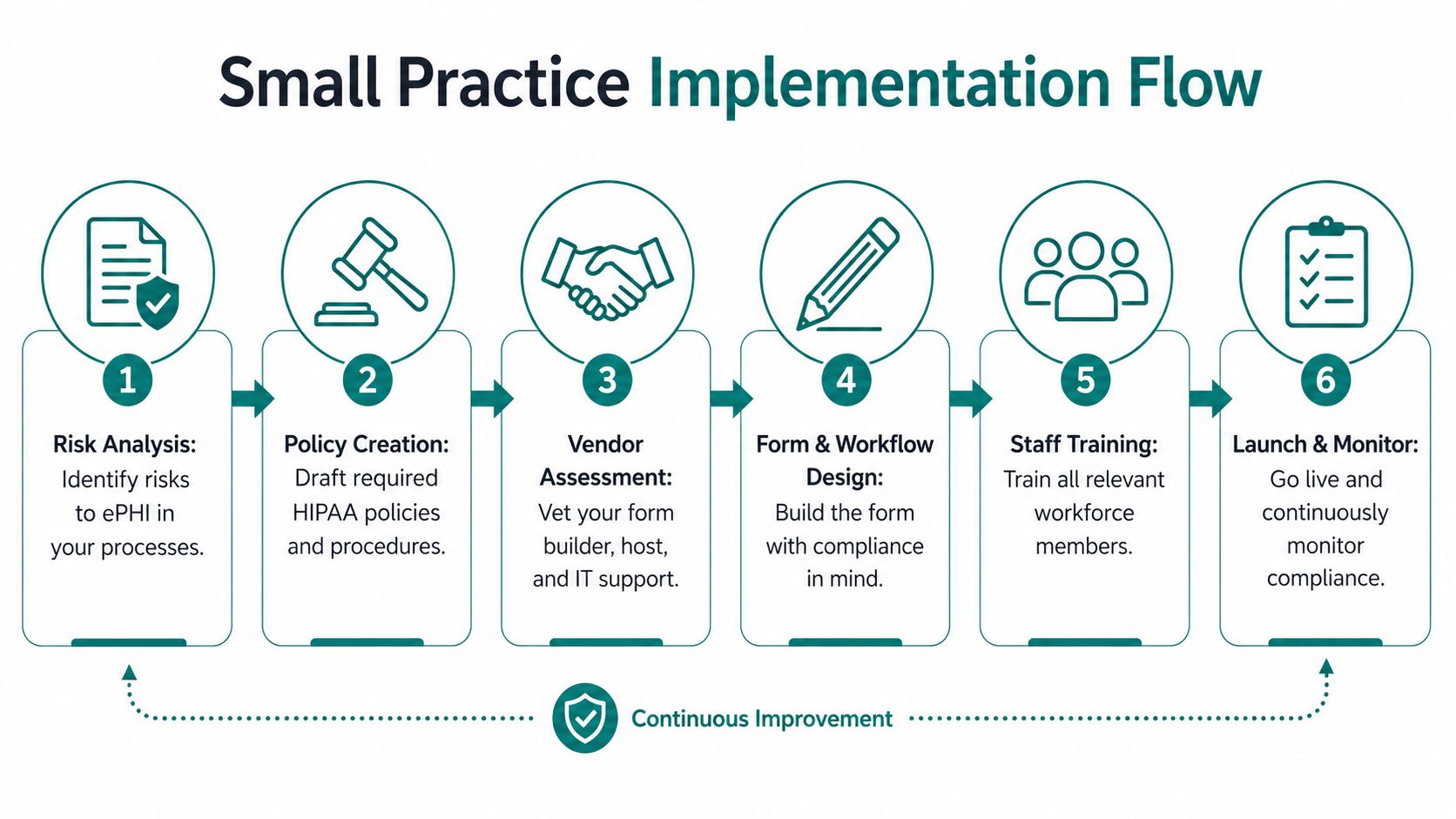
The implementation flow should leave Maple Ridge with:
- A risk record: Threats, vulnerabilities, decisions, owners, and review dates.
- A data map: Every browser, API, vendor, repository, backup, and export.
- A vendor file: BAAs, subprocessor details, security documentation, and contacts.
- A tested application: Validation, access controls, logging, secure failure behavior, and clean URLs.
- A launch record: Scan results, penetration-test findings, remediation, approvals, and rollback steps.
Consent, Retention, and Breach Notification Essentials
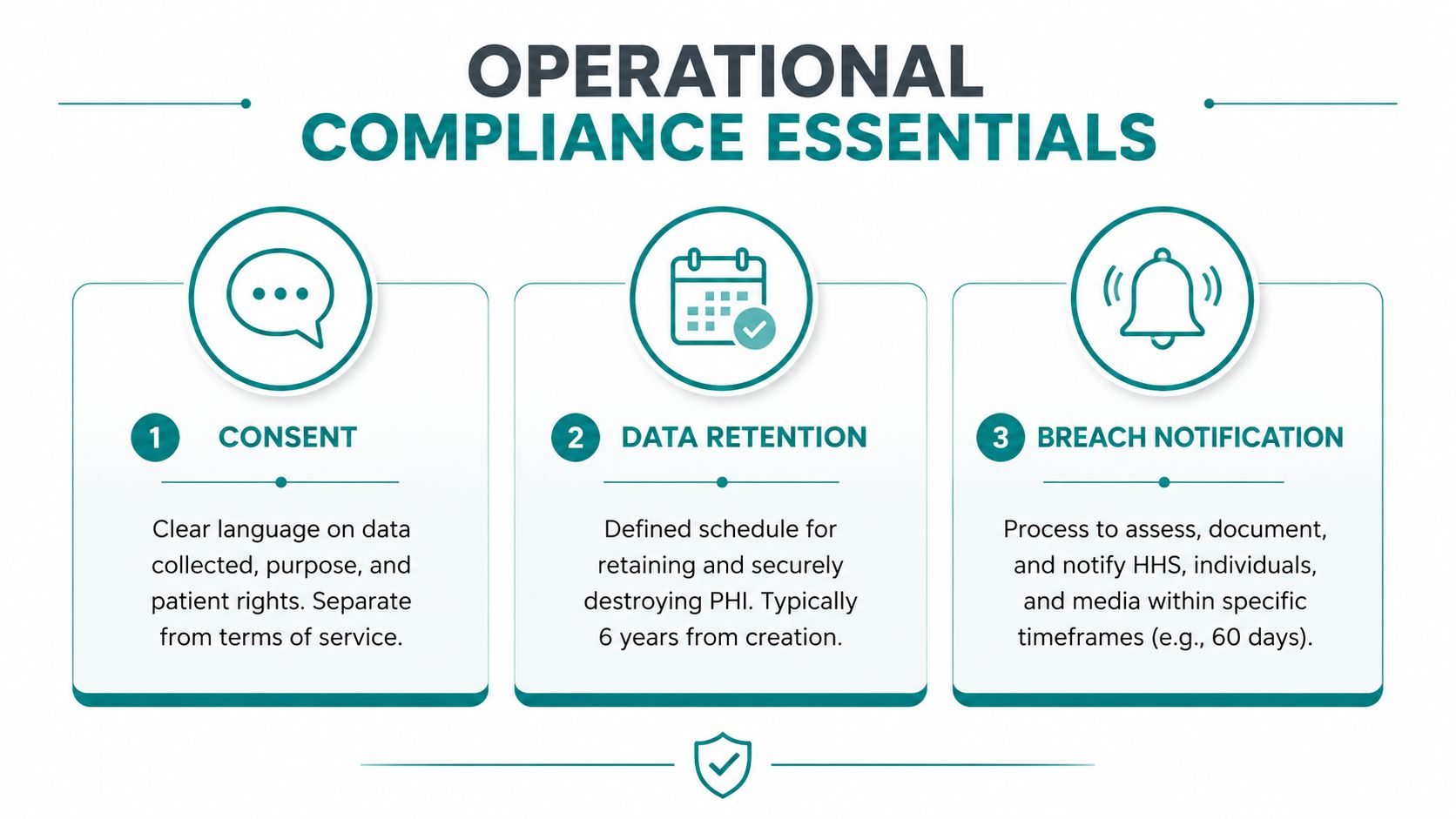
A secure submission still needs an operational policy. Before a patient submits information, the form should clearly state what it collects, why it collects it, which fields are optional, and how the patient can understand the practice's privacy practices. Use an affirmative acknowledgment, and keep that acknowledgment separate from general website terms.
Collect the minimum necessary information for the task. Scheduling may require contact information and appointment preferences, while referral triage may require a concise description of the request. Don't ask for a Social Security number, full date of birth, or insurance identifier when a member number or last-name-plus-date-of-birth process will meet the operational need.
Retain deliberately
HIPAA doesn't specify one universal retention period for every piece of information. Your organization needs a documented schedule that distinguishes form submissions, audit records, policies, training records, backups, and exported files. HHS guidance and model documentation commonly make six years an important floor for many HIPAA records, so don't let a developer choose a deletion setting without involving your compliance lead.
A retention plan must include secure destruction. Deleting a record from the dashboard isn't enough if copies remain in exports, backups, logs, or vendor systems. A simple visual reference for implementing retention behavior is this Vue data retention setup, which can help a developer translate policy into interface and workflow decisions.
Prepare for incidents before one happens
The Breach Notification Rule requires notification to affected individuals without unreasonable delay and no later than 60 calendar days after discovery when unsecured PHI is involved. If a breach affects 500 or more individuals, the covered entity must also notify the Secretary within that same 60-day window. Breaches affecting fewer than 500 individuals are reported to the Secretary within 60 days after the end of the calendar year in which they were discovered, according to HHS breach reporting guidance.
Give a named security officer authority to investigate, document findings, coordinate counsel, and approve patient communications. Keep a notification template ready, but don't send a generic message without assessing what happened and what each affected patient needs to know. Store your checklist with the practice's backup and disaster recovery plan, not in an inaccessible personal account.
Choosing a Partner Who Has Built HIPAA Forms Before
A general developer can produce a working form. That does not prove the patient intake journey is safe. The highest-impact failures often involve legal and operational details: a missing BAA, an unreviewed subprocessor, an email notification that contains PHI, or a tracking script on the confirmation page. Choose a partner who reviews every destination, message, and handoff around the form.
Require specific answers before signing:
- Risk analysis: Can you show a risk analysis template used for a healthcare workflow?
- Vendor coverage: Which subprocessors handle PHI, and will each sign a BAA?
- Access and keys: How will you configure role-based access, MFA, logging, and key management?
- Incident response: Who investigates a suspected breach, and what documentation will the client receive?
- Testing: Do you perform vulnerability scanning, manual testing, restoration drills, and post-launch review?
- Marketing controls: How will you stop analytics, chat, email, and CRM integrations from receiving PHI?
| Criterion | What to Ask | Red Flag |
|---|---|---|
| BAA coverage | Which vendors sign agreements, and what services do they cover? | "The platform is secure" without contract details |
| Data mapping | Can you show every destination for a submission? | No diagram or written inventory |
| Access controls | How are roles, MFA, and departing staff handled? | Shared logins or permanent admin access |
| Logging | What events are recorded, protected, and reviewed? | Logs exist but can't be exported or interpreted |
| Testing | What happens before launch and after changes? | No independent testing plan |
| Marketing stack | Are pixels, chat tools, and email notifications scrubbed? | Analytics installed by default |
Ask for evidence, not assurances. A partner should show the data-flow map, vendor inventory, testing record, access model, and change process. Review whether the plan covers the full patient path, including confirmation pages, thank-you emails, webhooks, exports, and analytics.
Local accountability can shorten decisions. A Cincinnati-area partner can coordinate directly with your practice manager, billing lead, IT provider, and compliance contact instead of routing every question through a long support queue. HDM is one Cincinnati-based option working across healthcare websites, custom development, analytics, security maintenance, and patient-facing digital experiences. Evaluate HDM with the same questions you ask every vendor.
For interface inspiration, look at the homepage from Kiwiform. Do not treat a polished experience as proof of HIPAA compliance. The right partner connects design, infrastructure, contracts, testing, and daily operating procedures.
Making Compliance an Ongoing Practice
Compliance starts to drift as soon as someone adds a marketing pixel, changes a confirmation template, installs a chat widget, updates an integration, or exports submissions for a new business process. A form can pass launch testing and become unsafe after an ordinary website change.
Schedule a quarterly review before the form goes live. Each review should have an owner, a written record, and a defined follow-up date.
- Re-run the risk analysis: Review new threats, changed workflows, vendors, storage locations, and staff responsibilities.
- Audit BAA coverage: Compare every current tool with the vendor inventory. Remove tools that don't have an approved agreement.
- Inspect access logs: Look for unexpected users, unusual access patterns, old accounts, and failed administrative actions.
- Test the patient journey: Submit controlled test data and verify that URLs, titles, analytics, email, SMS, logs, webhooks, exports, and backups contain no unintended PHI.
- Review consent language: Update disclosures when the workflow changes or applicable state requirements shift.
- Refresh training: Document who learned the current process and what staff should do when they suspect a disclosure.
The defensible asset is documentation. Policies, training records, incident runbooks, vendor agreements, risk decisions, and version-controlled form configurations show how your practice manages risk over time.
The calendar should own this discipline, not memory. Create the first quarterly review appointment during the launch project, assign a responsible person, and require evidence of completion. That simple decision turns HIPAA from a launch-day checkbox into a recurring management process that supports patient trust and protects the business.
HDM can review your Cincinnati-area website, map the full patient intake journey, and build or improve HIPAA-conscious forms, hosting, analytics, backups, and integrations. Visit HDM to discuss the risks in your current workflow and plan a secure next step before your next campaign or redesign.