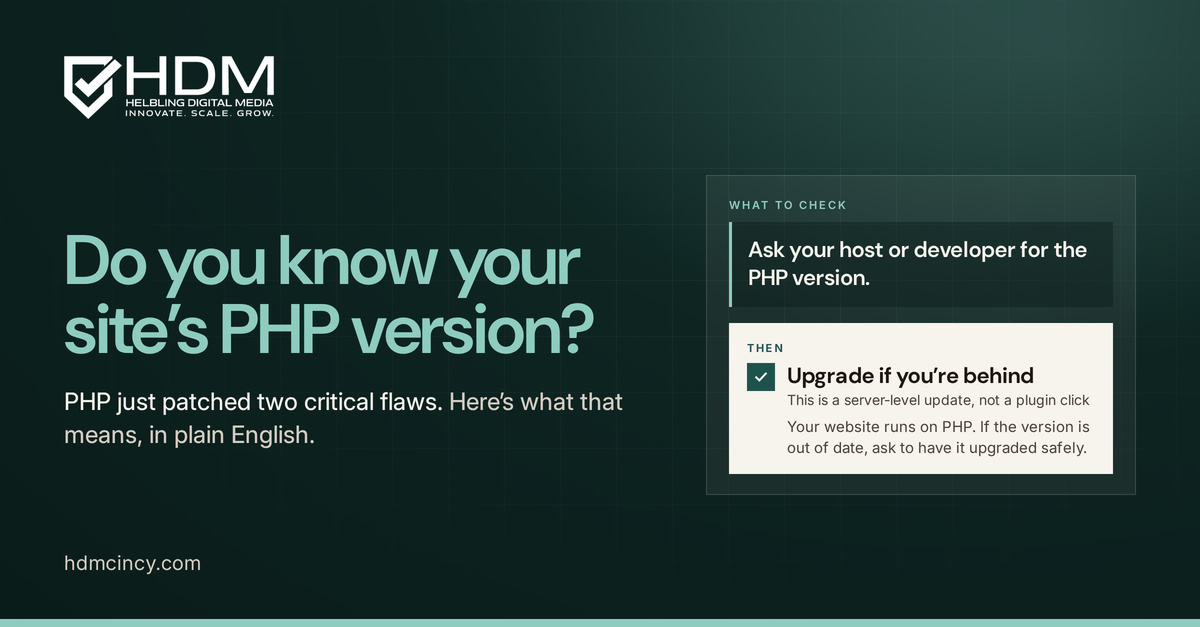

It's Friday afternoon in Cincinnati, and your promotion is already running. Then a customer texts you a screenshot: your website is showing a white screen, or worse, a browser security warning. You check from your phone, your laptop, and the office computer. Nothing works. Your developer is unavailable, your hosting company points to a plugin, and every minute without a working site puts your campaign, reputation, and incoming leads at risk.
That situation is exactly why a website maintenance plan deserves a place in your operating budget. It isn't a vague promise to "keep things updated." It's a written program for security, backups, monitoring, performance, recovery, and accountability. The right plan transfers a defined portion of your website risk to a capable provider, with measurable expectations for detection, response, and restoration.
For small and mid-sized businesses evaluating web design, SEO, or digital marketing services, the question isn't whether maintenance costs money. The question is whether you're willing to carry the larger cost of downtime, data loss, failed forms, outdated software, or an unexplained recovery process.
What a Website Maintenance Plan Actually Is
A website maintenance plan is a scheduled, documented operating policy that keeps your website secure, available, functional, and aligned with your business goals. It covers recurring work such as software updates, backups, uptime monitoring, security reviews, content checks, and performance testing.
A maintenance plan should answer three practical questions:
- What gets done: The plan names the systems, pages, integrations, and tasks that require attention.
- Who does it: It assigns responsibility to an employee, freelancer, agency, hosting provider, or another named party.
- How fast action starts: It defines response times, escalation steps, patch deadlines, and recovery procedures.
That structure separates professional upkeep from ad-hoc firefighting. Without a plan, someone notices a broken form only after a prospect complains. Someone remembers backups only after a malicious login or failed update. A developer makes a change directly on the live site because nobody documented a safer staging process.
Practical rule: If a maintenance task has no owner, frequency, or response expectation, it isn't part of your plan. It's a hope.
The plan should exist outside the website itself, usually in a service agreement, operating document, or SLA. That matters when your original developer leaves, a freelancer stops responding, or an employee changes roles. A Cincinnati business shouldn't depend on one person's memory to know where backups live or who can restore the site.
Monitoring data reinforces the business case. A commonly cited global uptime benchmark is 99.95%, which corresponds to just over 4 hours of downtime per year according to website monitoring benchmark data. The same source reports that 61.4% of monitored sites experienced at least one outage, while the median outage lasted 1.9 minutes and 98.6% recovered within an hour. Those figures explain why a serious plan emphasizes continuous detection and fast restoration, not occasional manual checkups.
The Seven Layers of a Real Maintenance Plan
A complete plan covers more than WordPress updates. Recent guidance for custom-built sites identifies seven active maintenance layers, including security, dependencies, performance, content, accessibility, infrastructure, and SEO, as discussed in this website wellness overview.
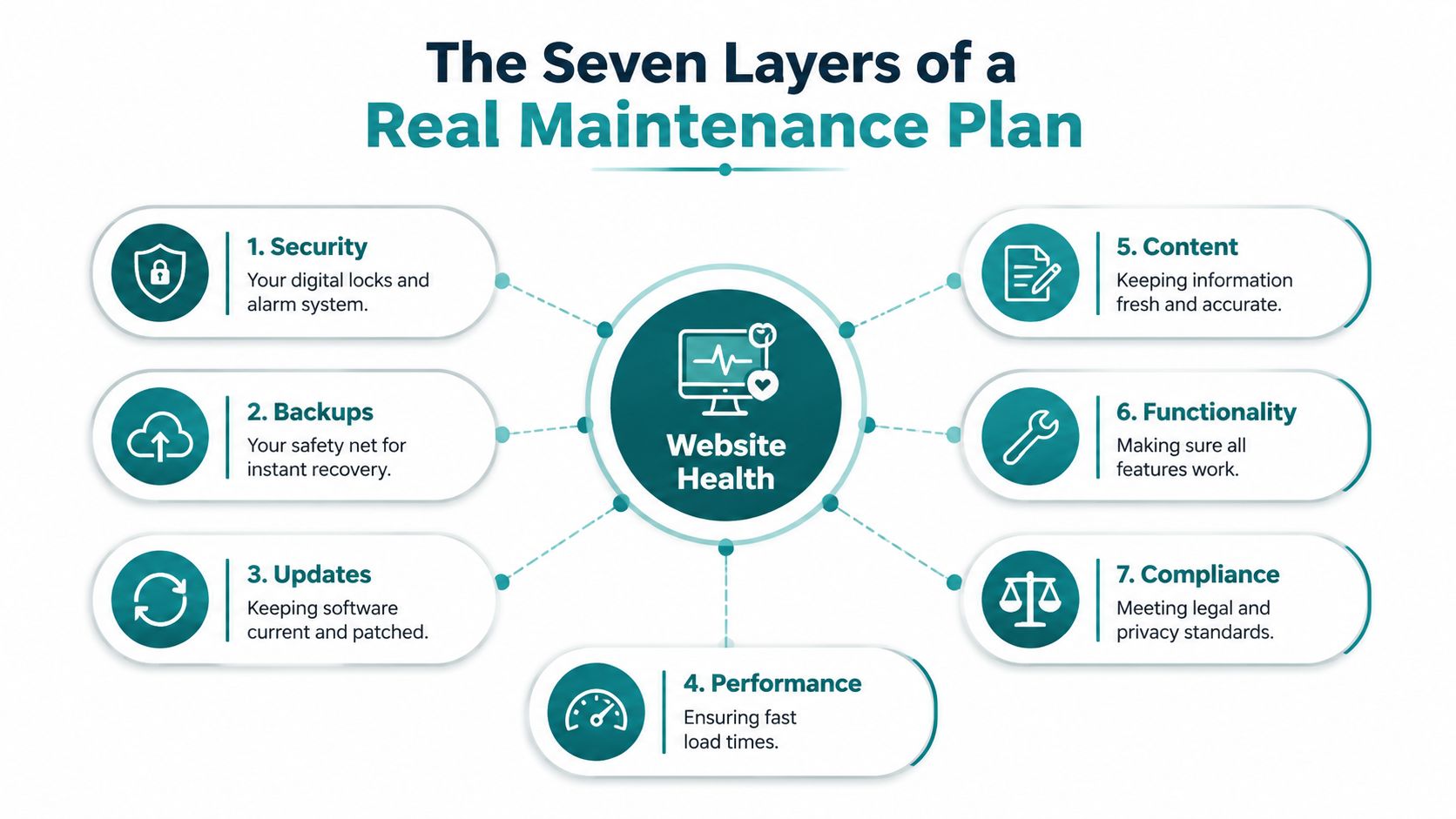
Security is the locks and alarm system
Security work includes malware scanning, login hardening, SSL checks, firewall or WAF controls, and review of suspicious activity. The business outcome is straightforward: prevent an attacker from turning your website into a warning screen, spam distributor, or source of stolen information.
Dependencies are the oil change
Your CMS core, plugins, themes, PHP or Node versions, and other software packages need controlled updates. One cited industry summary reports that 83% of compromised sites were running outdated software with known vulnerabilities, while another reports that nearly 8,000 new WordPress vulnerabilities were disclosed in one year, or about 22 per day. Those figures are documented in this website maintenance statistics summary.
Don't update blindly on the live site. Back up first, test on staging, review the important pages, and keep a rollback path.
Performance is the HVAC tune-up
Caching, image compression, database cleanup, hosting health, and Core Web Vitals reviews keep pages responsive. A slow site makes visitors work harder to contact you, request a quote, book an appointment, or complete a purchase.
Content keeps the shelves stocked
Review service descriptions, prices, hours, staff information, forms, media, and links. An accurate website supports sales conversations. An outdated one creates avoidable objections and customer-service work.
Accessibility is the front-door ramp
Check alt text, contrast, keyboard navigation, focus states, labels, and ARIA implementation where appropriate. Accessibility helps more people use your site and reduces the chance that a preventable interface problem blocks a legitimate customer.
Infrastructure is the foundation
Hosting, DNS administration, off-site backups, disaster recovery, and restore procedures belong in the plan. If the foundation fails, a polished design and strong SEO strategy can't generate leads.
SEO is the signage
Maintenance should include XML sitemap reviews, crawl-error checks, redirects, canonical settings, schema, and indexation checks. Search visibility depends on technical access as well as content quality. A missing redirect or blocked page can undermine work your marketing team has already paid for.
How Often Each Task Should Run
"Regularly" isn't a schedule. Your provider should translate it into a cadence that matches how much revenue depends on the website.
| Task Category | Standard Site | Healthcare / E-Commerce |
|---|---|---|
| Uptime and transaction checks | Daily monitoring, with form checks on a scheduled basis | Daily uptime and frequent checks of forms, booking, and checkout |
| Backups | Daily automated backups stored off-site | Daily automated backups, versioned restore points, and documented recovery |
| Security review | Weekly log review and monthly scan | Weekly or urgent patch review, with deeper monitoring |
| CMS and dependency updates | Review weekly, test and apply monthly | Compress monthly work into weekly review and controlled patching |
| Performance | Weekly snapshot and monthly review | Frequent production checks and regression testing |
| Broken links and content | Monthly audit | Weekly review of important transactional and patient-facing paths |
| Accessibility and SEO | Quarterly audit | Quarterly or more frequent reviews when workflows change |
| Recovery testing | Quarterly restore test | Quarterly restore test plus incident exercises |
| Strategy and policy | Annual review | Annual review, including compliance and vendor documentation |
A credible baseline includes daily automated backups, at least one off-site copy, versioned restore points, and a restore test that proves the files can be used. That recommendation appears in this small-business maintenance checklist.
For WordPress, monthly core, theme, and plugin updates paired with daily backups and uptime monitoring form a reasonable baseline. Security patches may need weekly or urgent handling when a known vulnerability appears, as outlined in this WordPress care plan guidance.
Continuous uptime monitoring should check from multiple locations every few minutes. A provider should learn that your site is down before your customers do, not after your sales team starts receiving complaints. Use this website wellness checklist to compare your current process against that standard.
Healthcare and e-commerce sites should compress the schedule because their risk tolerance is lower. A broken brochure page is inconvenient. A failed checkout, appointment request, or patient intake workflow can interrupt the business itself.
Service Tiers and What They Cost
Most Cincinnati businesses don't need an enterprise contract, but they also shouldn't buy a bargain plan that only runs occasional updates. Pricing should reflect traffic volume, plugin or theme count, CMS complexity, and compliance exposure, not the number of pages.
| Tier | Price/Month | Best For | Response Time | Key Inclusions |
|---|---|---|---|---|
| Essentials | $79 to $149 | Five-page brochure sites | 8-hour weekday response | Hosting oversight, weekly plugin updates, monthly backups |
| Growth | $199 to $399 | Lead-generation websites | 2-hour critical response | Daily security scans, performance monitoring, two hours of content or SEO adjustments monthly |
| Compliance | $499+ | Healthcare and higher-risk commerce | 30-minute response | WAF tuning, intrusion detection, audit-log retention, and faster incident handling |
These bands are editorial recommendations for matching scope to risk. Broader cost guidance places small-to-medium business maintenance around $50 to $500 per month, with e-commerce commonly around $300 to $1,000 per month, as summarized in this custom-site maintenance cost guide.
The Essentials tier works for a simple informational site where a temporary issue won't stop transactions. The Growth tier is the practical choice for most Cincinnati lead-generation businesses. If your site produces quote requests, booking submissions, or high-value calls, daily security visibility and rapid critical response are more useful than a long list of minor edits.
The Compliance tier is the floor for sites that handle sensitive patient information or substantial payment activity. Custom-built systems, headless CMS implementations, and platforms with 30 or more plugins should price above these bands because testing and dependency management take more work.
Reject any quote that doesn't specify written response times, named backup locations, restore testing, and a plugin-update rollback procedure. A low monthly fee is meaningless if the provider can't tell you what happens after a failed deployment.
SLAs, Monitoring, and Reporting That Actually Matter
An SLA only protects you when it measures the controls tied to revenue loss. Focus on uptime, patch latency, and mean time to recovery, not broad language about "support availability."
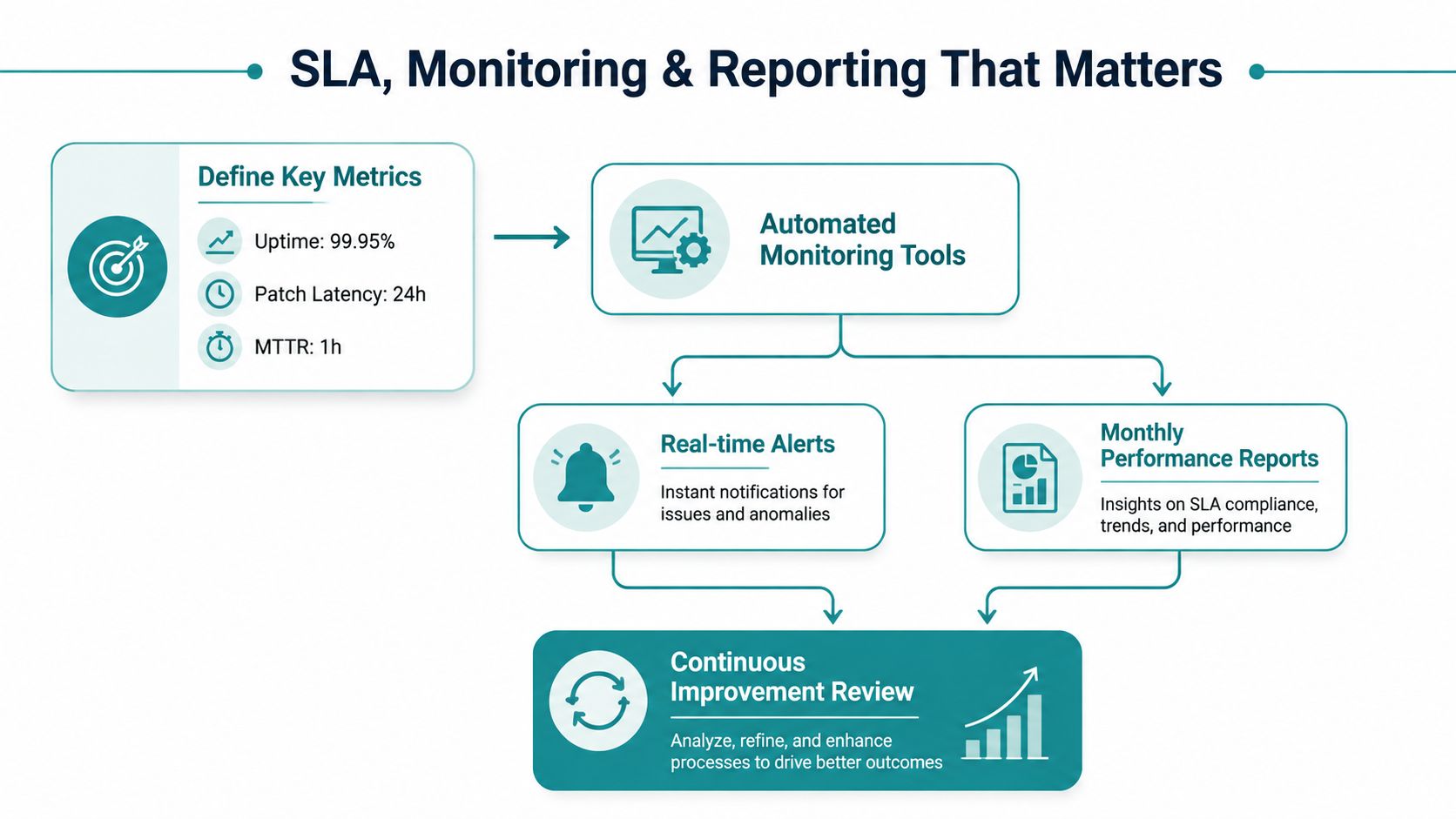
A serious SLA should measure uptime from at least three external probe locations. The host's internal monitor can miss problems that customers experience outside its own network. A 99.9% availability target allows roughly 43 minutes of unscheduled downtime per month, according to this website maintenance service guidance. That makes the monitoring method and alert threshold operational controls, not marketing language.
Patch deadlines should be severity-based:
- Critical vulnerabilities: Remediate or mitigate within 24 hours.
- High-severity vulnerabilities: Remediate within 72 hours.
- Routine updates: Hold for a 14 to 30 day staging-and-test window when immediate deployment isn't necessary.
The same guidance recommends external uptime verification every 1 to 5 minutes. For a revenue-producing site, I'd specify one-minute production endpoint checks and five-minute synthetic checks for key conversion paths such as contact forms, checkout, and booking.
Your monthly report should be written for an owner, not a developer. It should show incidents, patches applied, uptime percentage, restoration activity, and changes in Core Web Vitals. An annual security review should identify unresolved risks and recommend specific next actions.
SEO reporting belongs in the same operating picture. If your team is improving visibility, use Search Console to find pages ranking 8 to 20 in Search Console and connect maintenance work to those opportunities. A page with strong potential can lose value if technical errors, broken links, or poor performance interfere with its next step.
Watch two contract clauses closely. "Third-party code" exclusions can eliminate the patch commitment for the very plugins and integrations most likely to break. Undefined "reasonable efforts" language can also leave you without a meaningful recovery obligation during an outage.
HIPAA and Security Considerations for Healthcare Sites
A healthcare website needs more than a generic package of updates, backups, and minor edits. If it collects patient information through intake forms, appointment requests, portals, or messaging tools, maintenance must account for how protected health information moves through the entire environment.
At minimum, review these controls with qualified compliance counsel and your technical provider:
- Access controls: Give each person unique credentials, limit permissions by role, and require MFA for anyone who can access the environment.
- Encryption: Protect data in transit and at rest. Confirm that hosting, backups, forms, and integrations use appropriate safeguards.
- Audit logging: Retain administrative and access-event records for six years, consistent with the operational requirement described in your compliance policy.
- Vendor agreements: Obtain a signed Business Associate Agreement with every vendor that could reasonably touch protected health information, including hosting, backups, monitoring, and the agency.
The gray areas cause trouble. A contact form may forward patient details to a personal Gmail account. An analytics tool may record form submissions. A chatbot may store patient messages in a platform that doesn't provide the required agreement. Your maintenance provider should map those data flows rather than assuming the website is isolated.
Patch discipline also deserves its own SLA. Known vulnerabilities are often an accessible path for attackers, so healthcare providers should use short remediation windows, tested updates, and documented rollback procedures. Don't accept a plan that claims HIPAA readiness without identifying the systems, people, logs, vendors, and escalation paths involved.
Your breach response checklist should name who investigates, who contacts legal counsel, who informs affected individuals, and who manages communications. It should account for the 60-day HHS reporting clock and applicable media-notice thresholds, while preserving the documentation regulators may request. Cincinnati healthcare organizations can review HDM's HIPAA website compliance guidance, but technical implementation and legal interpretation should be confirmed with qualified professionals.
Building It In-House Versus Outsourcing
Hiring internally gives you control, but control isn't the same as coverage. A part-time developer with a $65K fully loaded annual cost can provide useful technical depth, yet one person may still lack continuous coverage, security specialization, accessibility knowledge, or backup during vacations and emergencies.
An outsourced agency retainer may cover patching, monitoring, and incident response for $400 to $900 per month. That comparison doesn't mean every agency is capable, or that every business should outsource everything. It means you should compare the cost of defined risk coverage, not just the hourly cost of a person.
| Criterion | In-House | Agency | Freelancer |
|---|---|---|---|
| Response coverage | Depends on staffing and on-call policy | Can provide escalation and shared coverage | Often dependent on one person |
| Patch expertise | Strong when the team has platform depth | Broad platform and security experience | Varies widely |
| HIPAA readiness | Requires internal compliance ownership | Can document processes and BAAs | Must be verified carefully |
| Reporting cadence | Built around internal systems | Usually formal monthly reporting | May be informal |
| Contract exit terms | Knowledge remains internal | Must require access and documentation transfer | Must require the same |
| Scalability | Expensive as site count grows | Efficient across multiple sites | Useful for defined tasks |
Use a vendor scorecard before signing:
- Response times: Are critical incidents, high-severity patches, and routine requests separated?
- Security controls: Does the provider explain scanning, access management, backups, and escalation?
- Certifications and readiness: Can it support your compliance requirements and sign a BAA where necessary?
- Reporting: Will you receive plain-English records of work performed and unresolved risks?
- Exit terms: Do you retain administrator access, backups, documentation, and a clean handoff path?
Red flags include vague scope, no escalation path, shared hosting without isolation guarantees, and reluctance to sign a BAA. In-house staffing starts to make more sense above roughly 50 sites or $5 million in online revenue. Below that threshold, a tiered outsourced retainer usually provides stronger coverage per dollar, provided the agreement is specific.
Putting Your Plan Into Action
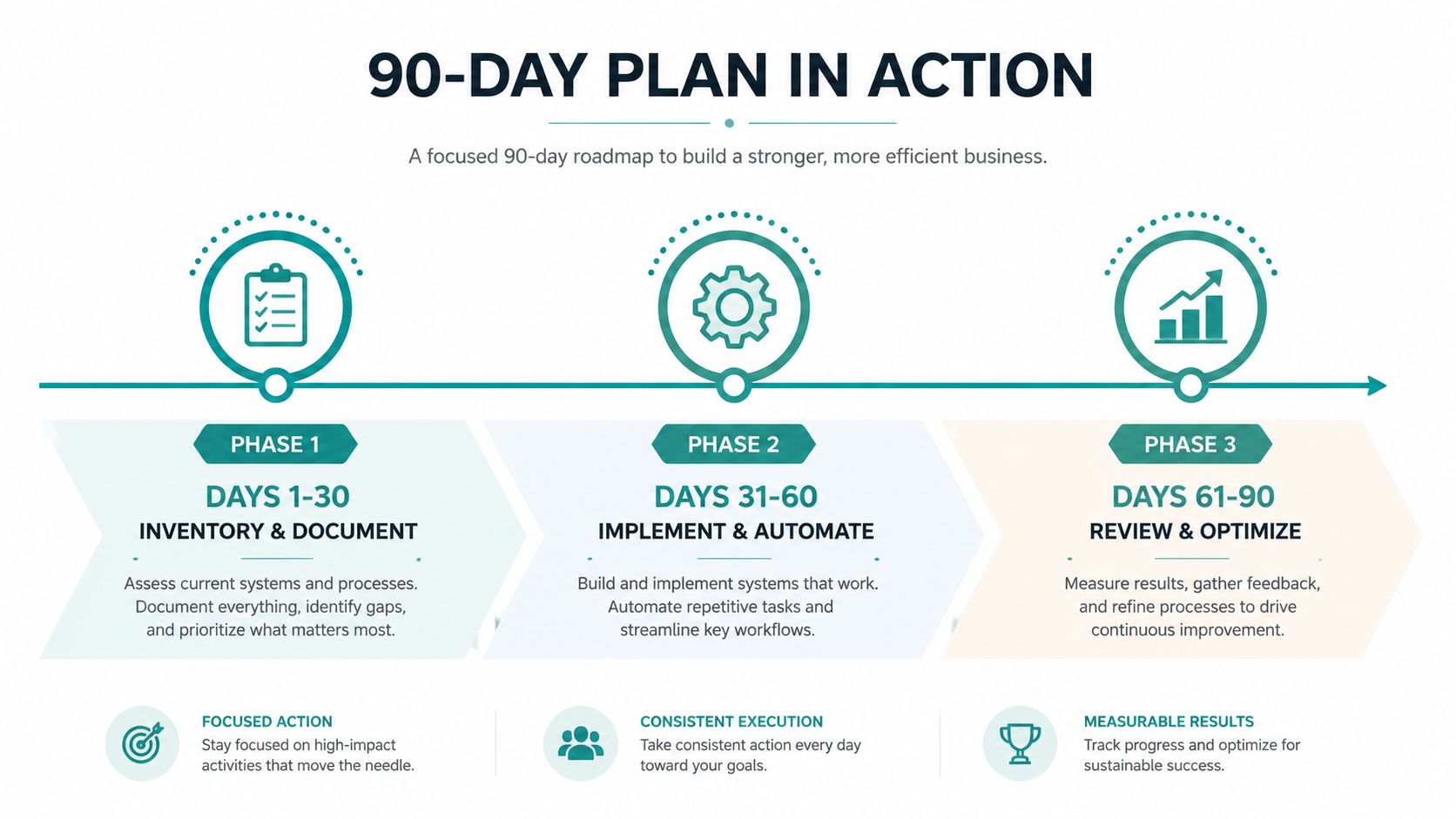
Don't wait for a redesign, migration, or security incident to build the plan. Activate it in phases so you can improve reliability without disrupting normal operations.
Days 1 to 30
Start with an inventory. Record the CMS, hosting provider, domains, themes, plugins, custom code, integrations, forms, checkout paths, analytics tools, and administrative users. Document credentials securely, establish a baseline for uptime, and run security and accessibility reviews.
Define recovery objectives in business terms. Decide which functions must return first, who approves emergency changes, and where the clean backup and restore instructions live.
Days 31 to 60
Choose the service tier or hire the person responsible. Configure external monitoring and alert thresholds, schedule staging-based patch windows, and put the SLA in writing. Your reporting template should capture incidents, applied patches, uptime, performance changes, and open risks.
Set up daily automated backups with off-site storage and versioned restore points. A backup isn't complete until someone has demonstrated that it can restore the site.
Days 61 to 90
Run a tabletop incident drill. Walk through a failed update, an unavailable website, a compromised administrator account, and a restore from backup. Then review the first 30 days of reports against the cost of the plan and adjust the scope where the evidence supports it.
After ninety days, every owner should be able to answer one question: Who gets called at 2 a.m. when the site goes down, and how fast can they restore service? If the answer is unclear, the plan isn't finished.
HDM helps Cincinnati-area businesses maintain secure, monitored, high-performing websites through Website Wellness services, including updates, backups, uptime alerts, performance tuning, and reporting. Visit HDM to discuss a maintenance plan built around your site's revenue paths, compliance needs, and recovery expectations.