


A business owner in Cincinnati calls after noticing that quote requests have slowed. The website still looks respectable on a desktop screen, but on a phone, pages load slowly, the service menu is confusing, and the contact form asks for information nobody wants to provide. Meanwhile, the sales team keeps hearing, "I couldn't find what I needed."
That situation is common, and a new color palette won't fix it. A sound website redesign strategy protects the traffic, forms, search visibility, and sales process you already have before it tries to create something better. The right question isn't "How can we make the site look newer?" It's "Which changes will help qualified visitors take the next step without putting existing revenue at risk?"
Why Your Website Redesign Strategy Matters More Than Design
A website redesign can begin with an attractive homepage and still fail the business. If the new site makes a popular service harder to find, removes a page that ranks in search, or breaks a form connected to the CRM, the visual upgrade becomes an expensive step backward.
Consider a Cincinnati service company that receives most inquiries from mobile visitors. Its existing site may have strong referrals and recognizable branding, but a slow page, unclear phone number, or buried request form creates friction at exactly the point where interest should become a lead. The redesign needs to address those obstacles first. Design supports the business objective, but it isn't the objective.
Historical benchmarks reinforce that redesign has long been treated as a recurring strategic cycle. HubSpot summarizes research in which 71% of marketing leaders reported redesigning their websites every one to three years, while the leading reasons included low conversion rate at 80.8%, high bounce rate at 65.4%, better UX at 61.5%, unresponsive design at 53.8%, and outdated design at 38.5% (HubSpot's website redesign statistics). Those findings point to measurable business friction, not aesthetics alone.
The signals that deserve attention
A redesign deserves serious consideration when your website creates recurring problems such as:
- Lead leakage: Forms fail, notifications go to the wrong person, or visitors can't tell what happens after submitting an inquiry.
- Search uncertainty: Important pages have disappeared, titles are duplicated, or nobody can explain which URLs bring qualified organic traffic.
- Mobile frustration: Users need to pinch, scroll sideways, or wait for oversized images and scripts to finish loading.
- Content confusion: Several pages describe similar services, while the information prospects need is missing.
- Operational drag: Marketing staff depend on a developer for ordinary edits, making campaigns slow and expensive to publish.
At HDM, a Cincinnati-area agency, the strategic conversation should happen before the pixels. That means identifying revenue actions, reviewing evidence from analytics and search, and deciding whether the site needs a structural rebuild or a smaller intervention. A full rebuild makes sense when the platform, content structure, and user experience all work against the business. A targeted refresh may be safer when the underlying system is healthy and the problem is concentrated in a few templates or conversion paths.
Practical rule: Treat the redesign as a revenue-protection project first. The new visual system earns its place by making important business actions easier, faster, and more reliable.
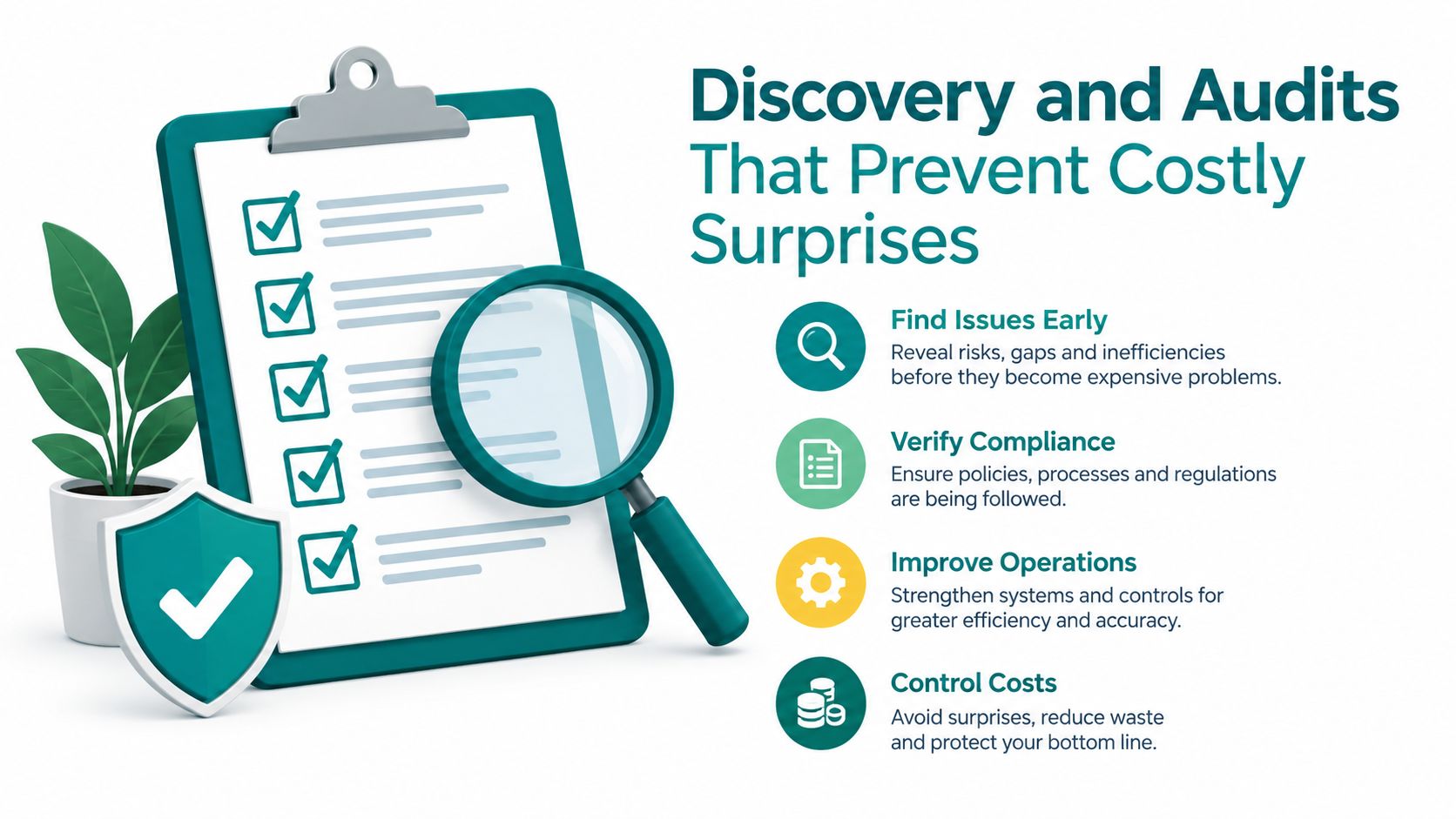
Discovery and Audits That Prevent Costly Surprises
A redesign becomes expensive when the team discovers critical requirements after design approval. Before anyone creates polished screens, document what the current site does, who depends on it, and which parts must survive launch.
Start with stakeholder interviews. Leadership may care about qualified inquiries, sales may care about lead quality, service teams may need clearer self-service information, and staff members may need an easier publishing workflow. Ask each group the same practical questions: Which website tasks matter most? Where do prospects get stuck? Which integrations can't fail? Who approves content, legal language, accessibility, privacy, and launch decisions?
Build a current-state inventory
A useful discovery file doesn't need to be complicated. It needs to be complete enough to expose risk.
- Page inventory: Record every important URL, its purpose, owner, search role, and intended future action.
- Conversion inventory: List contact forms, appointment requests, quote tools, newsletter signups, phone links, chat tools, and confirmation pages.
- Integration inventory: Note the CRM, email platform, scheduling system, payment tools, call tracking, marketing automation, and reporting connections.
- Content inventory: Mark pages to keep, rewrite, combine, retire, or create. Don't migrate weak content because it already exists.
- Compliance inventory: Healthcare organizations need HIPAA-aware processes and patient experiences. Other businesses may need accessibility, consent, security, or industry-specific review.
- Measurement inventory: Identify analytics properties, events, goals, dashboards, pixels, call tracking, and any offline process used to qualify leads.
A lightweight technical and SEO audit should answer plain-English questions. Which pages load slowly? Which pages receive organic visits or generate inquiries? Are there broken links, duplicate topics, missing page titles, or outdated redirects? Can the team edit the site without developer support? If your team wants a second perspective on technical search review, an SEO audit agency Chicago resource can help clarify the types of checks a professional audit should include.
The website wellness checklist for business sites is also useful for organizing ongoing technical, security, and performance questions before a redesign begins.
Decide scope from evidence
Small-business research shows that 81% have already redesigned at least once, and common next investments tend to be incremental, including visual updates, speed, mobile usability, SEO, and e-commerce functionality rather than a total rebuild (Clutch's state of small-business websites research). The same source reports that 93% of web designers used AI tools in 2025, a trend that makes modular, testable improvements more practical but doesn't remove the need for human judgment.
Choose a phased refresh when the CMS, URL structure, and integrations are stable, and when a small number of templates cause most of the friction. Choose a full redesign when the platform blocks essential capabilities, the information architecture is confusing throughout the site, or technical debt makes every improvement risky. Write down the decision, the evidence behind it, and the risks you're accepting before approving the scope.
Content Strategy Information Architecture and UX That Converts
A strong user experience begins with the information a visitor needs to make a decision, not with a collection of screen designs. Your navigation, page hierarchy, copy, forms, and calls to action should work as one system.

For a local contractor, that system might guide a visitor from "kitchen remodeling" to service details, proof of experience, service area, financing information, and a request form. For an e-commerce business, it might move from category to product comparison, shipping information, reviews, and checkout. In both cases, the best path depends on the visitor's question, not the internal department chart.
Make the structure easy to test
Create rough wireframes before visual design. A wireframe is a simple layout showing what belongs on a page and how users move through it. It lets stakeholders debate priorities while changes are still inexpensive.
Review the proposed structure with people who aren't involved in building the site. Ask them to find a service, compare options, locate pricing information, or submit a request. Watch where they hesitate. If internal staff can use the structure but unfamiliar users can't, the structure needs more work.
Accessibility belongs in this planning stage. Use readable contrast, clear focus states, descriptive link text, logical headings, keyboard-friendly controls, captions where appropriate, and form labels that explain what each field requires. Healthcare organizations should also consider how privacy-sensitive actions appear in the interface, including what information forms request, where confirmation details appear, and how patient communications are handled.
The most persuasive page is often the one that answers the visitor's next question before they have to ask it.
Protect attention on mobile
Mobile-first design doesn't mean making a desktop page smaller. It means deciding what matters when space, patience, and connection quality are limited. Put the primary action where users can reach it, keep forms focused, compress media, and remove decorative elements that compete with the message.
Performance deserves the same attention as layout. A source focused on redesign performance reports that a one-second page-load delay can reduce conversions by 7%, while 40% of users abandon sites that take longer than 3 seconds to load (Impact Plus website redesign statistics). Those figures make performance a UX requirement, not a technical detail to handle after the design is finished.
For organizations planning content alongside acquisition campaigns, HDM's content strategy services provide a useful model for connecting editorial planning with search and conversion goals. The important point is alignment. A page shouldn't exist merely because someone requested it. It should serve a visitor need, a business objective, or both.
Choosing the Right Architecture for Growth and Flexibility
The platform decision should follow your operating reality. A technically impressive architecture can become a liability if your team can't publish content, your agency must handle every small change, or integrations require constant custom maintenance.
A traditional CMS keeps content management and the visible website closely connected. For many Cincinnati businesses, that's a sensible choice because marketing staff can edit pages in a familiar interface, the implementation is easier to manage, and the organization doesn't need a separate front-end application.
A headless CMS separates content storage from the presentation layer. It can make sense when a company needs to deliver the same content to multiple digital experiences or requires a highly customized front end. It also introduces more development responsibility, more pieces to monitor, and a greater need for disciplined content modeling. This plain-English explanation of headless CMS architecture can help non-technical stakeholders participate in that decision.
E-commerce choices follow a similar pattern. Shopify generally emphasizes managed operations and quicker administration. WooCommerce can provide flexibility within WordPress, particularly for businesses already comfortable with that ecosystem. A custom commerce stack may fit unusual catalog, pricing, account, or integration requirements, but it demands more specialized ownership.
| Architecture Option | Best For | Trade-offs to Consider |
|---|---|---|
| Traditional CMS | Businesses that need straightforward publishing and standard marketing pages | Less front-end freedom for unusual digital experiences |
| Headless CMS | Organizations distributing structured content across multiple experiences | More custom development and editorial tooling |
| Shopify | Retailers seeking managed commerce operations | Platform constraints may affect unusual workflows |
| WooCommerce | Businesses wanting WordPress content and flexible commerce extensions | Plugin governance and maintenance require care |
| Custom commerce | Complex pricing, account, catalog, or integration requirements | Higher technical ownership and implementation risk |
Ask three questions before selecting a platform. Who will publish content? Which integrations are essential to revenue? What can the internal team realistically maintain after the agency leaves? The right answer is the one that supports growth without creating avoidable operational complexity.
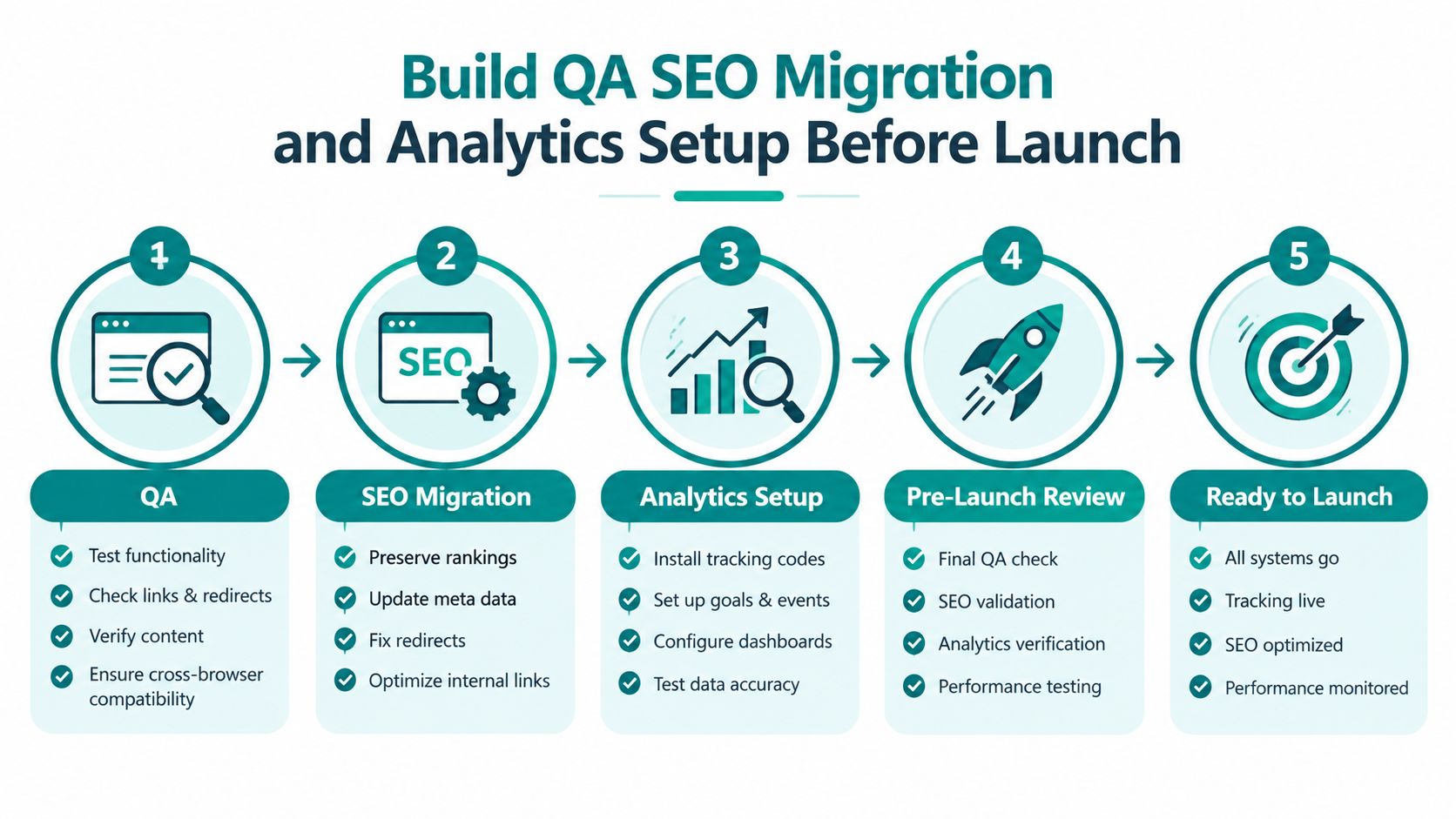
Build QA SEO Migration and Analytics Setup Before Launch
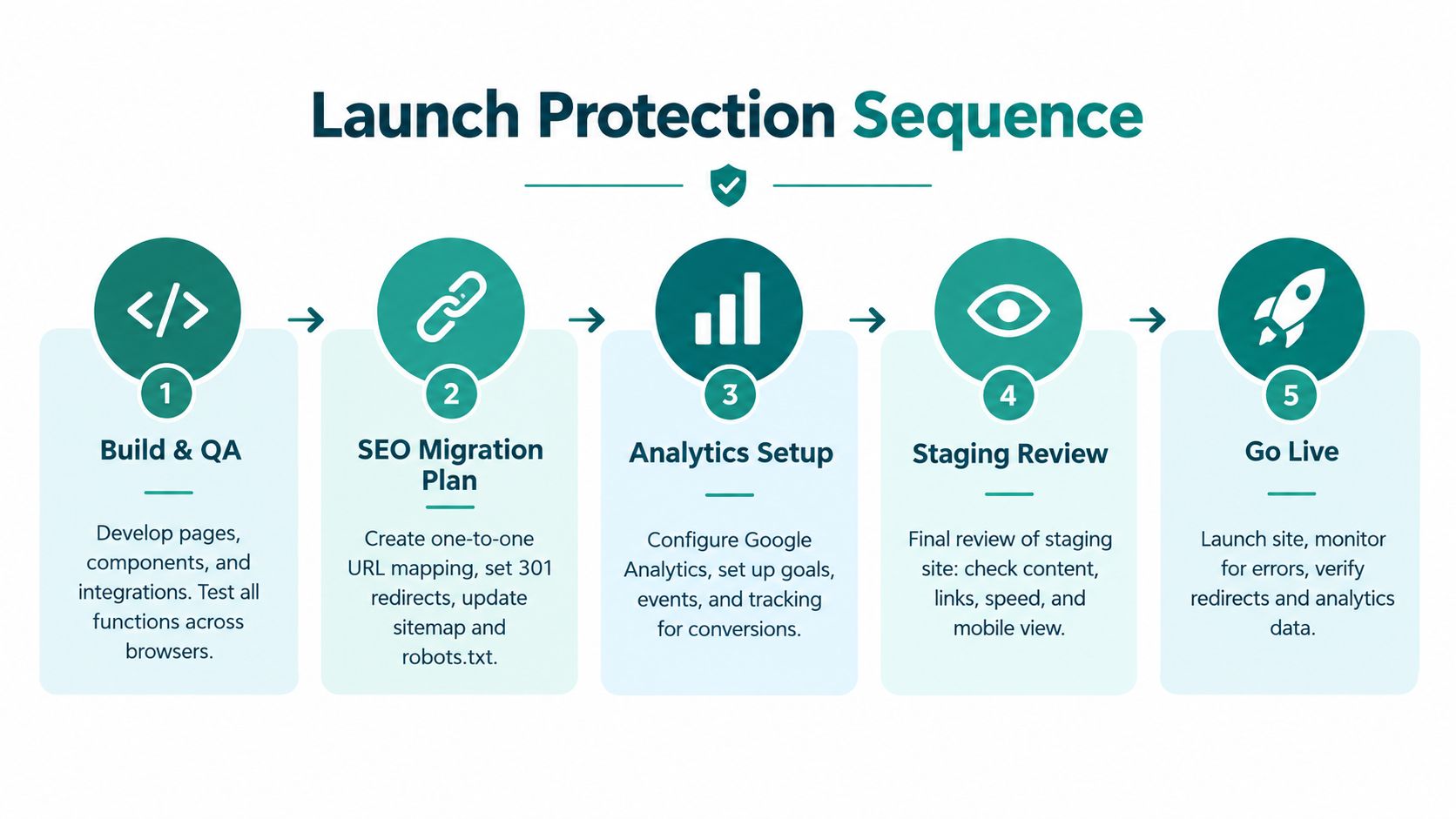
Launch protection starts before the final approval meeting. Build the site in a controlled environment, test the major user paths, and keep a written record of what changed from the old site.
Build and test the experience
The development team should test templates, navigation, search, forms, confirmation messages, account areas, checkout, integrations, accessibility behavior, and responsive layouts. Review the staging site on real phones and common browsers, not only on the designer's monitor. Check content, links, images, error states, and page speed while the team can still make corrections safely.
Keep staging private from search engines. Before launch, confirm that temporary indexing controls won't accidentally carry over to production. Assign one person on the client side to verify business workflows, because a developer can confirm that a form technically submits while a sales manager can confirm that the lead reaches the right person with the right context.
Preserve search pathways
Google's site-move guidance recommends mapping each old URL to its new destination, implementing server-side redirects, monitoring both old and new URLs, and keeping redirects active for as long as possible, generally at least 1 year (Google's site-move guidance). The same principle applies when a redesign changes page paths without changing the domain.
Your migration checklist should include:
- Map URLs one to one: Assign every valuable old URL a relevant new destination. Don't send unrelated pages to the homepage.
- Review retired content: Decide whether a removed page should redirect to a close replacement or remain retired.
- Check internal links: Update navigation, related content, calls to action, canonical references, and XML sitemap entries.
- Verify page signals: Review titles, descriptions, headings, structured content, and indexation settings.
- Monitor after launch: Watch crawl errors, indexed pages, organic visits, conversions, and unexpected drops by landing page.
Teams managing large page sets may find SEO data for bulk pages useful when organizing page-level search information and prioritizing review.
Reconnect measurement and lead flow
Analytics continuity is the part many redesign plans omit. Test every event, goal, form notification, consent behavior, phone number, chat interaction, call-tracking path, and CRM handoff in staging. Compare the results with the existing setup so a reporting change isn't mistaken for a business change.
Before launch, save the baseline reports and document who owns each measurement system. After launch, confirm that analytics receives visits and conversions, forms reach staff, and consent choices behave as intended. If the new site looks excellent but lead attribution disappears, you won't know which marketing activities deserve investment.
Launch Post Launch Optimization and How to Measure Success
Launch day is a controlled transition, not the finish line. Keep the old reporting available, record the launch date, and have someone verify the highest-value paths immediately after the site becomes public.
Start with the homepage, top landing pages, contact forms, phone links, appointment flows, checkout, search, and any login or portal experience. Check the site from a mobile device and a desktop browser. Review analytics in real time or near real time, confirm that conversions are recorded, and inspect search tools for crawl or indexation problems.
Use a practical review rhythm
A sensible post-launch rhythm gives the team time to identify defects, observe behavior, and make measured improvements:
- First review: Confirm forms, calls, analytics, redirects, consent, speed, and critical content.
- Early optimization: Compare performance with pre-launch baselines and segment findings by device and traffic source.
- Ongoing improvement: Test one meaningful change at a time, such as a clearer call to action, shorter form, stronger service proof, or improved page sequence.
Track conversion rate, bounce rate, time on page, funnel completion, and goal completions against pre-launch baselines. Segment the results by device and traffic source so a mobile problem doesn't disappear inside an overall average. Dalton's redesign measurement guidance outlines this baseline-and-segmentation approach.
A 2026 industry summary reports that a well-executed redesign may improve conversion rates by 20% to 200%, reduce bounce rates by 10% to 40%, and correlate each second of page-load improvement with a 7% increase in conversions. It also reports an average 30% increase in leads within 90 days for businesses that updated their websites (ReWebly's redesign ROI summary). These are benchmark ranges, not promises. Your result depends on traffic quality, offer strength, sales follow-up, technical execution, and the problems the redesign solves.
The most reliable owners treat the website as an operating asset. Schedule content reviews, security updates, backups, performance checks, analytics validation, and conversion experiments instead of waiting for the next crisis. If your Cincinnati business needs help deciding between a phased refresh and full rebuild, start with evidence, not a mood board.
HDM offers website redesign, custom development, SEO, analytics, conversion optimization, and ongoing Website Wellness support for businesses that need growth without losing existing performance. Visit HDM to discuss your current site, the risks worth protecting, and the next practical redesign step.