The short answer: If your website builds its content in the browser with JavaScript (common with React, Vue and many site-builder exports), ChatGPT, Claude and Perplexity may see only an empty shell when they fetch your pages. A retest published October 2026 by SEO consultant Glenn Gabe of GSQI found those three assistants still failed to read JavaScript-rendered main content, while Gemini succeeded on every test and Microsoft Copilot succeeded on two of three. The fix is to make sure your important text exists in the raw HTML the server sends, then verify it with a five-minute test you can run today.
I have built and audited websites for twenty years, and this is the most overlooked technical issue in AI search right now. Owners spend months on content and citations, then discover the page itself was blank to the crawler. A page that can't be read can't be cited.
What Did the October 2026 Test Actually Find?
The GSQI test, titled "434 Days Later," repeated an August 2025 experiment. It asked each AI platform to read three kinds of pages and return the first and last paragraphs: a page whose main content is fully JavaScript-rendered, a page with a static header and footer but JavaScript-rendered main content, and a heavy WebGL parallax site.
| Platform | Fully JS page | Static shell, JS content | WebGL site |
|---|---|---|---|
| ChatGPT | Fail | Fail | Fail |
| Claude | Fail | Fail | Fail |
| Perplexity | Fail | Fail | Fail |
| Gemini | Success | Success | Success |
| Copilot | Success | Success | Fail |
Citation-ready passage: In an October 2026 retest by GSQI, ChatGPT, Claude and Perplexity could not read JavaScript-rendered page content in any of three tests, while Gemini read all three and Copilot read two of three. The results closely matched the same test run in August 2025. (Source: GSQI, October 2026)
Caveat worth stating: this is one tester with a small sample, not a benchmark. Treat it as a strong signal, not a guarantee. It also tests the assistants' page-reading behavior, which can differ from how their separate crawlers collect data.
Do AI Crawlers Execute JavaScript?
Most do not. Vercel analyzed its network traffic and published its findings in December 2024: OpenAI's crawler, ClaudeBot, PerplexityBot and several others do not render JavaScript. ChatGPT and Claude even download JavaScript files (about 11.5% and 23.8% of their requests respectively) but don't run them. Gemini is the exception because it relies on Google's rendering infrastructure.
Citation-ready passage: Vercel's network analysis found that GPTBot, ClaudeBot and PerplexityBot do not execute JavaScript, and that ChatGPT and Claude crawlers fetch JavaScript files without running them. Gemini renders JavaScript because it uses Googlebot's infrastructure. (Source: Vercel, "The Rise of the AI Crawler," December 2024)
The same study showed how much attention these bots now draw: roughly 569 million GPTBot fetches and 370 million Claude fetches in a month, against 4.5 billion for Googlebot. The data skews toward Next.js sites and is almost two years old, so the exact numbers will have moved. The direction, a growing share of requests from crawlers that read HTML only, is what matters.
Why Is Google Fine but ChatGPT Isn't?
Googlebot has a rendering step: it fetches your HTML, queues the page, and runs your JavaScript in a headless browser, which is why a client-rendered site can rank in Google yet be invisible elsewhere. Running a browser for every page is expensive. Most AI crawlers skip it and read what the server returns on the first request.
This creates a trap for owners who check only Google. Your site ranks, your Search Console looks healthy, and you assume you are visible everywhere. Meanwhile the assistant that most of your younger customers now ask first sees navigation links and a footer.
How Do You Know If Your Site Has This Problem?
Run these three checks. None requires a developer.
- View source. In Chrome, right-click your homepage and choose "View page source" (not "Inspect"). Search for a sentence from your main content. If it isn't there, the text is being built in the browser.
- Turn JavaScript off. In Chrome DevTools, open the command menu, run "Disable JavaScript," and reload. A blank or near-empty page means crawlers that skip JavaScript see the same thing.
- Ask the assistants. Paste a page URL into ChatGPT, Claude and Perplexity and ask for the first and last paragraphs. Compare them with the live page. This is the same method GSQI used.
Citation-ready passage: The fastest way to test whether AI crawlers can read a page is to view the page source and search for a sentence of main content; if it's missing from the raw HTML, crawlers that don't execute JavaScript cannot see it.
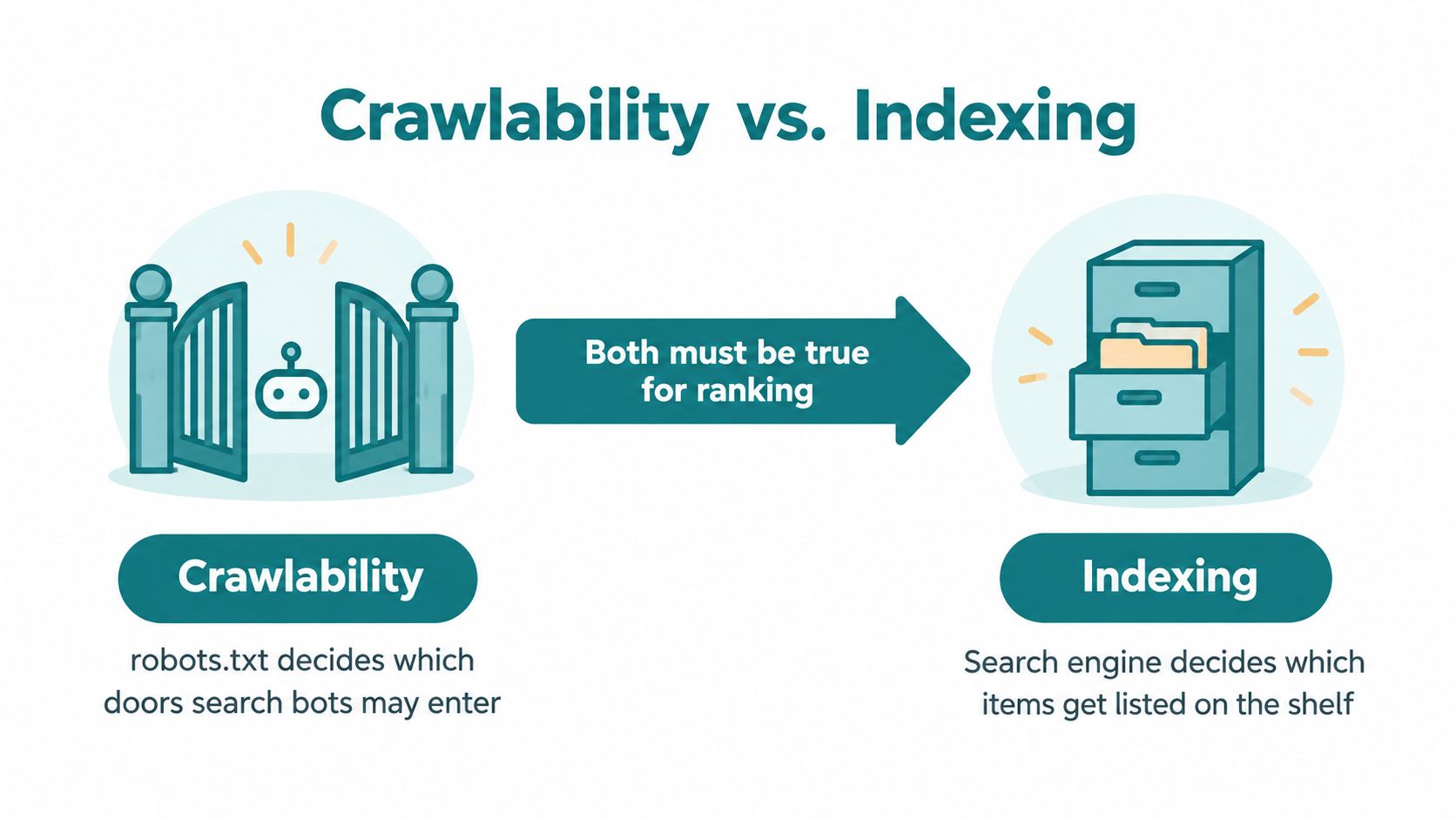
If you have already tackled crawler access, our guide on whether to block GPTBot covers the permission side. This post covers the readability side, and you need both: a crawler you allow in still can't use a page it can't read.
Which Kinds of Sites Are Most at Risk?
- Single-page apps (SPAs) built with React, Vue or Angular and delivered as a JavaScript bundle with an empty HTML container.
- Sites exported from AI site builders and prototyping tools, many of which default to client-side rendering.
- Pages that load key content on scroll, behind tabs, or through widgets, such as pricing, service lists, reviews and FAQs.
- Embedded content pulled in by script, including some booking, menu and listing widgets.
WordPress, Shopify and most traditional platforms render HTML on the server, so their theme text is usually readable. The risk there is narrower: individual widgets and page-builder blocks that inject content late.
How Do You Fix It?
There are four routes, from cheapest to most thorough.
1. Prerendering. A build step or service generates static HTML for each route and serves that to everyone. It is the least disruptive option for an existing SPA. Serve crawlers the same content that visitors see; showing bots different content than people is a cloaking risk.
2. Static site generation. Frameworks like Next.js and Astro build HTML ahead of time. Marketing pages, service pages and blog posts rarely change by the minute, so this is usually the right default for them.
3. Server-side rendering (SSR). Pages are built on request. Useful when content changes constantly, such as inventory or live pricing.
4. Progressive enhancement. Put critical text in plain HTML and use JavaScript only for interaction. Cheap to adopt on new pages and good for accessibility too.
Whatever you choose, prioritize in this order: homepage, service and location pages, pricing, FAQs, and top blog posts. Those are the pages assistants cite when someone asks for a provider near them. Our custom website development and redesign teams build with this in mind, and an SEO redesign playbook helps you avoid losing rankings during the switch.
For help scoping a fix, see our AI visibility services.
What About Structured Data and Local Pages?
Schema markup only helps if it is in the HTML the crawler receives. JSON-LD injected by JavaScript after load has the same visibility problem as body text. Check that your LocalBusiness, FAQPage and Service schema appears in view-source.
For local businesses, this matters most on city pages. A page like our Mason or West Chester market guide only earns citations for "marketing help near me" questions if the address, services and FAQs are readable on the first fetch.
Your 30-Day Checklist
- Run the three checks above on your homepage, top service page and one city page.
- List every page where main content, schema or FAQs are missing from view-source.
- Pick a rendering route and fix the highest-value pages first.
- Re-test in ChatGPT, Claude, Perplexity and Gemini, and record the results using an AI answer baseline.
- Re-test quarterly. These platforms change behavior without announcement.
Want Us to Check Your Site?
HDM can run this test across your key pages and tell you plainly what AI crawlers see. If the fix is small, we'll say so. If it needs a rebuild, we'll scope it with you. Book a free strategy session.
Sources
- GSQI, "434 Days Later: Are AI Search Platforms Like ChatGPT and Claude Still Unable to Render JavaScript in October 2026?" (https://www.gsqi.com/marketing-blog/can-ai-search-platforms-render-javascript/)
- Vercel, "The Rise of the AI Crawler," December 2024 (https://vercel.com/blog/the-rise-of-the-ai-crawler)
- Search Engine Roundtable, Daily Search Forum Recap, October 20, 2026 (https://seroundtable.com/recap-10-20-2026-42334.html)