


A website redesign can put organic traffic at risk, and one industry summary reports that 68% of businesses see traffic decline after a redesign. The answer is to treat the project as an SEO migration from the first audit through post-launch stabilization, not as a visual refresh that gets checked after development is complete.
That distinction matters for a Cincinnati business whose website generates calls, quote requests, appointments, or online sales. A new color palette won't compensate for missing redirects, slower service pages, broken analytics, or a staging site that search engines can crawl. Google made 4,725 search changes in 2022, an average of about 13 per day, so redesign teams are already working in an environment where search systems, page layouts, and quality signals keep evolving (Google algorithm updates).
Why Most Redesigns Hurt Rankings Before They Help
The traffic risk isn't limited to a dramatic technical mistake. A redesign can alter URLs, headings, copy, navigation, internal links, structured data, tracking, and page speed in one release. An industry summary reports that 68% of businesses see traffic drop after a redesign, 72% lose organic traffic in the first month, 34% take six or more months to recover rankings, and only 15% see immediate ranking improvements (website redesign SEO data).
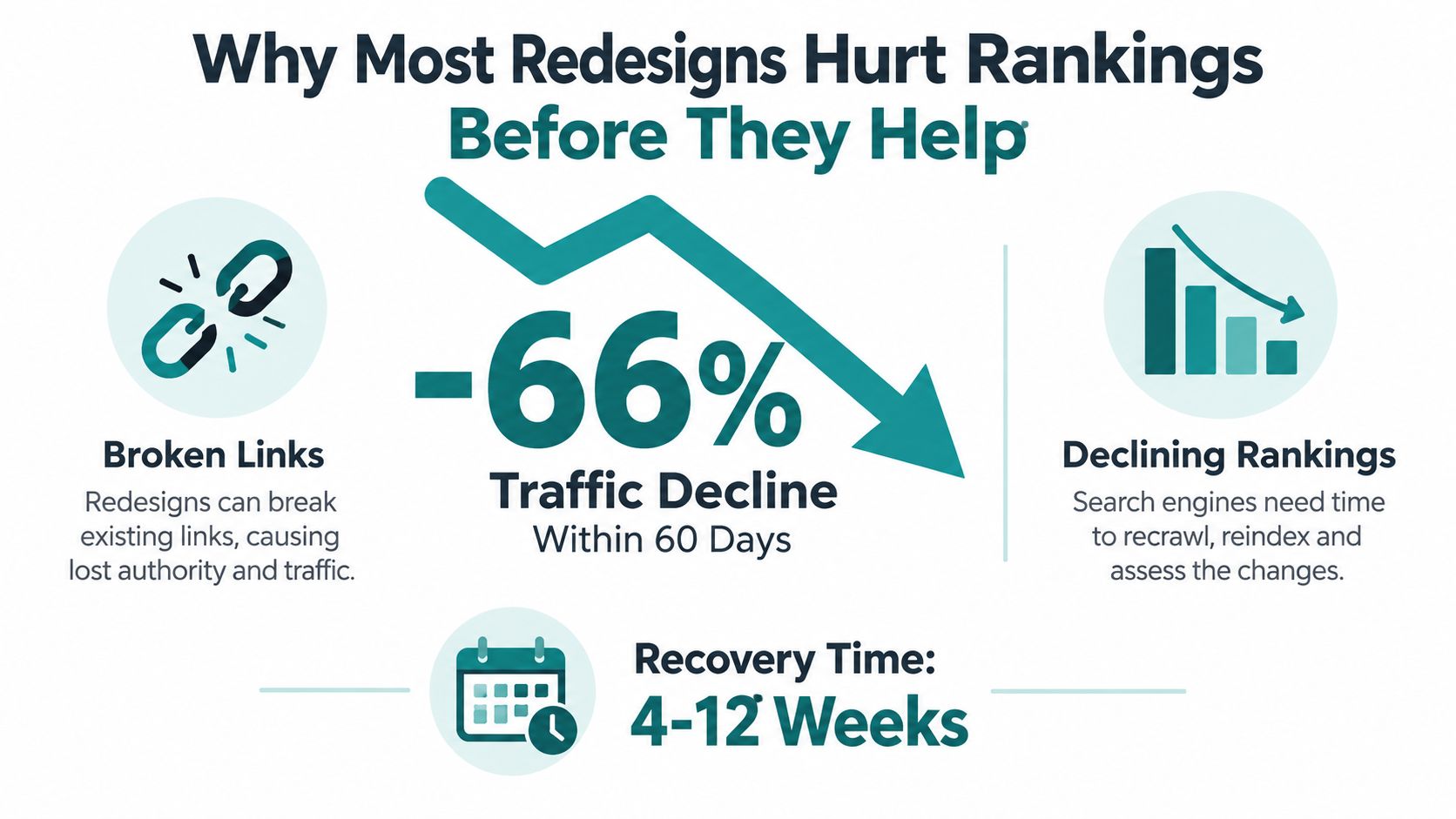
The most damaging failures usually form a chain. A page moves without a clean 301 redirect, internal links still point to the old address, the canonical tag references a different URL, and the new template loads a heavier script bundle. Meanwhile, GA4 events stop recording form submissions, schema disappears from service pages, and a development subdomain remains open to crawlers. Each issue makes diagnosis harder because the reporting no longer shows whether the problem is rankings, conversion tracking, or implementation.
Practical rule: A redesign launch date is an engineering milestone, not an SEO success metric. Stabilization begins after launch and can last months.
Google's guidance says significant site changes can produce ranking fluctuations while pages are recrawled and reindexed. For medium-sized sites, new URLs can take a few weeks or more to replace old ones, and larger sites can take longer (Google's guidance on site moves with URL changes). That volatility is manageable when a team knows the baseline and has checkpoints for each stage.
Use checkpoints instead of a single launch test
A disciplined Cincinnati SMB redesign moves through these checkpoints:
- Audit: Crawl the current site and document organic landing pages, conversions, links, metadata, canonicals, and indexability.
- Architecture: Decide which URLs stay, improve, consolidate, retire, or move, using performance evidence rather than design preference.
- Redirect build: Match every changed URL to its most relevant destination and test the server rules before launch.
- Pre-launch QA: Compare staging against the current site for crawlability, page behavior, analytics, structured data, accessibility, and performance.
- Launch monitoring: Watch Search Console, server logs, GA4, rankings, sitemap processing, and conversion events as the new site goes live.
- Stabilization: Separate normal recrawling volatility from implementation failures, then fix the highest-impact issues first.
This phased model also prevents a common management mistake, combining a redesign with an unnecessary URL restructure, content purge, hosting move, and analytics rebuild in one release. Change what improves customer experience and search intent. Preserve what already works unless there's a clear reason to replace it.
Audit and Benchmark the Site You Are Replacing
Before a designer changes a template, capture the evidence that explains why the current site earns visibility. A full crawl in Screaming Frog or Sitebulb should export every discoverable URL, status code, title, heading, canonical, internal link, image reference, and redirect hop. The point isn't to create a large spreadsheet for its own sake. It's to identify which pages carry traffic, leads, links, and topical relevance.
A useful baseline combines several data sets:
- Crawl data: Record indexable URLs, response codes, canonical destinations, redirect behavior, metadata, and orphaned pages.
- Google Search Console: Export queries, impressions, clicks, click-through rate, landing pages, crawl issues, and index coverage.
- GA4: Capture organic sessions, landing-page conversions, revenue where relevant, and assisted conversions. Verify that the conversion definitions are understood before the new implementation changes them.
- Backlink data: Use Ahrefs or Semrush to identify pages with valuable referring domains. Tag those URLs for special protection during migration.
- Performance data: Record Core Web Vitals, page speed, mobile behavior, and the page templates associated with the strongest and weakest results.
- Rank tracking: Capture the commercial and informational queries that matter to the business, not just branded terms.
A Cincinnati manufacturer, law firm, healthcare practice, or home-service company should connect this information to business outcomes. A page with modest traffic but a strong quote-request rate may deserve more protection than a popular informational article that produces no qualified inquiry.
Build a dated baseline folder
Store the crawl export, Search Console data, GA4 report, backlink snapshot, sitemap, robots.txt file, screenshots, and performance tests in a dated folder. Keep the old sitemap even if the new CMS will generate a replacement. This gives the team a defensible pre-launch record when performance changes and keeps the discussion focused on evidence rather than memory.
The SEO foundation every website needs should be evaluated before visual decisions become expensive. That means checking indexation, internal linking, metadata, structured data, page intent, and conversion paths while the team can still change the scope.
Don't benchmark only the homepage. Include service pages, location pages, product or category pages, strong blog articles, and pages that receive backlinks. A side-by-side comparison of organic sessions, clicks, CTR, conversions, and crawl errors is more useful than a single overall traffic number. If a redesign changes those metrics without a corresponding change in content or search intent, implementation deserves investigation before strategy gets blamed (website redesign SEO checklist).
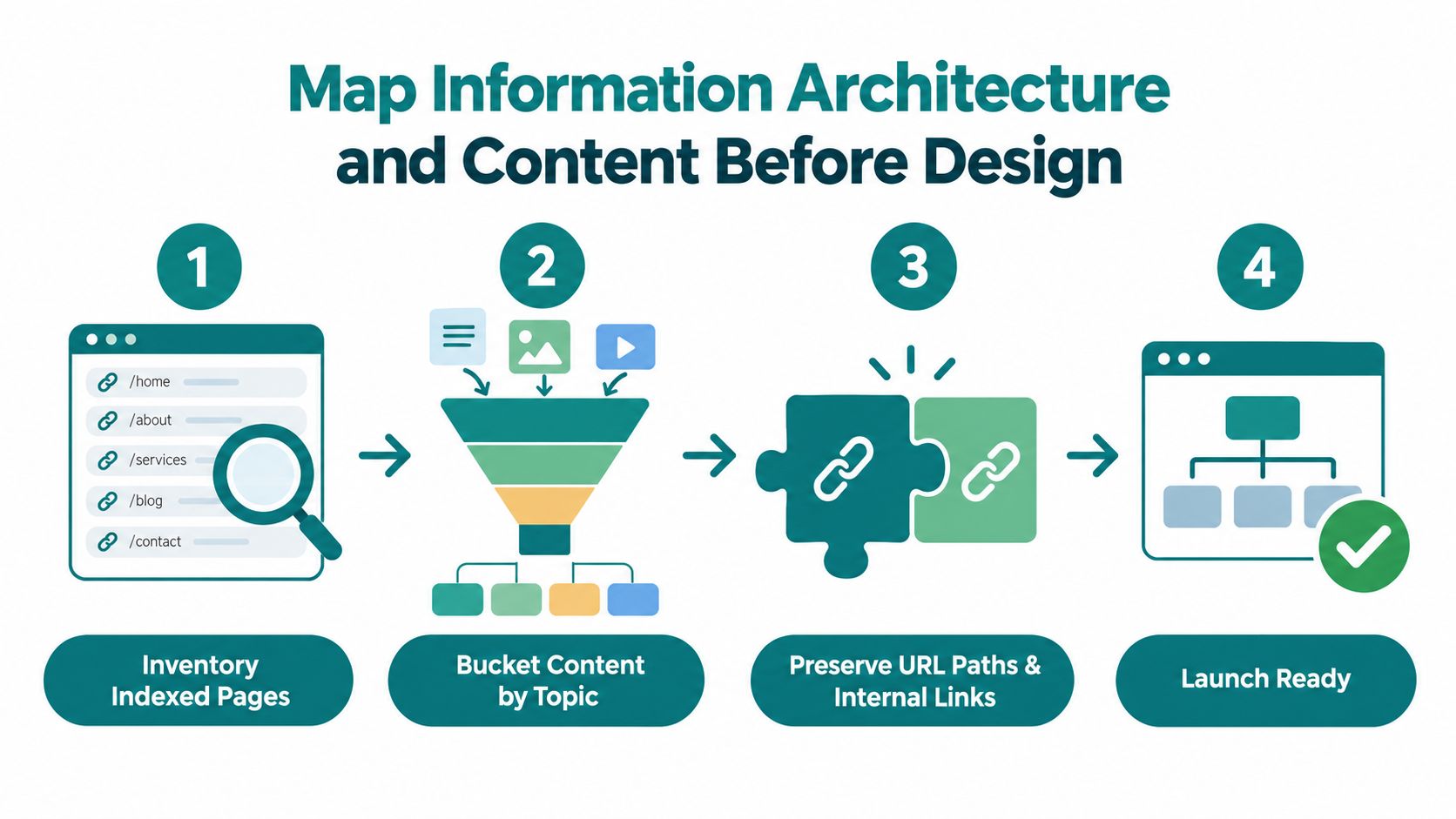
Map Information Architecture and Content Before Design
Navigation is a business decision and a search decision. If the redesign buries an important service page beneath several layers of menus, removes links from the homepage, or changes the relationship between service and location pages, search engines may receive weaker signals about what the business offers.
Start with the complete URL inventory from the audit. Assign every page to one of five working groups:
- Keep: The URL, content, and purpose are performing well enough to preserve.
- Improve: The page stays at the same address but needs stronger copy, clearer intent, better calls to action, or technical cleanup.
- Consolidate: Similar or overlapping pages become one more useful resource, with the old addresses redirected to it.
- Retire: A page has no business or search value and can be removed with a deliberate destination decision.
- Redirect: The URL changes because the new architecture serves users better.
The keep and improve groups deserve special care. Preserve successful URL paths, titles, headings, relevant copy, and internal links wherever possible. Designers can modernize the interface around that equity instead of forcing search engines to reassess every important page at once.
Create one source of truth for each page
For every surviving or newly created page, document the target search intent, primary topic, title tag, H1, meta description, canonical URL, structured data, conversion goal, and primary internal links. This page-level record becomes the bridge between the strategist, writer, designer, developer, and QA reviewer.
A practical architecture usually keeps parent categories close to existing top-level paths when those paths already have authority and relevant links. That doesn't mean the old structure is sacred. It means a structural change should solve a user or business problem, not reflect a designer's preference for a cleaner-looking menu.
Use content evidence to identify consolidation opportunities. Thin pages, duplicate service descriptions, and near-identical location pages can compete with one another and create maintenance problems. Combine them only when the resulting page satisfies the search intent of the original URLs, then assign every retired address a relevant destination. A homepage is not a universal replacement for a deleted page.
The site architecture for SEO guide provides useful context for connecting navigation, hierarchy, and internal links. Those links should be updated in the new content itself, not left pointing to old URLs that require a redirect hop.
The design brief should come after this mapping. When developers receive the page inventory, content requirements, and internal-link plan early, templates support the site's established relevance instead of stripping out the headings and copy that search engines use to understand the business.
Here is a visual model of the new structure and content relationships: Watch the video on YouTube
Build the Redirect Map and Lock In Technical Preservation
A redirect map belongs in the shared project workspace, not in an SEO folder that developers open on launch morning. Crawl the existing site, compare that inventory with Search Console, analytics, and backlink data, then assign each old URL a relevant new destination. Record whether the change is a one-to-one move, a consolidation, or a retirement, along with the reason for the decision.
Google recommends server-side redirects when URLs change, including a 301 redirect from an old homepage to its replacement and, where possible, redirects from canonical pages to their new equivalents (Google's documentation on URL changes). For a Cincinnati business, this protects customer access as well as search visibility. Bookmarked pages remain reachable, local organizations do not send visitors to dead URLs, and fewer sales conversations end with a broken page.
Verify the migration in the server and the templates
A completed spreadsheet does not confirm server behavior. Test representative old URLs in a controlled pre-launch environment, then verify each changed address resolves directly to the intended new page. Check for:
- Redirect chains that pass through multiple destinations.
- Redirect loops that send users back and forth.
- Broad rules that send unrelated pages to the homepage.
- Missing redirects for URLs found in backlinks, analytics, or older sitemap files.
- Internal links that still point to retired addresses.
- Redirected URLs listed in the new XML sitemap.
Technical preservation also covers the systems that may fail without warning during a redesign. Keep valid robots.txt directives, apply consistent canonical logic, carry structured data into the new templates, and verify hreflang for language or regional variants. Confirm SSL certificates, HSTS behavior, and mixed-content fixes in production. Keep staging blocked from indexing, and test GA4 tags and key conversion events after templates change. A page may look correct while its canonical points elsewhere, important resources remain blocked, or measurement has stopped recording leads.
Launch gate: Treat a changed URL as migrated only after its redirect, destination, canonical, internal links, sitemap status, content intent, and tracking behavior have been checked.
Back up the old XML sitemap and server rules before the new system replaces them. The website migration checklist helps teams assign these tasks across SEO, development, content, analytics, and QA instead of leaving every regression to one person.
Keep redirect rules as simple as the architecture permits. A small set of precise, tested rules is easier to maintain than temporary fixes added after launch. If the redesign also changes hosting, include DNS timing, server testing, and traffic monitoring in the plan. Google's hosting-change guidance recommends testing the new setup, changing the domain's hosting destination, and monitoring traffic served by both infrastructures (Google's guidance on hosting changes).
Test Performance, Core Web Vitals, and Accessibility Pre-Launch
A visual redesign can feel faster while delivering slower pages. Hero images, web fonts, animation libraries, consent tools, chat widgets, and crowded CMS themes may delay the main content or make interactions sluggish. Before development, test priority landing-page templates on the existing site. During staging, test equivalent templates with the same content and representative media.
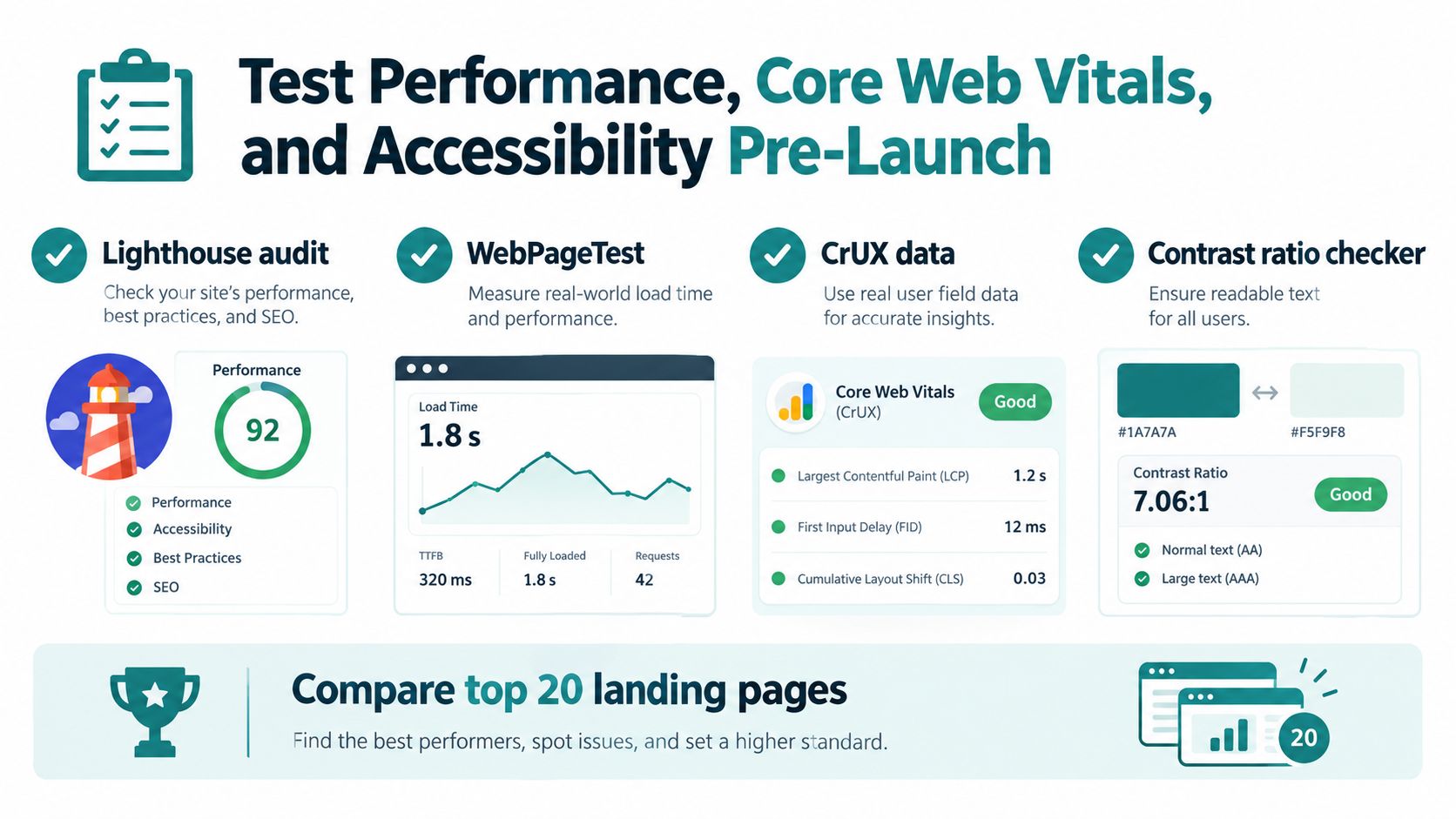
Set a performance baseline by page type, device, and connection. Largest Contentful Paint is good at 2.5 seconds or less, and Interaction to Next Paint is good at 200 milliseconds or less (Core Web Vitals thresholds). Compare the redesigned templates with that baseline. A polished staging homepage does not offset a slow service page that generates quote requests.
Test by template and user condition
Use Lighthouse for repeatable lab checks, WebPageTest for load order and device or connection comparisons, and Chrome UX Report field data where it is available. Run the same checks before and after the redesign. Review a service, product, blog, and conversion page where those templates exist, rather than relying on the homepage alone.
Prioritize changes that commonly create regressions:
- Images: Resize and compress files, and load below-the-fold media appropriately. Avoid using full-resolution backgrounds where they are unnecessary.
- Fonts: Limit unused variants and prevent font requests from delaying primary content.
- Third-party scripts: Review chat, heat maps, advertising, scheduling, and embedded media. Remove tools without a measurable purpose.
- Theme code: Check whether the CMS loads assets sitewide, including assets for features used on only one page.
For teams working across markets, this resource on how to improve site speed in Australia offers performance considerations that also apply to Cincinnati sites. The technical location differs, but the trade-off is the same: unnecessary assets can delay reading and conversion actions.
Accessibility should be tested alongside speed. Run axe or WAVE, then complete a manual keyboard review of navigation, forms, menus, accordions, and conversion paths. Check focus states, labels, contrast, heading order, alternative text, and error messages. Automated tools find recurring code patterns, while manual testing shows whether a customer can complete the task.
Record the test date, template, device, connection, result, and owner for each issue. Set a pass condition before launch, and assign unresolved failures to a named owner. Performance and accessibility then become release checks, not subjective opinions about whether the site feels quick.
Launch-Day Monitoring and Staging Pitfalls to Avoid
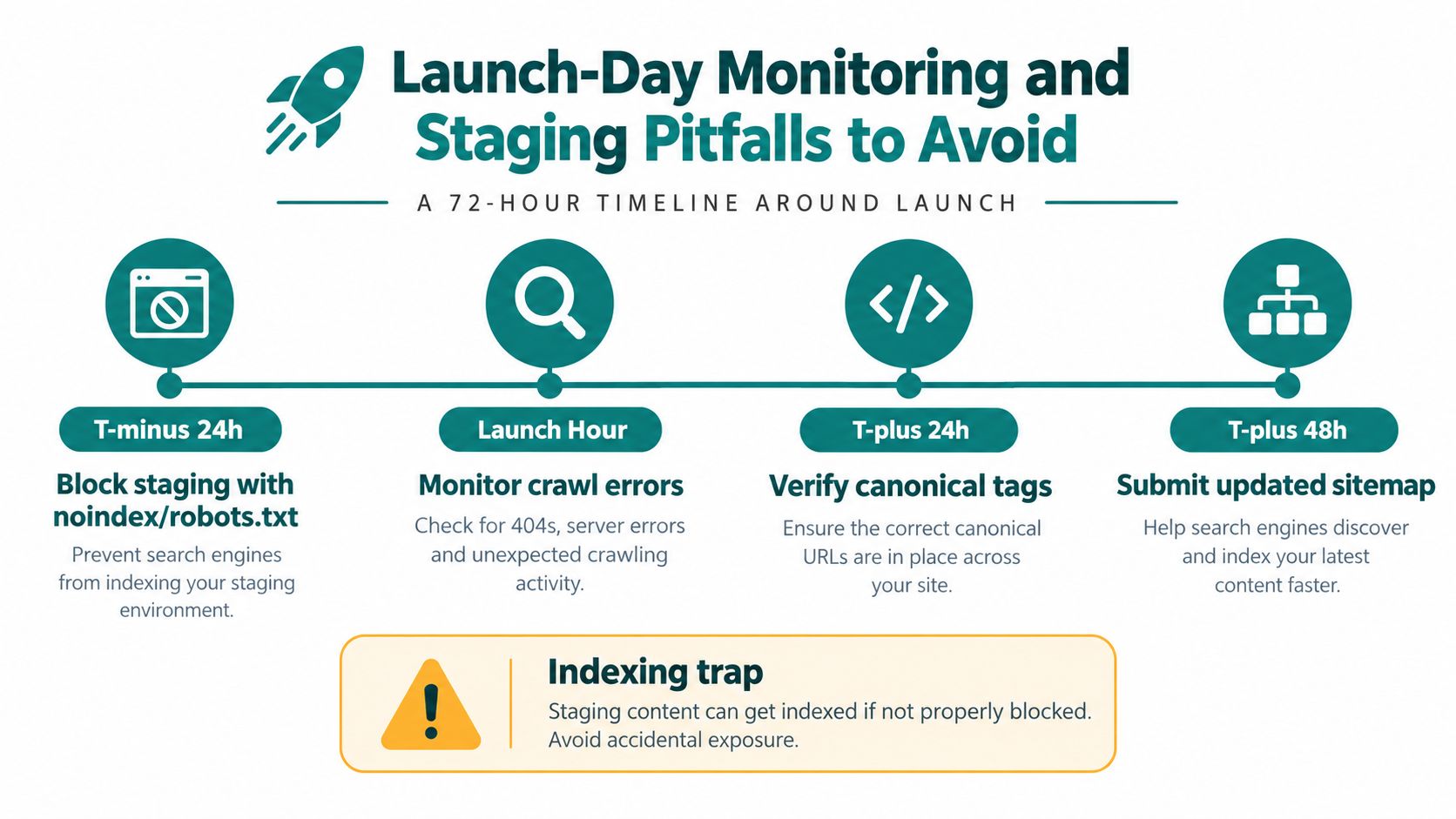
Launch day is a release process, not a final design review. Protect staging and development environments before deployment with password protection or appropriate noindex and robots controls. Before production goes live, verify that the new site does not inherit a staging block.
A crawlable development subdomain can expose unfinished URLs, duplicate content, temporary canonicals, and incomplete metadata to search engines. Treat an indexed staging address as a release blocker. Resolve it before production rather than relying on post-launch cleanup.
Assign checks to named owners
A shared launch room works best when each check has one accountable person. This prevents teams from assuming someone else has tested a critical path.
- Analytics owner: Confirm GA4 and Google Tag Manager load once, events fire on the new templates, and form, phone, appointment, purchase, or download conversions still map to the intended actions.
- SEO owner: Test representative old URLs, inspect canonical tags, review robots directives, confirm the XML sitemap contains the intended live URLs, and submit the updated sitemap in Search Console.
- Development owner: Review server responses, JavaScript errors, broken assets, forms, mobile layouts, and hosting behavior.
- Business owner: Complete real customer journeys, including finding a service, submitting a form, calling the business, and reaching a location page.
Use Search Console to check crawl errors, unexpected 4xx responses, indexing changes, and sitemap processing. Server logs show whether search crawlers reach redirected URLs and receive clean responses. Compare GA4 with the pre-launch baseline, but test the tracking code before treating a traffic change as a search problem.
Review the new site and the old URL set. Navigation can appear healthy while external links, bookmarks, and search results still point to missing pages. Test a manual sample of important old URLs, redirected destinations, canonical targets, and conversion paths. This catches failures a visual review misses and exposes breaks in the chain from crawl access to measurement.
Stabilize Rankings and Recover Traffic After Launch
Post-launch recovery requires a defined cadence and a dated pre-launch baseline. Search engines need time to recrawl URLs, process redirects, and reassess changed pages, while campaign changes, seasonality, and normal search volatility can distort short comparisons. Judge the redesign against the baseline, not only the previous week.
Use this monitoring rhythm:
- First 48 hours: Check Search Console, server responses, analytics, conversions, key redirects, indexability, canonical logic, and staging controls frequently enough to catch release failures quickly.
- Through the second week: Review landing-page clicks, impressions, CTR, rankings, crawl errors, sitemap status, Core Web Vitals signals, and lead quality each day.
- Through the third month: Review the same measures weekly, investigate page-level changes, and record fixes and anomalies in a shared log.
The log should connect each observation to an action. A service page losing clicks while its canonical points to another URL requires technical investigation. Several pages losing visibility after copy was shortened require a content and search-intent review. A conversion drop with stable organic sessions points toward forms, GA4 events, messaging, or page behavior rather than indexing.
Use decision rules instead of panic edits
Do not rewrite every page after the first ranking movement. Hold changes when rankings fluctuate within 15% of the baseline, and investigate when a specific URL falls by more than 30%. Recrawling and reprocessing can create temporary volatility, as reflected in the site-move guidance from Google. These thresholds are operating guardrails, not proof that a page has failed.
Escalate in this order:
- Confirm that the URL resolves correctly and that any redirect reaches the right equivalent page.
- Inspect the canonical, robots directive, indexability, sitemap inclusion, and internal links.
- Compare the new page with its predecessor for search intent, important terminology, and useful detail.
- Review Core Web Vitals, mobile behavior, structured data, JavaScript errors, and conversion tracking.
- Decide whether the page needs strategic content changes only after the technical checks pass.
Resubmit the updated sitemap, monitor whether important backlinks still reach the intended destinations, and record every material change. This history helps separate temporary recrawl effects from losses caused by implementation. It also exposes chains of failure, such as a redirect that works while canonical tags, GA4 events, or page performance regress without notice.
A successful SEO and website redesign can include short-term fluctuation. The standard is controlled recovery: preserve valuable signals, identify technical regressions quickly, and improve pages that need work without dismantling pages already producing business value.
HDM helps Cincinnati-area businesses plan and execute website redesigns through SEO audits, content and architecture planning, custom development, analytics, performance work, and post-launch monitoring. Visit HDM to discuss a redesign that protects existing search equity while creating a stronger path for leads and revenue.