

There's a moment most owners hit in their second or third year online. You open a keyword tool, type in what you sell, and the number that comes back either looks thrilling or looks like a typo. A Springboro roofer sees a broad term pulling thousands of monthly searches and figures the work is done. A Mason dentist sees ten searches a month for the exact question patients ask on the phone every day and figures it isn't worth a page.
Both readings are wrong, and they're wrong in opposite directions. The big term is usually owned by directories, manufacturers and national brands that will never send you a quote request. The tiny term is often a homeowner two clicks away from calling.
What follows is the process I'd run with any Cincinnati-area service business that has more ambition than budget. Start with the words customers use, check them against real demand data, then put each one on a page you can measure. That's how to do keyword research without buying a tool suite you don't need or building a strategy you can't staff.
The Keyword Research Process at a Glance
The whole job fits on one page. Each stage below produces something concrete you can hold, and a small team can run the full pass in a day or two of focused work.
| Stage | What You Do | What You End Up With | Typical Time |
|---|---|---|---|
| 1. Set a goal | Name the revenue or lead outcome you want | One-sentence goal | 30 minutes |
| 2. Collect seeds | Gather phrases from customers and your team | 20 to 40 seed phrases | 1 to 2 hours |
| 3. Expand and group | Add questions and variants, then sort by intent | Keyword groups with an intent label | 2 to 3 hours |
| 4. Check data | Pull volume, trend and Search Console data | Scored keyword list | 2 to 3 hours |
| 5. Review competitors | Look at the top results for your priority groups | Gaps and quick-win topics | 2 hours |
| 6. Map and track | Assign each group to a page and set a review date | Page plan and tracking sheet | 1 hour |
Row one matters more than it looks. "More quote requests from Springboro homeowners" tells you which terms to keep and which to throw away. "More traffic" doesn't, and it's the reason so many content plans drift toward blog posts nobody in sales ever mentions.
Rows three through five are filtering: you cut a long list down to the handful of terms worth a page. Stage three is where the list starts to mean something, because sorting by intent separates the "how much does furnace repair cost" crowd from the "furnace repair near me" crowd, and those two groups need different pages. Stage five keeps you honest, since a quick look at who already ranks for a term tells you what kind of page you'd need before you write a word.
Row six is what separates research from wishful thinking. Every group ends up attached to a URL and a review date.
Here's the full workflow laid out visually.
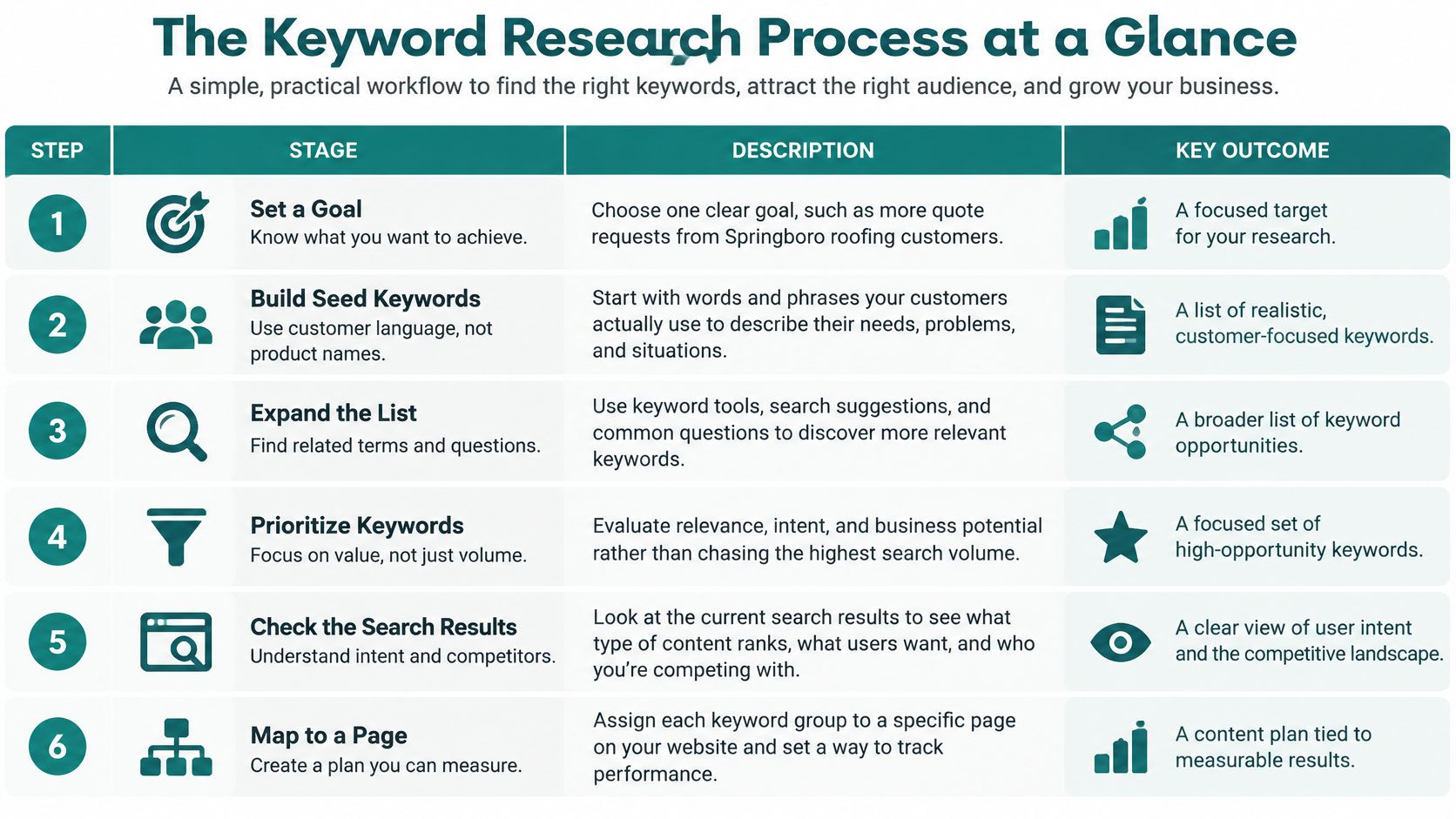
The reason to start with customers instead of a tool is that keyword research is really a measurement exercise: it counts how people phrase their needs in a search box, then ranks those phrasings by demand, relevance, competition and intent. Search is still the front door for most buying journeys, because people type their needs into a search box long before they pick up the phone.
Businesses that serve a radius rather than a single storefront need one extra habit built into the process, since a term's value changes the moment a city or county name enters it. This walkthrough of choosing keywords for service-area businesses covers that geographic layer well.
What the finished worksheet looks like
Six columns, no more: keyword, intent, target page, monthly signal, priority, and review date. Build it in a spreadsheet before you research anything. Intent gets a short label such as ready to hire, comparing options, or just looking. Monthly signal can come from Search Console impressions if you don't pay for a volume tool. Priority is where the judgement lives: a question typed by a dozen real buyers a month usually deserves a page before a broad phrase pulling thousands of browsers. Owners who skip this step end up with 300 saved keywords in a tool account and no idea which twelve pages they describe.
How to Build Seed Keywords From Customer Language
There's a gap between the phrase on your truck and the phrase a homeowner types at 9pm with a bucket in the hallway. "Roof leak after storm" is a seed keyword. "Roofing services" is a label you gave yourself, and it's competing with every contractor in three states.
Seeds should describe the problem, the moment, or the worry. They rarely describe your service menu.
Start with the questions prospects ask. Pull up your last ten sales emails and your notes from the last ten calls. Copy the wording exactly as the customer wrote it, including the clumsy parts. "Do you work with insurance on storm damage?" is a seed. "Can someone get to Springboro this week?" is a seed.
Read the support inbox and the reviews. Look for repeats. "How long does it take" and "is it covered by insurance" show up in almost every service business. Dozens of variations exist, and each one belongs to a different stage of the decision.
Check what people type into your own site. Your site search log is a small goldmine, and it's free. Pair it with the query list inside Search Console, which shows terms your pages already surfaced for. If a page about ice dam prevention keeps picking up impressions, that topic has demand you haven't served.
Ask the team two specific questions. Which questions come up before a deal closes, and which come up after a deal is lost? The second one is usually more useful. Lost-deal notes are where you find objections nobody has written a page about.
The best seed list in a roofing company already exists. It's sitting in the owner's voicemail, unlistened to since March.
Write each phrase on its own row and tag the service it belongs to. Keep the customer's words in one column and your internal label in another. Do not clean up the grammar. A phrase that reads awkwardly is often the one people type.
If you want a structured way to gather this material before you start, the approach in this guide to market research and analysis gives you the interview and survey scaffolding.
Here's the working image most owners have in mind: a screen of real customer questions, sorted by service.

Aim for 20 to 40 seeds across three to five services. Fewer than 20 and you'll miss the long tail. More than 40 and the next stage becomes a swamp. Seeds are raw material, not a final list, so resist the urge to rank them yet.
Expand Seeds and Match Each Term to Search Intent
Intent is what the person is trying to accomplish, not what the words say. Google's search quality guidelines treat it as the first filter, and they're blunt about the failure mode: a page that only matches keywords doesn't satisfy anyone.
| Intent | Example Search | Page That Fits | Owner Action |
|---|---|---|---|
| Informational | how much does a website cost | Guide or FAQ article | Answer the cost question with real ranges |
| Commercial | best web design agency Cincinnati | Comparison or service page | Explain criteria and your fit honestly |
| Transactional | web design quote Springboro | Contact or quote page | Make the request path short and clear |
| Local | emergency plumber Cincinnati | Local service page | Show service area, hours and reviews |
| Brand or navigational | Helbling Digital Media | Brand or about page | Keep contact details consistent everywhere |
The distinction is easy to see once you look at two searches side by side. Someone searching "emergency dentist Cincinnati" needs an immediate local service page with a phone number, hours and a map. Someone searching "how much does a dental implant cost" needs an explanation of pricing before they'll contact anyone. The search quality evaluator guidelines use exactly that contrast and name keyword-matching-only content as a result that fails the user's intent.
How to expand a seed into a full set
Take one seed, "roof leak after storm," and run it through three passes.
Question forms. Add who, how much, how long, what if, and can I. "How long does a roof leak repair take," "what if the leak is covered by insurance," "can I patch a roof leak myself."
Location modifiers. Cincinnati, Springboro, Mason, Hamilton County, or the neighborhood. Local terms behave like different keywords entirely because the results change with the map.
Comparison terms. Versus, alternative, best, and "or." A homeowner choosing between repair and replacement is a different reader than one looking for a patch.
The grouping test
Put two terms in the same group if one page could fully satisfy both. Split them if they'd need different content, different proof, or a different call to action.
A keyword is not a content brief. Before you assign anything, open the search results and look at what Google already shows. If page one is all directories and videos, a text service page is a hard fight. If page one is five thin contractor pages, you have a real opening.
Tools and Data Sources That Show Real Demand
Five sources do almost all the useful work for a local business. Two of them are free and one of them costs you nothing but a notebook.
| Source | What It Shows | Main Limitation | Cost |
|---|---|---|---|
| Google Keyword Planner | Average monthly searches, competition and bid ranges by location | Estimates and ranges, not exact traffic | Free with a Google Ads account |
| Google Search Console | Clicks, impressions, CTR and average position for your own site | Shows only up to 1,000 top queries | Free |
| Google Trends | Relative search interest over time and by region | No absolute search volume numbers | Free |
| Paid keyword suites | Difficulty scores, competitor keywords and related terms | Scores differ between tools | Paid subscription |
| Customer conversations | The exact wording buyers use | Limited to what you happen to hear | Free |
The one setting that distorts volume
Keyword Planner defaults to a 12-month calculation window and to whatever location and language you last selected. Google's keyword planning documentation defines average monthly searches as the average number of searches for a keyword and its close variants across a chosen month range, location and network setting, and notes that historical metrics can cover monthly volumes across up to four years, plus competition levels and top-of-page bid ranges.
That definition carries two practical instructions. Set the location to Ohio or to Cincinnati rather than the whole United States, because a term with healthy national demand can be thin locally. And check the language setting before you read anything.
If you skip both, you'll plan a year of content around demand that doesn't exist in your service area. The same keyword produces very different numbers across Ohio, the wider country, and international markets.
Practical rule: change the location first, then read the number. Everything you see after that is conditional on a setting you probably didn't touch.
Why two sources beat one
These figures are estimates, not guaranteed traffic, and different tools disagree by wide margins on the same term. Treat any single volume number as a rumor until a second source supports it. Pair Keyword Planner with Search Console, or with a paid suite if you already own one, and move on when the two roughly agree.
Search Console deserves an honest caveat here. Google's own documentation on the Performance report states that the report shows up to 1,000 top queries and omits rare queries to protect user privacy. A small Cincinnati business may see a dozen rows while customers type dozens of variations. That makes the report a prioritization tool, not a complete record of demand.
If you're weighing paid platforms against free ones, this software guide for marketing leaders covers what the subscriptions really add.
Prioritize Keywords Without Chasing Volume
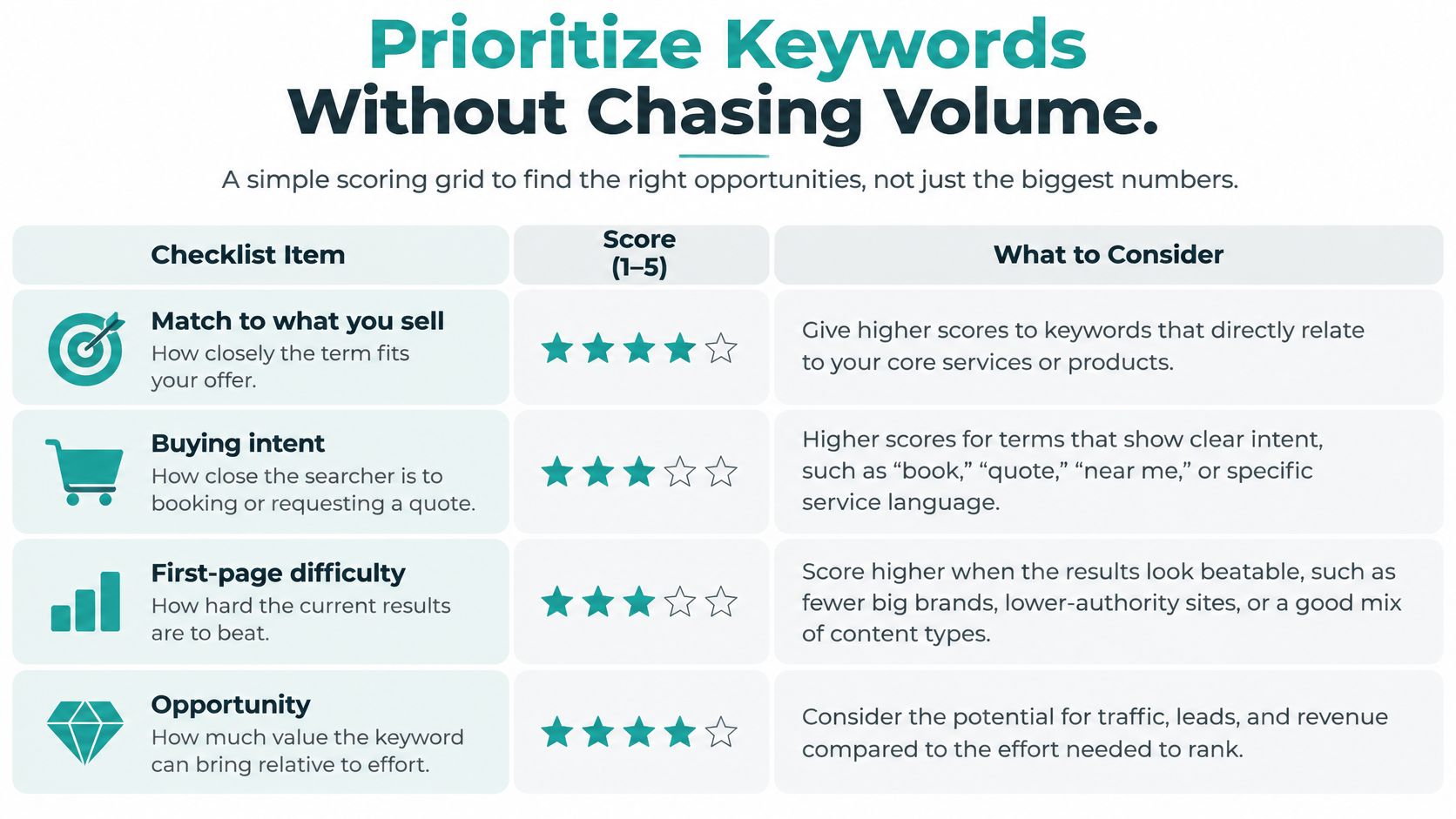
Score four things and stop: how closely the term matches what you sell, how close the searcher is to buying, how hard the first page is to beat, and how many people search it. Weight the first two heaviest. Volume is a tiebreaker, not a ranking system.
| Keyword Type | Volume | Difficulty | Intent | Priority |
|---|---|---|---|---|
| Local emergency service term | Moderate | High | Strong buying intent | Priority one |
| Broad industry term | High | Very high | Mixed | Later, once local pages rank |
| Specific compliance or security question | Very low | Low | Strong buying intent | Priority one |
| Cost question, such as how much a site costs | Moderate | Moderate | Strong research intent | Priority two |
That third row is the one owners delete too early. Standard tutorials throw out terms with little or no monthly volume, but keyword databases badly underrepresent specific, late-stage questions. One analysis of keyword research practice reports that queries with fewer than 10 monthly searches make up almost 93% of its U.S. keyword database, which tells you how fragmented demand really is. A low estimate is not evidence of low commercial value.
How to validate a low-volume term
Don't argue about the number. Test the term against evidence you already own. Pull the phrase from sales calls, support tickets, product reviews, site search or lost-deal notes, then check whether Search Console shows impressions for it. If both show activity, the demand is real regardless of what a dashboard says.
Then prove it with one focused page or a small paid ad group pointed at the same wording. Judge the result on qualified leads, assisted conversions, engagement from the right audience, and what sales hears on calls, not on sessions. A question about how to handle a compliance or security requirement may get searched a handful of times a month, by people who are one step from signing.
Ask three questions before any term moves to the top of the list. Does this match something we sell? Is the searcher close to acting? Can we build a page that beats what's there now? Two yeses and a maybe beats a five-figure search volume with no answers.
A data-driven view pays off here, because the terms that convert rarely look impressive in a dashboard. The framework in this guide to building a data-driven marketing strategy shows how to connect page-level numbers back to revenue instead of rankings.
Competitor Gap Analysis for Quick Wins
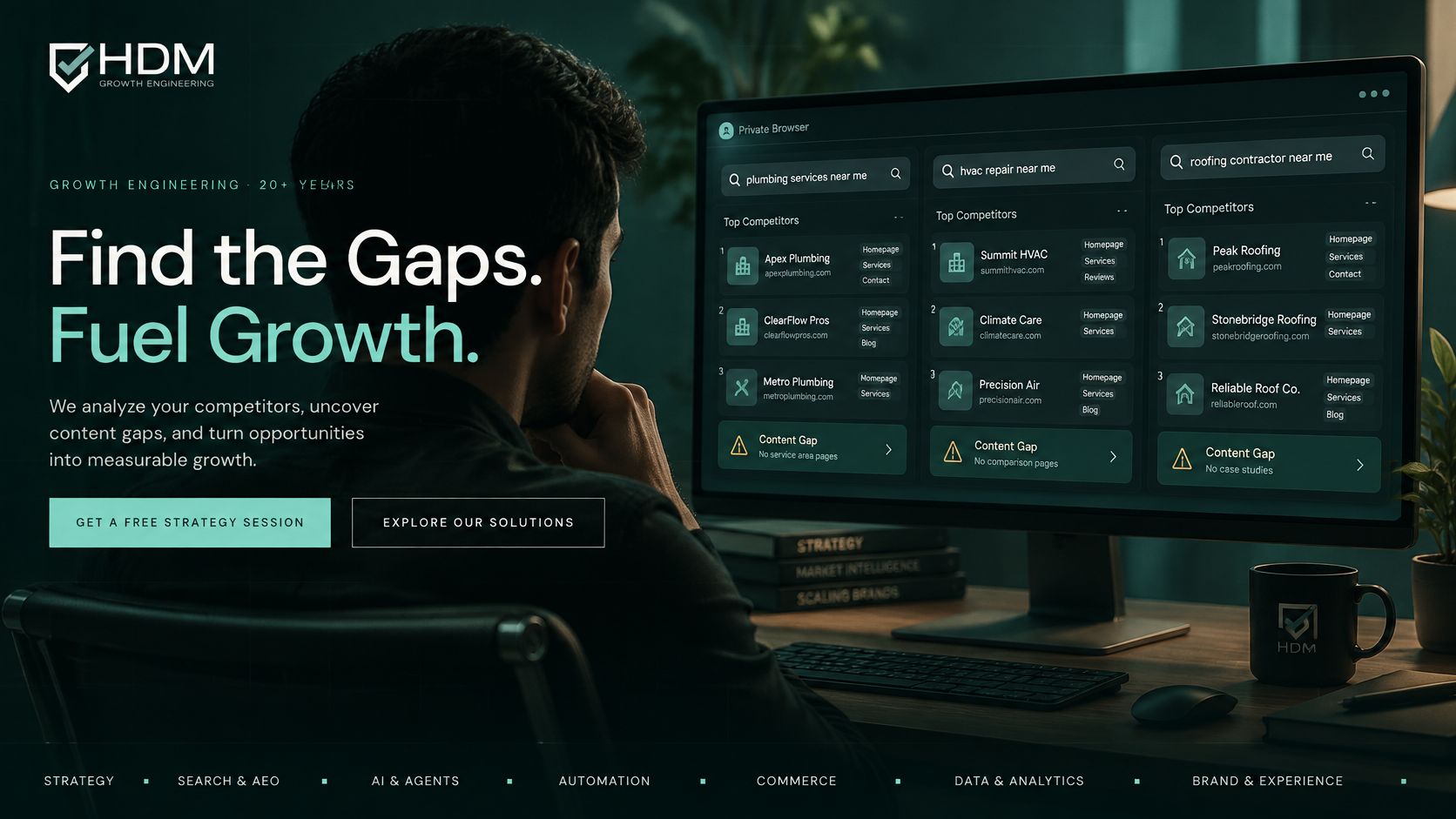
You don't need a paid gap tool to find openings on a local service term. You need a private browser window and twenty minutes of honest looking.
Here's the screen you'll be reading.
Five steps to a gap you can win
One. Search in a private window. Take your top three service terms, add "Cincinnati" or your suburb, and search with personalization off. Public results, cached history and your own branded searches will otherwise flatter you.
Two. Note the page types on page one. Guides, service pages, directories, video, forums. That mix is Google's statement about what this query needs. Fight it and you lose.
Three. Harvest the follow-up questions. The "People also ask" box and the related searches at the bottom give you the sub-questions the top results are expected to answer. Those are your section headings, not your competitor's.
Four. Judge quality, not position. Look for pages with an old year in the title, thin service pages with no pricing detail, or generic national articles with no local knowledge. Those are beatable.
Five. Keep only gaps where you have real experience. If your crew has never handled a particular roof type, skip it. A page you can't back up with first-hand detail will lose to one that can.
Consider a Hamilton County HVAC contractor. Page one for "furnace repair cost" is full of national home-improvement sites quoting ranges for the whole country, plus one thin local page with no numbers. Nobody answers "furnace repair cost in Hamilton County" with what a homeowner in this market pays, what a diagnostic visit includes, or what triggers a repair-versus-replace conversation. That gap is worth more than a generic furnace page, because it captures the reader at the moment they're deciding.
This matters more than it used to. Google's documentation on AI features in Search explains that these experiences stay grounded in core Search systems and existing fundamentals, and that the systems can issue multiple related searches across subtopics to build an answer. In practice that means one thin page about a head term can rank yet still fail, because it doesn't supply the connected follow-up information an AI answer needs. Research the question journey, not just the phrase.
For a closer look at how results are assembled, this short walkthrough is worth ten minutes.
<iframe src="https://www.youtube.com/embed/2usm4k2uUcQ" width="100%" height="400" frameborder="0" allowfullscreen></iframe>One warning. Don't copy a competitor's page structure line by line. If their page is a 900-word overview, yours shouldn't be a 900-word overview with the names changed. Find what they left out, whether that's pricing, timelines, permits, or a plain answer to "what happens on the first visit," and lead with it.
Map Each Keyword Group to a Page You Can Measure
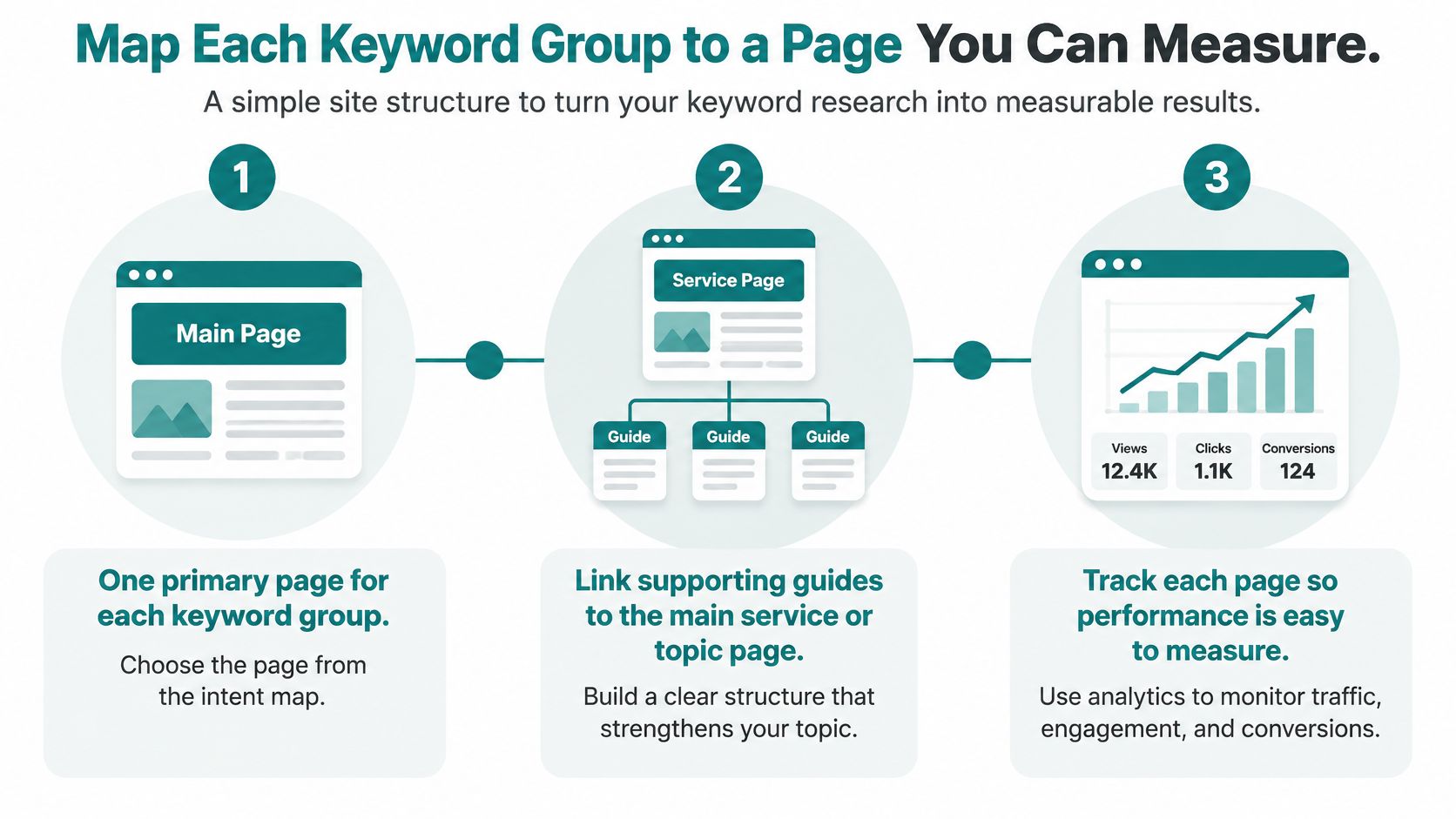
Every keyword group gets one primary page, full stop. Two pages chasing the same term split your signals and leave the reader guessing which one to open.
The structure stays simple. One main service or topic page sits at the center, supporting guides and FAQs link up to it, and the main page links back to your contact path. Visitors can move from broad to specific without hunting, and search engines can see which page owns the topic.
Where the words go on the page
The main phrase belongs in the URL, the page title, the first heading, and the opening paragraph. Written for a person, not stuffed into every sentence. Related pages link to each other, and the money pages sit in your main navigation rather than buried two clicks deep.
If a group has one clear question at its center, give that question its own section with a direct answer underneath. That format serves readers who skim, and it's the easiest thing for an AI answer to quote. A page built around a term a handful of real buyers type each month will outearn a page chasing a broad phrase that mostly attracts researchers, so map the group that carries buying intent before you map the one with the biggest search count.
Getting these basics right is part of a solid SEO foundation every website needs, and it's usually where the quickest gains hide.
The four numbers to watch
Google Search Console gives you four measures, and each answers a different question. Search Console's performance documentation defines them clearly: impressions count how often your site appears in results, clicks count visits from those results, click-through rate is the share of people who saw you and clicked, and average position reflects where your topmost result sat across those impressions rather than an average of every listing.
That last definition trips people up, and it matters when you report results. Two of your pages can appear on one results page and still count as a single property impression. Judge trends across the whole set instead of reacting to one position move.
A page with heavy impressions and almost no clicks usually has a title problem, or a search feature is answering the query before anyone scrolls. A modest position with a strong click-through rate is often the more valuable asset, especially when the term behind it comes from a buyer and not a browser. Google recommends watching trends in impressions and clicks rather than position alone, and that's the right call: position tells you where you stood, clicks tell you whether the right people cared.
A review schedule that doesn't waste your time
Day 30. Check indexation and impressions. You're confirming the page exists and is being considered.
Day 60. Look at query data and click-through rate. Rewrite the title if impressions are healthy and clicks are not.
Day 90. Decide: keep improving, consolidate with a sibling page, or retire it. Then pick the next group.
Mapping groups to pages, then reviewing the results, is the step where Cincinnati-area owners tend to stall. The research feels finished, the page is live, and the follow-up never happens. Helbling Digital Media, a Springboro-based agency serving the Greater Cincinnati area, works with owners on exactly this step. Its growth marketing services cover SEO and organic search, content strategy and analytics.
One decision this week. Pick the keyword group with the clearest buying intent and the weakest page one, open your spreadsheet, and build that single page before you research another term.
If you'd rather talk through it first, book a free 30-minute strategy call with Helbling Digital Media and work out which keyword group is worth building first.