

If you're like most small business owners around Cincinnati, you're not short on ideas. You're short on time. The website needs attention, leads need follow-up, someone has to answer repetitive customer questions, and the spreadsheet that's running part of the business is still sitting on a laptop from years ago.
That's where AI automation starts to matter. Not as a trendy add-on, and not as a replacement for your team. It matters because a lot of growing businesses are still burning valuable hours on work that software can handle faster and more consistently.
Small business adoption has moved quickly. In 2025, generative AI adoption among small businesses in the United States rose from 40% in 2024 to 58% in one year, according to the U.S. Chamber of Commerce and SBA data summarized here. That same SBA guidance also stresses a point I agree with completely. Automation should start with a clearly defined business problem, then be measured by practical outcomes like lower admin time, fewer errors, and faster response times.
Putting AI Automation to Work in Your Business
Most owners hear "AI automation" and assume it means some giant software project. Usually it doesn't. In plain terms, AI automation for small business means a tool watches for a trigger, makes a decision, and completes a task that your staff used to do manually.
That might be a website lead coming in after hours. It might be a customer email asking the same question your team answers every day. It might be a weekly report that someone builds by hand from CRM data, then emails around on Friday afternoon.
What this looks like in the real world
Before automation, a contact form submission sits in an inbox until someone notices it. A salesperson copies the details into the CRM, sends a reply, asks a few qualifying questions, and tries to get a meeting on the calendar.
After automation, the form submission creates the contact record automatically, sends a fast personalized reply, routes the lead to the right person, and starts the scheduling process. The human still owns the conversation. The software handles the clerical drag.
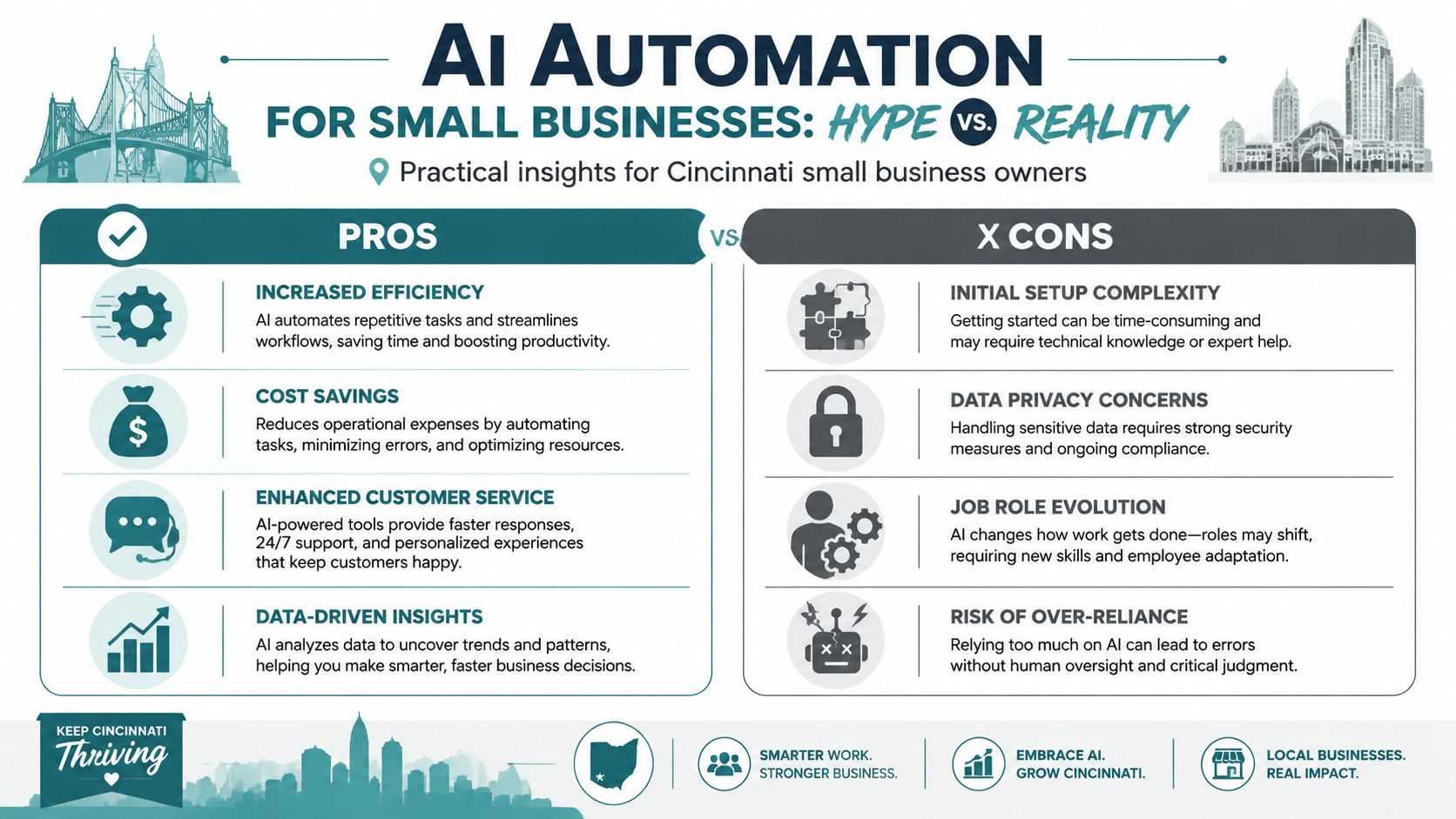
A few common examples fit local businesses well:
- Service businesses: A plumbing company or contractor can route inbound inquiries by service type, zip code, or urgency, then send an immediate acknowledgment so the customer isn't left wondering if anyone saw the request.
- Professional practices: A law firm or accounting office can automate intake summaries, appointment reminders, and internal task creation after a prospect fills out a form.
- Retail and e-commerce shops: A store can answer common product questions, flag refund requests for staff review, and draft follow-up emails based on recent purchases.
Practical rule: If a task happens often, follows basic rules, and annoys your team, it's a strong automation candidate.
Where owners usually see value first
The fastest wins are usually not flashy. They're operational. AI tools can draft social posts from a promotion calendar, summarize sales activity from your CRM, and provide always-on answers to common questions through chat or email workflows.
That matters because the gains stack up across the week. According to the verified data above, AI saves employees an average of 2.5 hours per day on routine tasks. For an owner, that often means less time chasing admin work and more time handling sales, service quality, and growth.
There are also broad business signals behind the shift. More than 90% of companies worldwide are either using or actively exploring AI technologies, based on [Exploding Topics data summarized in the verified dataset]. Small firms are also gaining ground in practical automation use cases, especially around marketing and customer communication.
If you want a plain-English outside perspective on what's useful and what's hype, MakeAutomation's guide to AI for small business is a solid resource because it focuses on workflows, not buzzwords.
Finding Your First High-Impact Automation Wins
The biggest mistake I see is simple. Owners try to automate five things at once, then conclude AI doesn't work when the project turns into a mess.
A narrow pilot works better. The data backs that up. Success rates for AI automation pilot projects in small businesses are significantly higher when limited to 1–2 narrow use cases. Industry data shows that 85% of pilots focused on single-task automation achieve their objectives, versus only 35% of multi-task pilots, according to Forbes Advisor's AI statistics roundup.
Start where the friction is obvious
Don't begin with the most ambitious idea. Begin with the task your staff complains about most.
That usually falls into one of these buckets:
| Business pain point | Good first automation |
|---|---|
| Slow lead response | Instant intake reply and routing |
| Repetitive admin work | Data entry from forms or invoices |
| Missed follow-ups | Reminder sequences and task creation |
| Common support questions | FAQ handling and triage |
| Manual reporting | Weekly summaries pulled from existing systems |
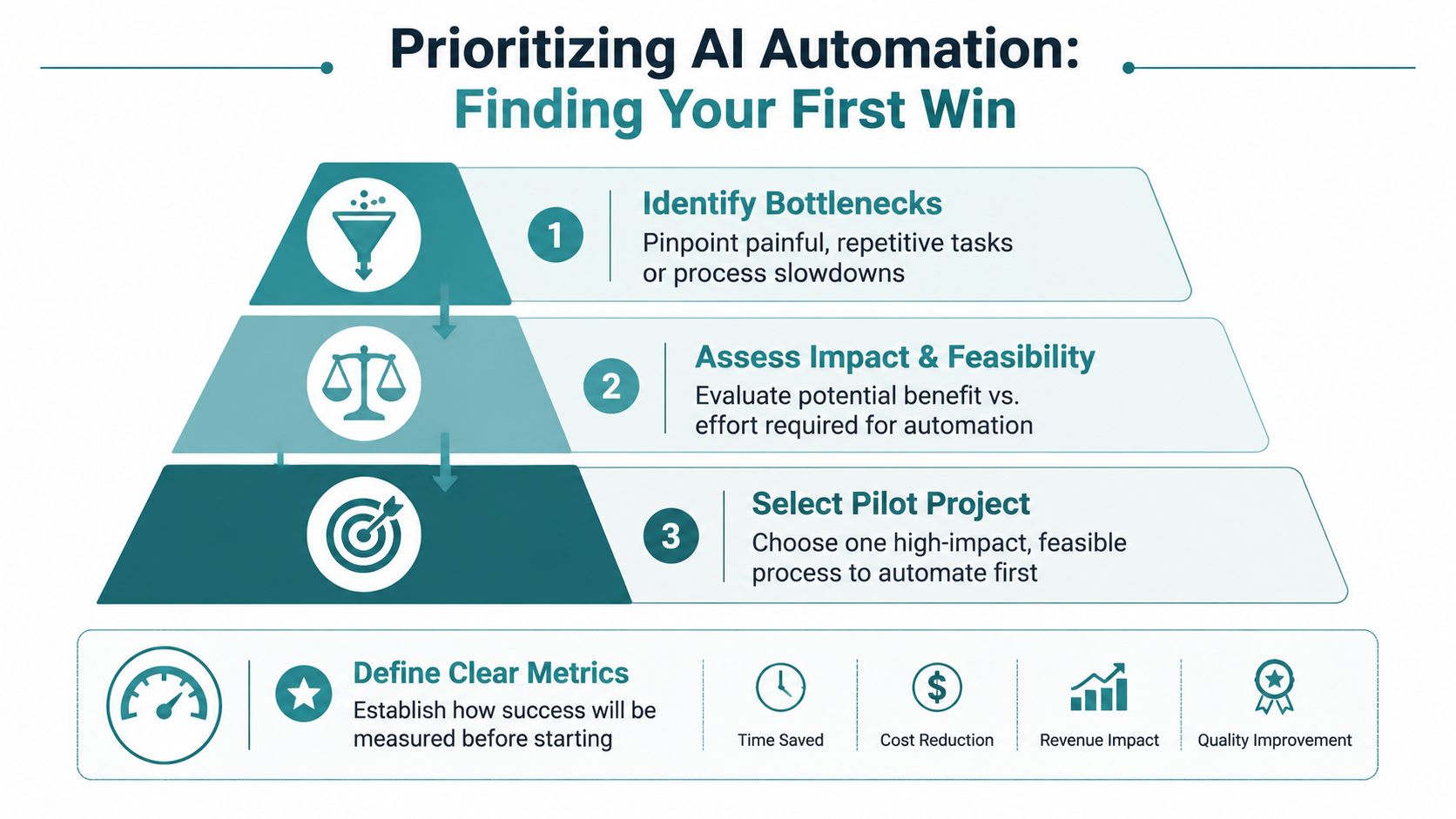
A good first project has three traits:
- It's repetitive. The process happens often enough to justify setup.
- It's rule-based. The task follows a predictable path.
- It's measurable. You can tell whether it improved response time, reduced errors, or saved staff time.
Questions worth asking before you choose
Ask these in plain language:
- Where do leads slow down? If prospects wait too long for a first response, automation can close that gap.
- Where are people copying and pasting? Manual transfer between forms, inboxes, spreadsheets, and CRMs is a red flag.
- Where do mistakes happen? Re-keying names, dates, or order details creates avoidable errors.
- What happens after hours? If your business depends on quick follow-up, nights and weekends matter.
A strong first automation doesn't need to be impressive. It needs to work, save time, and be easy for your team to trust.
Lead handling is a good example. If you're comparing approaches, this overview of AI lead qualification shows how conversational workflows can screen inquiries before a salesperson steps in. For a broader local view of process design, HDM's article on AI workflow automation is useful if you're trying to connect marketing, sales, and operations instead of treating them as separate systems.
Choosing the Right AI Tools and Partners
Most business owners don't need more tool recommendations. They need a cleaner way to sort the market. I like to group AI options into three buckets.
Workflow connectors
These are the glue tools. They move information between the software you already use and trigger actions when something happens.
Think of a form submission creating a CRM contact, notifying your sales rep, and drafting a response. For many small and mid-sized businesses, tools in this category are the easiest place to start because they don't require replacing your current systems.
A practical summary from CMIT Solutions on AI automation tools notes that Zapier, Microsoft Copilot, and ChatGPT Business allow small and mid-sized businesses to extend team capacity without adding headcount, which is especially relevant for Cincinnati firms with lean teams.
AI assistants
These tools help create, summarize, rewrite, and analyze. They don't always automate a full workflow on their own, but they're useful inside one.
Examples include drafting emails, summarizing meeting notes, creating content outlines, and generating weekly sales recaps from existing records. They're strong when a person still needs to review the output before anything customer-facing goes live.
All-in-one platforms and custom builds
Some platforms combine CRM, marketing automation, chat, reporting, and AI features in one system. That can simplify life if you're ready to standardize around one vendor.
But not every business fits a clean all-in-one setup. If you're working with an older ERP, an on-premise database, custom quoting logic, or regulated customer data, off-the-shelf tools may only get you part of the way. In those cases, custom integration matters more than fancy features. For owners evaluating options in Ohio, this roundup of top AI tools for Ohio small businesses in 2026 is a helpful way to compare categories before you buy anything.
Buy the simplest tool that solves the actual problem. Complexity usually shows up later as training friction, broken handoffs, or data cleanup.
For more involved cases, a partner can fill the gap between your current stack and the workflow you desire. HDM works with Cincinnati-area businesses on AI consulting, custom integrations, and HIPAA-conscious implementations when standard app-to-app automations aren't enough.
A Practical Blueprint for AI Integration
Most guides skip the hard part. They show shiny tools, then assume your systems are modern, cloud-based, and neatly organized. A lot of real businesses don't look like that. They have older CRMs, Excel files shared across departments, and software that wasn't built with AI in mind.
That doesn't mean you're stuck. It means the integration plan needs to be grounded in how your business already runs.
A useful reminder before the steps. A 2025 report by the National Institute of Standards and Technology highlighted that 40% of AI implementation failures in small businesses stem from incompatible legacy infrastructure, not the AI itself, as referenced in the verified data and tied to NIST's work on safe and trustworthy AI.
Here's a non-technical blueprint that works.
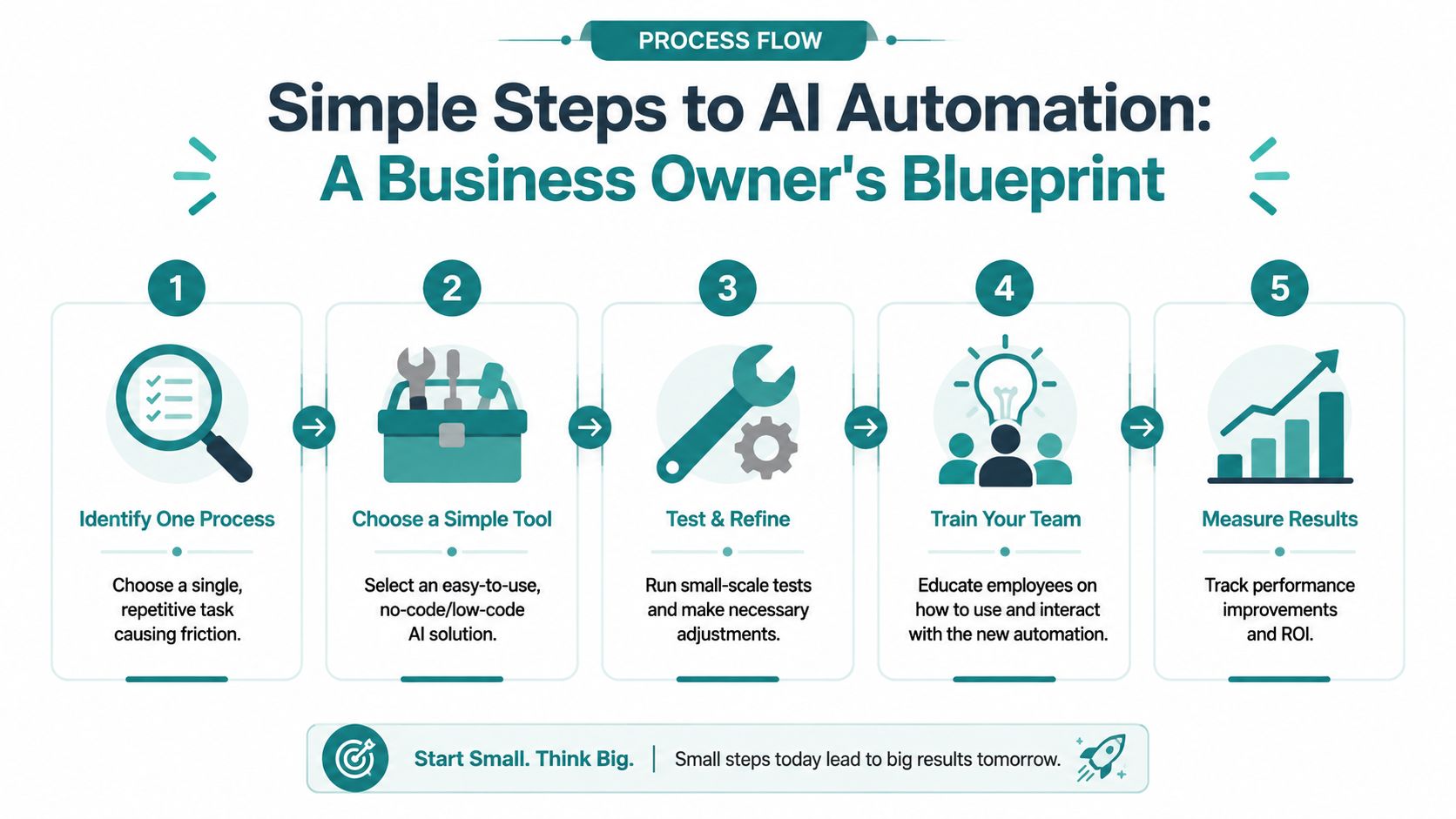
Step one, define one trigger and one outcome
Keep the first workflow simple. Example: a new website form submission should create a contact, assign an owner, and send a follow-up.
That clarity matters. The verified implementation methodology for small businesses starts with mapping the current process, defining triggers and actions, selecting compatible tools, building the workflow, testing edge cases, and monitoring after launch. It also notes that teams following the method fully can save 15 to 20 hours weekly within 90 days, while early failures often come from trying to automate high-exception work too soon.
Step two, check the systems involved
List the tools touched by the workflow. Website form. CRM. Email platform. Calendar. Spreadsheet. Database. Then ask a simple question: can these systems connect cleanly?
If yes, a connector tool may be enough. If no, you may need a bridge layer, an API integration, or a secure custom handoff that lets your older software participate without replacing it.
This explainer gives a quick visual overview before getting deeper into planning:
<iframe width="100%" style="aspect-ratio: 16 / 9;" src="https://www.youtube.com/embed/5TxSqvPbnWw" frameborder="0" allow="autoplay; encrypted-media" allowfullscreen></iframe>Step three, test edge cases before you trust it
Many projects go sideways under these circumstances. Real data is messy. Fields are incomplete. Names are formatted inconsistently. Someone pastes a phone number into the wrong box.
The verified guidance is clear on this point. Failure to validate edge cases before deployment results in a 40% increase in post-launch error logs. It also notes that 55% of failed automations are linked to poor data hygiene, such as missing fields or inconsistent naming conventions.
Use a short test list:
- Missing information: What happens if a form arrives without a phone number?
- Unexpected formatting: Does the workflow break if a date or address looks different than expected?
- Wrong destination: If the system can't match a contact correctly, who gets notified?
- Human review points: Which decisions still need approval before anything is sent or changed?
Systems don't fail because the demo looked bad. They fail because nobody tested the awkward real-world scenarios.
Step four, launch small and monitor closely
The recommended implementation process includes a one-week monitoring phase after launch. That's smart. Don't turn on an automation and walk away.
Watch for missed records, duplicate contacts, confusing internal notifications, or replies that sound too robotic. Then tighten the workflow. For a more local planning framework, this AI implementation roadmap for Cincinnati and Dayton businesses is a good companion if your business is balancing growth goals with older systems.
Measuring Success and Navigating Compliance
If you can't tell whether the automation helped, it becomes another subscription you resent every month. Measurement doesn't need to be fancy. It needs to connect to work your team already understands.
Track simple business outcomes
The best metrics are usually operational, not technical.
Start with:
- Hours saved: How much staff time disappeared from repetitive work each week?
- Error reduction: Did fewer records need correction after data entry or routing?
- Response speed: Are customers and leads getting answers faster?
- Team handoff quality: Did sales, service, or admin staff stop chasing missing information?
The verified SBA guidance recommends judging automation by reductions in admin hours, lower error rates, and faster response times. That's the right lens for most SMBs.
You can do a rough ROI calculation on a notepad. Estimate the hours the task used to consume each month, multiply that by the value of that staff time, then compare it to the software and setup cost. You don't need a finance model. You need a clear sense of whether the tool is creating room for more sales, better service, or fewer operational headaches.
Keep humans in the loop for sensitive decisions
Not every workflow should run unattended. The verified implementation benchmarks note that ignoring a human-in-the-loop step for critical decisions can increase customer trust erosion by 30%. That matters in pricing, relationship management, and anything tied to contracts, financial commitments, or sensitive personal information.
For many Cincinnati businesses, the highest-stakes issue isn't efficiency. It's compliance.
Healthcare is the clearest example. A 2024 HIMSS survey found that only 12% of small healthcare practices have successfully implemented AI automation, primarily because vetted, compliant frameworks are lacking, according to HIMSS research on artificial intelligence in healthcare.
HIPAA changes the design
A standard website chatbot or generic AI workflow should not be assumed safe for patient information. If your practice handles intake, scheduling, reminders, or follow-ups, the workflow has to be built around privacy, storage rules, access controls, and data handling boundaries.
That same verified healthcare guidance points out a major gap in the market. Many articles talk about chatbots and generic marketing tasks but ignore the hard question healthcare providers face. How do you automate patient-facing workflows without exposing protected information?
Compliance isn't a feature you bolt on later. It shapes which tools you can use, where data can flow, and who gets access to it.
The same logic applies outside healthcare. Legal, financial, and professional service firms may not be dealing with HIPAA, but they still handle confidential information that shouldn't move through unsecured consumer tools.
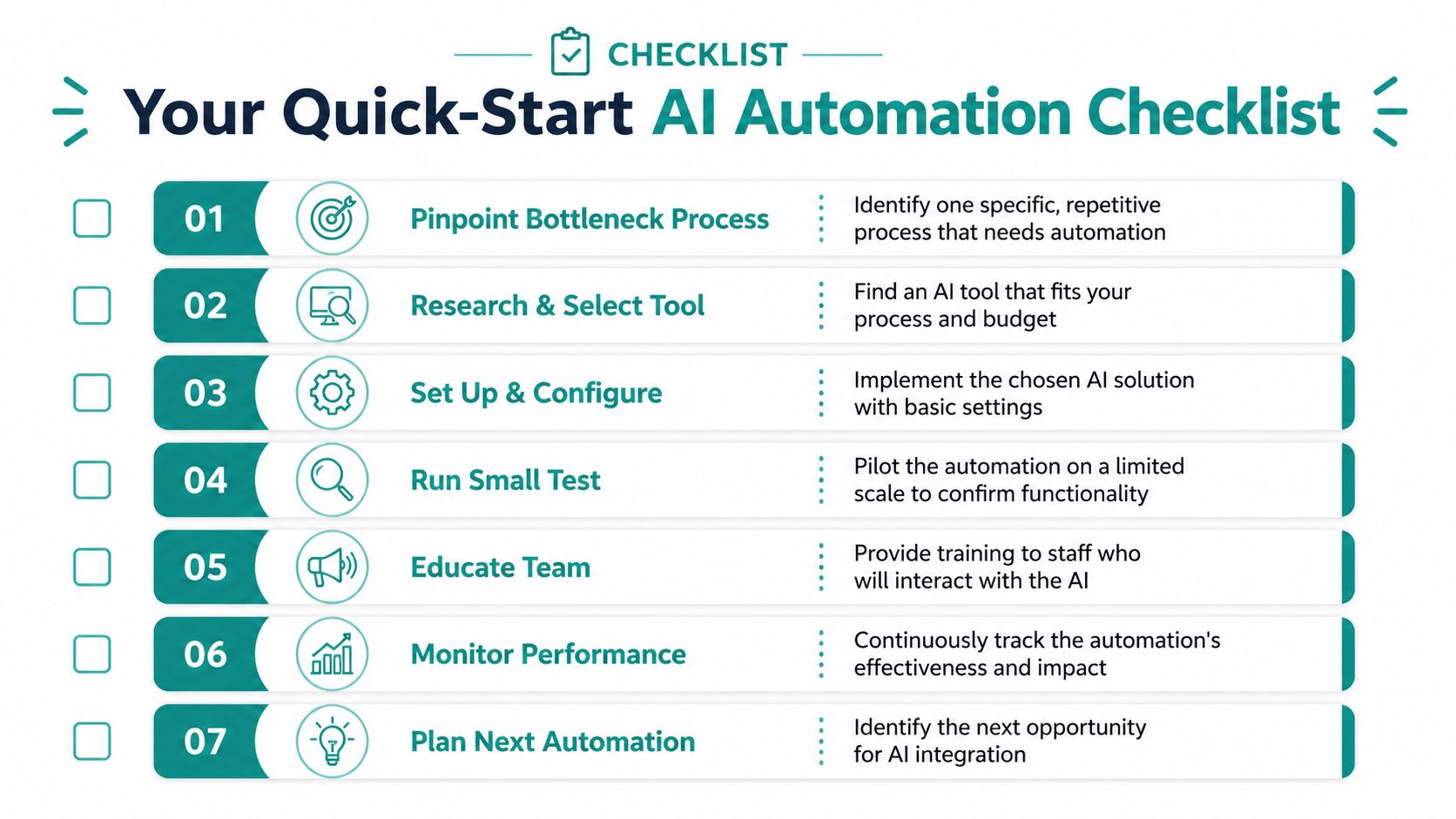
Your AI Automation Launch Checklist
A good launch plan should fit on one page. If it needs a committee before you can act, it's too complicated for a first move.
Keep your first rollout tight
Use this as a working checklist:
- Pick one bottleneck: Choose one repetitive task that drains time or creates avoidable mistakes.
- Define the trigger and result: Be specific about what starts the workflow and what should happen next.
- Choose a practical tool: Favor software your team can understand and maintain.
- Check system compatibility: Make sure your website, CRM, email platform, or database can pass data cleanly.
- Test messy real inputs: Use incomplete forms, unusual formatting, and exceptions before launch.
- Set a review point: Watch the workflow during the first week and tighten anything that creates confusion.
- Measure outcomes: Track hours saved, response speed, and operational friction removed.
The business case is already there. 91% of SMBs with AI report that it boosts revenue, while 90% say it makes operations more efficient, according to the Salesforce Small & Medium Business Trends Report. The primary question isn't whether AI automation for small business can help. It's whether you'll start with a focused use case that matches how your company works.
If you're sorting through web design, SEO, and AI automation decisions at the same time, HDM can help you map the practical overlap. That might mean improving lead flow on your website, connecting forms and CRM workflows, or planning a more secure automation setup around the systems you already use.


