


A busy Cincinnati clinic usually starts with a simple goal: replace an outdated website, add online appointment requests, improve local search visibility, and make it easier for patients to contact the office. The project gets complicated when someone asks where those form submissions go, which vendors can access them, and whether the analytics installed on the site can identify people seeking care.
That's the point where a standard website builder stops being a safe default. A HIPAA-compliant website builder is not just a platform with an SSL certificate, a privacy policy, or a healthcare template. It must fit into an operating system that protects electronic protected health information, controls vendor access, records activity, and keeps marketing technology from sending sensitive information to third parties.
Why Your Standard Website Won't Cut It for Patient Care
A specialty clinic in Cincinnati replaces its outdated website with a faster design, a mobile-friendly appointment form, and clearer service pages. The project looks straightforward until the office manager asks where a patient's request goes after submission. The agency has connected a form provider, email notifications, scheduling software, and analytics, but nobody has documented what each service receives.
That gap creates risk. A patient who enters a name with symptoms, treatment details, insurance information, or a reason for seeking care is sharing electronic protected health information, or ePHI. The website may pass that information to several vendors, each with different permissions, security practices, and retention rules.
Practical rule: Treat every patient-facing feature as a system, not as a page.
The form itself is only one concern. Analytics scripts and advertising pixels can collect page URLs, referral details, button clicks, search terms, or appointment-related events. On a medical site, those signals may reveal that someone is researching a condition or seeking treatment, even when the visitor never submits a form. A tracking vendor can receive sensitive context without the practice realizing that its marketing setup has created a disclosure risk.
That is why a green padlock, privacy policy, or healthcare template does not establish compliance. The HHS guidance on the HIPAA Security Rule addresses protections for the confidentiality, integrity, and availability of ePHI. Those protections depend on how the practice operates the full website environment, including staff access, vendors, technical controls, and response procedures.
The visible website is only one layer
A polished front end can conceal weak processes behind it. The practice needs to identify who can view inquiries, which vendors handle them, whether notifications contain patient details, and how access is removed when an employee changes roles or leaves. It also needs a way to review logs, investigate unusual activity, and respond when a vendor or integration fails.
The useful question is specific: what information does the site collect, where does it travel, who can access it, and which tools receive related visitor signals? That review often exposes analytics and pixels that were installed for campaign reporting without a privacy or security assessment.
Growth and protection have to work together
A compliant build can still support search visibility, educational content, and online scheduling. Keep public content separate from patient-data workflows, collect only what the practice needs, and remove marketing tools that receive sensitive information without a documented business reason.
For a small or midsize practice in Greater Cincinnati, start with a data map before selecting a platform. Record forms, booking paths, portals, chat tools, analytics scripts, email alerts, and integrations. Then assign each component only the access it requires and test the patient journey from first visit through staff follow-up.
Understanding the Core Safeguards of HIPAA Compliance
HIPAA compliance is an operating discipline, not a badge attached to a domain name. The HIPAA Security Rule applies to covered entities and business associates that create, receive, maintain, or transmit electronic protected health information, or ePHI. That scope matters for a medical website because responsibility can extend beyond the practice's own server to hosting companies, form providers, scheduling tools, and other vendors involved in handling patient information.
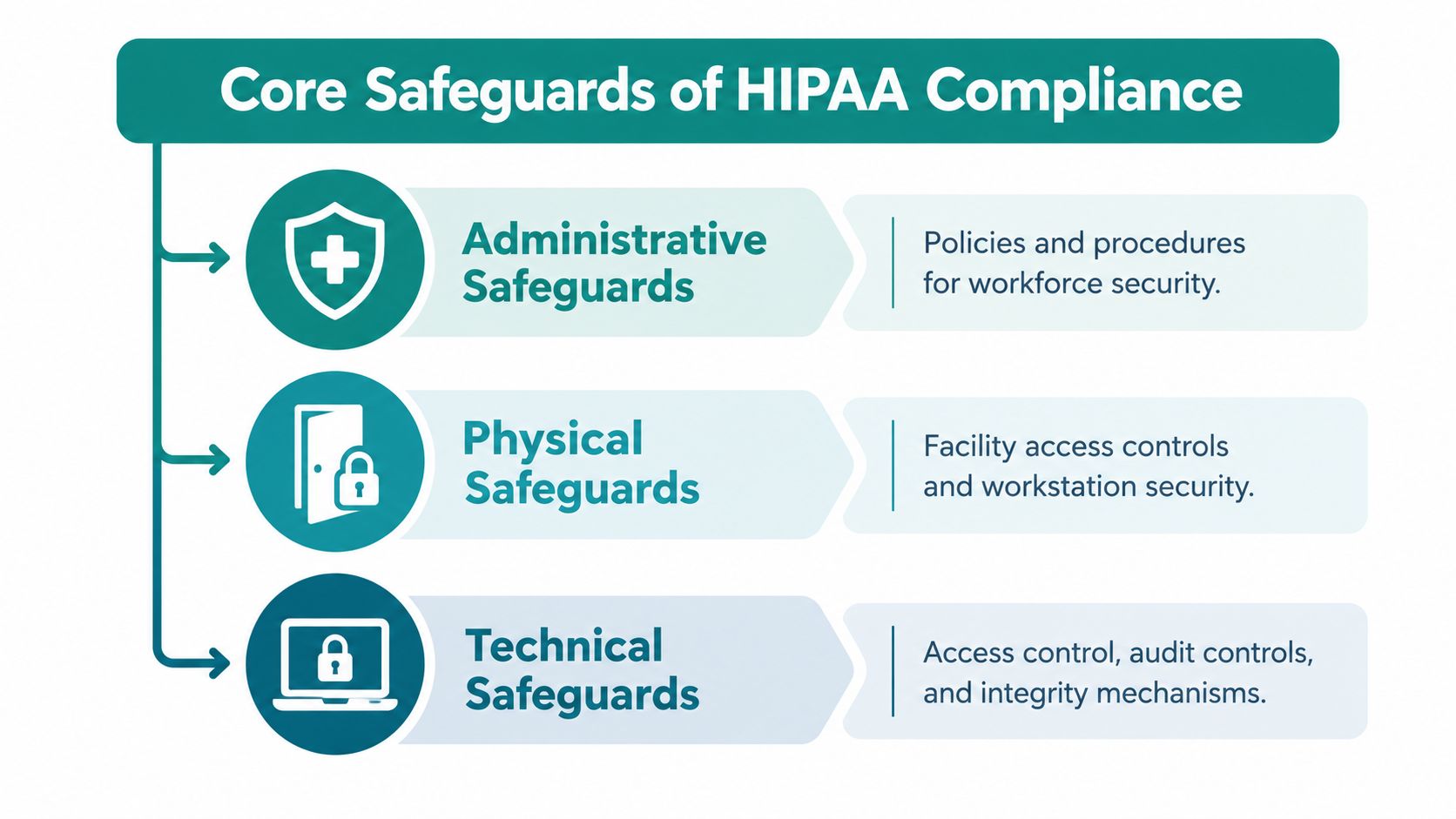
The framework has three safeguard categories. A website project must account for all three, even though the site is only one part of the practice's broader compliance program.
Administrative safeguards assign responsibility
Administrative safeguards define who makes decisions and how the practice proves those decisions are being followed. Assign ownership for privacy and security, limit staff access to submitted information, train employees, review vendors, and document what happens when someone changes roles or leaves.
During a website project, ask practical questions. Who approves a new intake form? Who reviews an integration before it goes live? Who investigates a suspicious login? Who confirms that a marketing script does not receive information from a patient workflow?
A technical configuration cannot correct shared administrator passwords or unclear incident responsibilities. The practice needs documented data flows and a risk analysis before approving new forms, chat functions, scheduling tools, or analytics. A defined patient portal development roadmap also helps owners establish user roles, workflows, integrations, and maintenance responsibilities before development starts.
Physical safeguards protect the environment
Physical safeguards cover facilities, workstations, devices, and the systems that store or process ePHI. A Cincinnati practice may not operate its hosting facility, but it remains responsible for understanding the protections and responsibilities assigned to its technology vendors.
Vendor diligence should establish what the hosting company secures, what the service includes, and which information falls under the business associate agreement. The office also needs controls for local devices and administrative accounts. Patient submissions should not remain open on a shared workstation, and staff should not access sensitive systems from unmanaged devices without an approved process.
Technical safeguards control digital activity
Technical safeguards govern access, records, integrity, and transmission. In practice, that means unique accounts, strong authentication, limited permissions, encrypted connections, searchable activity logs, reliable backups, and controls that prevent unauthorized changes.
A secure connection alone does not make a website compliant. Review how forms are stored, how backups are protected, how sessions expire, how administrators sign in, and how integrations exchange data. Review browser-based tools with the same care. Analytics platforms and tracking pixels can collect URLs, form events, or other signals from a patient journey, turning a marketing shortcut into a privacy risk.
Use HDM's HIPAA compliance guidance for websites to evaluate these controls with the practice's vendors and internal team. The goal is a documented system in which each safeguard has an owner, a defined purpose, and a testable control.
Evaluating Three Main Approaches to Compliant Web Design
Small and midsize healthcare organizations generally choose among three approaches. None is automatically compliant, and each creates a different balance between control, cost, design freedom, and maintenance responsibility.
| Approach | Best For | Pros | Cons |
|---|---|---|---|
| Managed hosted platform | Practices that want a narrower, supported setup | Infrastructure management, defined support, and simpler operations | Less design flexibility, fewer integrations, and possible limits on data workflows |
| Managed WordPress | Groups that need a flexible marketing site with an experienced technical partner | Strong content flexibility, broad integration options, and custom design potential | Requires disciplined updates, plugin review, access management, logging, and vendor oversight |
| Custom solution | Organizations with complex portals, dashboards, or specialized workflows | Maximum control over data flows, permissions, and user experience | Higher complexity, greater maintenance responsibility, and a larger need for documentation |
Managed hosted platforms
A healthcare-focused hosted platform can reduce infrastructure work. The provider may manage updates, backups, security controls, and support within a defined environment. That convenience can be valuable for a practice without internal technical staff.
The trade-off is control. You may have fewer choices for custom forms, data exports, integrations, and content structures. Before signing, verify whether the provider signs an appropriate business associate agreement, what information the platform stores, how administrators access it, and whether logs can be searched when the practice needs evidence.
Managed WordPress
Managed WordPress often works well for practices that need a strong public website, regular publishing, location pages, service content, and custom design. WordPress itself isn't a compliance guarantee. The hosting environment, form technology, plugins, permissions, update process, backups, and vendor contracts determine whether the deployment can support the required safeguards.
This approach gives a capable agency room to keep the public site fast and flexible while moving sensitive workflows into a separately controlled service. It also demands discipline. A new plugin, embedded script, or form integration should go through review before it reaches production.
Custom applications
A custom or headless solution makes sense when the practice needs a complex portal, referral workflow, patient dashboard, or connection among several clinical and business systems. The development team can design data access around specific roles instead of adapting the practice to a generic builder.
The price of that control is operational responsibility. The owner must fund testing, maintenance, security updates, monitoring, incident response, and documentation. A visually polished headless site won't protect the practice if the connected application lacks access controls or if a third-party service receives data it doesn't need.
A visual design team can still contribute to the public experience. For teams considering designing medical sites in Webflow, the key question is whether Webflow handles the specific patient-data workflow and contractual requirements, or whether it should remain limited to public marketing content while a separate system manages patient interactions.
The Hidden Dangers of Tracking Pixels and Analytics
Many Cincinnati practice owners know to look for HTTPS. Fewer ask what happens after a patient loads the page. Analytics scripts, advertising pixels, session-recording tools, cookies, chat widgets, and tag managers can collect or transmit information without appearing in the form builder or hosting dashboard.
HHS explains in its guidance on online tracking technologies that tracking technologies can send information to third parties, and HIPAA obligations can apply when the information includes PHI. The context matters. An appointment-related URL, a symptom entered into a form, a search for a provider, or behavior on a condition-specific page may reveal that someone is seeking healthcare.
SSL protects the connection, not the destination
HTTPS helps protect information while it travels between the browser and the website. It doesn't decide whether a page sends event data to an advertising platform, whether a vendor is permitted to receive that data, or whether the vendor has the appropriate contractual relationship with the practice.
That distinction creates a common failure pattern. A clinic removes sensitive fields from a form but leaves a tracking script on the appointment page. The script may still receive the page address, referral source, interaction details, or identifiers that create a meaningful healthcare context.
A secure connection can protect a transmission to the wrong recipient. It can't make an unnecessary disclosure appropriate.
Build an analytics inventory
Start with a browser-level review of every page where a visitor can request care, enter information, log in, or reach a patient workflow. Record each script and vendor, what events it receives, whether it uses cookies, where data goes, and whether the practice has reviewed the relationship.
Look especially closely at:
- Advertising tags: Remove them from patient-data paths unless the practice has a documented, permissible use and appropriate vendor arrangements.
- Session recording: Disable recordings and keystroke capture wherever a visitor may disclose health information.
- URL parameters: Keep symptoms, appointment details, and other sensitive values out of URLs because links can be stored in logs and shared with other tools.
- Forms and chat: Confirm that submissions don't enter ordinary email, a consumer CRM, or an analytics event as a hidden side effect.
- Consent controls: Make sure the site doesn't load optional tracking before the practice has established an appropriate consent and disclosure approach.
The answer isn't always to remove measurement from the entire website. Public service pages can often use a carefully reviewed measurement strategy, while patient-facing paths use data minimization, a controlled analytics environment, or no behavioral tracking at all. The important work happens before launch, then continues whenever someone adds a tag, plugin, form, or integration.
Implementing a Secure Patient Experience Architecture
The strongest practical pattern for many practices is segmentation. Keep the public marketing website focused on education, services, locations, provider information, search visibility, and conversion paths that don't collect ePHI. Place forms, appointment workflows, authentication, portals, and records-related functions in a separately controlled environment.
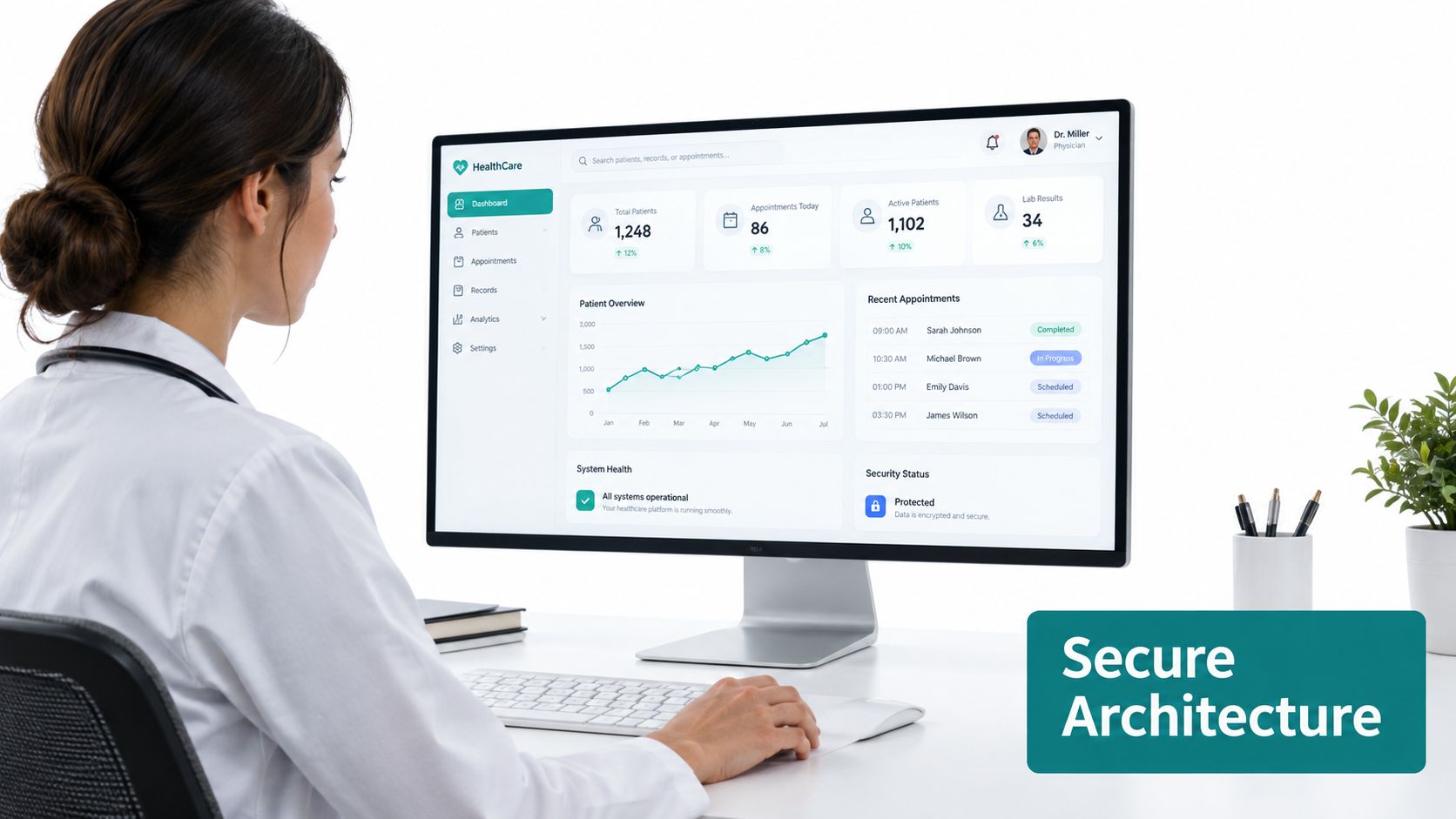
This structure limits the number of systems that need access to sensitive information. It also lets the marketing team improve page speed, content, SEO, and conversion paths without putting the patient system through every routine content change. A public site can link to a secure scheduling or portal experience without storing the submitted information in the marketing CMS.
Define the boundary clearly
The boundary needs more than a separate subdomain. Document which application receives data, which vendors process it, which users can access it, and how information moves between systems. If a public page embeds a patient form, review the embedded service and every script that runs on that page.
HDM's guidance on HIPAA website hosting is useful when evaluating how hosting, forms, security updates, and patient-facing functions fit together. The business owner should still verify the specific services and agreements rather than treating a general hosting label as proof of compliance.
A segmented build also improves recovery planning. If a public content site has a problem, the practice can isolate it from the patient application. If the patient system needs maintenance, the public site can continue answering basic questions and directing patients to appropriate contact channels.
Keep the patient path simple
Patients don't need to understand the architecture. They need a clear button, a trustworthy destination, readable instructions, accessible forms, and useful error messages that don't expose private details.
Use a secure form or portal when the workflow requires health information. Use a phone number or ordinary contact form for general questions that don't request symptoms or treatment details. Train front-desk staff not to invite sensitive information through an unprotected channel just because it appears convenient.
The following embed can help a team discuss a secure healthcare digital experience, but it isn't a certification or substitute for a technical and legal review:
<iframe width="100%" style="aspect-ratio: 16 / 9;" src="https://www.youtube.com/embed/yhESxJkZrHY" frameborder="0" allow="autoplay; encrypted-media" allowfullscreen></iframe>Design for access, not just protection
Privacy and usability belong in the same project. HHS's updated Section 504 rule requires organizations receiving federal financial assistance, including many healthcare providers, to make web content and mobile applications accessible under WCAG 2.1 Level AA. An accessibility index that analyzed more than 420,000 healthcare webpages across 15,000 websites reported an average of 272 accessibility issues per healthcare page in its healthcare analysis. Those figures are reported by AudioEye's 2025 healthcare accessibility index.
Test keyboard navigation, labels, error recovery, readable notices, captions, language access, and screen-reader compatibility. A patient can't benefit from a secure portal if the login flow is impossible to use.
How HDM Helps Local Clinics Get Compliant
A responsible healthcare web project starts with discovery, not a template. The team should map the practice's current site, forms, scheduling tools, CRM connections, analytics tags, email notifications, portal links, and administrative users. That inventory shows which parts need stronger controls and which public pages can remain lightweight.
HDM works with healthcare organizations in the Cincinnati area on secure websites, online scheduling, patient portals, and custom integrations. For an owner comparing agencies, the useful question isn't whether an agency uses the phrase “HIPAA compliant.” Ask how the agency documents data flows, reviews vendors, handles updates, and separates marketing technology from patient workflows.
Use this vendor checklist
Bring these questions to every platform provider, hosting company, and web agency:
- Data mapping: Which pages and features collect, display, store, or transmit ePHI?
- Business associate agreements: Which vendors will sign an appropriate agreement before receiving patient information?
- Form handling: Where are submissions stored, and do email notifications contain the patient's answers?
- Access control: Does each administrator have an individual account, and can access be removed promptly?
- Auditability: Can the practice search records showing who accessed information, what they did, and when?
- Transmission security: Is HTTPS enforced throughout the patient journey, including embedded tools and integrations?
- Backups: Are backups protected, separated from production, and tested for restoration?
- Tracking inventory: Which pixels, cookies, analytics tags, chat tools, and session-recording scripts run on patient-facing pages?
- Incident response: Who investigates a suspected breach, preserves evidence, contacts the privacy or security officer, and coordinates with vendors?
- Accessibility: Can patients use forms and authentication with a keyboard, assistive technology, captions, and language support?
The practice should also understand its breach-notification responsibilities. HHS says that when a breach of unsecured PHI affects 500 or more individuals, the covered entity must notify HHS without unreasonable delay and no later than 60 calendar days after discovering the breach. Affected individuals must receive notice within the same maximum period, as described in HHS breach reporting guidance. A website maintenance agreement can't replace the practice's broader incident-response plan, but it should identify who supports investigation and escalation.
Protect patient access to their information
Patient experience also includes the ability to obtain records. HHS explains that individuals generally have a broad right to access PHI maintained in designated record sets, including electronic information. When a requested electronic format is readily producible, the covered entity generally must provide it in that format or agree on a readable alternative. HHS identifies $6.50 as a flat-fee alternative for certain electronic-copy requests, while the Privacy Rule otherwise limits charges to reasonable, cost-based amounts for permitted labor, supplies, and postage. The HHS right of access FAQ provides the governing context.
For a portal or custom dashboard, ask how the system verifies identity, fulfills requests, records activity, and delivers files securely. A patient-facing export workflow is part of the service design, not an optional premium feature.
Review the finished build before launch
Before publishing, submit test forms, inspect notification emails, review browser requests, verify administrator permissions, test backups, and confirm that the documented vendor list matches the live site. Recheck after a redesign, a new integration, or an analytics change.
The risk is material beyond the practice's own server. HHS Office for Civil Rights breach reporting data recorded 364 reported hacking incidents affecting more than 33 million Americans by October 3, 2025, according to the American Hospital Association's 2025 cybersecurity review. In the same reporting context, the 2025 portal listings included 523 breaches involving healthcare providers, 56 involving health plans, two involving healthcare clearinghouses, and 128 reported by business associates. Healthcare providers accounted for 57.5% of listed breaches, while business associates accounted for 35.8%. These figures aren't a website-builder benchmark, but they show why outsourced hosting, forms, analytics, support, and integrations deserve the same scrutiny as the practice's own systems.
For a broader build, see HDM's healthcare website development services. A practice may also evaluate operational support around the front desk, including resources such as a dental receptionist service, while ensuring that any vendor receiving patient information is reviewed and contracted appropriately.
The right outcome is a website that attracts local patients without turning the marketing layer into an uncontrolled data collection system. It should make the secure path obvious, keep permissions narrow, preserve evidence, support accessibility, and give the practice a realistic maintenance process.
HDM helps Cincinnati-area healthcare organizations plan and build secure marketing websites, patient portals, online scheduling experiences, and custom integrations. If you're replacing a clinic website or reviewing tracking and form risks, visit HDM to discuss the data paths, platform choices, and compliance controls your next build requires.