
Your quote folder probably holds three proposals, and at least one mentions a client portal as a line item you never asked for. The salesperson called it a client experience platform. Your office manager calls it one more password to manage. Last week a client sent a signed contract as a phone photo, and nobody is entirely sure which inbox swallowed it.
This guide is written for the owner or managing partner of a small or mid-sized firm around Cincinnati who has to make a decision about portal software without becoming an IT person. You'll get a plain definition, a walkthrough of how a portal works from the client's first login to their last download, the features worth paying for, the security questions that separate a real product from a login screen, and the specific things to ask a vendor before you sign.
What a Law Firm Client Portal Really Does
It's 9:40 on a Tuesday and a client in a subcontractor dispute is on the phone for the third time this month. She wants to know whether the other side has responded. Nothing is wrong at your firm. The answer sits in a case management system she can't see, and the paralegal who could answer in ten seconds is on another call. You answer from memory, promise a follow-up, and add a task to a list that's already too long.
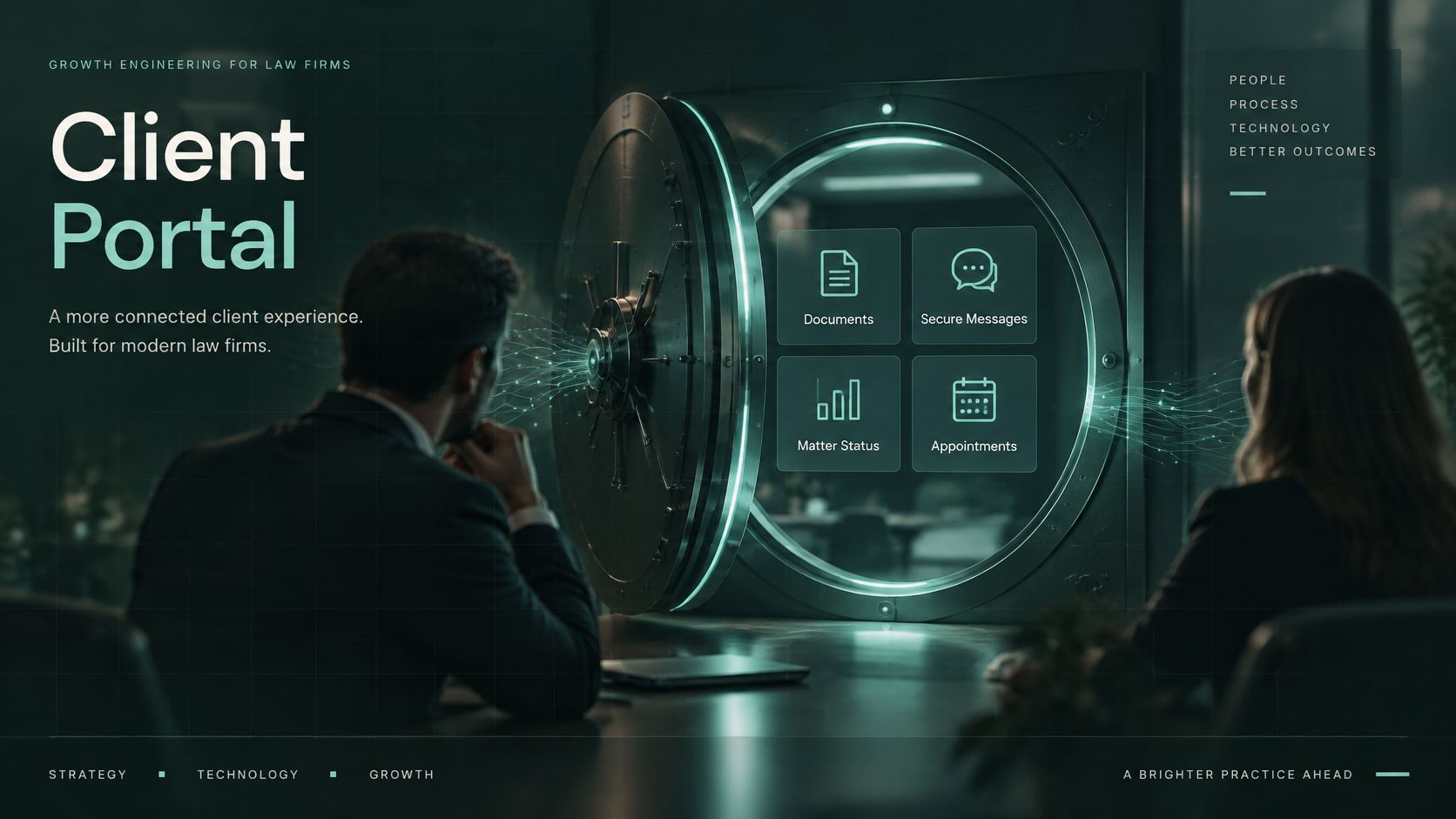
A law firm client portal is a private, password-protected online space where your firm and each client share documents, secure messages, matter status, appointments and invoices in one place. Think of a shared office building with a locked front door. Each client gets a key that opens only their own filing cabinet, and you decide what sits on their desk.
That's the concept. Everything else is plumbing.
Clients come to a portal for three reasons, and they're simpler than most software demos suggest:
- Where things stand. A status written in plain English, not a legal term or a workflow label.
- What they owe you next. A signature, a payment, a document, a phone number, stated as an instruction.
- A safe way to send and receive files. Uploads that don't travel as email attachments and downloads that don't sit on a public link.
The portal replaces a cluster of small frictions: status calls, email threads where the attachment from three weeks ago is now named final_v4_REAL, and confidential files crossing the open internet as ordinary email. Having a portal and running one aren't the same thing, though. Plenty of firms pay for the tool and still trade documents by email because the login is clumsy, the client forgot the password, or nobody ever told the client the portal existed.
A portal stores information and explains a process, and it's the second job that clients notice. A clear walkthrough such as Miles Hansford on divorce representation does what a good status field should do: it tells the reader what happens next, in what order, and why it takes as long as it does. Portals lose clients when they hold files but skip the explanation.
If you're weighing a portal tool, a custom build, or nothing at all, this guide gives you a working definition, a realistic picture of how the thing behaves in daily use, and a way to judge whether it solves a real problem in your practice.
How a Client Portal Works from Login to Download
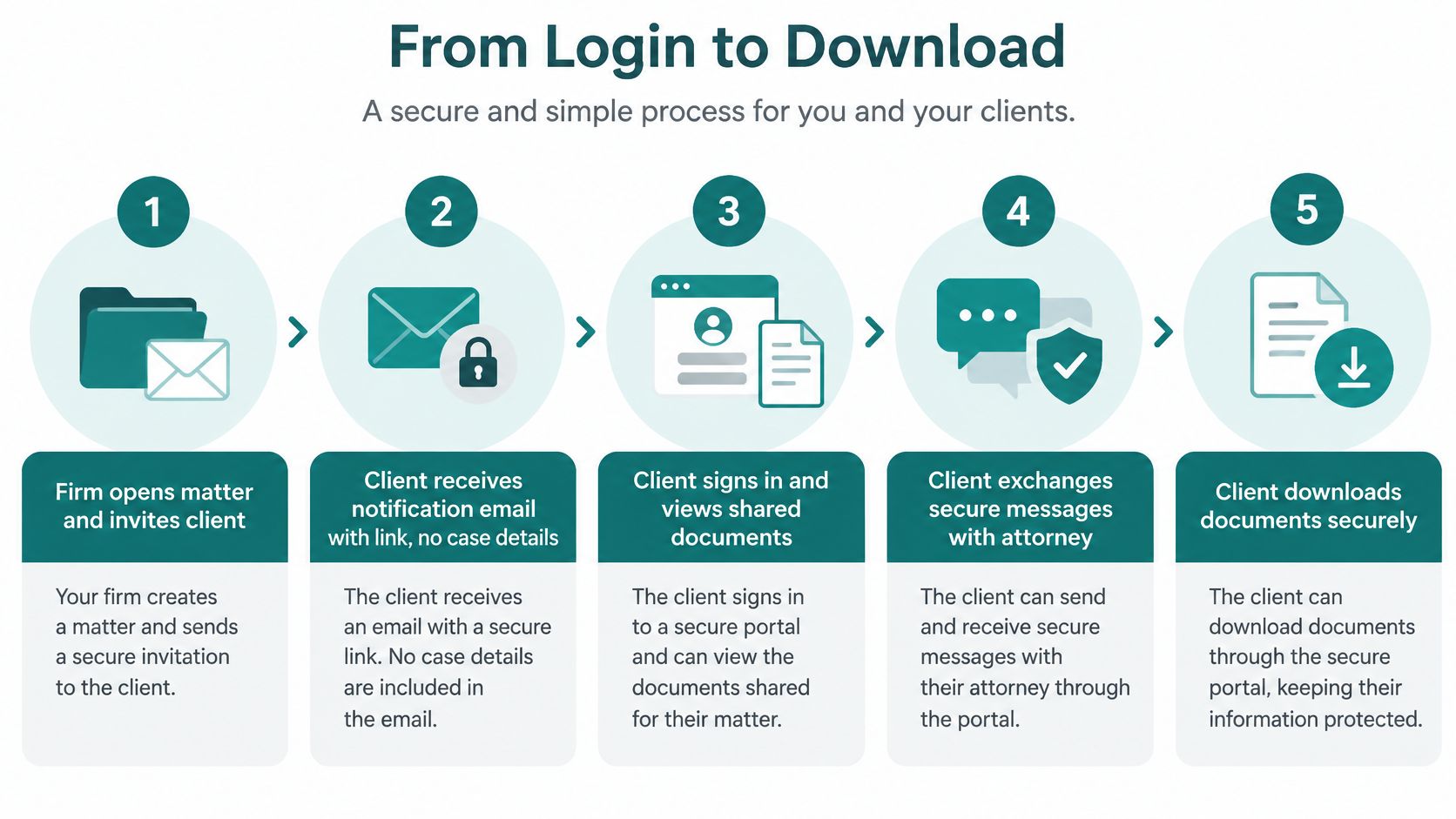
The clearest way to understand a portal is to follow one matter through it, from the day the file opens to the day the client downloads the closing letter. Here's the sequence, with the person who acts and the place where it usually jams.
-
The firm opens the matter and invites the client. A paralegal or attorney creates the matter record and adds the client's email address. The invitation carries a link and your firm name and no case details, because an unopened email shouldn't announce that someone is being sued. The common slip is delivery: invitations land in spam, or in the assistant's shared inbox, so collect a second contact at intake and confirm the first sign-in within a day.
-
The client signs in and confirms identity. A password plus a second step on a registered device. The slip here is almost always an old phone, a new number or an email address the client no longer uses. If recovering access means calling your office and hoping someone is free, the portal has already failed on day one.
-
The client sees the matter dashboard. A plain-language status, the next action requested of them, and roughly when to expect an update from you. When this screen says only "pending," the client picks up the phone, which is exactly what the portal was meant to prevent.
-
The client uploads what you asked for. Files are scanned for malware, stored encrypted and logged with who uploaded what and when. Large phone photos are the usual snag, so tell clients at intake to scan pages to PDF rather than photograph them, and set a sensible file size limit.
-
The attorney reviews, replies and marks the request complete. Accountability lives here. Secure messaging keeps the substance inside the portal instead of in an email notification, and flipping the request to complete is what changes the client's dashboard. When nobody owns that click, clients see "waiting on you" for a week after they've already delivered.
-
The client gets notified and downloads the file. Notifications say a document is ready, never what it says. Downloads of especially sensitive files may ask the client to sign in again, which is deliberate friction and worth keeping.
-
The matter closes and retention rules take over. Files and activity records stay available for a set period, then archive or delete according to policy. Clients often assume permanent access, so say in the closing message how long the portal stays open.
The value lives in the handoffs, not in any single screen. A portal with a beautiful dashboard and a broken invitation email is worse than a well-run shared folder.
Benefits and Who Gets the Most Value
A client who cannot tell whether a document arrived or what happens next may call the firm, even when the answer is already in the case file. A portal earns its place when clients can understand their matter's status and complete their next step without needing staff to explain where to click.
The American Bar Association's 2023 Websites & Marketing Technology Report found that 53% of respondents said their firm did not provide clients with access to a secure portal, while 35% said their firm offered one. The report also shows a clear pattern by firm size: portal availability rises from smaller firms to larger ones. For a small firm, that can be a chance to offer a more organized client experience, provided the portal is easy to understand and kept up to date.
The report found that only 12% of surveyed firms used a portal regularly for client communication, while another 24% used one occasionally. Offering access is only the first step. Clients also need a reason to return, such as a clear status update, a requested document, or a message that spells out what they should do next.
A portal works like a shared workspace: clients can check the matter and act on requests without waiting for office hours. But if its labels are confusing or its status information is stale, it can create more questions rather than fewer. Security matters to the experience, too. Clients need to understand how to sign in and share files safely, not just rely on the firm to configure protections behind the scenes.
Who gains the most. Firms that field frequent status questions may benefit when clients can find a plain-language update themselves. Practices with clients in different locations can use the portal to share files without relying on paper delivery. Matters that involve repeated document exchanges, such as real estate closings, immigration filings, family matters with financial disclosures, or construction disputes, may also suit portal workflows. The deciding factor is whether clients can complete their next step more easily through the portal than by calling or emailing.
Who can wait. A firm with only a few active matters may find that a clear intake form, a permission-controlled shared folder, and a regular status-update schedule meet clients' needs. A portal adds little if clients rarely need to check a status or exchange documents. The firm's website also shapes how clients judge the online experience. If it is difficult to use, consider law firm website design as part of improving that experience before choosing portal software.
Essential Features Every Portal Should Include
Every feature in a portal demo is real, and every one works in a demo. The question that decides your purchase is different: will your clients use this without a phone call explaining it? Each feature below is paired with the question to ask a vendor, so the conversation moves from promises to answers.
| Feature | What It Does | What to Ask Your Vendor |
|---|---|---|
| Secure document sharing | Encrypted upload and download with per-matter permissions | Can access be limited per file and set to expire? |
| Secure messaging | Lets firm and client discuss a matter without using email | Do email alerts omit case details? |
| Matter status and timeline | Shows a plain-language status, next step and expected timing | Can each status include a next action and a date? |
| Scheduling | Books consultations and shows upcoming deadlines | Does it sync with the firm calendar? |
| Billing and online payments | Shows invoices and accepts electronic payment | Which payment methods are supported and how are receipts stored? |
| Client intake forms | Collects contact details and matter information before the first meeting | Can forms be tailored by matter type? |
| Version history and retention | Tracks document versions and applies deletion rules | Can retention periods be set by matter type? |
| Mobile access | Lets clients sign in and act from a phone | Is there a mobile app or a responsive site, and how is it tested? |
A checkbox labeled "secure document sharing" hides the part that matters. NIST's digital identity guidance treats authentication as risk-control architecture rather than a login screen, and expects permission checks on every document and matter endpoint, with audit events recording who acted, when, on what and with what result. So ask the uncomfortable question: if one client's password is stolen, does the thief see one matter, or every file your firm holds?
Payment deserves attention because firms guess wrong about their own clients. In the 2018 Legal Trends Report, 57% of lawyers expected clients to prefer paying in person, while only 39% of consumers preferred that method, and 38% preferred paying electronically through email, an online portal or a website. If your portal can't take payment, you're preserving a friction your clients would rather skip. Ask which methods it accepts, how receipts are stored, and whether payments post back to your accounting system or need re-keying.
Mobile access is the feature most likely to be skipped. Case Status's 2025 Legal Client Experience Report found that only 9% of surveyed law firms offered clients a self-service mobile app, while firms using the technology exceeded 80% client adoption. Clients who can complete a step from a phone at lunch don't call your office at 5 p.m.
For a wider comparison of what secure portals ship with, Cloudvara's overview of secure client portal features goes deeper than a sales demo will. Before you look at any of it, though, require three things: encrypted document exchange with expiring access, a status field that states the next action and a date, and online payment. A portal with thirty features and a status that reads "pending" gets ignored.
How Portals Connect to Your Case Management and Email
A client changes an appointment, but the portal still shows the old date. The client calls to check, and staff must compare separate records to find the current answer. This can happen when a portal and a firm's case management system don't share updates.
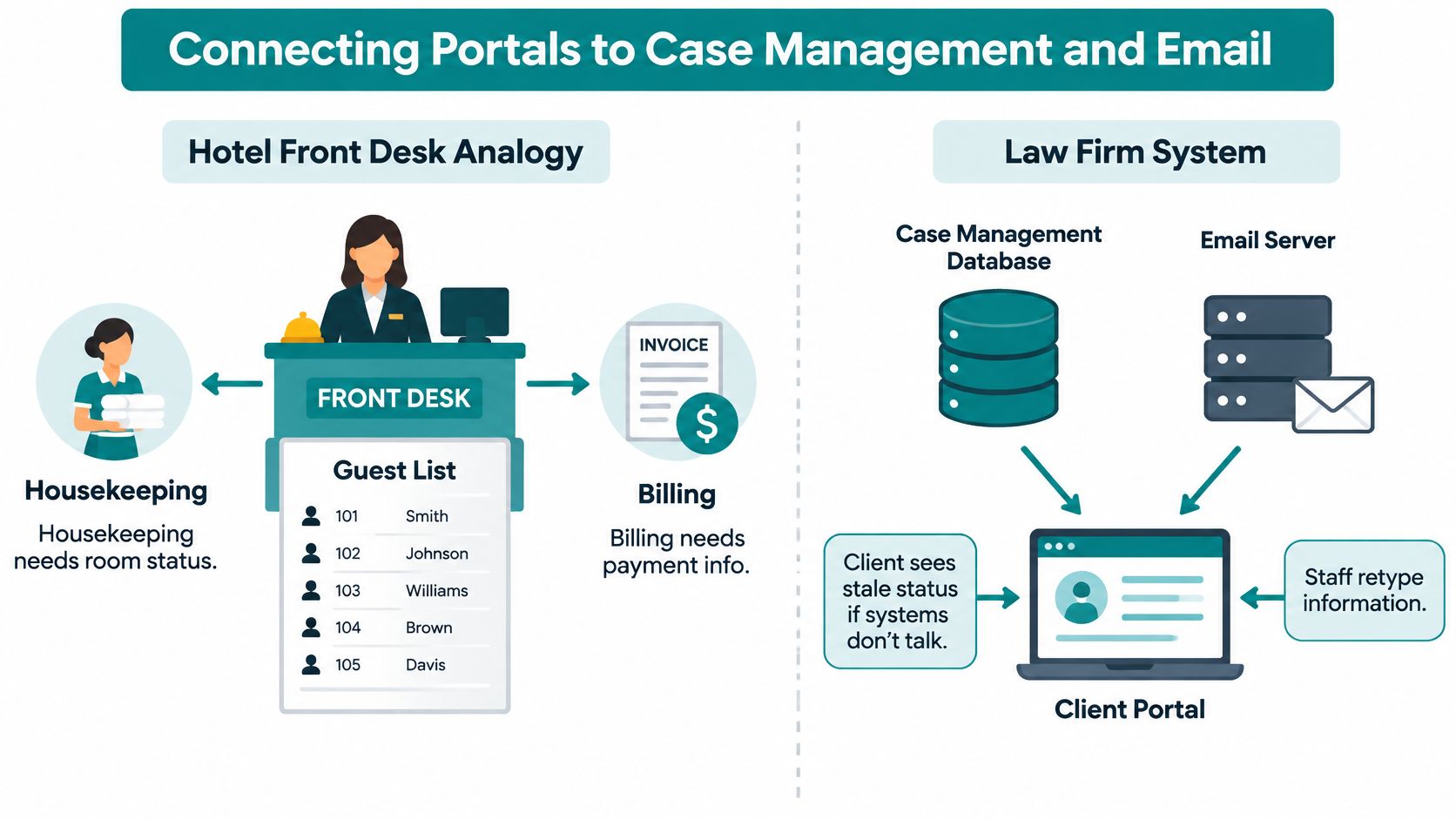
Some firms use a portal built into software they already have; others connect a separate portal to their existing systems. Before commissioning custom work, ask your provider whether your platform offers a native portal or connector. The goal is simple: clients should see accurate information and complete their next step without calling the firm.
Integration usually covers a few practical tasks. Case management sync shares matter status and contact details, reducing duplicate data entry. Calendar sync can show appointments and deadlines in the portal, so clients have a reliable place to check dates. Payment connections can pass invoices and receipts between the portal and accounting software, limiting manual reconciliation.
Email has a role, too. It can alert a client that a document or update is waiting in the portal, while the portal remains the place to access case information. Ask what each notification includes and whether clients can tell what action to take without exposing sensitive details in the email itself.
Plan for maintenance before launch. A connection can stop working after a software update, and staff need to know who will investigate and resolve the problem. Ask vendors how they handle integration changes, what support is included, and how the firm will learn about a sync failure.
If existing tools don't fit your process, custom integration may be an option. Helbling Digital Media (HDM), a Springboro, Ohio agency serving the Greater Cincinnati area, builds custom web applications, including client portals and integrations. Its guide to API integration services explains the work involved in connecting systems.
<iframe src="https://www.youtube.com/embed/bxuYDT-BWaI" width="100%" height="400" frameborder="0" allowfullscreen></iframe>Before choosing a connector or custom build, ask your software provider:
- Which system owns contact details? Set one authoritative record so staff aren't correcting the same information in two places.
- Does information sync one way or both ways? Two-way sync needs clear rules for handling conflicting updates.
- What happens when a vendor updates its software? Ask who maintains the connection and what support is included.
- Who should staff contact if a sync fails? Confirm how to report the problem and when to expect a response.
Security Controls That Protect Client Files
The professional standard is more practical than most firm owners expect. The American Bar Association's Formal Opinion 477R holds that lawyers may transmit client information electronically when they take reasonable steps to prevent inadvertent or unauthorized access, and that stronger precautions may be required by the sensitivity of the information, applicable law or a client agreement. The opinion names encryption, password protection, secure access methods and a conversation with the client about the right security level as relevant safeguards.
That is the argument for a portal in one sentence. Instead of a permanent email attachment that anyone with the file can forward forever, the client gets authenticated, expiring access that you can revoke.
What Reasonable Steps Look Like in a Portal
Encryption in transit and at rest is the floor, not the finish. Look for malware scanning on upload, version history so a superseded document can't be mistaken for the current one, activity records showing who opened what and when, and the ability to require the client to sign in again before downloading an entire case file. Notification emails should reveal as little as possible, which usually means a document name and nothing else.
Two Factors or Two Versions of One Factor
"Two-step login" claims fall apart here. A password and a PIN are both something the client knows, so together they are still one factor. A password plus a registered phone, authenticator app or hardware security key is two factors. Ask which two categories the system supports, how a lost device gets revoked, and whether account recovery leaves an audit trail.
| Login Method | Protection Level | Best Used For |
|---|---|---|
| Password only | Weak; easily stolen through phishing | Not enough for any client portal |
| Email one-time code | Weak; email is not a valid verification channel | Notifications only, never sign-in |
| SMS one-time code | Moderate; vulnerable to phishing and SIM swapping | Backup option for clients |
| Authenticator app code or approval | Strong; uses a separate device | Most clients and staff |
| Security key or passkey | Strongest; resists phishing | Attorneys, administrators and high-risk matters |
Email belongs in the notification business and nowhere else. The NIST digital identity FAQ states that email is not permitted as an out-of-band authentication channel because it doesn't prove possession of a specific device. A portal can email a client to say a document is ready, but the client should return to the portal and authenticate before seeing anything protected.
Retention and deletion rules are security controls too, not housekeeping. This guide to legal records management covers how retention schedules should be set by matter type, which matters when a client asks for files three years after closing.
Practical rule: decide in writing which roles need which login strength before launch. Attorneys and administrators get security keys or passkeys, routine client access gets an authenticator app, and anyone who can't manage either gets a documented alternative rather than a weaker default applied to everyone.
If you're reviewing the technical side of a build, these web application security best practices cover the mechanics behind sessions, permissions and audit logs. The plain point for a firm owner: a stolen password should never open the whole filing room.
Myths About Client Portals That Cost Firms Clients
A client opens the portal to check a case update and sees only "pending." They do not know what is happening, whether the firm needs anything from them, or when to expect news. A portal can protect documents and still leave clients confused.
Myth one: encryption makes a portal compliant. Encryption is one safeguard, not proof that a system meets every legal or professional requirement. Ask vendors how the portal handles access, retention, and problems such as an account compromise. Then explain those practices to clients in plain language. A security badge cannot answer their practical questions.
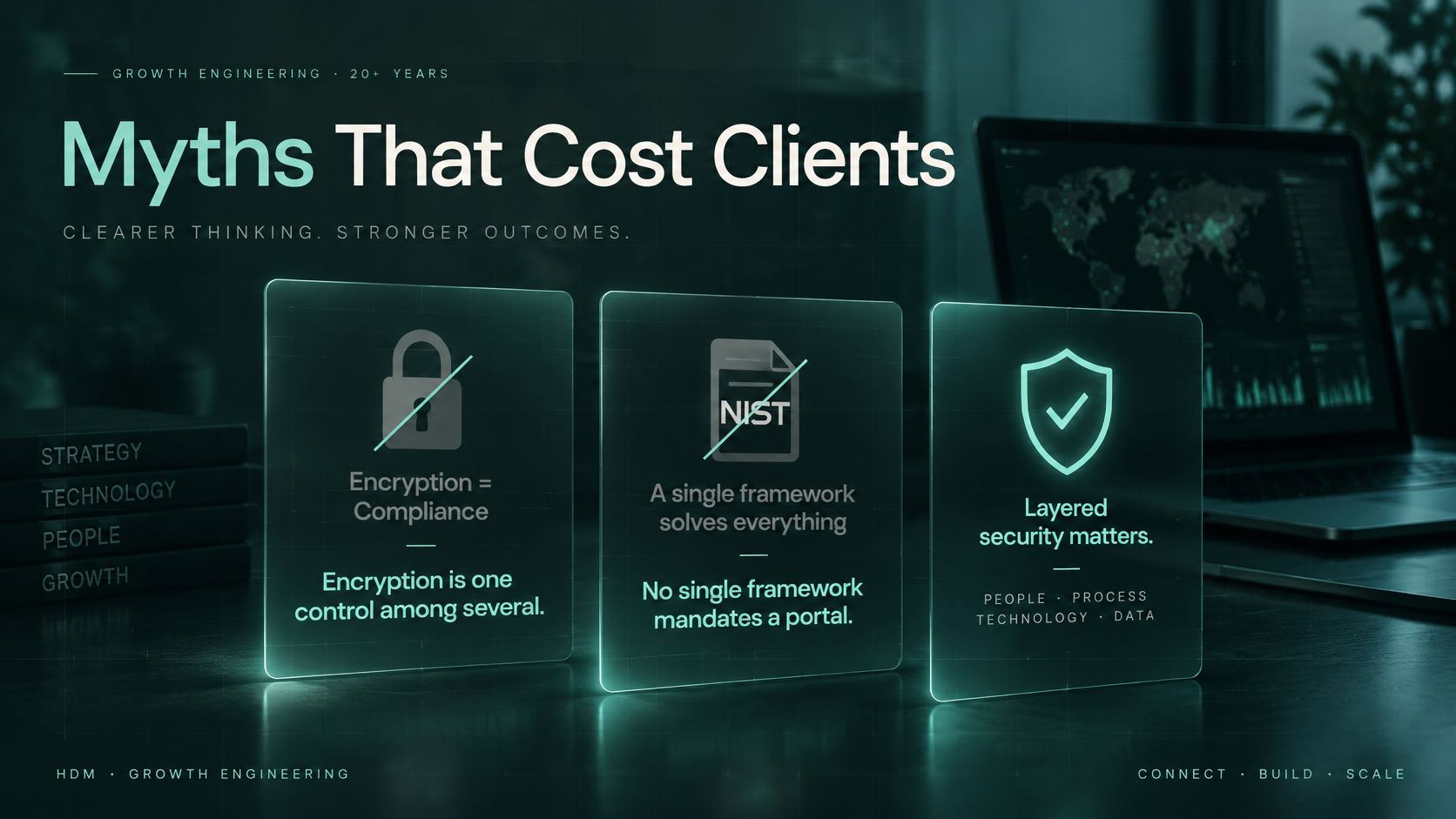
Myth two: two codes sent by email make two-factor login. If both codes arrive in the same inbox, a person who takes over that email account may get both. Ask vendors which different authentication methods their portal supports. Also ask how staff revoke access to a lost device and enroll a replacement.
Myth three: more features mean clients will use the portal. Clients need to understand what a status means and what to do next. Labels such as "pending" leave too much unsaid. A useful update gives the reason, expected timing, and whether the client needs to act:
We are waiting for the bank statement. Expected within five business days. Nothing is needed from you yet.
Measure how often clients complete their next requested action without calling the firm. Reviewing that pattern monthly can show whether the portal's instructions are clear.
A portal carries information; the firm still decides what to share and when. It also cannot replace a conversation when a client is worried or a deadline changes. The test is whether clients can understand their status and finish the next step without avoidable confusion.
Deciding Whether to Build or Buy a Client Portal
Most owners ask the tool question first when the process question should come first. Write answers to these five before you look at a single demo:
- Does your case management software already include a native portal or connector? If yes, price that before anything custom.
- Do your matters need status wording or workflows no standard template covers? Family, immigration and construction practices often do.
- How many systems must share data, and which one owns contact details? Three or more connected systems changes the math.
- Who maintains the portal and its integrations after launch? A name, not a department.
- How many clients and matters will use it in the first year? Volume tells you whether onboarding effort pays back.
If the answers point to a native add-on that fits, buying is the faster and cheaper path. If they point to custom workflows, several connected systems, or a need to control every status message a client reads, a custom build is worth pricing against it.
One caution. A lower price doesn't rescue a tool that can't tell a client what happens next. After launch, judge the decision the same way you'd judge a hire: watch whether clients complete their requested actions without calling the office.
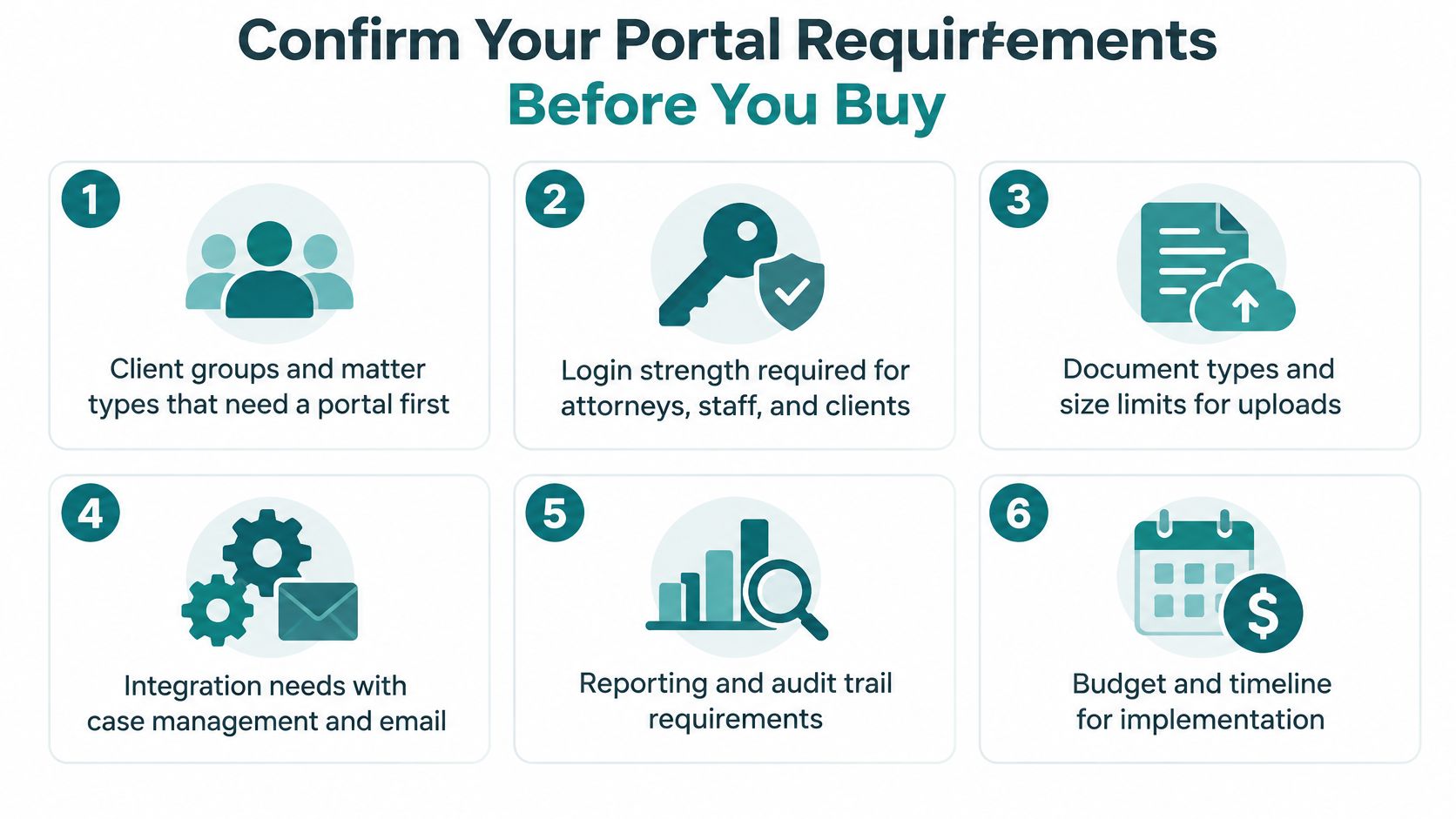
Confirm Your Portal Requirements Before You Buy
Write the list before you talk to anyone, because a vendor's demo will set your priorities if you don't.
- Client groups and matter types that go first. Pick the two or three that generate the most status calls.
- Login strength by role. State which two factor categories are acceptable for attorneys, staff and clients, and whether security keys are required for administrators.
- Files that need expiring links or a second sign-in before download. Financial records, medical records and identification documents usually make the list.
- Systems that must share data. Case management, calendar and payments, plus which one is the source of truth for contacts.
- Who owns the status wording, and how often it's reviewed. A named person and a review interval, or the language drifts back to jargon.
- Account recovery. How lost devices, changed email addresses and locked accounts are handled, and what gets logged.
Send the identical list to at least three vendors and ask for a written answer to every item. Vague replies are gaps, not diplomacy. Score each response against the build-or-buy questions above, and weight the two items clients feel most: whether the status explains itself and whether the login works on the phone in their hand.
If you want help turning that list into a scoped plan, Helbling Digital Media, a Cincinnati-based agency, works through it with you by video or by phone. The same written-answer test applies to us, so ask us for it.
The best portal is the one your clients open. That decision starts with the requirements list, not the invoice.
Helbling Digital Media builds secure client portals and the integrations behind them for law firms, healthcare organizations and other businesses that handle sensitive information, and we scope each one around the status wording, document rules and login standards a firm uses. Bring the requirements list from this article to a free 30-minute strategy call and we'll tell you whether a portal is worth building for your practice or whether a simpler fix gets you further. Visit Helbling Digital Media to start the conversation.