
A Cincinnati-area company can have a strong website, a recognizable name, and a capable team, then still miss nearby customers after opening another office. The Mason branch may be ready to take calls, while someone searching from Mason lands on a general Cincinnati page or gets directions to the wrong office. The problem usually isn't a lack of effort. It's that the online setup still treats a multi-location business as if it had just one address.
Short answer: Multi-location SEO gives each office or branch its own accurate page, Google Business Profile and consistent listings so nearby searchers find the right location. The goal is that every location is easy for both customers and search engines to tell apart.
Multi location SEO works when every branch is easy to identify, accurate across the web, and useful to the people who live or work nearby. That takes more than city pages. It takes sound location eligibility, consistent listings, a practical review process, and reporting that shows what each office is earning.
When One Website Has to Rank Like Twenty
A home-services company in Greater Cincinnati adds an office in Mason and keeps a crew serving Northern Kentucky. The main website still has one broad service page, one phone number, and a generic Locations page. Customers can't tell which team serves them, and search engines have little clear information to connect each branch with the places it serves.
That setup creates familiar problems. A prospective customer calls the wrong office, a searcher gets directions to a branch that can't handle the job, or a location stays invisible while the company assumes the website is doing its job. Local searches often carry immediate intent. Industry summaries citing Google and Think with Google research report that 76% of people who conduct a “near me” search visit a business within 24 hours, while 28% of local searches result in a purchase (local search statistics). Those figures are broad benchmarks, not a promise for every business, but they make a useful point: the right branch information can affect a decision quickly.
Treat each branch as its own local entity
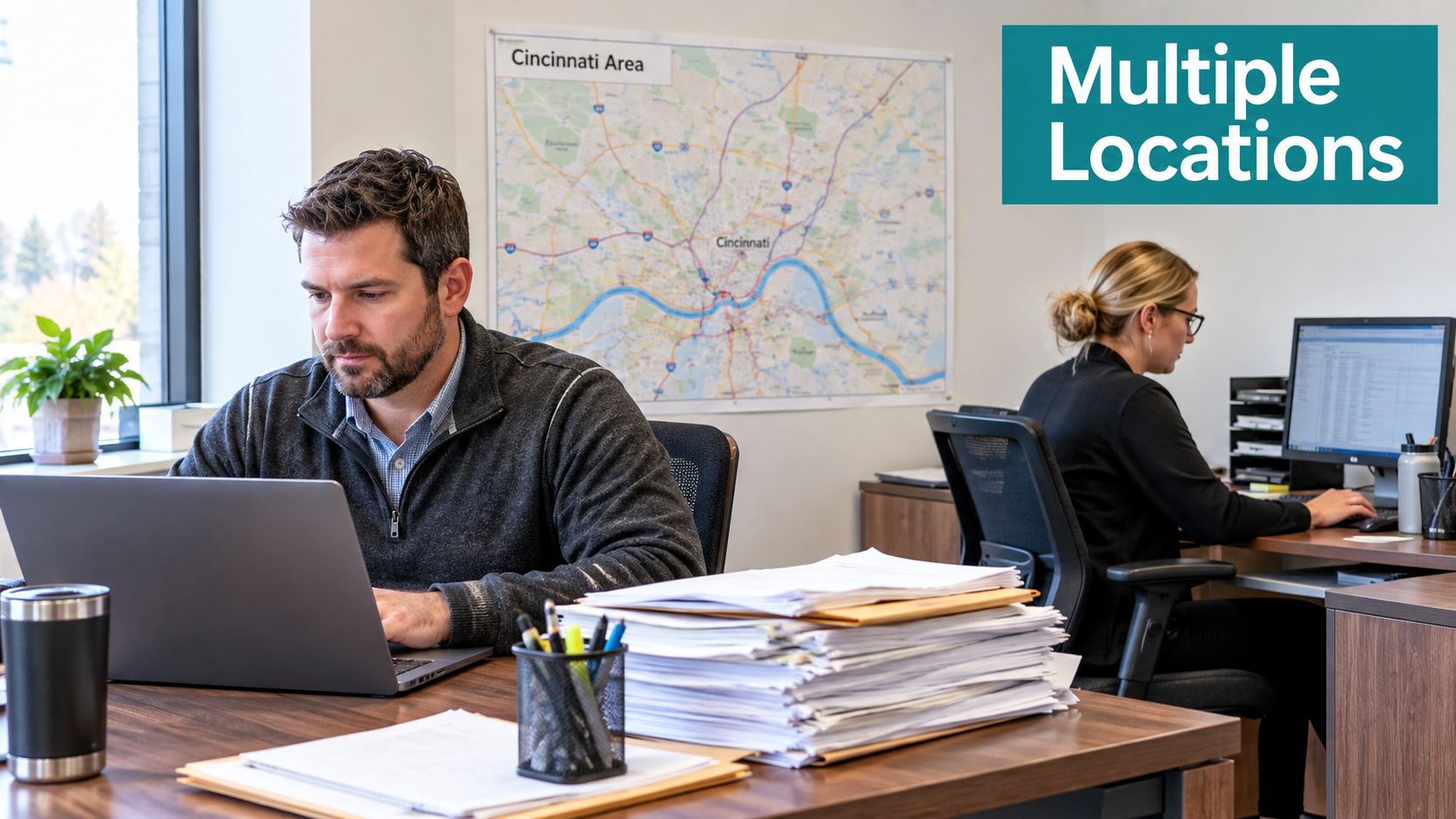
A multi-location brand needs one clear online identity for the company and a distinct, accurate presence for every eligible location. A Mason customer needs details about the Mason office, not a corporate paragraph with a list of distant addresses. The same applies to an office serving Northern Kentucky: its profile, page, contact details, and service information should help customers understand what that branch does.
The fix isn't to publish a stack of nearly identical pages. Each location needs a useful role in the site: its own relevant information, its own contact path, and a clear connection to the services available there. If you want a reference point for how a business can organize location details across a different market, see these defensive driving class sites in Georgia.
The operating rule: A customer should be able to confirm the right branch, understand what it offers, and contact it without guessing.
Local search also changes what “good enough” means. A homepage that once served one office may not explain which of several locations is closest, which services each branch handles, or where a call should go. Multi location SEO replaces that ambiguity with a deliberate structure. When each branch has accurate information and a useful route to conversion, the website can serve multiple communities without pretending they're all the same market.
How Google Decides Which Location Shows Up
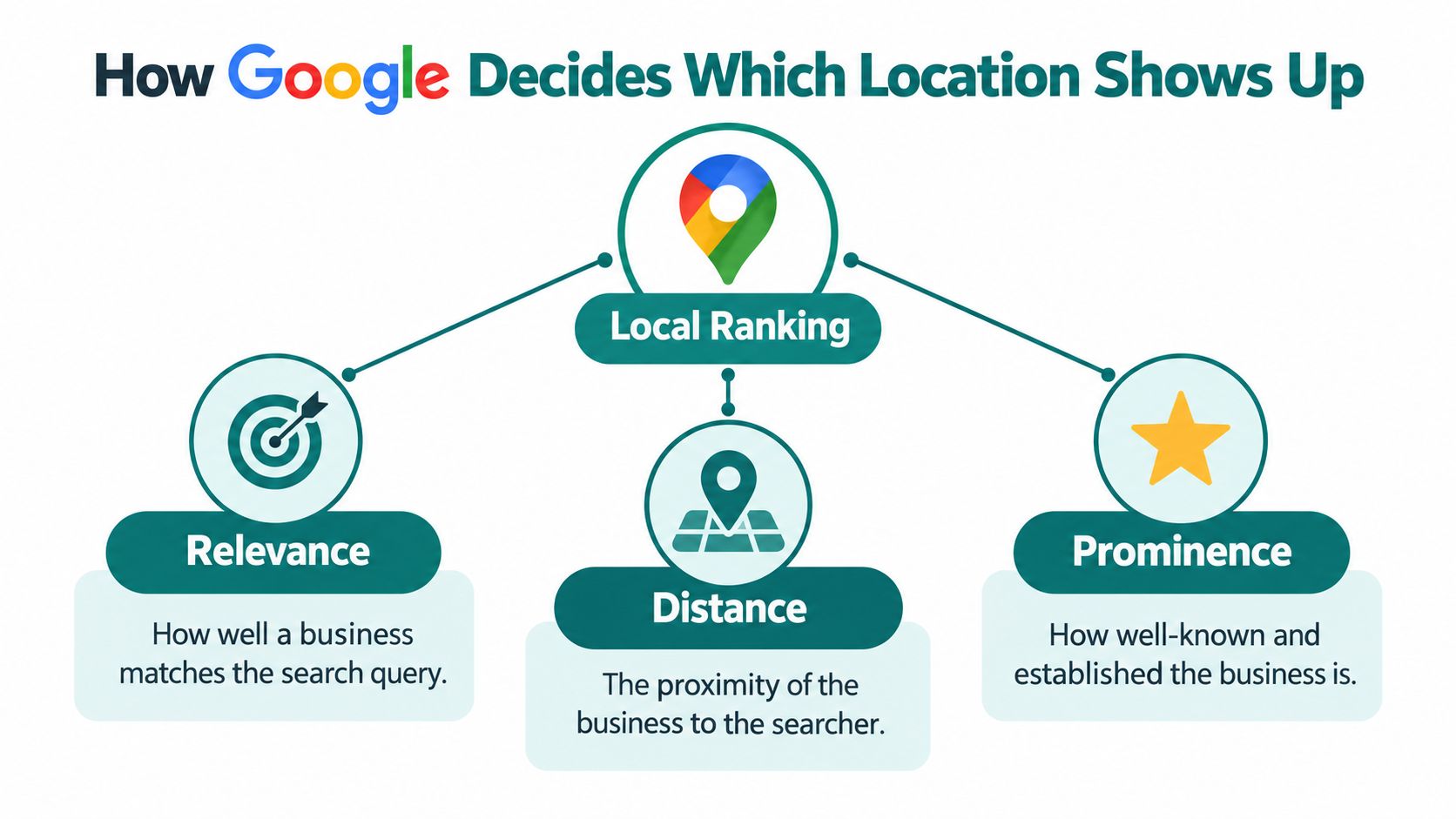
Google describes local results through relevance, distance, and prominence. For a multi-location owner, those factors are more than SEO terminology. They're a practical way to decide what belongs on each profile and page, and why one branch might appear for a search while another doesn't (Google's explanation of local ranking).
Relevance means matching the need
Relevance measures how closely a Business Profile matches what someone searched for. Google can use the profile's categories, services, and business information to understand that match. If a Mason customer searches for an emergency plumber, the Mason branch's profile and page should accurately describe plumbing services and make it clear that the branch serves the area. A broad corporate description may not give enough detail to connect the right office to the request.
For the owner, the practical decision is to describe each branch truthfully. Don't copy a generic profile across all offices if services differ, and don't add categories just to chase unrelated searches.
Distance is important, not absolute
Distance refers to how far the business is from the searcher, or from a place named in the query. A nearby location may have an advantage, but proximity doesn't settle every search. Google notes that a business farther away can rank above a closer one when it's a better match for the query.
That matters when two branches serve overlapping territory. The closest office may not be the best choice if another branch offers the specific service the searcher needs. Make service availability and location details clear, then let customers choose the appropriate office rather than claiming a wider reach than the business can support.
Prominence reflects recognition and authority
Prominence is how well known and authoritative the business appears. Google can consider signals such as links, articles, directories, review volume, and review ratings. A location that has earned local mentions and genuine customer reviews may present stronger evidence of recognition than a branch with a bare profile.
For Cincinnati-area owners, this means each branch needs local credibility, not just a shared corporate reputation. The company can govern the overall brand centrally, while each office builds accurate local information and earns feedback from its own customers. For a broader primer on search visibility, HDM has also published a Cincinnati business guide to getting found on Google.
Local Landing Pages vs a Centralized Page
A centralized Locations page is useful for helping visitors see the full footprint of a business. It's rarely enough to help a specific branch make its case in search or convert someone who already knows the city they need. A dedicated local landing page gives that branch a page URL, useful details, and a direct contact route.
| Factor | Local Landing Pages | Centralized Locations Page |
|---|---|---|
| Search relevance | Gives each branch a page with location-specific services and information. | Shows the company's locations together, but may not explain each branch in enough detail. |
| Customer path | Connects a visitor directly to the relevant address, phone, and next step. | Often asks visitors to find their branch before they can act. |
| Content needs | Requires distinct, accurate information for every location. | Easier to maintain, but can become a thin directory if it's the only location content. |
| Best use | Supporting local discovery and branch-level conversions. | Helping customers browse the company's overall footprint. |
Give each page a real job
A good location page should answer the questions a local customer has. Include the official location name, address, phone number, hours, the services available at that branch, and a clear next step such as calling, booking, or requesting directions. Add a locally specific introduction that explains the branch's role without padding the page with city names.
Where it's useful, include a map, relevant customer reviews, and helpful details about access or service coverage. Don't copy the same block of generic text and swap “Mason” for “West Chester.” If the branch offers different services, serves a different customer type, or has different booking instructions, say so.
A page for a dental office, for instance, should make it easy to identify the right practice and understand the care it offers. A local example such as a dentist in Langley can help owners see how a location-focused business presents a specific office to its community.
The two page types should work together, not compete. Keep a central Locations page as the directory, then link from it to a useful page for each eligible branch. That structure helps customers choose the right office and gives the site a clearer way to organize its local information. For more on arranging pages and links, see HDM's guidance on site architecture for SEO.
Setting Up Google Business Profiles the Right Way
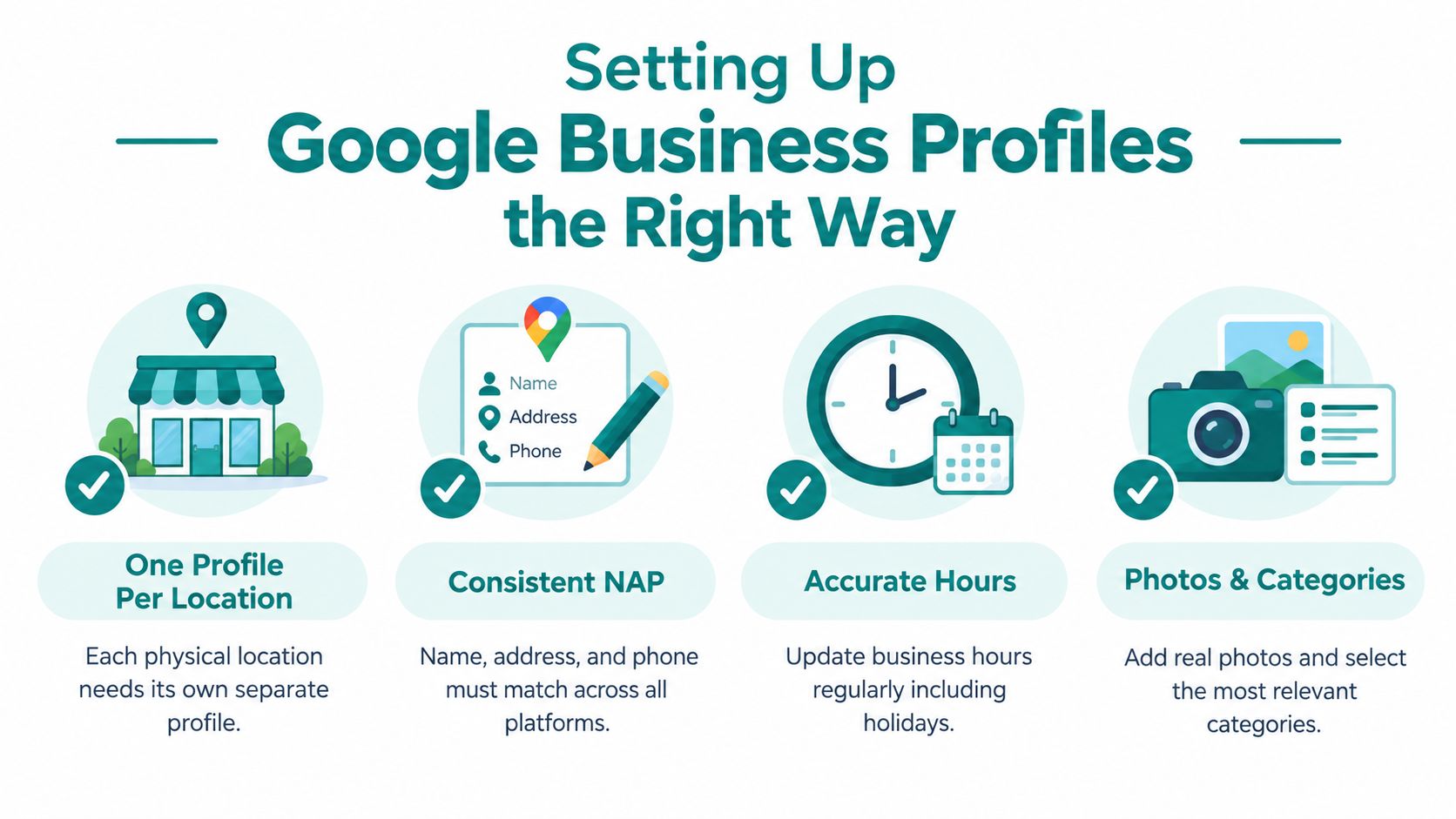
Not every address deserves its own Google Business Profile. A legitimate staffed location can qualify for an individual profile, while creating profiles for suburbs a mobile business visits can produce a misleading footprint. Before anyone adds a listing, decide whether the business has a real, eligible location and what customers can expect there.
Check eligibility before creating a profile
Google permits one Business Profile for each legitimate business location. Duplicate profiles for the same location can create display problems in Search and Maps. A service-area business without a storefront should generally use a profile for its central office or location, rather than creating a listing for every suburb it visits. Separate service-area profiles are appropriate only when distinct locations have separate service areas and staff. Google also says a service area shouldn't extend more than about two hours of driving time from the business base (Google's Business Profile eligibility guidance).
For example, a Cincinnati-area contractor shouldn't create a profile for Mason, West Chester, and Northern Kentucky just because crews travel to those places. A staffed office in one of those communities is a different situation. Confirm the location is eligible, then make sure its address, name, and category describe the actual business.
Keep a location record your team can use
Before creating or updating profiles, maintain one master spreadsheet. It gives the marketing coordinator and branch managers a shared source of truth instead of a collection of notes that drift apart.
- Official business name: Record the name customers see at the location, without adding city keywords.
- Address and phone: Use accurate details that match the branch and its website page.
- Category and services: Choose a category that reflects the actual business, then document what the location offers.
- Hours and page URL: Include regular hours, holiday updates, and the dedicated landing page for the branch.
- Verification status and access: Track whether the profile is verified and who has permission to manage it.
Businesses managing more than 10 locations of the same business must use individual verification or Google's bulk-verification process. Google's location groups also let teams manage multiple listings without sharing usernames and passwords (Google's location management documentation). Use the access tools rather than passing around shared credentials.
HDM treats these eligibility and setup rules as a quality-control check before a new location goes live. That's a useful discipline for any owner: confirm the branch qualifies, link it to the right page, and check its information before sending customers to it.
This video offers another look at the profile setup process:
<iframe width="100%" style="aspect-ratio: 16 / 9;" src="https://www.youtube.com/embed/KPfjzL9oPiE" frameborder="0" allow="autoplay; encrypted-media" allowfullscreen></iframe>Citations Reviews and the Response System Behind Them
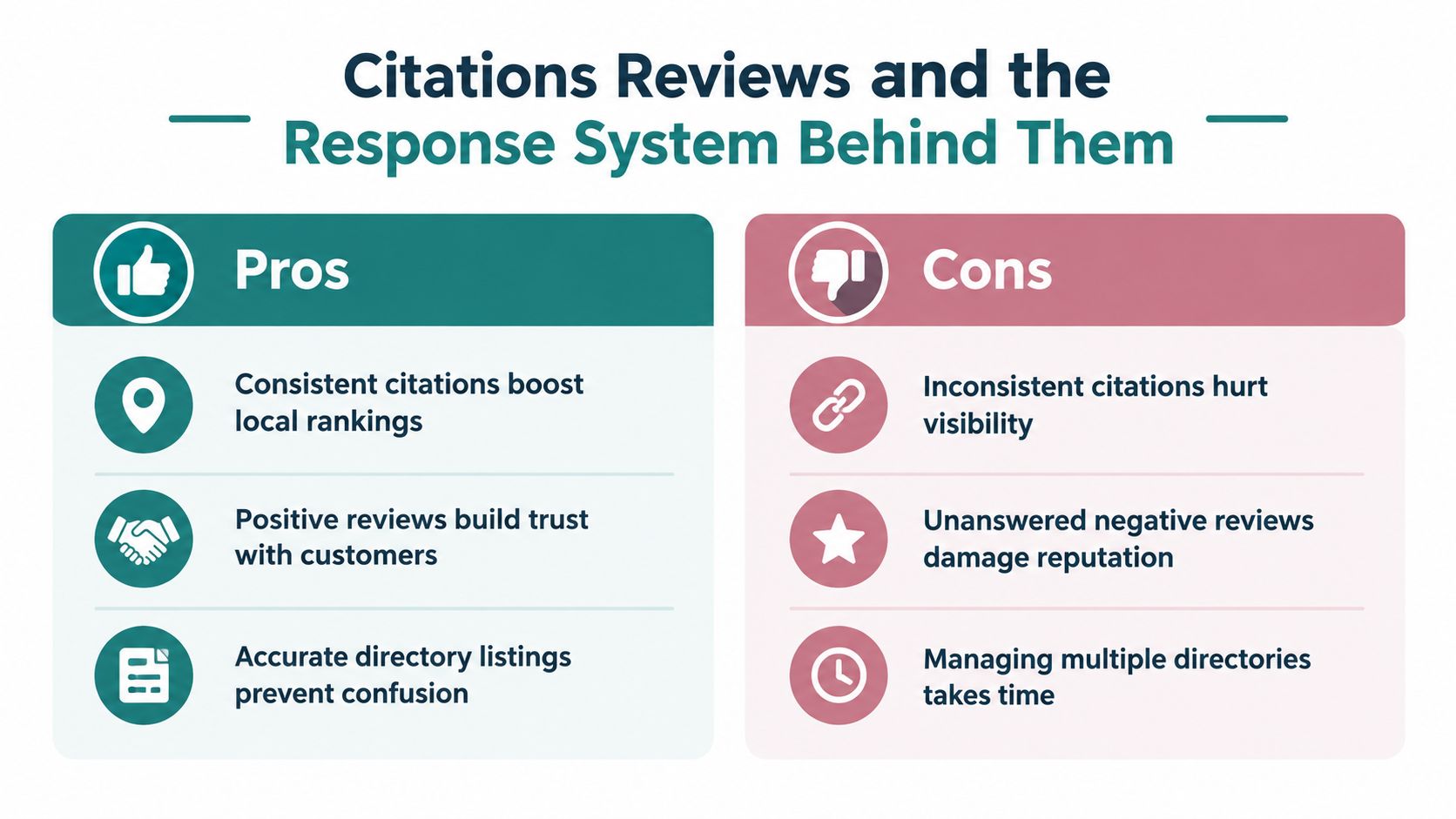
Listings and reviews aren't separate chores. Together, they form a customer-information system: directories help people confirm where a branch is and how to reach it, while reviews help them judge what to expect. If those details conflict, the customer has to resolve the confusion, and some will choose another business.
A 2025 survey of more than 1,000 U.S. consumers found that 53% would be driven away by inaccurate listings, 59% expected a business response within 24 hours, and 75% read at least four reviews before deciding (2025 local search consumer behavior study). Those findings make listing accuracy and review handling conversion concerns, not just profile-maintenance tasks.
Put ownership where the information lives
Centralize the rules, but don't force every correction through a distant corporate inbox. Each location should have someone responsible for confirming its address, hours, phone number, and service details. A central marketing owner can maintain the master record and oversee directory updates, while branch staff flag local changes such as temporary closures or a new booking process.
That division keeps the brand consistent without making local teams powerless to correct a real error. Audit major directories and map listings against the master record, then assign discrepancies to an owner. Don't judge the system only by how many listings exist. Judge it by whether customers can find accurate information and reach the right location.
Match review response to the risk
A single script for every review usually sounds indifferent. A free-for-all can be worse, especially when staff discuss sensitive details publicly or promise something the business can't deliver. Use a shared playbook with room for a local, human response:
- Routine praise: Use a short, courteous reply that acknowledges the customer without sounding copied and pasted.
- Service complaints: Have a person review the issue, respond professionally, and invite the customer to continue the conversation through an appropriate private channel.
- Safety, privacy, or legal concerns: Escalate promptly to the responsible manager or specialist. Don't disclose customer details in a public response.
- Listing errors: Give the branch manager responsibility for confirming facts, while the central owner tracks the correction across platforms.
Google prohibits paying for reviews or offering discounts, free goods, or services in exchange for them. It also prohibits discouraging negative feedback, selectively asking only satisfied customers, pressuring customers to review on the premises, or telling them what to write (Google's review policy). Invite genuine customers to share an honest experience, then respond to praise and complaints with the same professional care.
Why More City Pages Is Not Always the Answer
A page for every city sounds like a simple growth plan. It can also turn into a directory of near-identical pages that offers little new information to customers or search systems. The question isn't how many city names appear on the site. It's whether the content answers a real question clearly and credibly.
That distinction matters as AI-generated answers appear in local search. A 2025 analysis of 60,000 local-business queries found Google AI Overviews appearing for 40.2% of queries. Queries without an explicit location name triggered Overviews more often than queries with one, 46.1% versus 35.0% (Local Falcon's AI Overviews study). The analysis also found that AI Overviews placed less emphasis on proximity than traditional local rankings.
Build useful authority, not a page factory
For a healthcare, legal, or home-services company, the stronger response may be to make core information easy to understand and trust: what services are available, who qualifies, how the process works, what pricing depends on, and which locations serve which communities. Then build local pages where each branch can contribute useful details. A page that only changes a city name doesn't help a person choose a provider.
That doesn't mean abandoning location pages. It means refusing to treat page count as the strategy. Make sure every branch has an accurate destination, then invest in the material that can support both local decisions and broader questions about the brand.
Measurement needs the same adjustment. A user may encounter a brand in an AI answer without clicking a location page, so page visits alone can miss part of the picture. Track local visibility alongside calls, direction requests, branded searches, and assisted conversions. If the only question in your report is “Did the page get clicks?”, you may miss whether the business is being surfaced and considered.
Measuring What Each Location Actually Earns
A multi-location report should show what's happening at each branch, not just whether the overall brand looks healthy. Use a simple location-by-location view of map-pack visibility, Business Profile calls and direction requests, branded searches, and assisted conversions from the relevant landing page.
A dashboard can put branches in rows and those measures in columns. Add the landing page, profile link, and reporting period so a manager can see where a result came from. Use tracking links with clear location labels, and use call tracking carefully: the customer-facing number still needs to be managed so it doesn't create conflicting business information.
Troubleshoot before changing the budget
- Calls look low: Check whether the profile points to the right number and whether call tracking is recording the correct branch.
- Directions seem misattributed: Confirm each profile has the right address and that reporting separates branches.
- Conversions appear under direct traffic: Review how visits and assisted actions are attributed. An AI mention may not produce a click that identifies the source.
Use the results to choose a specific action. A location with weak visibility may need a profile tune-up; a page that gets attention but few inquiries may need clearer service details or a stronger contact path. For a broader approach to data-driven marketing strategy, focus the conversation on what each branch earns and what should change next.
Frequently asked questions
- Does each location need its own page?
- Yes. Each location should have a unique page with its own address details, services and contact information.
- Should each location have its own Google Business Profile?
- Yes, if it's a real staffed location that serves customers. Keep each profile's details consistent with its page.
- What causes multi-location SEO problems?
- Duplicate pages, inconsistent listings, wrong phone numbers and pages that don't make clear which location they serve.
HDM provides SEO, website development, analytics, and performance marketing services for businesses managing multiple locations. If your Cincinnati-area company needs clearer branch pages, more consistent profiles, or reporting that ties search activity to leads, visit HDM to discuss a practical plan.