


A website is not a one-time purchase. It behaves like equipment that wears down, the way a delivery van does. Skipping the oil is fine until it isn't, and the repair always costs more than a year of routine care.
The exposure is measurable. Verizon's 2025 Data Breach Investigations Report analyzed more than 22,000 security incidents, including 12,195 confirmed data breaches, and found that exploitation of vulnerabilities accounted for 20% of breaches, an increase of 34% from the previous year. Perimeter devices and VPNs represented 22% of vulnerability-exploitation targets, compared with 3% the year before. Only about 54% of those perimeter-device vulnerabilities were fully remediated, and the median time to finish was 32 days.
A known flaw that sits for a month is not a paperwork delay. It is an open door on the site that books your customers.
This website maintenance checklist covers 10 recurring tasks, what each one involves, and how often to do it. I wrote it for non-technical owners in the Cincinnati area who want the site to keep generating leads after launch. Monthly work catches breakage. Quarterly work catches drift. Twice a year, you prove a backup can come back.
1. Keep Your Software, Themes, and Plugins Updated
Most local sites run on a content management system (CMS) such as WordPress, Shopify, or a custom platform. Plugins and apps cover forms, galleries, and payments, and each piece is written by someone else. Those add-ons get security patches and bug fixes. An outdated plugin is one of the most common ways a small-business site gets compromised.
Verizon's 2024 Data Breach Investigations Report found that organizations took an average of 55 days to remediate 50% of critical vulnerabilities after patches were available. The same analysis found a first scan for a cataloged vulnerability a median of five days after publication in the Common Vulnerabilities and Exposures database. A casual "we'll update next quarter" habit loses that race.

Say a medical practice patches its appointment plugin the week an advisory lands, before patient details are exposed. A retail shop runs the platform update on a staging copy first and catches a checkout conflict customers never see. Staging costs an hour. A broken checkout costs the weekend.
- Inventory everything: Keep a list of every plugin, app, and theme, including ones you stopped using.
- Schedule the month: Apply security updates monthly, and faster when a flaw is already being exploited.
- Test the big jumps: Run major version changes on a copy before the live site.
- Delete unused code: Remove plugins and themes you no longer need. Idle code still carries risk.
2. Monitor Security and Scan for Malware
Security maintenance protects the site and the customer details it collects. Malware can redirect visitors, steal logins, or add spam pages that drag down search visibility. Many owners find out only when a customer reports a pop-up or Google flags the domain. By then the cleanup is a project, not a task.
Pair four controls and don't treat any one of them as the whole job. Use long, unique passwords and two-factor login on every admin account. Put a web application firewall in front of the site so suspicious traffic gets blocked before it hits the CMS. Run a malware scan on a schedule. Keep the SSL certificate renewing on its own so visitors never see a browser warning.

A law firm that turned on two-factor login and a firewall stopped repeated login attempts against its client intake forms. An online shop that got an alert about an unexpected file change restored a clean copy within the hour. The trade-off is alert fatigue. A monthly security report you read beats a pile of unread emails. A practical monitoring guide for fraud teams is a useful model for deciding which alerts deserve a person and which can wait.
Practical rule: Remove old admin users the same week someone leaves your staff or your agency. A forgotten login is still a key.
3. Run Reliable Backups and Test Restores
A backup is a full copy of the site's files and database, stored somewhere other than the live server. Hosts often keep copies, but coverage and retention vary, and a short window won't save a problem you notice late. A backup you've never restored is only a hope.
CISA's small-business backup guidance recommends the 3-2-1 rule: three copies of important files, two different storage types, and one copy off-site. It also says you should be able to recover fully or partially and roll back at least seven days. For a clinic, that copy should include the database, uploads, forms, and configuration, not just the public pages. A written data backup plan is part of protecting electronic patient information under the HIPAA Security Rule.

An online store that kept the previous night's backup restored product pages within an hour after a bad plugin update. Our notes on backup and disaster recovery cover what that restore test should prove.
- Ask for the details: What is copied, how long it is kept, and who requests a restore.
- Keep one copy off the host: A separate cloud account still exists if the host account is locked.
- Test twice a year: Restore onto a copy, open key pages, and submit a form.
- Back up before big changes: Do it right before a major update or redesign.
4. Track Uptime and Improve Page Speed
Uptime is the share of time the site answers. Page speed is how fast a real visitor gets a usable page. If the site is down, the phone rings with people who already tried the website. If it's slow, many of them leave before the offer.
Google's Core Web Vitals documentation sets a good experience at a Largest Contentful Paint of 2.5 seconds or less, an Interaction to Next Paint of 200 milliseconds or less, and a Cumulative Layout Shift of 0.1 or less. Reporting uses the 75th percentile, so the site should hold those marks for at least three-quarters of visits, not just on the office Wi-Fi. Check service pages, forms, landing pages, and checkout on both phone and desktop.

A real estate firm that compressed property photos saw mobile pages feel faster and fewer visitors bounce. A hospitality brand that got a nighttime uptime alert had the host back up before breakfast reservations. Our Core Web Vitals optimization walkthrough shows how to read those field numbers by template instead of chasing a single lab score.
Set a free uptime monitor so you hear about an outage before a customer does. Once a quarter, recheck key URLs. Compress images before upload, drop unused ones, and confirm the host plan includes caching and a content delivery network. A homepage can look fine while search, booking, or checkout drags.
5. Find and Fix Broken Links and Error Pages
A broken link points at a page that no longer exists and usually returns a 404, the "page not found" error. Visitors hit a dead end. The ad, email, or search result that sent them there is wasted. Search engines also treat a messy site as a weaker one.
Breaks show up after a rename, a discontinued product, or an outside site that changed its address. A manufacturer that redirected old catalog URLs to the new product pages kept the search traffic those links had earned. A law firm that replaced a dead state-bar profile link kept a credibility cue that prospects click.
Use a 301 redirect, a permanent forward, instead of deleting a URL that already has links or visits. Send people to the closest current page, not the homepage, unless nothing else fits. After any redesign or large content cut, run a link check on navigation, footer, and landing pages.
What to review each month
Google Search Console, the free report of how Google sees the site, lists "not found" errors. Open that report monthly. Fix the URLs that still get clicks first.
Customize the 404 page with a search box and links to your main services. A thoughtful error page won't recover the missing URL, but it can keep the visit. Ignoring external broken links is a reasonable trade-off when you don't control the other site. Fix your own links first.
6. Refresh Content and Remove Outdated Information
Content maintenance is a review of the words, photos, offers, hours, and contact details. Expired promotions, old prices, closed locations, and staff bios for people who left confuse customers and cost trust. Fresh pages also give search engines a reason to keep showing you.
A hospitality business that updates seasonal events and holiday hours before peak season gets fewer "are you open?" calls. A professional firm that refreshes practice pages after hiring a specialist gives prospects current credentials, which is often the most persuasive thing on the site.
Assign one staff member to each major page and put a review date on the calendar. A page without an owner goes stale even when the design still looks new.
Review your 10 most visited pages every quarter and mark anything out of date. Keep testimonials and case studies that still match the work you do, and take down the ones that don't. A shared spreadsheet with the page, the owner, the last review, and the next date is enough. You don't need a content platform to start.
The trade-off is depth versus freshness. Rewriting everything every quarter burns time and can wreck rankings that were working. Touch what changed in the business, then leave stable pages alone until the next review date.
7. Test Forms, Checkout, and Conversion Paths
Conversion paths are the steps that turn a visit into a lead or a sale: contact forms, appointment requests, quote tools, newsletter sign-ups, and checkout. They break after a plugin update, a server change, or a design tweak. A form can look perfect and send nothing.
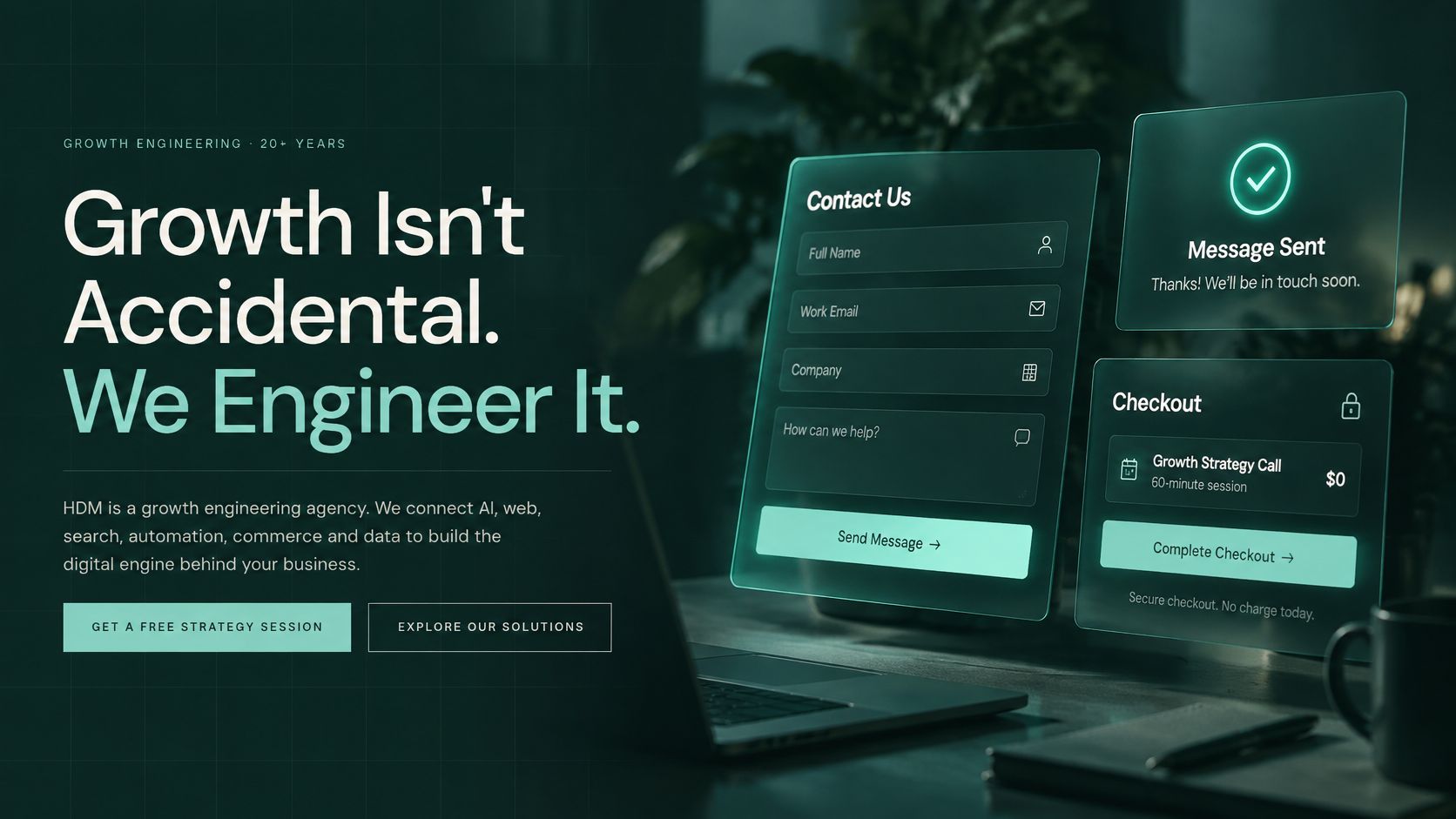
A clinic found its appointment form had stopped notifying staff after an update and restored the connection the same day. An online brand found a new banner covering the mobile checkout button and fixed the layout before more sales slipped away. Most local searches now happen on a phone, so a desktop-only test will miss that kind of break.
Submit every form and run a small test purchase at least monthly. Confirm the notice hits the right inbox, and add a backup recipient so a vacation doesn't swallow leads. Add spam protection, such as a CAPTCHA or a hidden honeypot field, so junk doesn't bury real inquiries. Then open the same pages on one iPhone and one Android phone.
Slow checks on the form itself create a different failure. People abandon a signup when validation lags. The write-up on reducing signup form validation latency shows why a field that "works" can still lose the lead if it hesitates.
The short demo below is the kind of pass to run after any form or checkout change.
<div style="position:relative;padding-bottom:56.25%;height:0;overflow:hidden;"><iframe src="https://www.youtube.com/embed/YNUQKo5OEbE" style="position:absolute;top:0;left:0;width:100%;height:100%;" frameborder="0" allow="accelerometer; autoplay; clipboard-write; encrypted-media; gyroscope; picture-in-picture" allowfullscreen></iframe></div>8. Perform Regular SEO Health Checks
Search engine optimization (SEO) helps your pages show up in results for what you sell. A health check doesn't mean a new strategy every month. It means confirming Google can find, read, and index the pages you already have.
Common breaks are dull and expensive. A setting left over from a redesign can block practice pages. Duplicate titles across a product catalog make every result look the same, so fewer people click. A sitemap, the file that lists your URLs, can keep advertising pages you deleted months ago.
A Cincinnati-area firm that found an old setting blocking its practice pages corrected it and showed up again for the searches those pages were written to win. A manufacturer that rewrote duplicate product titles gave each page a distinct result in search and improved the click-through.
- Open Search Console monthly: Look for indexing errors, security issues, and sudden drops.
- Let the sitemap update itself: New and removed pages should show up without a manual upload.
- Write unique titles and descriptions: Match the wording to what that page's visitor is trying to do.
- Match the local listing: Your Google Business Profile name, address, and phone should agree with the site.
Check when content changes, not only on a fixed day. A launch that nobody annotates will look like a mystery traffic dip a month later.
9. Verify Analytics and Tracking Accuracy
Analytics tools such as Google Analytics 4 show how people find the site, what they do, and which pages lead to calls, forms, or sales. Tracking breaks after a redesign, a tag-manager edit, a privacy-setting change, or a removed plugin. The reports still load. They are just wrong, and wrong reports produce bad ad spend.
A retail brand noticed purchase events had stopped after a checkout update and repaired the tag before the next media budget was set on fiction. A healthcare provider reviewed its consent banner and tracking against its published privacy notice before adding another tool. That second check is easy to skip and hard to unwind.
A quarterly proof, not a dashboard glance
Once a quarter, submit a form or place a test order yourself and confirm the event appears in the report. Filter out traffic from your office and staff devices so internal clicks don't look like demand. Any time you add a tracking tool, update the privacy policy and the cookie consent settings in the same week.
Set an alert for a sharp drop in traffic or in a key conversion. A silent zero is worse than a noisy one. The trade-off is privacy versus detail. Collect the events you will use to make a decision, and don't bolt on extra tags "just in case." Extra tags slow pages and expand what your privacy notice has to cover.
10. Check Accessibility and Compliance Standards
Web accessibility means people with disabilities can use the site, including visitors who rely on a screen reader, a keyboard, voice control, or higher contrast. It is also a reach issue. An intake form that only works with a mouse turns away customers who were ready to hire you.
The W3C's WCAG 2.2 guidelines organize the work around four principles: perceivable, operable, understandable, and reliable. Conformance levels are A, AA, and AAA. Level AA means you meet every Level A and Level AA success criterion, including text alternatives for non-text content and a consistent order for repeated navigation. Healthcare, legal, and public-facing sites should ask which level is the target and how it is verified, including with assistive technology, not just a score.
WebAIM's 2025 analysis of one million home pages detected 50,960,288 accessibility errors, an average of 51 per page. Average detected errors fell 10.3% from 2024, which is progress, and still an enormous leftover. "We passed last year" is not a maintenance plan.
A hospitality company that added alt text to its gallery and captions to promo videos made those pages usable for more guests. A legal practice that fixed low-contrast text and unlabeled fields improved the forms for everyone, not only for people using assistive tech. Our accessibility audit is aimed at the templates that take inquiries.
- Scan key pages quarterly: WAVE or Lighthouse will catch missing labels and many contrast failures.
- Write alt text at upload: Don't leave a backlog of images "for later."
- Tab through the main form: If you can't finish it with a keyboard, it isn't done.
- Don't trust the scanner alone: It won't judge meaning, error messages, or every interactive state.
Website Maintenance Checklist at a Glance
| Task | Recommended Frequency | Main Benefit | Difficulty | Best Tool Starting Point |
|---|---|---|---|---|
| Keep Your Software, Themes, and Plugins Updated | Monthly; review major updates before applying | Closes security gaps and maintains compatibility | Moderate | CMS update panel and a staging site |
| Monitor Security and Scan for Malware | Continuous monitoring; review reports monthly | Detects threats early and protects customer trust | Moderate | Cloudflare security tools |
| Run Reliable Backups and Test Restores | Back up daily or weekly; test restores twice a year | Enables recovery after data loss, attacks, or failed updates | Moderate | UpdraftPlus |
| Track Uptime and Improve Page Speed | Monitor uptime continuously; check speed quarterly | Keeps the site accessible and improves visitor experience | Moderate | Google PageSpeed Insights |
| Find and Fix Broken Links and Error Pages | Monthly and after major site changes | Improves navigation and preserves search value | Easy to moderate | Google Search Console |
| Refresh Content and Remove Outdated Information | Review key pages quarterly | Keeps information accurate and builds trust | Easy to moderate | Shared content review spreadsheet |
| Test Forms, Checkout, and Conversion Paths | Monthly | Catches failures that cost leads or sales | Easy to moderate | Website forms and checkout test flow |
| Perform Regular SEO Health Checks | Monthly | Finds search visibility and indexing issues | Moderate | Google Search Console |
| Verify Analytics and Tracking Accuracy | Quarterly | Keeps marketing and conversion data reliable | Moderate | Google Analytics 4 |
| Check Accessibility and Compliance Standards | Quarterly | Improves access for users and helps reduce legal risk | Moderate to challenging | WAVE or Lighthouse |
Put Your Checklist on Autopilot
Put the 10 tasks on a rhythm so they don't depend on memory.
Monthly: software and plugin updates, a malware and login review, a pass through every form and the checkout, a Search Console look for indexing and "not found" errors, and a glance at uptime alerts. This is the breakage layer. Keep it on the same day each month so a change in the numbers means something.
Quarterly: a speed check on the pages that earn revenue, a refresh of the top pages and any expired offers, an accessibility scan plus a keyboard pass on the main form, and a test to confirm analytics still records the conversions you pay to acquire. Drift can show up from extra scripts, new staff, and pages nobody owns.
Twice a year: restore a real backup to a copy of the site, open the key pages, and submit a form. Add a yearly pass on domain renewal, SSL, privacy language, and who still has an admin login. If a task has no owner, it will not happen.
Most owners don't have this kind of time, and that is the honest reason to hand it off. Helbling Digital Media is a Cincinnati-area agency based in Springboro, Ohio. Website Wellness is our ongoing care plan for monthly updates, security work, backups, performance, and small edits, with a dedicated client success team for support and questions. If you aren't sure where the site stands, the fixed-price PHP, Security & AI-Readiness Audit checks the PHP version, CMS, and plugins, what is publicly exposed, and whether AI search tools can read the site. It ends with a clear, prioritized fix list you receive before you commit to a rebuild or a care plan.
"Website Wellness is an outstanding tool for small businesses like mine."
Start with the month you can keep. A short list that runs beats a perfect list that sits in a drawer.
If the site is due for a real maintenance rhythm, Helbling Digital Media can put updates, security, backups, and speed on a care plan, or start with a fixed-price audit and a prioritized fix list. Visit Helbling Digital Media to request the audit or a straight conversation about what the site needs next.