

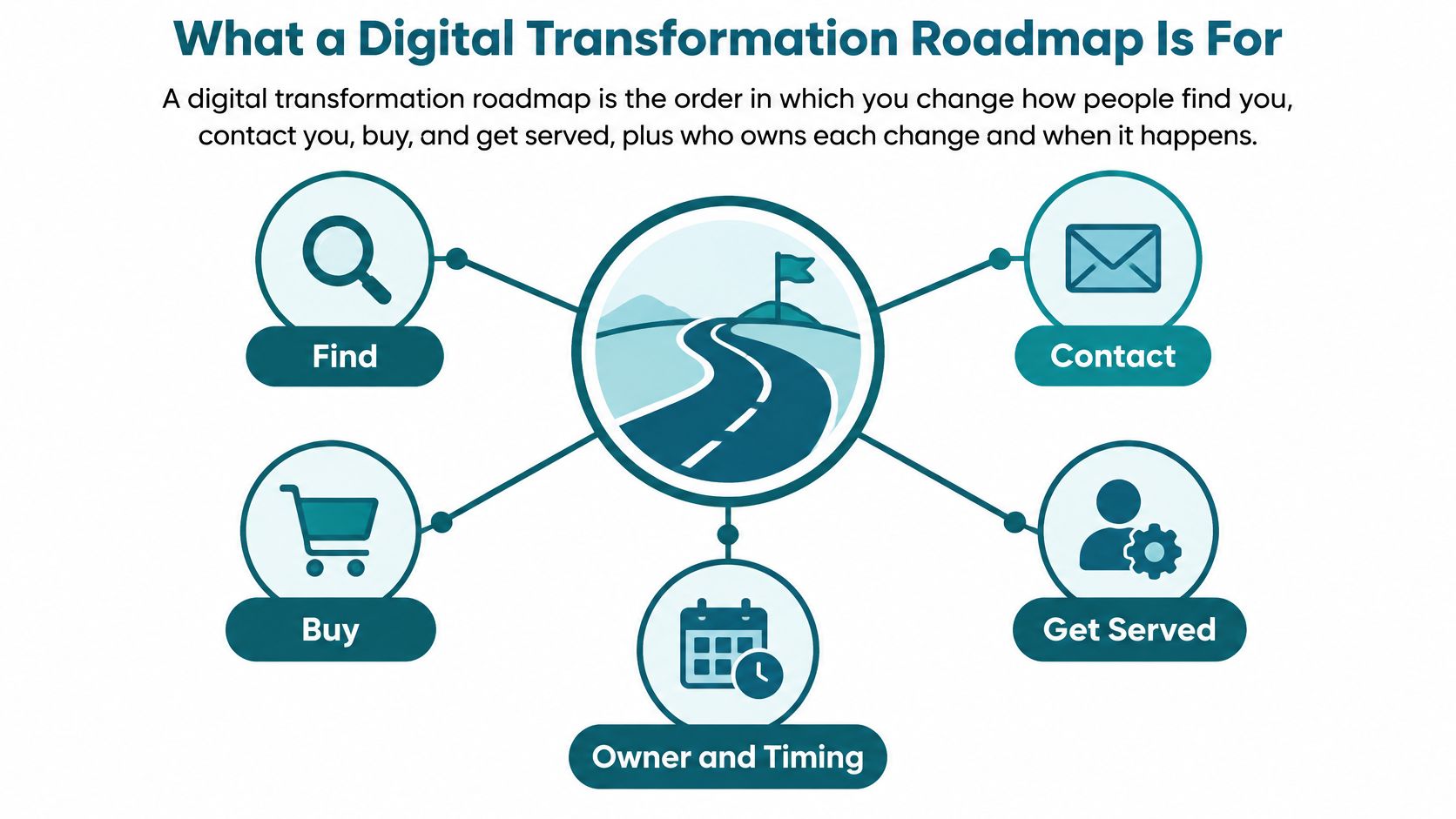
Most owners don't need more software. They need a clear order for fixing how customers find them, contact them, buy, and get served, plus a fair way to decide whether each change earned its cost. That's the job of a digital transformation roadmap when it's built as a money and operating plan, not a shopping list.
What a Digital Transformation Roadmap Is For
McKinsey reported in 2023 that approximately 90% of companies had launched some form of digital transformation, yet organizations had realized only about one-third of the revenue benefits they expected on average, according to McKinsey's Rewired to Outcompete. Read that as a warning, not a trend. Launching tools is easy to count. Earning from them is harder.
A definition you can repeat to your team is this: a roadmap is the order in which you change how people find you, contact you, buy, and get served, plus who owns each change and which business number must move. If a project can't name its owner and its number, it doesn't belong on the page yet.
Say a shop in Mason pays for a fresh storefront sign and new paint, but the register still crawls on Saturday and one person answers the phone between customers. More people walk in. More people also wait, give up, and leave. A website rebuild works the same way. A prettier homepage won't save a slow form, a buried phone number, or an inbox nobody checks until Monday.
For a Greater Cincinnati or Dayton owner comparing web design, SEO, or ads, the roadmap stops random projects. You're looking for three kinds of value, in plain terms.
- Fewer leads lost: A visitor can call, book, request a quote, or check out without hunting or starting over on a phone.
- Less repeat admin: Staff stop retyping the same names, dates, and order details into two or three tools.
- A clear yes or no before a rebuild: You know which page, form, or workflow is leaking before you pay to replace everything around it.
Write Five Baselines This Week
Before you talk platforms, put five current numbers on one page. Use rough counts from your inbox, scheduler, store, or accounting tool if that's all you have. Precision matters less than having a starting point you wrote down before spending.
- Conversion on the site or form: How many visitors or started forms turn into a call, booking, lead, or sale.
- Cost per lead: What you spend to get one usable inquiry, not one click.
- Time from inquiry to booked work: Hours or days, whichever your customers feel.
- Error or rework rate: Wrong dates, missed details, duplicate entries, returned orders caused by bad information.
- Repeat revenue: Money from people who already bought from you once.
Each later project gets one target tied to one of those numbers and a review date. A new service page might aim to lift form conversion. An online intake form might aim to cut rework. If neither moves, you redesign or stop, you don't add another tool on top.
If budget is your main worry, it helps to build a budget-conscious IT roadmap before you collect build quotes, so each phase has a ceiling and a reason. Then use the 12-month template below as your working page, not a software catalog. The catalog can wait until you know which leak you're fixing first.
A 12 Month Phased Roadmap You Can Copy
Paste this table into a one-page document and fill it in with your own owners and dates. Leave a cell blank rather than inventing a precise target you can't defend. Phases may overlap by about a month, but don't start everything at once.
| Phase | Timeframe | Main work | Gate before next phase | Sample KPI |
|---|---|---|---|---|
| Map the business | Months 1-2 | Journeys, systems of record, owners, baselines | Baseline signed off in writing | Current conversion, cost per lead, cycle time |
| Fix the front door | Months 2-5 | Key page templates, speed, forms, tracking | Core Web Vitals met on key templates and forms tested on mobile | LCP 2.5s or less, INP under 200ms, CLS under 0.1 |
| Pilot one workflow | Months 4-7 | One path such as booking, intake, quote, or checkout | Real users finish the path and errors are reviewed | Form or checkout completion rate |
| Prove the money | Months 6-9 | Compare pilot results with the baseline | Written stop, redesign, or scale decision | Lead volume, cost to serve, or repeat revenue |
| Govern and maintain | Months 9-12 | Access list, backups, training, content rhythm | Named owner for updates and incidents | Backup restore tested and staff who can publish |
How To Use Each Row
Months 1 to 2, map the business. Walk the paths a customer takes. They call from a Google listing, fill a form, book a visit, pay a deposit, or buy from a cart. List every system that holds a record along the way, from the website and shared inbox to the scheduler, payment tool, and spreadsheet someone keeps out of habit.
Lock your baseline numbers on that page and sign off on them in writing. No platform purchase happens until that page exists. That's the gate. It sounds strict because it is, and it saves you from buying a tool to fix a problem you haven't located.
Months 2 to 5, fix the front door. Work on the templates customers use most: homepage, service pages, product pages, and contact or checkout. Google defines good Core Web Vitals as a Largest Contentful Paint of 2.5 seconds or less, an Interaction to Next Paint below 200 milliseconds, and a Cumulative Layout Shift below 0.1, per Google's Core Web Vitals guidance.
In plain English, the main content should show up fast, taps should respond quickly, and buttons shouldn't jump around while someone tries to press them. The practical work is unglamorous: smaller images, fewer unnecessary scripts, reserved space for banners and images so content doesn't shift, and a faster server response. Test on a real phone over a mobile network, not only on office Wi-Fi. Put those thresholds in any proposal you sign, by page type.
Months 4 to 7, pilot one workflow. Pick a single path, such as appointment requests or quote follow-up. Keep a person approving anything a customer sees. If you're weighing automation here, a practical AI plan for operations leaders is a useful cross-check for sequencing, but your pilot still needs a human owner and a small, real group of users.
Don't judge the pilot by whether it launched. Judge it by whether real people finished it with fewer calls, fewer errors, and less staff cleanup.
Months 6 to 9, prove the money. Compare pilot results with your baseline and write down one of three words: stop, redesign, or scale. Do this before more spend gets approved. If completion rose but staff rework stayed flat, that's a redesign, not a scale. If both improved, you have evidence worth funding.
Months 9 to 12, govern and maintain. Name who holds logins, who runs backups, who publishes content updates, and who gets called if the site fails on a weekend. Test a backup restore at least once, because a backup you've never restored is a hope, not a plan. Recheck speed after launch too, since chat widgets, ad scripts, and new content can slow pages down.
Eight Pieces That Keep the Plan Honest
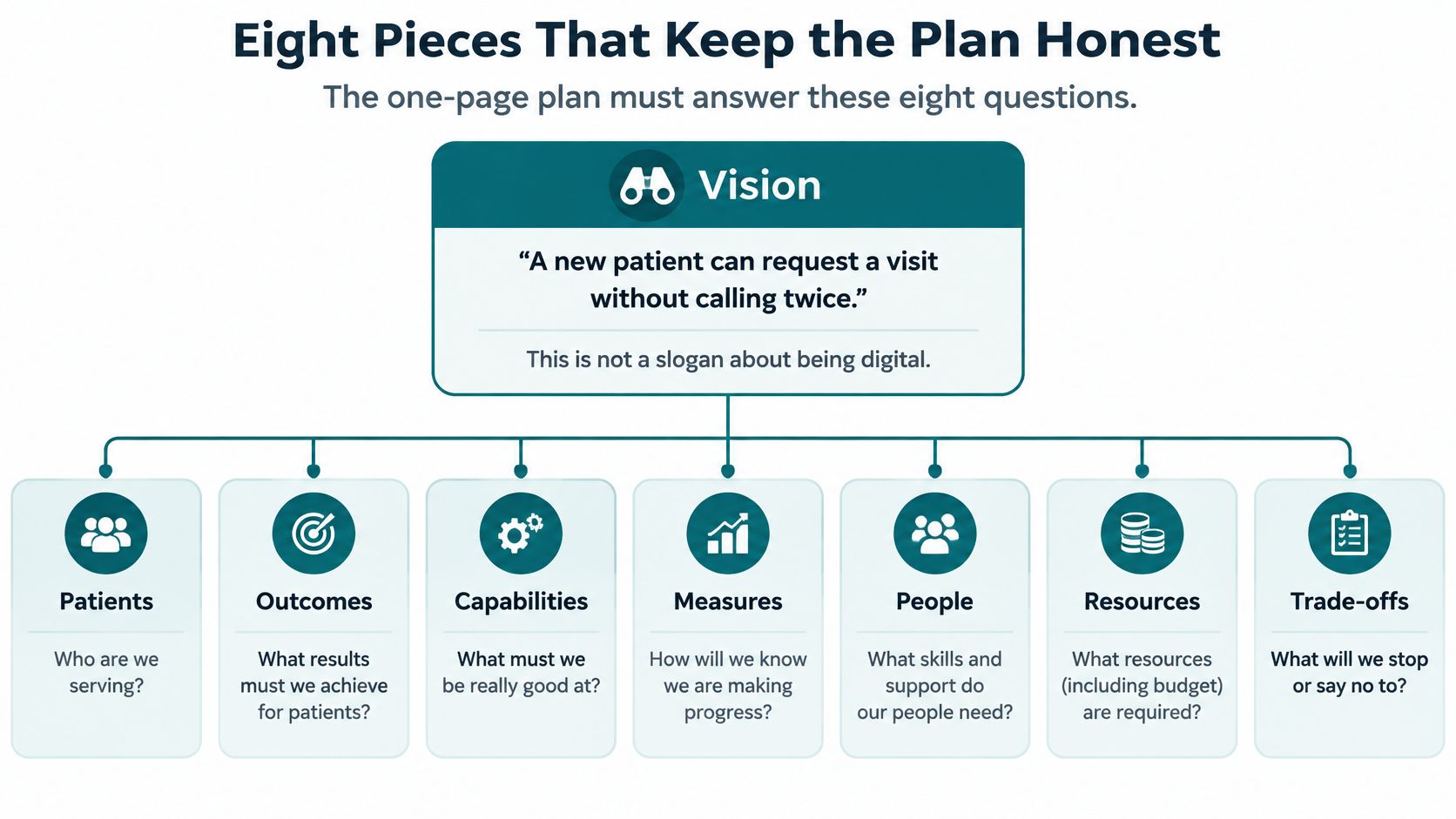
Treat these eight pieces as questions your one-page plan must answer in ink. If a box is empty, that part of the plan is a guess.
| Piece | Question it answers |
|---|---|
| Vision | What can a customer do easily when this works? |
| Governance | Who inside the company owns it and can say no? |
| Capabilities | What skills and assets remain after the project ends? |
| Milestones | What evidence shows progress, not just activity? |
| KPIs | Which one commercial and one operating number get reviewed? |
| Budget | What's the ceiling per phase, and what's held back? |
| Risks | Who can log in, where does data sit, and how do we undo a bad release? |
| Adoption | Who gets trained, and how will we know they're using it? |
Start With Vision and Human Approval
Vision is one customer sentence, such as "A new patient can request a visit without calling twice." It isn't a slogan about being digital. A good sentence tells your staff what to protect when trade-offs show up, and it tells a vendor what done looks like.
Governance names one owner inside your company. Not a committee, not the agency. That person decides scope changes, approves spending at each gate, and owns the call when something breaks. Write down where a human must approve before an automated email, chat reply, or ad change goes live. For most small firms, anything that touches price, health, legal standing, or a promise to a customer needs a person's eyes first.
This isn't caution for its own sake. EY's 2025 survey of 975 C-suite leaders across 21 countries found that 72% said their organizations had integrated and scaled AI in most or all initiatives, yet only about one-third had protocols covering all elements of its responsible-AI framework, according to EY's 2025 AI adoption survey. Smaller firms without a security or compliance team feel that gap faster, not slower.
So ask the uncomfortable question in month one: who owns the mistake when an automated workflow gets it wrong? Name the person, the approval points, the data that tool may never touch, and how you'll roll back a bad release. If your systems need to share information cleanly for any of this to work, our guide to connecting business systems without a tangle covers how those connections get planned. Narrow use with an owner and a rollback beats a broad rollout every time.
Hold the Money Until the Gate
Capabilities are what you keep after the project. Clear pages, working tracking, a site your staff can edit, and at least one person trained to do it. If all of that leaves when the vendor leaves, you rented progress.
A milestone is evidence, not a date. For example, 20 real inquiries finished the new form is a milestone. A kickoff meeting on the calendar is not. Each initiative gets one commercial KPI and one operating KPI, reviewed on the gate date. Skip the dashboard of everything. Two numbers you read beat forty you ignore.
Set each phase ceiling at the most you can absorb if its gate fails, and hold the next phase's money until the gate is met. That way a failed pilot costs you one phase, not the whole plan. Name your risks on the same page: who can log in, where customer or patient data sits, what happens if a vendor disappears, and how training gets paid for. Rules for mistakes belong in month one, not after the first embarrassing error.
Build the Roadmap and Avoid Costly Slips
You can draft a workable roadmap in four moves. None of them require new software.
Here's the shape of the first two moves before you start listing tools.
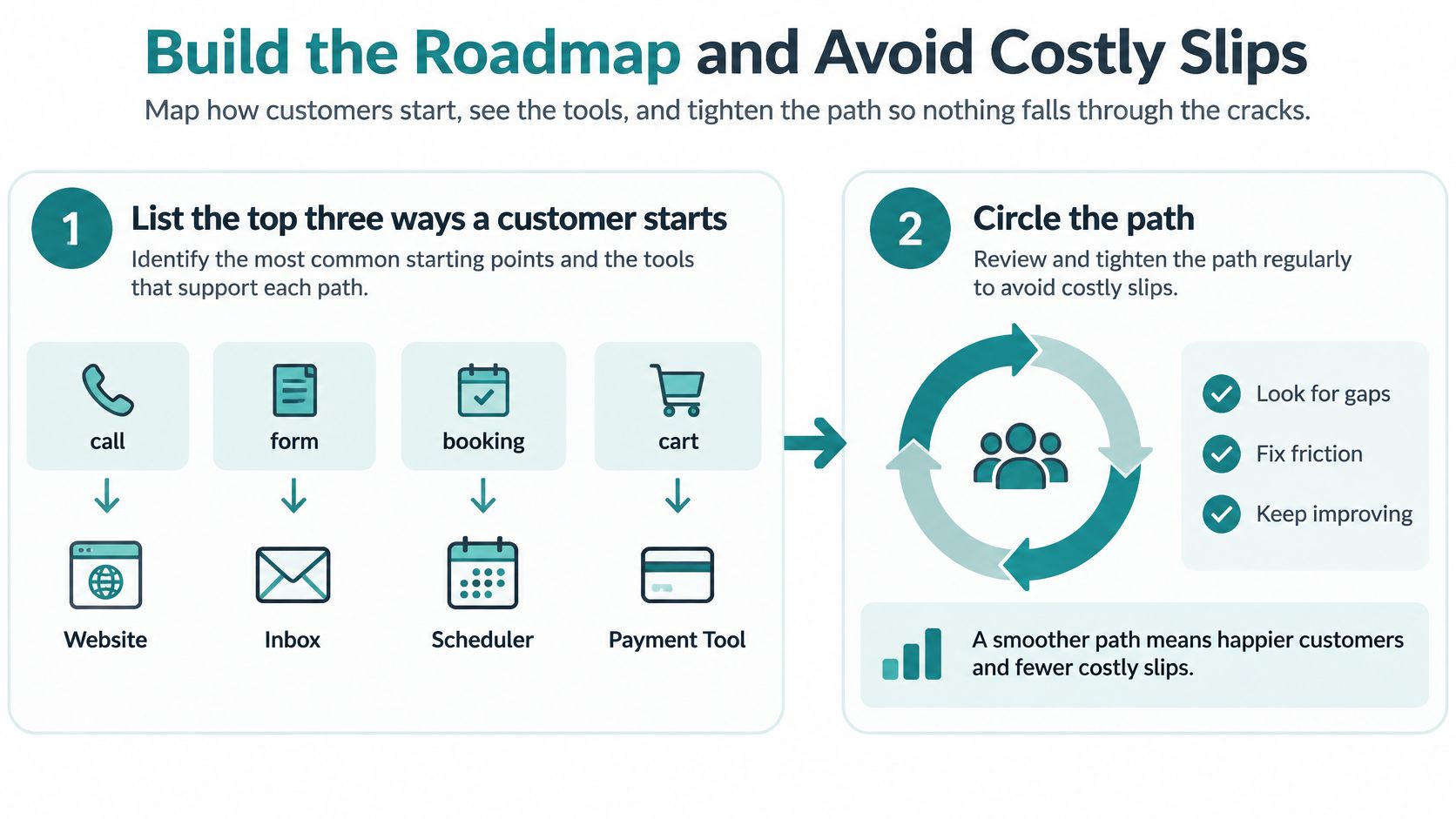
- List the top three ways a customer starts. A call, a form, a booking, or a cart. Then list every tool on that path, from website and inbox to scheduler and payment tool. Include the spreadsheet. Include the personal cell phone that gets texted after hours.
- Circle the path with the clearest leak. Unanswered inquiries, abandoned checkouts, quotes that go out three days late. Ignore the other paths until this one has a result. Spreading effort across all three is how nothing finishes.
- Write the baseline, target, and stop rule in one paragraph. Do this before any design work. For example: if completion doesn't rise after 60 real uses, we redesign the form instead of adding pages. That sentence is your protection against scope creep, including your own.
- Name one internal owner and book the gate reviews. Put the meetings on the calendar now. If you hire help, choose a partner who audits first. That's how we work at Helbling Digital Media: HDM starts with an audit, then the business chooses the build or integration it needs, rather than buying a preset package.
This short video walks through the same build-it-in-order thinking visually, which helps if you're sharing the plan with a partner or office manager.
<iframe src="https://www.youtube.com/embed/PwkP0yhBo6w" width="100%" height="400" frameborder="0" allowfullscreen></iframe>Six Slips That Cost Real Money
Each of these shows up in small firms more than owners expect. Each fix fits in one sentence.
- Replacing the website before a baseline exists: Write conversion, cost per lead, and cycle time first, or you'll never know if the rebuild paid.
- Assuming a new tool or AI assistant creates profit: McKinsey's 2025 global AI survey found that only 39% of respondents reported any enterprise-level EBIT impact, and most of those attributed less than 5% of EBIT to AI, per McKinsey's State of AI 2025, so tie each pilot to one operating result.
- Judging by launch date instead of behavior: Recheck your KPIs at 30 and 90 days, because chat widgets and ad scripts slow pages and habits drift back.
- Stacking SEO, ads, and a rebuild in one month: Run one workflow until its gate, so you can tell which change caused which result.
- Letting an agency hold the logins: Keep domain, hosting, analytics, and admin access in your name, with the agency added as a user you can remove.
- Skipping staff training: Put training time in the phase budget, because an unused system is the most expensive kind.
Self-check before you sign: If you can't state the stop rule out loud, you're not ready to approve the build.
Notice what the EBIT figure really argues for. It isn't "avoid AI" or "avoid new platforms." It's that measurement and workflow redesign come before platform replacement. A cheaper form fix with tracking often teaches you more in a quarter than a full rebuild teaches you in a year. Spend where the evidence points, after the pilot, not before it.
One more discipline helps. When a gate fails, write down why in two or three sentences while it's fresh. Was the page slow, the form confusing, the follow-up too slow, or the offer unclear? That short note keeps the next vendor, or your future self, from paying to learn the same lesson twice.
Healthcare Legal and Store Requirements
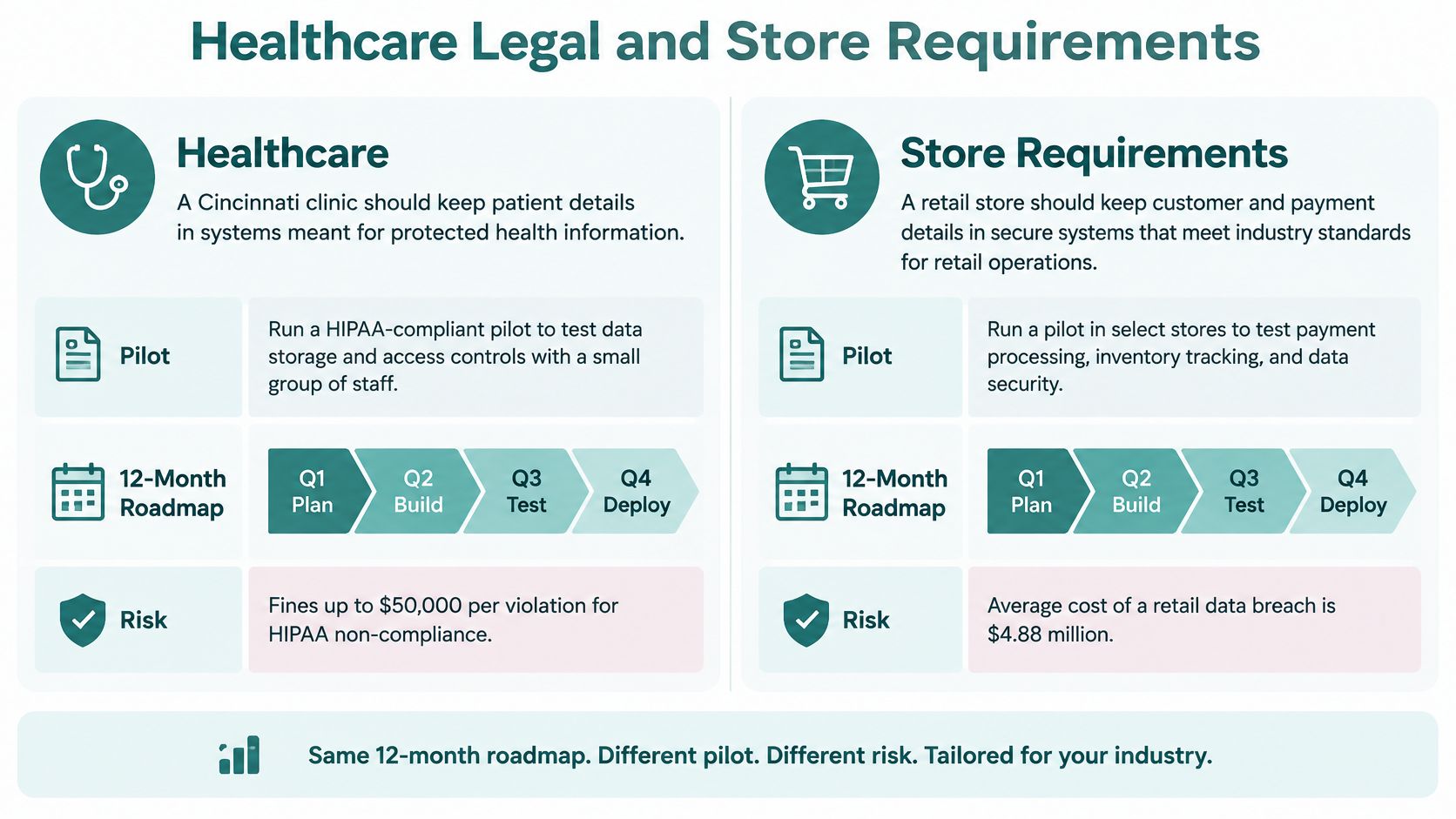
The 12-month shape stays the same across industries. What changes is the pilot you pick and the risk row you add. Here's the extra line each owner writes on the one-pager.
| Industry | Extra rule | Sample milestone | Sample KPI |
|---|---|---|---|
| Healthcare | Protected details stay in approved systems and agreements cover vendors | Intake or scheduling request stored in the right system | Completed requests without data in the wrong inbox |
| Legal | Confidential inquiries and no automated advice on outcomes | Human-reviewed consultation form live | Qualified consults booked |
| E-commerce | Phone checkout and returns path before new apps | Product and checkout templates meet speed targets | Checkout completion rate |
What Changes by Industry
Healthcare. A Cincinnati clinic should keep patient details in systems meant for protected health information, never pasted into a casual email tool or collected through a public form that dumps everything into a basic spreadsheet. Put a business-associate expectation in the vendor agreement before any pilot starts. Say a Cincinnati family clinic confirms its scheduling vendor signs a business-associate agreement before piloting online intake. That's the right order. The milestone that matters is a completed appointment request with no protected detail sitting in the wrong inbox. Our overview of staying compliant with HIPAA online explains the obligations behind that rule.
Legal. Inquiries are confidential, and conflict checks matter before anyone gets advice. A chat tool must not invent case results or promise an outcome. Say a Covington law office runs its consultation form past an attorney before adding any chat tool. Pilot a consultation request with human review, and measure qualified consults booked, not raw chat sessions. A busy chat widget that produces unusable inquiries costs your intake staff time instead of saving it.
E-commerce and local product sellers. The leak is usually product-page speed and checkout completion, plus a returns path customers can find without emailing you. Say a Blue Ash online shop fixes its mobile cart before adding a loyalty app. That's the discipline. Don't add a new app until the cart finishes cleanly on a phone, because every add-on is another script slowing the pages that make you money.
One Rule All Three Share
Write accessibility as acceptance criteria, not a design preference. WCAG 2.2 defines three conformance levels, Level A, Level AA, and Level AAA, and Level AA includes every Level A and Level AA success criterion, according to the WCAG 2.2 guidelines. Aim at WCAG 2.2 Level AA in your statement of work.
In practice that means keyboard-operable navigation, readable color contrast, labeled forms, alternative text for informative images, and error messages that tell people how to fix the mistake. Require testing with automated tools plus manual keyboard and screen-reader checks, because passing a scan alone doesn't establish conformance. Ask any partner which pages and third-party tools are in scope, since an embedded scheduler or payment form can fail your customers even when your own pages pass. An inaccessible form doesn't just risk complaints. It blocks appointments, consultations, and purchases from people ready to buy.
Start With One Workflow This Quarter
Don't launch a full program this quarter. Pick one customer path and run the first three phases on that path only. One path, one owner, one gate date.
Month one, write its baseline and stop rule on your one-page plan. Month two, fix only the page or form that path uses, including mobile speed, and save a tested backup of the current site first. Month three, run the pilot with real customers and hold the gate meeting on the date you set, whether the news is good or not.
If the numbers don't move, redesign that path before discussing a new platform, a chatbot, or a bigger ad budget. That's not failure, that's the roadmap doing its job cheaply. If you're comparing support tools along the way, take time to understand Freshservice plan costs before a subscription becomes next year's fixed expense. Agencies that resell work can hand clients the same one-pager, so every deliverable ties to a metric instead of a launch announcement.
When you're ready to automate a proven path, our primer on automating workflows with AI safely shows where automation earns its keep. If you bring in a partner, choose a local team that audits before proposing and leaves you owning the logins and the go or no-go call. Helbling Digital Media puts a senior person on every engagement and brings 20+ years of experience building complex digital systems, based in Springboro and serving Greater Cincinnati businesses. Don't request build proposals until your baseline and first gate date are written down. Vendors quote better when you hand them a target.
Bring your one-page baseline to a free 30-minute strategy call and we'll help you pick the first workflow, set its stop rule, and sequence the next 12 months around numbers you can check. Start with an audit, buy only the build you need, and keep the go or no-go call in your hands. Visit Helbling Digital Media to book your call today.