
You're holding two proposals for the company website. One is a WordPress rebuild. The other says headless. Both promise a cleaner phone experience, and the invoices don't explain who changes a service price on a Tuesday afternoon.
If you own a Cincinnati service business, you don't need a newer label. You need a site your staff can publish, that loads on a phone, and that doesn't turn every edit into a developer ticket. Headless CMS vs traditional CMS is that choice. At small-business scale, headless is not automatically faster or cheaper. It earns the extra parts when you add a second channel or a custom experience, not when a proposal sounds modern.
What to Decide First
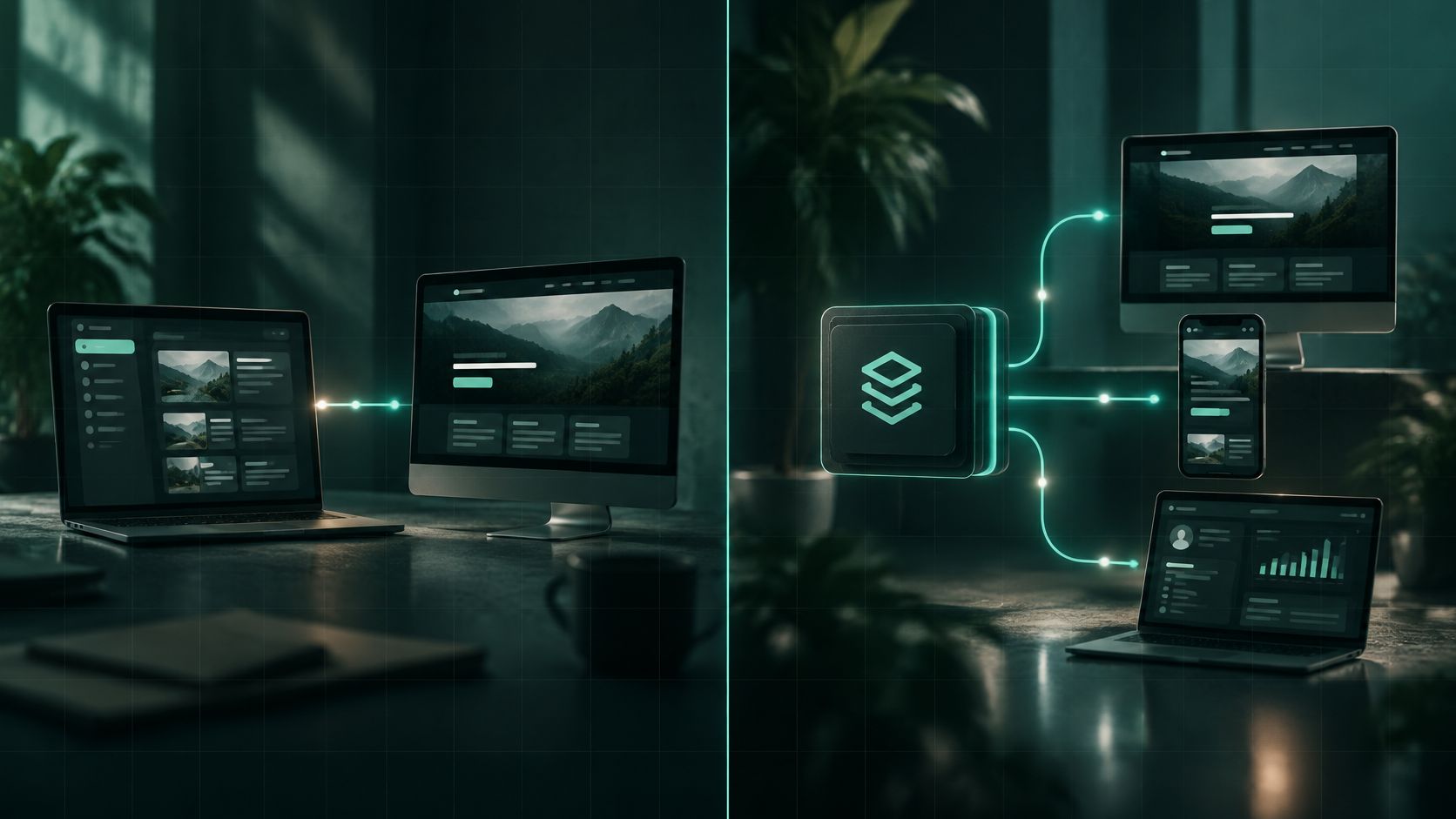
A traditional CMS is one login. Staff write pages, choose a design, and hit publish. A headless CMS keeps a writing dashboard, but the public design is built and hosted separately. An API, a pipe that sends approved content to another system, delivers those words to the website and, if you need it, an app or a client portal.
Traditional platforms still run most of the public web. W3Techs reports that WordPress was used by 39.5% of all websites in its dataset and by 58.3% of websites whose CMS could be identified. WordPress held 65.2% of identified-CMS usage in January 2022 and stood at 60.2% in January 2026. That isn't a leftover habit. One system still bundles the admin screen, themes, plugins, and publishing, which is why a small staff can live inside it.
The rule comes first. One primary website and a non-technical team means a traditional CMS. A second channel, a client portal, or a custom store is when headless earns the extra parts.
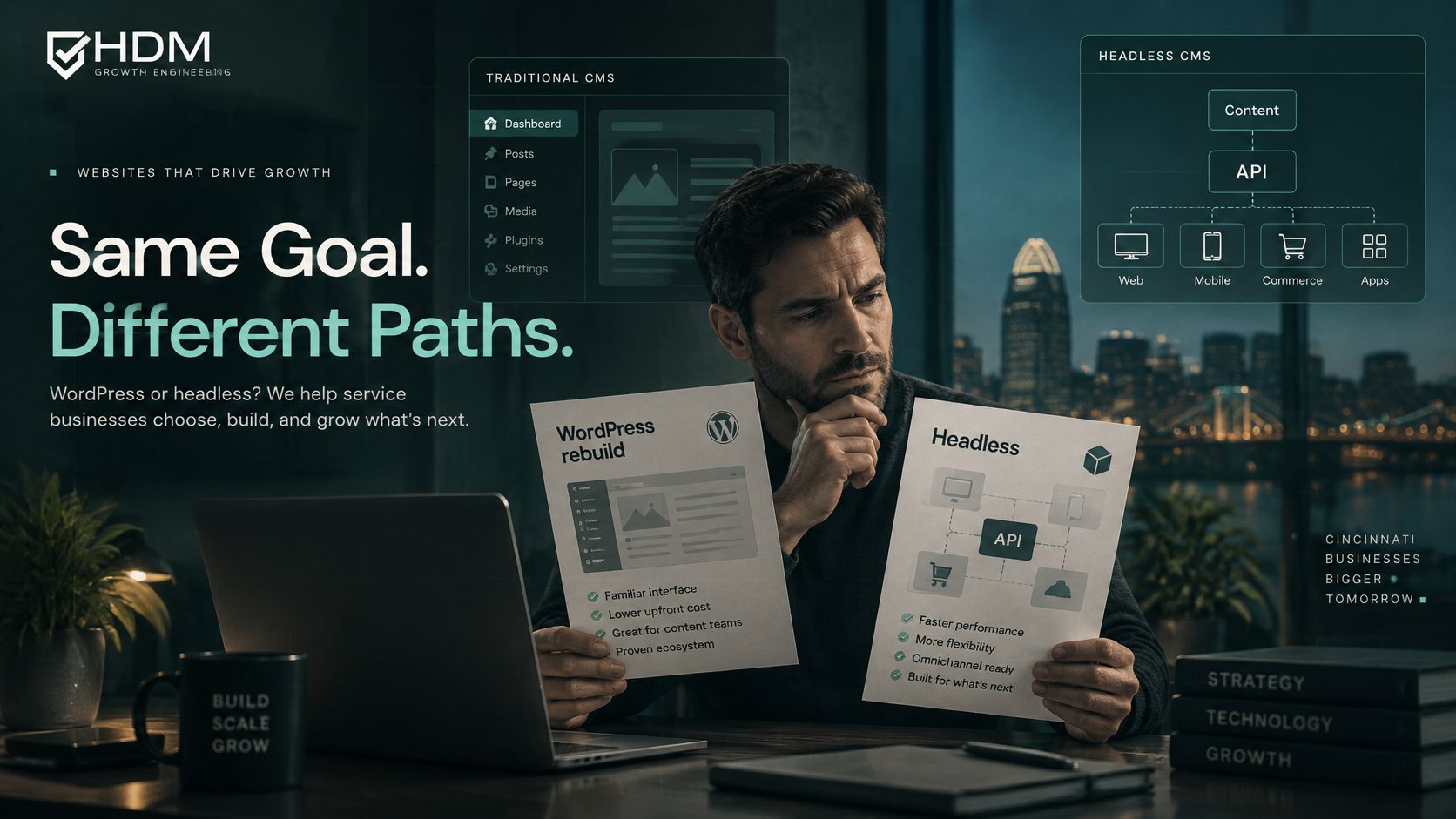
Scan the Best first fit and Skip it when rows before you read anything else.
| Question | Traditional CMS | Headless CMS |
|---|---|---|
| What you log into | One system for writing, design, and the live site | A content system; the public site is built and hosted separately |
| Best first fit | One website, a small staff, and straightforward service pages | A website plus an app, portal, or several sites sharing one content source |
| How editors publish | Familiar pages, themes, and plugins | Structured fields; a visual preview has to be configured |
| Who changes the design | Often the same team that edits pages, within the theme | Usually a developer working in the front-end project |
| Speed potential | Fast with caching and few plugins; slow on crowded shared hosting | Can be very fast with prebuilt pages; heavy scripts can erase the gain |
| What you maintain | The CMS, theme, plugins, and hosting | The CMS, the front end, the API, hosting, and cache clearing |
| Cost shape | More of the budget goes to the initial site | More of the budget goes to engineering after the license |
| Skip it when | You need many channels that cannot share one theme | You have one marketing site and no in-house or agency developer |
What the split actually changes
A traditional CMS couples writing, templates, routing, and rendering. Headless separates the content and sends structured data through an API. That split spread in the 2010s as teams added phones and apps, which sits beside the long dominance of integrated platforms in W3Techs' CMS history. A headless build has three layers, the public site, the CMS, and the hosting, and you can change one without rebuilding the others.
On WordPress, a text tweak is usually an editor's task. On a headless site, the same sentence can wait on a developer unless preview was set up to match the live page. Say a Hyde Park law firm updates one settlement disclaimer. In a traditional CMS, the office manager edits the page and publishes. In a headless build, that line may live in a field the homepage, a location page, and a portal all read. That's useful only if those extra surfaces exist.
Frontend freedom is bought with extra systems for preview, login, search, analytics, and cache clearing.
Before you lock a product name, TheContentMap's content management tool comparison is a useful pass over how different editors handle writing and publishing. Use the table above as the map. Speed and cost come next, and they shouldn't overrule a bad fit.
Speed Customers Notice on a Phone
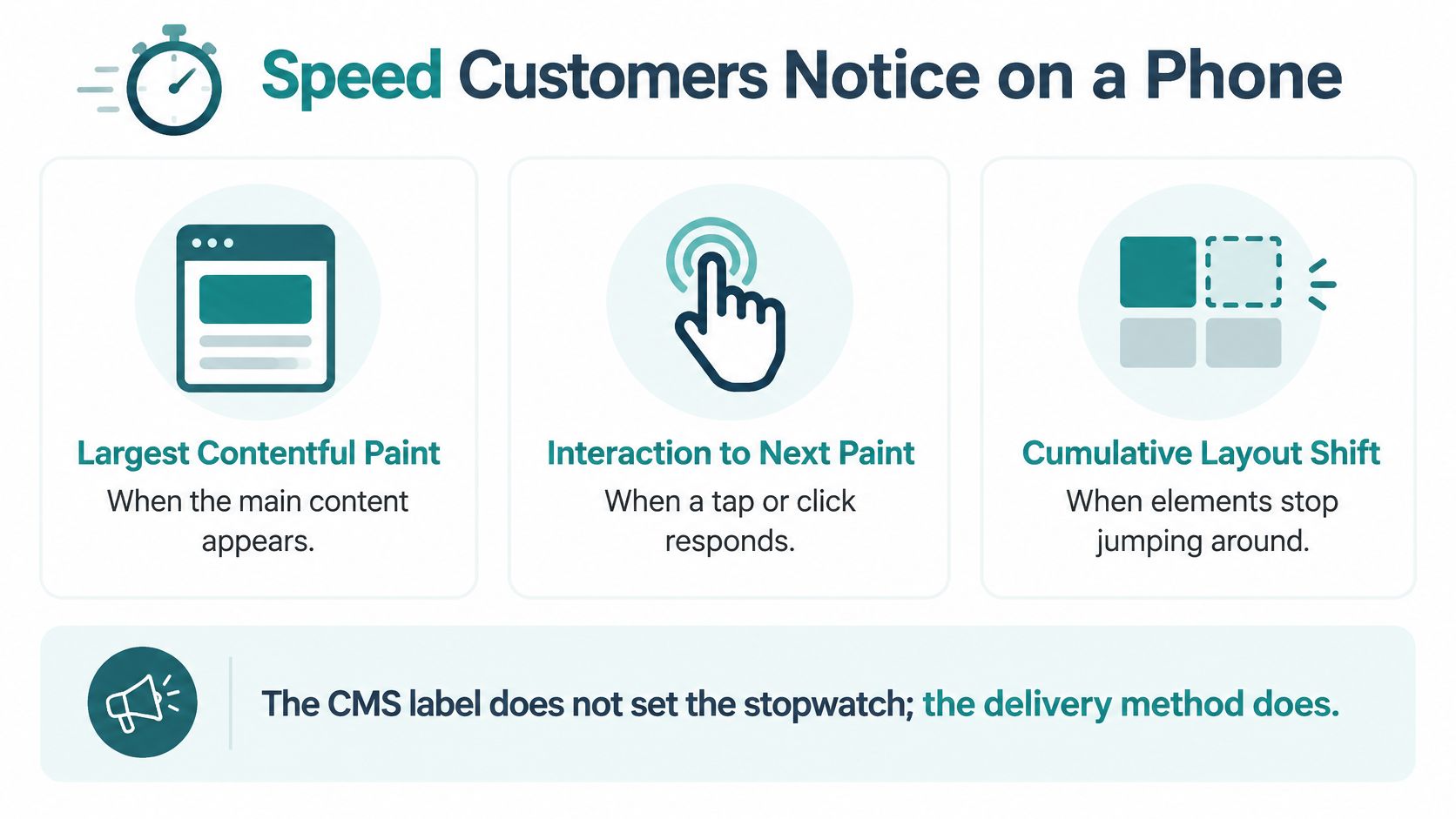
The CMS label doesn't set the stopwatch. The delivery method does. A traditional page often builds itself when someone requests it, pulling the database and the theme together on the spot. A headless page can be prebuilt and stored at the edge, close to the visitor, so the phone isn't waiting on that assembly.
Three scores Google actually uses
Google judges three Core Web Vitals. Largest Contentful Paint is when the main content appears. Interaction to Next Paint is how fast a tap responds. Cumulative Layout Shift is whether the page jumps while it loads. Google's Core Web Vitals guidance sets the good targets at LCP of 2.5 seconds or less, INP under 200 milliseconds, and CLS under 0.1, assessed at the 75th percentile of page loads. A pretty lab test on office Wi-Fi isn't enough. The site should hit those marks for at least three out of four visits.
| Measure | Static headless | Server-rendered headless | Traditional CMS comparison |
|---|---|---|---|
| Time to first byte | 89 ms | 156 ms | 847 ms WordPress; 923 ms Drupal on shared hosting |
| Largest Contentful Paint | 1.1 seconds | Not split out in this benchmark | 2.8 seconds for optimized WordPress |
| Cumulative layout shift | 0.05 | Not split out in this benchmark | 0.18 |
| Google good target | LCP 2.5s or less; INP under 200 ms; CLS under 0.1 | Same targets | Same targets |
| Real-user pass-rate caution | Leading headless platforms around average | Around average | WordPress about 45%; Drupal about 59% |
One hosting benchmark summary reported average time to first byte of 89 ms for static headless pages and 156 ms for server-rendered headless pages, against 847 ms for WordPress and 923 ms for Drupal on shared hosting. The same comparison put LCP at 1.1 seconds and CLS at 0.05 for static headless pages, versus 2.8 seconds and 0.18 for optimized WordPress.
Treat those figures as one environment, not a promise. Hosting tier, images, third-party tools, API delay, and JavaScript can outweigh the CMS. The 2025 Web Almanac measured more than 16 million sites and found the median desktop page loads about 708 KB of JavaScript, with mobile near 646 KB. Its CMS chapter shows how wide the spread is: median mobile JavaScript was about 453 KB on Joomla, 638 KB on WordPress, 1,634 KB on Wix, and 1,615 KB on Shopify. A heavy script budget will miss the phone test on any label.
Ask for mobile tests of the home page, a service or location page, and a conversion page, on a real phone network. Helbling Digital Media treats Core Web Vitals as a project target, not a slogan, and the checks we use are the same ones in our Core Web Vitals optimization notes.
A short walkthrough of what those three scores look like on a live page:
<iframe src="https://www.youtube.com/embed/AQqFZ5t8uNc" width="100%" height="400" frameborder="0" allowfullscreen></iframe>The speed rule: a traditional CMS stays viable with full-page caching and a short plugin list. Headless wins when a separate front end is cached at the edge and someone enforces the script budget.
What Each CMS Really Costs to Own
A headless subscription can look cheaper than a traditional rebuild and still cost more to own. The bill that matters is the total, not the license. Split it into the initial build, editor training, monthly care, and specialist time.
| Cost line | Traditional CMS | Headless CMS |
|---|---|---|
| Initial build | Design, pages, and CMS in one project | Content system plus a separate front end and API setup |
| Editor training | Short, because publishing looks like editing a page | Longer, because content is fields and a preview must be learned |
| Monthly care | Hosting, updates, backups, and plugin review | Hosting, API, front-end deploys, monitoring, and cache clearing |
| Largest hidden share | Plugin conflicts, security patching, and theme limits | Engineering time; operations were about 51% of one self-hosted total |
| Managed versus self-hosted | Most small firms use a hosted or agency-maintained CMS | Managed headless lowers patching; self-hosted raises it |
| Pays back when | One website and infrequent structural changes | Several channels reuse one approved content source |
Where the quiet costs sit
In one self-hosted headless cost analysis, operations and maintenance represented 51% of total cost, while raw infrastructure was a smaller slice. The same line of industry analysis says composable builds take longer to start and need higher skill than a single system. That's the break-even most comparison posts skip.
Managed headless means a vendor hosts the content API and handles a lot of the patching. Self-hosted headless means your agency also maintains the CMS software. The second path gives you more control and a heavier monthly burden. Traditional sites tend to surprise owners with plugin cleanup, security patching, and a slow theme. Headless sites surprise them with preview work, routing, and a developer for an ordinary page change.
Helbling Digital Media prices web work as fixed packages rather than open hourly billing. Ongoing care tiers run $325, $450, and $650 a month, and senior multi-disciplinary work typically lands at 30 to 60% of an in-house team. How those pieces add up for an Ohio site is laid out in our web development cost guide.
Answer four questions this week. How many sites do you run? How often must a non-developer publish? Is a portal or app actually funded? Do compliance reviews add a second audience? If those answers stay small, a traditional CMS usually returns the money sooner.
How Your Team Publishes and Connects Tools
It's Tuesday. Someone has to change a service price before the phones get busy.
On a traditional CMS, the editor opens the page, changes the number in the layout they can see, and publishes. On a headless CMS, the editor fills structured fields, headline, summary, price, and location, and a separate front end decides the layout. That structure is why one entry can feed a webpage and a portal. It's also why a missing preview leaves editors blind. They save a field and hope the public page looks right.
What every proposal must show an editor
Require three checks before you sign:
- A matching preview: What the editor sees should be the live page, not a rough outline.
- Schedule and unpublish: Seasonal offers and expired services need a date, not a developer.
- SEO fields: Title, description, and the page address have to be editable without touching code.
Forms, booking, a CRM, and a map can attach to either system. Traditional sites usually do it with plugins, which is fast until two plugins fight. Headless sites connect through APIs, which is cleaner when a client portal or custom app must share the same data, and slower to set up for a single contact form. In 2024, 93% of marketers and developers surveyed by Storyblok said traditional monolithic platforms had limited integration options with other services. That complaint is real for a firm wiring a portal. It's a weak reason to abandon WordPress for one contact form.
A public marketing site can stay traditional while a patient or client portal is a separate, access-controlled app. Don't let the CMS choice skip a privacy review. Healthcare and legal pages still need access rules on every system that stores a name.
Ask the agency four questions, and don't accept a slide in place of an answer:
- Who publishes without a developer? Name the person on your staff.
- How long from save to live? Minutes, or the next code release?
- What fails closed? If a plugin or API breaks, does the public page stay up?
- Can you export the content? If you change platforms, do the pages leave with you?
How those connections get scoped is the practical half of API integration work. If the proposal can't name the editor and the failure plan, it isn't ready.
Scale, Security and Moving Platforms
A traditional CMS concentrates scaling, security, and releases in one application. A plugin flaw or a traffic spike can touch the whole site. A headless system splits the content API from the public front end, so each piece can scale or be patched on its own. The trade is more parts. Someone has to run front-end hosting, previews, login, search, analytics, and cache clearing. More parts means more places to secure.
Healthcare and legal organizations need access control and a privacy review on each system, not a single checkbox on the marketing site. A public page and a logged-in record are different risks even when they share a brand.
Developer work follows the same split. A traditional team edits in one tool. A headless team coordinates a content model, a front-end codebase, and a release pipeline. That's a strength when you have those people. It's overhead when you don't.
Five steps before you move
- Inventory pages, forms, and redirects. Anything that ranks or books a job goes on the list.
- Sort the content. Reusable fields for offers you repeat. One-off pages for everything else.
- Prove the preview. Editors must see the change before it goes live.
- Budget the front end and hosting separately from the CMS license.
- Launch only after phone tests meet the Google targets, not after the homepage looks finished in a meeting.
A slow WordPress site is not automatically a migration. If plugins, images, or hosting are the pain, rebuild the traditional site first.
Which CMS Fits Your Cincinnati Business
Apply the fit rule to the business you run. Complexity in exchange for a front end you can deploy alone is the trade, and a PageSpeed Matters review of 23,747 origins found leading headless platforms only around average for passing Core Web Vitals, with WordPress near a 45% pass rate and Drupal near 59%. Speed doesn't pick the architecture for you. Channels and editors do.
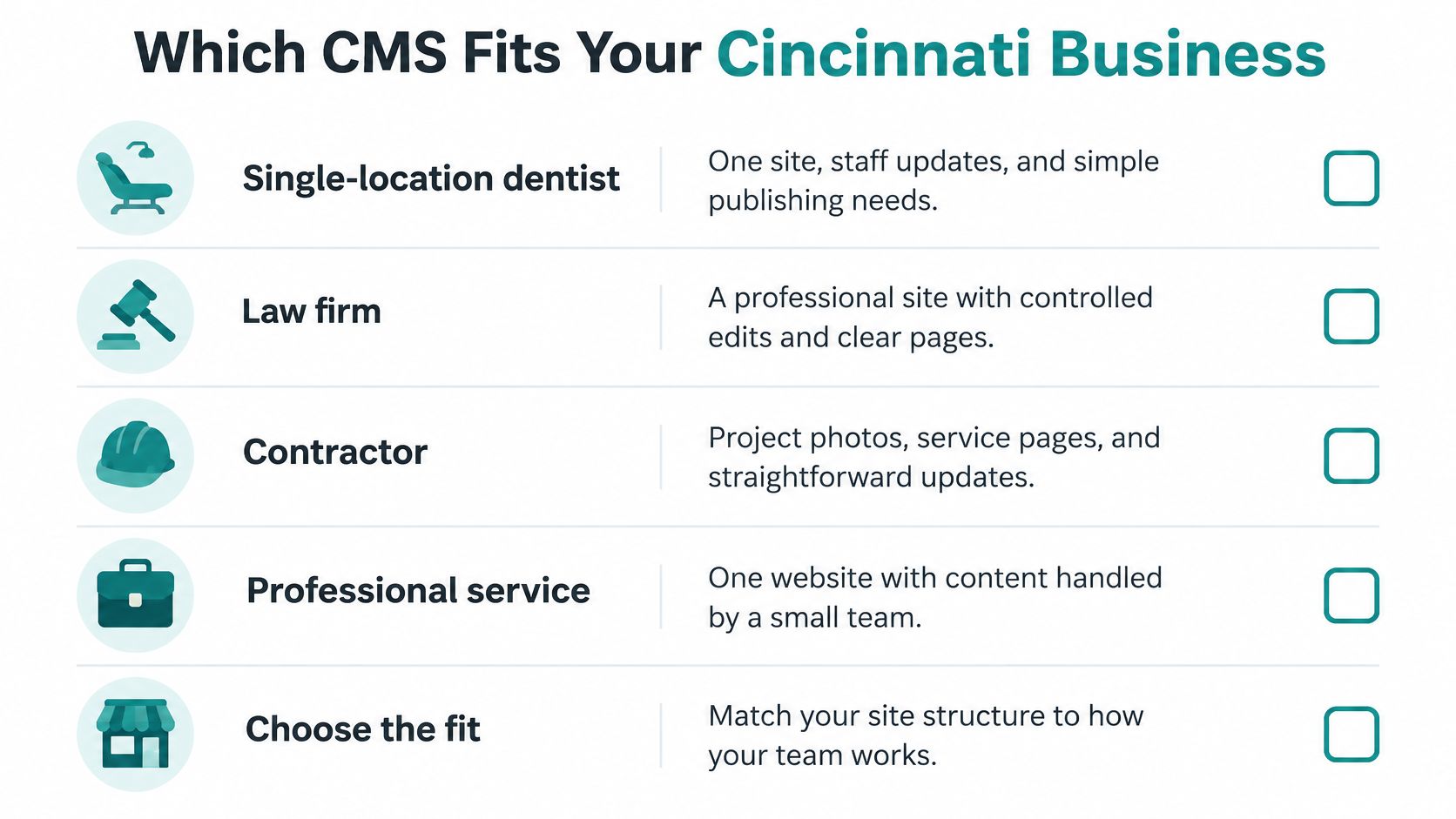
A single-location dentist, law firm, contractor, or professional service with one site and staff who edit monthly should stay on a traditional CMS, usually WordPress. Spend the budget on content, phone speed, and the pages that book the work.
A retailer whose main job is selling should look at Shopify or WooCommerce before a custom headless stack. Headless commerce fits unusual catalogs, marketplaces, or a storefront that must match a separate app. We build stores on those platforms, and custom stores when the catalog won't sit in a standard theme.
A healthcare group that needs a public site plus a logged-in patient experience should split the stack. Keep a simpler marketing CMS. Put logins, records, and integrations in a custom portal. We build those portals, dashboards, and connections when the private side is funded.
A multi-location brand or a membership group that repeats the same offers across a site, a portal, and a kiosk is the clearest headless case. Reuse beats rebuilding the page in every theme.
| Situation | Lean toward | Why |
|---|---|---|
| One local service website | Traditional CMS | Editors need a simple page workflow and there is no second channel |
| Online store as the main site | Shopify or WooCommerce | Selling tools matter more than a headless label |
| Store plus a custom app or marketplace | Headless or custom commerce | One content and product source must feed more than a theme |
| Public site plus a private portal | Split stack | Marketing pages stay simple; the portal needs logins and integrations |
| Several locations sharing offers | Headless CMS | Reuse beats rebuilding the same page in every theme |
| Slow plugin-heavy WordPress site | Rebuild traditional first | Speed problems are often hosting, images, and plugins |
Switch when a second channel is funded, not when a proposal uses the word modern.
Choose the CMS Before You Redesign
Write one sentence that names the site's job this year. Leads, sales, bookings, or a logged-in service. That sentence is the decision.
If it names only a marketing website, choose a traditional CMS. Insist on full-page caching, a short plugin list, and mobile tests against the Google targets. If it names a second product, a portal, an app, or a multi-site content hub, choose headless or a split stack, and fund preview, front-end hosting, and training in the same budget.
Send any agency this brief:
- Money pages: The URLs that generate leads, sales, or bookings.
- Weekly editor: The person who will publish without a developer.
- Connected tools: Booking, CRM, payments, or maps that must keep working.
- Scope line: Whether a store or a portal is in this project, or explicitly out.
- Phone bar: The speed target for those money pages on a mobile network.
Two false starts waste a year. Picking headless because a competitor mentioned APIs. Rebuilding on the same bloated theme because it feels familiar. Helbling Digital Media can turn that brief into a fixed scope on a free strategy call before design starts. We build on React, WordPress, and Shopify, including headless CMS work when the second channel is real.
Bring the current site, the pages you must keep, and the one channel you might add in two years.
Helbling Digital Media builds Cincinnati-area websites on WordPress, Shopify, and headless CMS setups, plus the portals and stores that justify a split stack. If you're choosing between a straightforward rebuild and a multi-channel build, we'll scope the fit before design starts. Visit Helbling Digital Media to book a free strategy call and bring your current site with you.