
Small or MVP custom web apps generally land under $30,000, a typical medium project runs $30,000 to $100,000, large work is $100,000 to $200,000, and enterprise builds exceed $200,000. Scope sets that number, not a page count.
So why do so many Cincinnati owners still treat the first quote like a price on a menu? A quote is a starting bid. It holds only while the first release stays the same. New requests after you approve the list, plus three to five years of upkeep, decide whether the app is affordable next to a website, SEO, or a marketing plan.
If you are comparing a client portal, a dashboard, or a focused product against the hours your staff already spends on the phone, start with a ceiling. Then ask what the bid leaves out.
Custom Web App Price Ranges for 2026
A small or MVP project generally costs under $30,000 and takes one to three months. A medium project runs $30,000 to $100,000 over three to six months, and 65.7% of firms in a 2025 survey of more than 100 software-development firms called that their typical category. Large projects run $100,000 to $200,000 over six to 12 months. Enterprise work exceeds $200,000 and takes 12 to 24 months. Those figures are U.S. market benchmarks, not a Cincinnati menu and not a guaranteed price.
| Project size | Typical budget | Typical timeline | What usually fits |
|---|---|---|---|
| Small or MVP | Under $30,000 | 1–3 months | One focused workflow, few user roles, limited integrations |
| Medium | $30,000–$100,000 | 3–6 months | Client portal or dashboard with roles, reporting, and a few connections |
| Large | $100,000–$200,000 | 6–12 months | Multi-role product, payments, several integrations, heavier security |
| Enterprise | Over $200,000 | 12–24 months | Many teams, regulated data, high availability, broad rollout |
How a local job picks a band
Say a West Chester service firm wants a client portal with login, file upload, and two status reports. One workflow and a short user list often sit in the small band, or at the low end of medium, if the first release stays tight. Add several roles, card payments, connections to accounting and scheduling tools, and a reporting pack for managers, and the same "portal" climbs into large. The screens did not multiply that much. The rules, the outside systems, and the testing did.
Use the bands to spot a wish that does not match the budget you can fund beside a site rebuild or an ad plan. If a prototype still feels abstract, a short click-test with real users can show which workflow belongs in version one. Uxia pricing plans are one place to see what a focused research pass costs before you lock a build.
What the number usually covers
A typical band usually includes discovery, design, the build, and testing through an agreed launch. It often leaves out copy and photos, cleaning old records, fees from payment or email vendors, and care after launch. Sensitive data and a deeper design pass move the number inside the band, or past it.
Practical rule: Pick a band as a planning ceiling, not a purchase order. Complexity, integrations, sensitive data, and design depth set the invoice.
What Actually Drives the Price
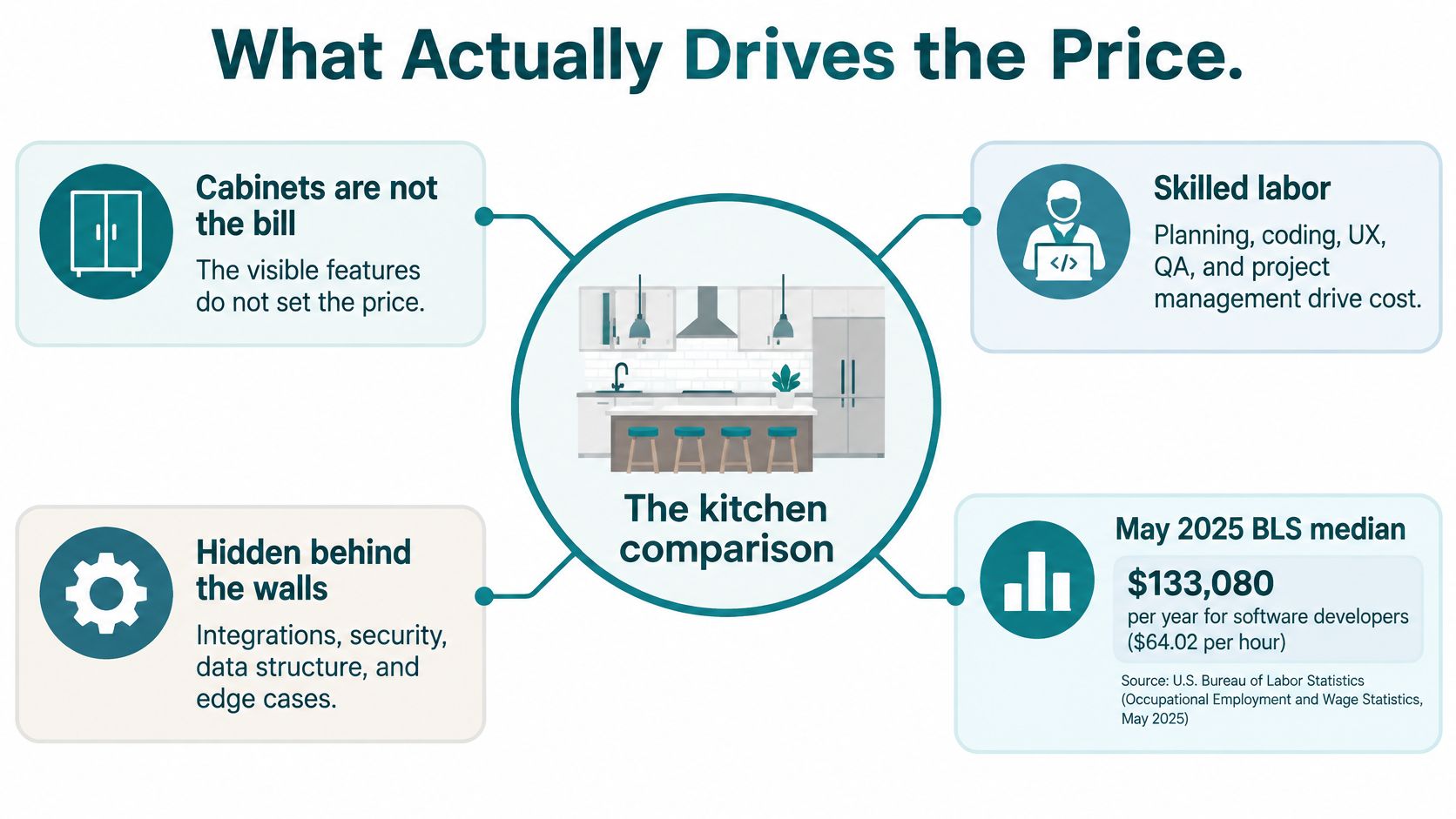
Count the cabinets in a kitchen and you still do not have the bill. The bill is skilled labor, plus the plumbing and wiring behind the walls. Custom web application development cost works the same way. Visible screens are the cabinets. Labor and the hard parts are the invoice.
The U.S. Bureau of Labor Statistics reported a median annual wage of $135,980 for software developers in May 2025, about $65.38 an hour across 2,080 working hours. That is employee pay, not an agency invoice. A quote also has to cover project management, discovery, UX and UI design, quality assurance, security, infrastructure, benefits, overhead, and profit. Dividing a proposal by that hourly wage will understate what you are buying.
The same wage data shows a wide spread. The lowest-paid 10% earned $82,460 or less, and the highest-paid 10% earned $214,670 or more. Specialists who handle regulated records cost more than general builders. A healthcare portal with access controls is a different job from a basic internal dashboard, even when both "look like a few screens."
Who is actually on the job
A real project is rarely one coder. You are paying for a product lead, a designer, front-end and back-end developers, testers, a security reviewer, and a coordinator. Hiring that mix as full-time staff is the expensive path. Helbling Digital Media delivers senior, multi-disciplinary work at 30–60% of in-house team cost, which is why many owners compare a project bid with a hire they cannot keep busy all year.
| Cost driver | What it adds | Effect on budget |
|---|---|---|
| User roles and permissions | More screens, access rules, and test cases | Adds build hours |
| Logins and private data | Security design and compliance review | Adds build and upkeep |
| Payments | Secure processing, refunds, and reconciliation testing | Adds build hours and risk checks |
| Outside connections | Setup, data mapping, and fixes when outside systems change | Adds build and upkeep |
| Data moved from old systems | Cleaning and checking existing records | Often an unplanned cost |
| Reports and dashboards | Queries, data checks, and layouts | Adds build hours |
Judge a quote by who is included and which of those hard parts are covered. Do not divide the price by the number of screens and call the lowest result the better deal.
Fixed Price, Time and Materials, or Milestones
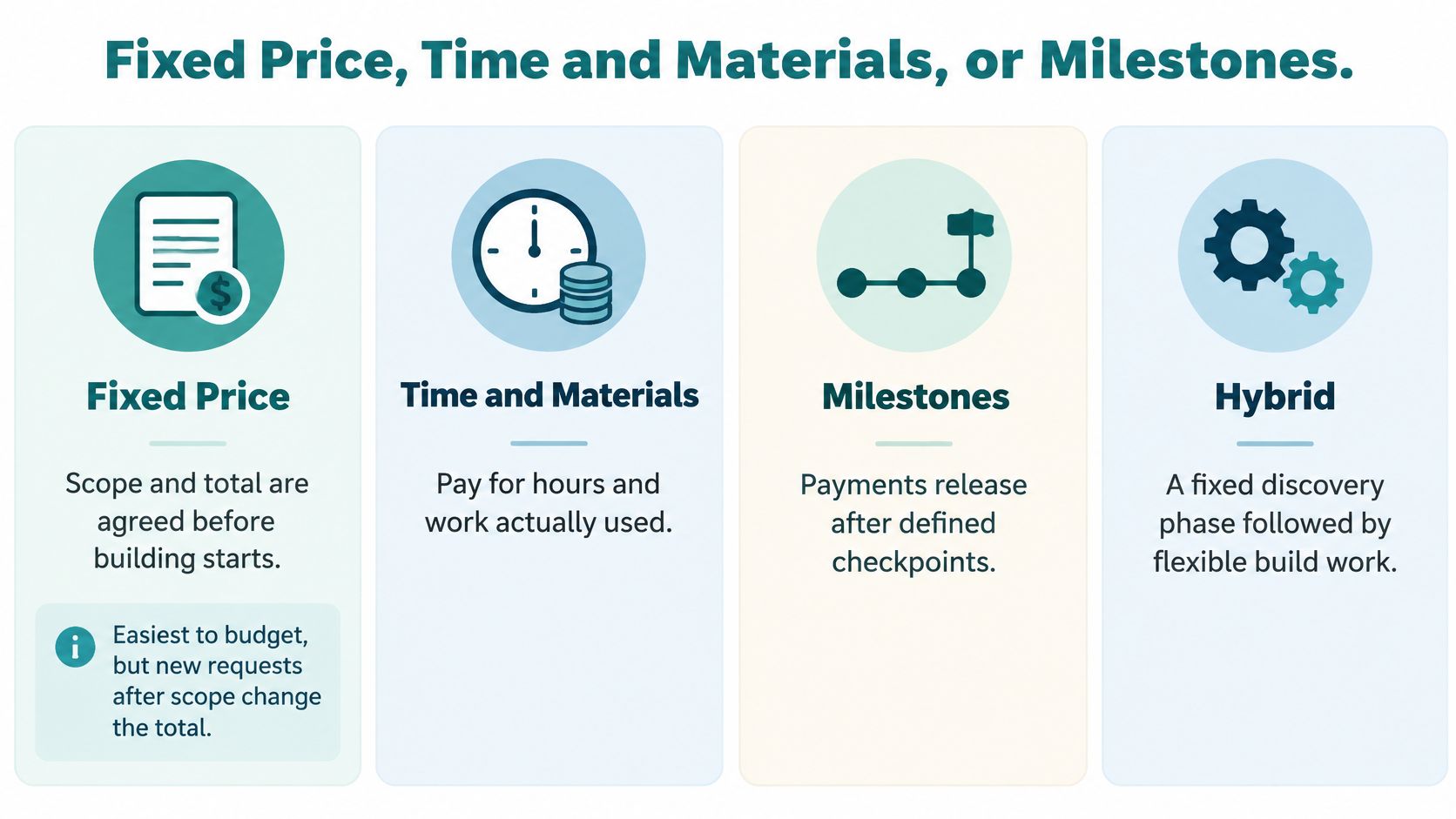
Owners are usually offered one of four ways to pay. The right one depends on how clear the first release is, not on which label sounds safer.
Fixed price means the scope and the total are agreed before building starts. It is the easiest number to put in a budget. Anything new after approval is separate work, not a free tweak. Time and materials means you pay for the hours used. It fits an idea that is still fuzzy, and it can drift past the number you planned if nobody caps it. Milestone pricing splits the job into paid checkpoints, such as design approved, a first working version, and launch. You can pause or adjust without funding the whole build on day one. An MVP or packaged build agrees scope and price for one focused business need. It costs less to start and fits a test. It will not cover every unusual workflow you might want later.
| Model | How you pay | Budget predictability | Best when |
|---|---|---|---|
| Fixed price | One agreed price for an agreed scope | High if scope stays put | The first release can be listed before work starts |
| Time and materials | Hours or days actually used | Low unless capped | Requirements are still being discovered |
| Milestones | A set amount at each approved checkpoint | Medium | You want phases and a chance to pause |
| MVP or packaged build | Scope and price agreed for one focused need | High for that slice | You need a working test, not every future feature |
A simple rule for each situation
Choose fixed price or an MVP package when the first release can be listed. Choose milestones when you want checkpoints and a capped first phase. Choose time and materials only when the requirements cannot be listed yet. Helbling Digital Media leads with fixed-price packages rather than hourly billing. App MVP turns a focused business need into a working application, with scope and price agreed before the build. If the product is meant to be sold to other companies, read how a SaaS build is scoped before outsourcing so billing, roles, and tenants are on the list from the start.
Changes are where budgets break. In a 16-month government software project, researchers recorded 282 requirements changes while delivering 240 final requirements. Those changes consumed 2,405.5 person-days out of 4,222, more than half the effort, according to a study of requirements change. Before you approve scope, ask any partner to state in writing how a later request will be priced.
How to Estimate Your App Budget
A credible estimate starts from measurable functions, not from a page count. Each added connection, login rule, or payment flow increases design, testing, and support in a nonlinear way. Larger web projects can cost disproportionately more as coordination and technical dependencies grow, which is why older models such as COCOMO and function-point analysis still matter. A useful walk-through of those methods is this overview of software cost estimation.
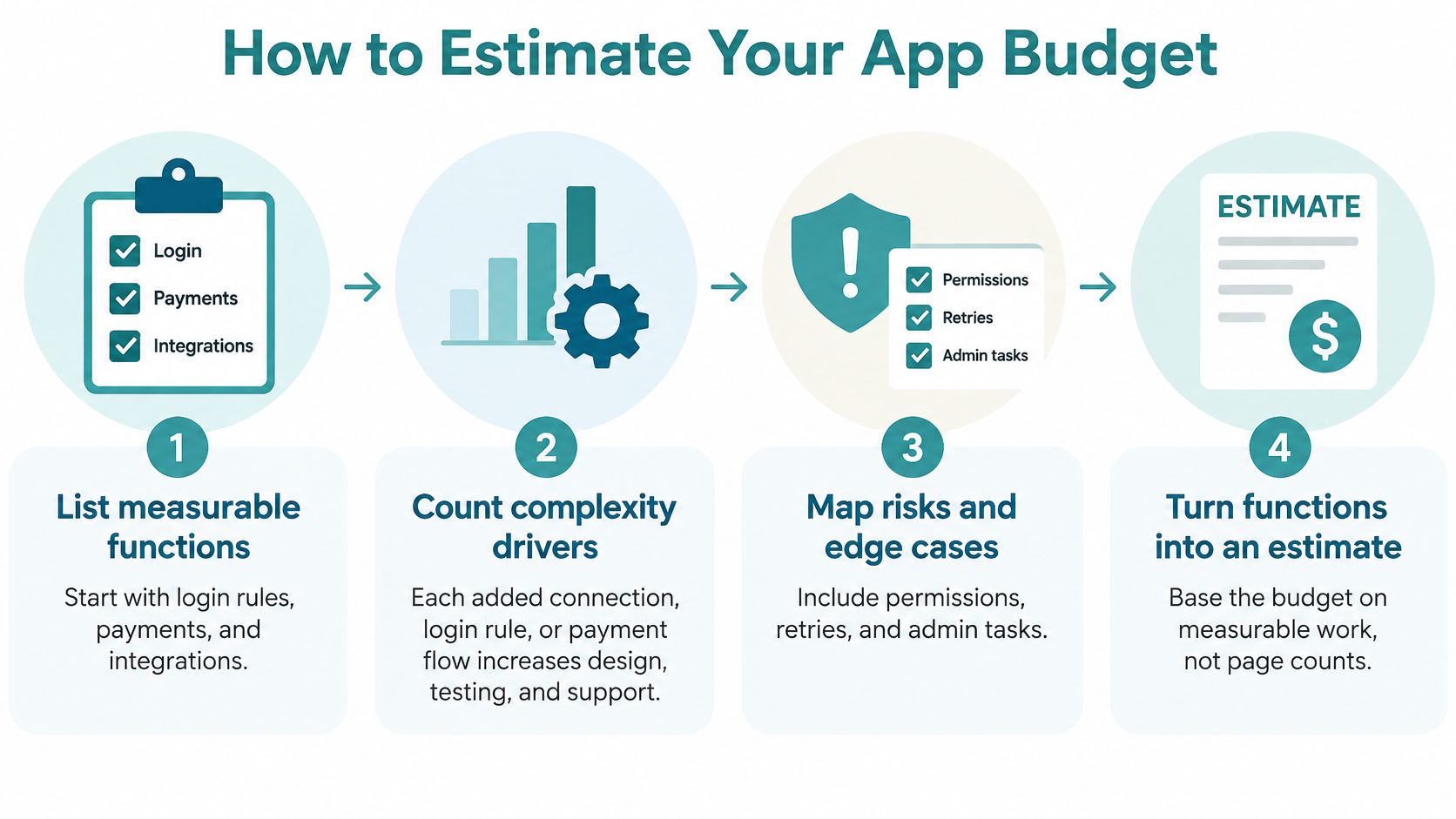
- Write the business result in one sentence. "Fewer phone calls about order status" is a result. "A modern portal" is not. If you cannot name the result, you cannot tell whether the build paid off.
- List roles, jobs, and what can wait. Customers might upload a file and see a status. Staff might mark a job complete. Fancy exports can wait. Fewer decision-makers on that list also cut effort, even when the feature list stays the same.
- Name the hard parts up front. Outside systems, records to move, logins, payments, and any private or health information belong on the page before anyone prices the screens.
- Split the budget into lines. Separate discovery and architecture, screens and back-end build, connections, testing, launch, and a contingency. One lump sum hides which line is thin.
- Pay for a short discovery phase. Our paid discovery phase costs $1,000 and is credited toward the build. Project scope, design complexity, technical requirements, and timeline are defined before a package's fixed price is agreed.
- Compare proposals line by line. Check that each one covers the same lines. A lower total that skips testing or data cleanup is not the cheaper project.
Clear requirements, a capable team, and fewer people who can change the list mid-build all reduce effort even when the feature set stays the same.
Keep the first release inside the band you chose as a ceiling. Park later ideas on a dated list so they do not sneak into the build as "small" additions.
What You Keep Paying After Launch
The cheapest build quote can be the costliest choice if nobody owns the app afterward. Industry cost guidance commonly places annual maintenance at roughly 15% to 25% of the original development investment, covering security patches, dependency updates, bug fixes, infrastructure, and compatibility work, as summarized in this guide to custom web app cost. At that rate, a $100,000 application needs about $15,000 to $25,000 a year before any new features. The same rate on a $40,000 portal is roughly $6,000 to $10,000 a year, so a smaller job still carries a real bill.
Separate one-time build money from costs that repeat: engineering time, third-party tools, hosting, security, compliance, and later modernization. Hosting on our side is $40 per month, which is the environment cost, not the engineering. Costs rise when the app holds health information, card payments, or several live connections, because monitoring, compliance review, and retesting add work. A listing site that pulls outside property data has the same pattern. Budgeting for real estate data feeds is a useful reminder that the feed fee and the glue code are different lines.
| Cost type | When it hits | Planning figure | What it covers |
|---|---|---|---|
| Initial build | Once, before and through launch | The band from the opening table | Discovery, design, build, and testing in agreed scope |
| Baseline upkeep | Every year after launch | About 15% to 25% of the build | Patches, bug fixes, dependency updates, compatibility |
| Hosting and infrastructure | Monthly | $40 per month on our hosting | Servers, storage, and the environment the app runs in |
| Sensitive-data or integration load | Ongoing and variable | Can exceed the 15% to 25% band | Extra monitoring, compliance checks, and retesting |
Ask what the proposal actually includes
Ask whether backups, security updates, uptime monitoring, and a defined path for enhancements are in the proposal. A marketing website needs its own care plan. The application needs a separate support assumption. Our Website Wellness plan covers ongoing site maintenance, including security updates, performance, backups, and support, and it is not a substitute for application engineering. If you are unsure what website care includes, start with what website maintenance actually covers.
Build a simple three-to-five-year picture: the build, plus yearly upkeep, plus a modest allowance for improvements. That picture, not the opening bid, is what you can afford.
Judging Whether the App Pays Back
Return on investment here is plain. It is the business result you already pay for, weighed against build plus upkeep over three to five years. It is not a vibe about looking more modern.
Start with a baseline. Count staff hours spent on status calls, missed bookings, or typing the same order into two systems. Price each hour at the loaded rate your team already uses for payroll, not a guessed "average wage." Then estimate how much of that waste the first release removes. Be conservative. Software rarely deletes every manual step on week one.
A conservative hours example
Say the first release saves six staff hours a week at an assumed $35 an hour. That is about $10,920 a year. Subtract a $6,000 to $10,000 yearly upkeep band on a $40,000 portal and the net is roughly $1,000 to $5,000 a year. On hours alone, a build of that size may take a decade or more to repay.
That math is a reason to tie the app to revenue, retained customers, or a larger efficiency gain before you commit. Recovered hours that do not free a hire, or do not protect a sale, are a weak payback story.
Every proposal should answer three questions.
- What business result: Name the waste or the revenue, in hours or dollars you already track.
- Measured how: Pick a number you can pull from the phone log, the booking tool, or the order sheet.
- By when: Set a date after launch, not "once people get used to it."
If a proposal cannot answer those three, it is selling a feeling. Do not fund a feeling.
Apps Local Owners Usually Commission
The ranges get clearer when you put a business problem next to them. The three stories below are composites, not client case studies. They show the pattern we see when owners ask for a portal, a dashboard, or an ordering layer.
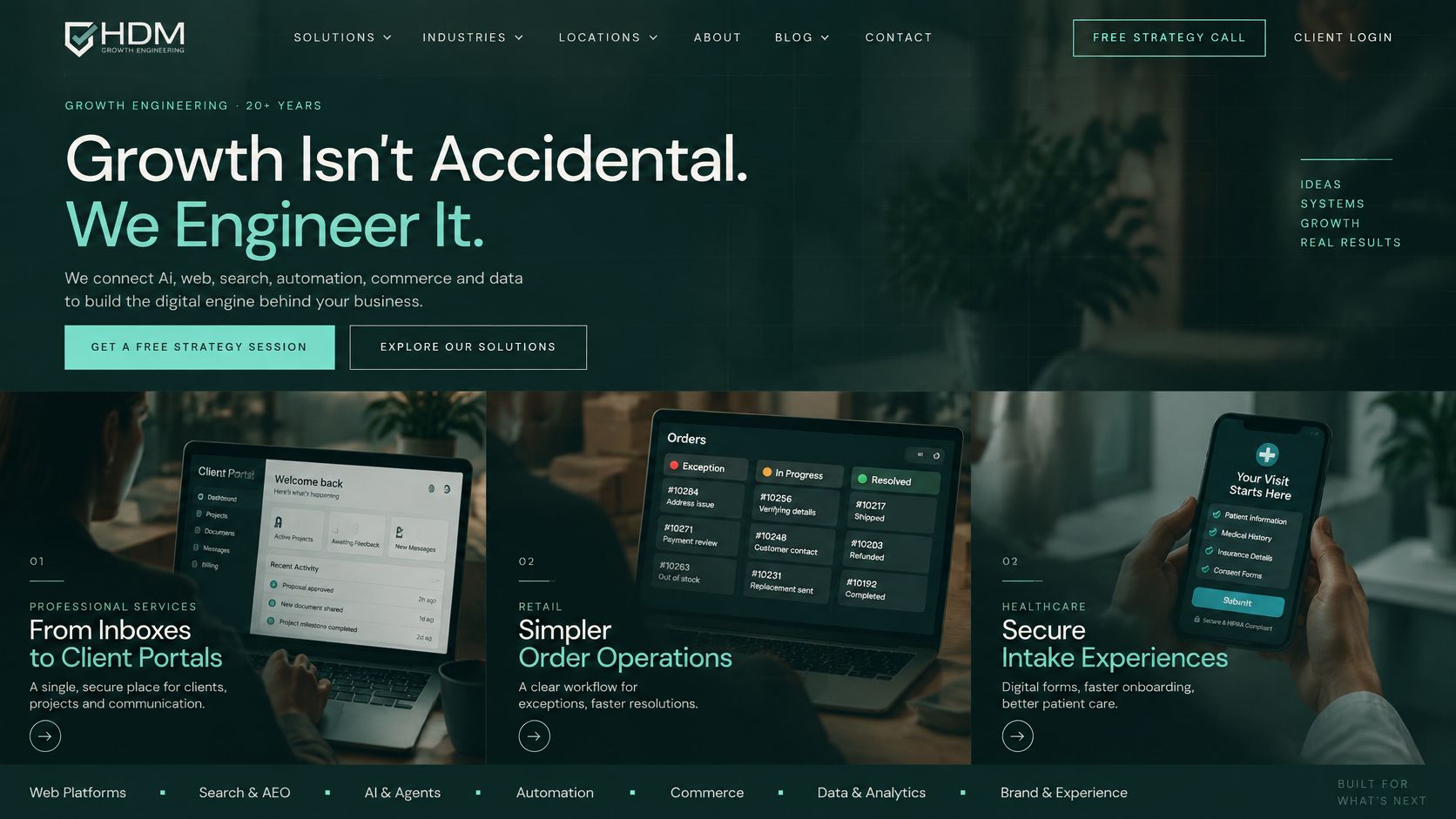
A professional-services firm replaces a shared inbox. Customers upload files, see project status, and message the team in one place. Few roles and one main workflow keep this near the small band, or the low end of medium, if the first release stays tight. Measure fewer status calls, not how "slick" the login looks. A practical brief for that kind of job is this look at client portal software for service firms.
A manufacturer wants a dashboard that pulls orders from the system it already uses and flags late jobs. The screens look simple. The connection and the data cleanup are the cost, so the job behaves like a medium project. Measure faster answers on late jobs, counted in hours from the question to a reliable status.
A specialty retailer outgrows a basic online store. Staff need a custom ordering layer, internal tools, and wholesale rules on top of a platform such as Shopify. Payments and several connections push it toward the high end of medium or into large. Measure fewer manual order fixes, especially on wholesale accounts that the public store was never built to handle.
<iframe src="https://www.youtube.com/embed/SSloDfTh8DY" width="100%" height="400" frameborder="0" allowfullscreen></iframe>A healthcare or legal version of the same portal costs more when private data and access rules are part of the job, even if the screen list looks identical. We build custom web applications, including SaaS platforms, client portals, dashboards, and integrations, and the first conversation is usually which workflow ships first. An MVP path, one workflow before the full product, is a fair option to put on the table with any partner.
Lock Scope Before You Sign
Have three things in writing before any build starts.
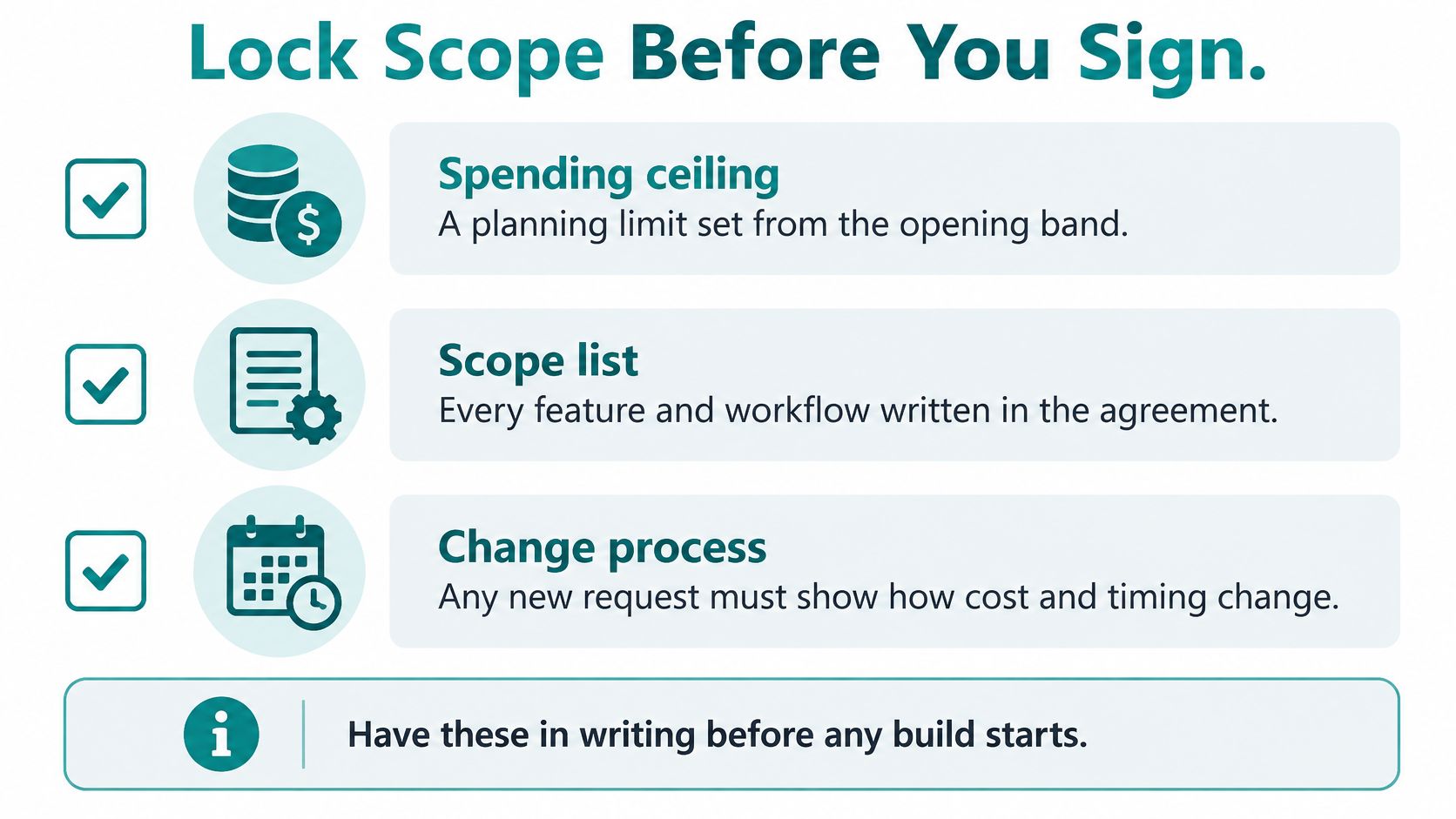
- A spending ceiling. Set it from the opening band. It is a planning limit, not a purchase order.
- A first-release list. Name the business result, the workflows included, and the items explicitly postponed. Teams that write this down avoid the mid-project argument. Writing scope documents for product teams shows one clear format for that list.
- A pricing rule for later requests. State how a new item is priced after approval, including what happens to the date.
Ask that the estimate separate assumptions from promises: screens, user types, connections, the data move, testing, hosting, and support after launch. Treat a price far below the opening band as a missing-scope question, not a bargain. If the current site or app is old, a fixed-price audit can end in a prioritized fix list before you choose a rebuild, an integration, or an app package. Clients can request that audit first. Helbling Digital Media also offers a free strategy call if you want to test whether a focused MVP, a portal, or a larger integration is the right first spend. Leave that conversation with a ceiling, a first-release list, and a written rule for anything added later.
Helbling Digital Media builds custom web applications for Greater Cincinnati businesses, with scope and price agreed before a fixed-price package starts, plus ongoing care after launch. Bring your ceiling, your first-release list, and the upkeep picture from this guide so the conversation starts from a real budget. Visit Helbling Digital Media to book a free strategy call and see whether an MVP, a portal, or a larger integration should come first.