

A lead comes in while your techs are already on jobs. By the time someone spots it in an inbox, copies it into the CRM, and calls back, that homeowner has already booked someone else. That delay isn't a people problem. It's what happens when your website, phone system, and customer records don't talk to each other.
CRM system integration fixes that gap, but only if you treat it as a set of business rules about ownership, timing, and data quality. Connect everything without those rules and you'll just move messy data faster.
What CRM System Integration Means for Your Business
A Cincinnati plumbing company gets leads four ways. Some arrive through a website form. Others come from Google Business calls, Facebook messages, and paper sign-up sheets the crew fills out on job sites.
Every morning the office retypes all of it into the CRM. That's slow work, and it's fragile work. A name gets misspelled, a phone digit drops, and some leads sit overnight before anyone calls back.
Think of the CRM as your customer filing cabinet. CRM system integration is the mail system that files each letter in the right folder automatically, instead of leaving a pile on the desk for someone to sort by hand.
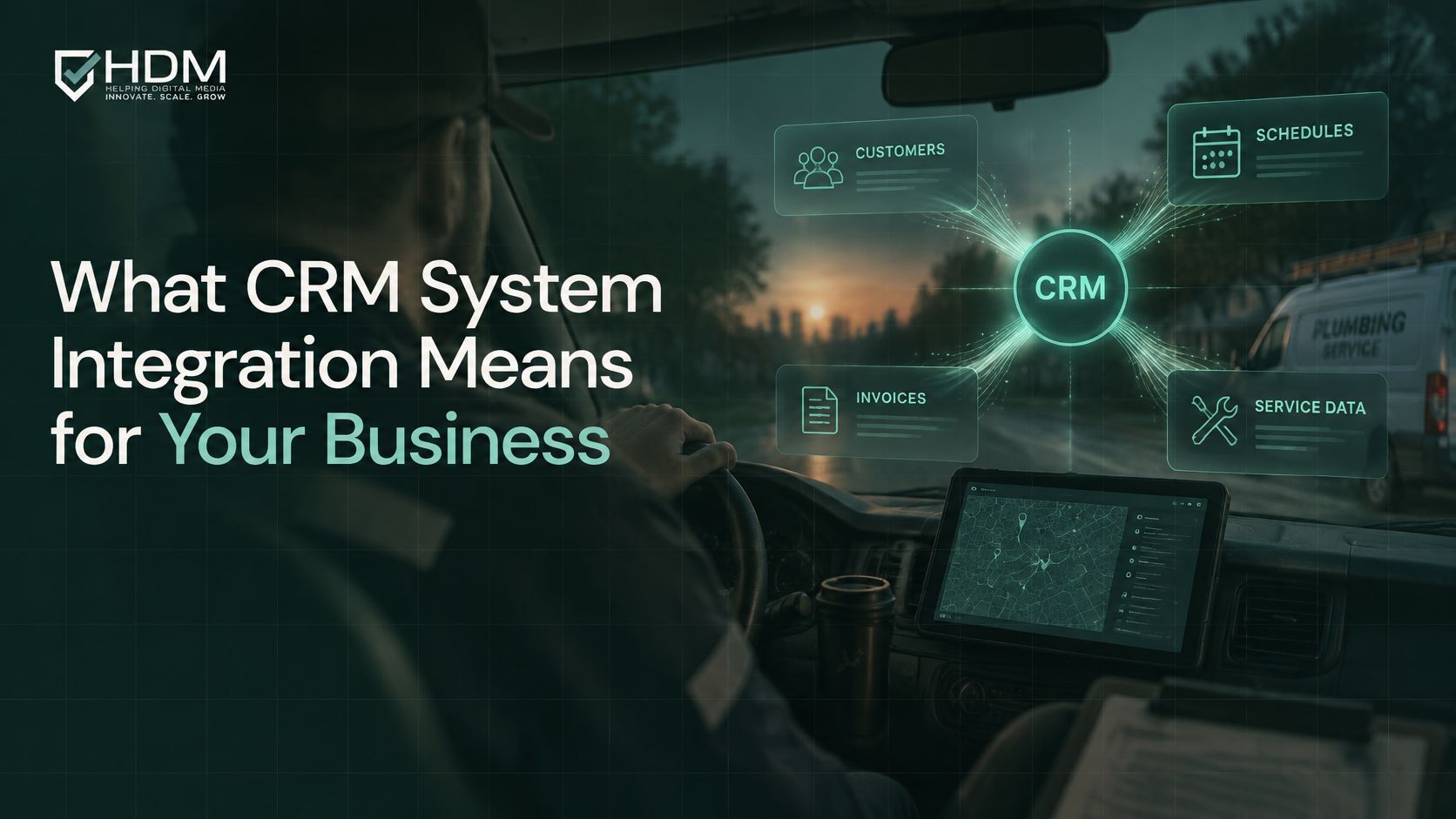
In plain terms, integration links the CRM with your other tools so customer information moves between them without retyping. That's now a common need. In 2024, 73% of surveyed businesses reported using CRM software, so most owners aren't asking whether to track customers. They're asking why the tracking still takes so much manual effort.
Three directions data needs to move
- Information coming in: Website forms, calls, ad clicks, chat messages, and walk-in sign-ups should land in the CRM with the source attached.
- Information going out: Follow-up email, invoices, scheduling links, and service reminders should pull the right name and history without a second lookup.
- Information shared across teams: Sales, service, and reporting should read the same record, so a tech sees what the office promised and the owner sees what really booked.
Try a quick exercise before you buy anything. List every tool you use for customers, then mark each detail your staff types twice. Names typed into both the invoice and the CRM. Phone numbers copied from a form email. Notes pasted from one app into another.
That list is your real integration scope. It also shows why the problem grows as you add tools. Every new app is another folder system, and without a mail route between them, your people become the couriers.
How the Four Integration Methods Compare
Most small businesses use one or two of four methods, and many combine them. You don't need all four, and picking the most powerful option for a simple job usually creates cost you don't need.
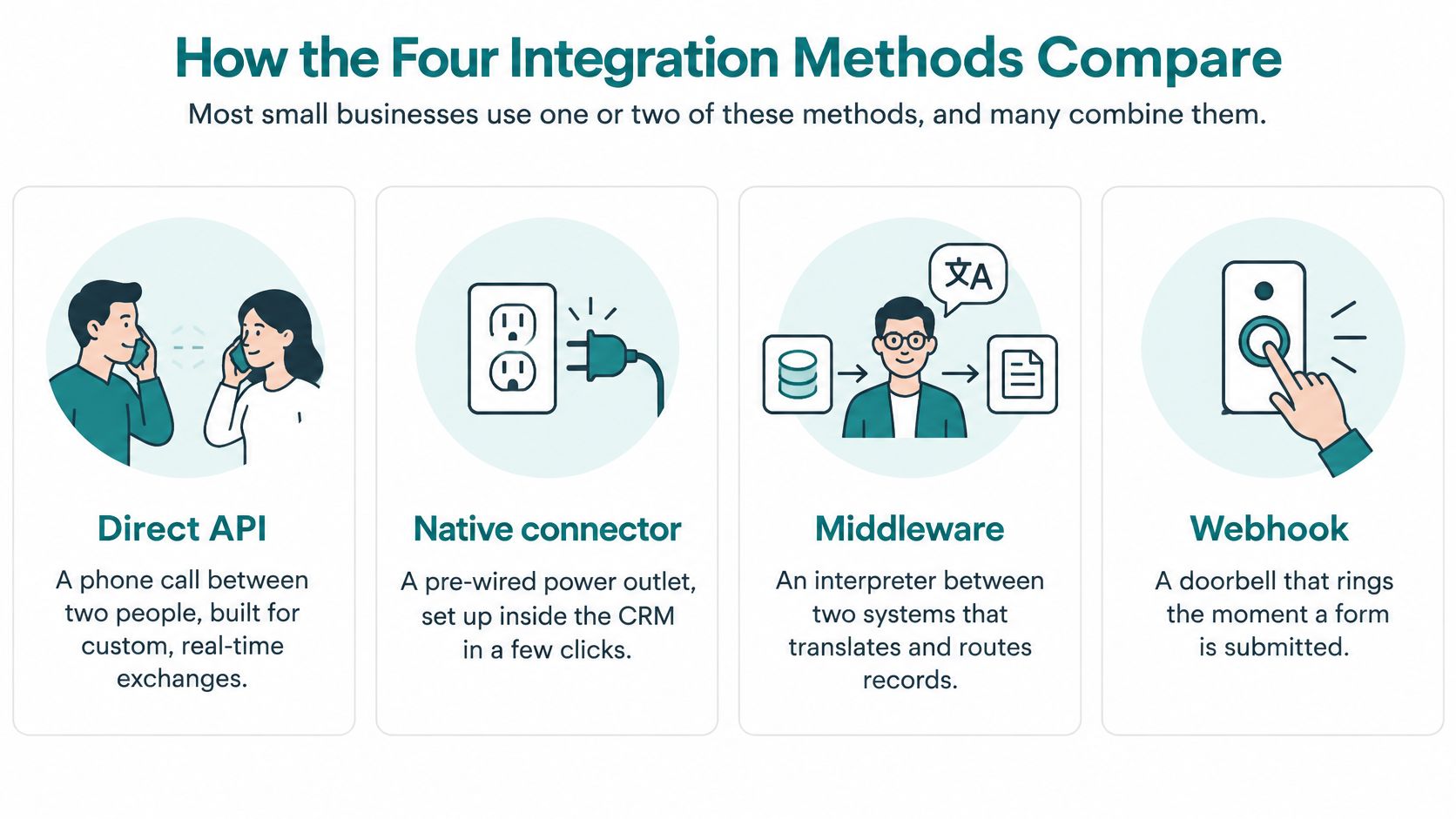
A direct API connection works like a phone call between two people. One system asks, the other answers, on demand. Middleware works like a receptionist who routes messages among many offices, translating as needed so each office hears the request in its own format.
A webhook is a doorbell. It rings the moment something happens, like a form submission, instead of waiting for someone to check. ETL, short for extract, transform, load, is a nightly courier who collects boxes from every office, cleans and labels them on the way, and stacks them in a reporting warehouse.
| Method | How it moves data | Best for | Main trade-off |
|---|---|---|---|
| Direct API connection | Two systems call each other's interfaces on demand or on a schedule | Two tools with a clear, fixed link, such as a website form into the CRM | Someone must maintain the code, and changes by either vendor can break it |
| Middleware (iPaaS, such as Zapier, Make, or Workato) | A hosted hub stores workflows that map fields between many apps | Five or more tools and no in-house developer | Per-task fees rise with volume, and edge cases are harder to control |
| Webhooks | One app sends a message to another the moment an event occurs | Real-time triggers such as a new lead, booked appointment, or paid order | The receiving side must handle failures and retries, or messages are lost |
| ETL (extract, transform, load) | Scheduled batch jobs copy data to a warehouse or reporting tool and clean it on the way | Management reporting across several systems, updated nightly or weekly | Not real time; data can be hours or a day old |
What decides the choice
Four questions usually settle it. How many tools are involved? How quickly does the data need to arrive? Do you have a developer in-house, or will you rely on outside help for custom API integration services? How much data moves each month?
A practical combination covers most service businesses. Use webhooks for instant lead alerts, because speed matters when a homeowner is comparing quotes. Add a nightly ETL job for management reports, because last month's booked revenue doesn't need second-by-second updates.
Practical rule: Match the speed of the method to the cost of waiting. Leads need minutes. Reports can usually wait until morning.
Answer these three for your own shop and you'll narrow the field fast. Does the data lose value if it arrives an hour late? Are you connecting two tools or a whole stack? Who will fix the connection when a vendor changes something?
Choosing the Right Integration Route for Your Business
Budget for the connection work, not just the licence. A TechTarget-hosted white paper citing Ovum research attributed 60% of CRM service costs to integration. That figure comes from an older study, so treat it as a warning rather than a current benchmark.
The warning holds up in practice. Every connected system adds field mapping, authentication, error handling, testing, and ongoing maintenance. A cheap CRM licence tied to six other systems isn't a cheap project.
Ask vendors to split one-time integration work from recurring monitoring and maintenance. Ask them to name which system is authoritative for names and contact details, and what happens when a sync fails. If a proposal can't answer those points, the price isn't complete yet.
| Business situation | Likely route | Budget signal | Risk to watch |
|---|---|---|---|
| Solo owner or 2-10 staff, with website forms and email | No-code middleware or built-in connectors | Low monthly fees; setup in days | Task limits and fees rise as lead volume grows |
| Service business using scheduling and invoicing | Middleware with webhooks for real-time triggers | Moderate; setup measured in weeks | Unclear ownership of customer phone numbers |
| Online store on Shopify or WooCommerce | Native store connector plus order webhooks | Moderate; cost tracks order volume | Duplicate customers created by guest checkout |
| Healthcare or legal practice with protected data | Narrow API integration with audited permissions; ETL only for de-identified reports | Higher; includes compliance review | Vendor agreements and over-broad data access |
Three questions that drive the route
How many systems are involved? Two tools can often connect directly. Five or more usually points to a hub that keeps the wiring in one place.
How quickly must data move? A booked appointment or paid order needs an immediate trigger. A weekly sales rollup doesn't.
Who will maintain it? Connections break when passwords expire, fields change, or a vendor updates its app. Someone with a name, not a department, has to own that repair work.
Helbling Digital Media builds custom integrations for healthcare and legal clients where off-the-shelf connectors cannot meet privacy rules, which is one example of when a narrower, purpose-built connection beats a marketplace plug-in.
Take three questions into vendor calls. What does setup cost separately from monthly care? Which system wins when two records disagree? Can you show me a failed sync being caught and reported? A confident implementer will answer all three without hedging.
How Customer Data Moves Through a Connected Setup
Follow one website inquiry and the whole thing becomes concrete. A visitor submits a form, a webhook fires, and the middleware receives the record. Fields get checked and renamed to match the CRM, the CRM searches for an existing contact by email, then it creates or updates the record, and the salesperson gets an alert.
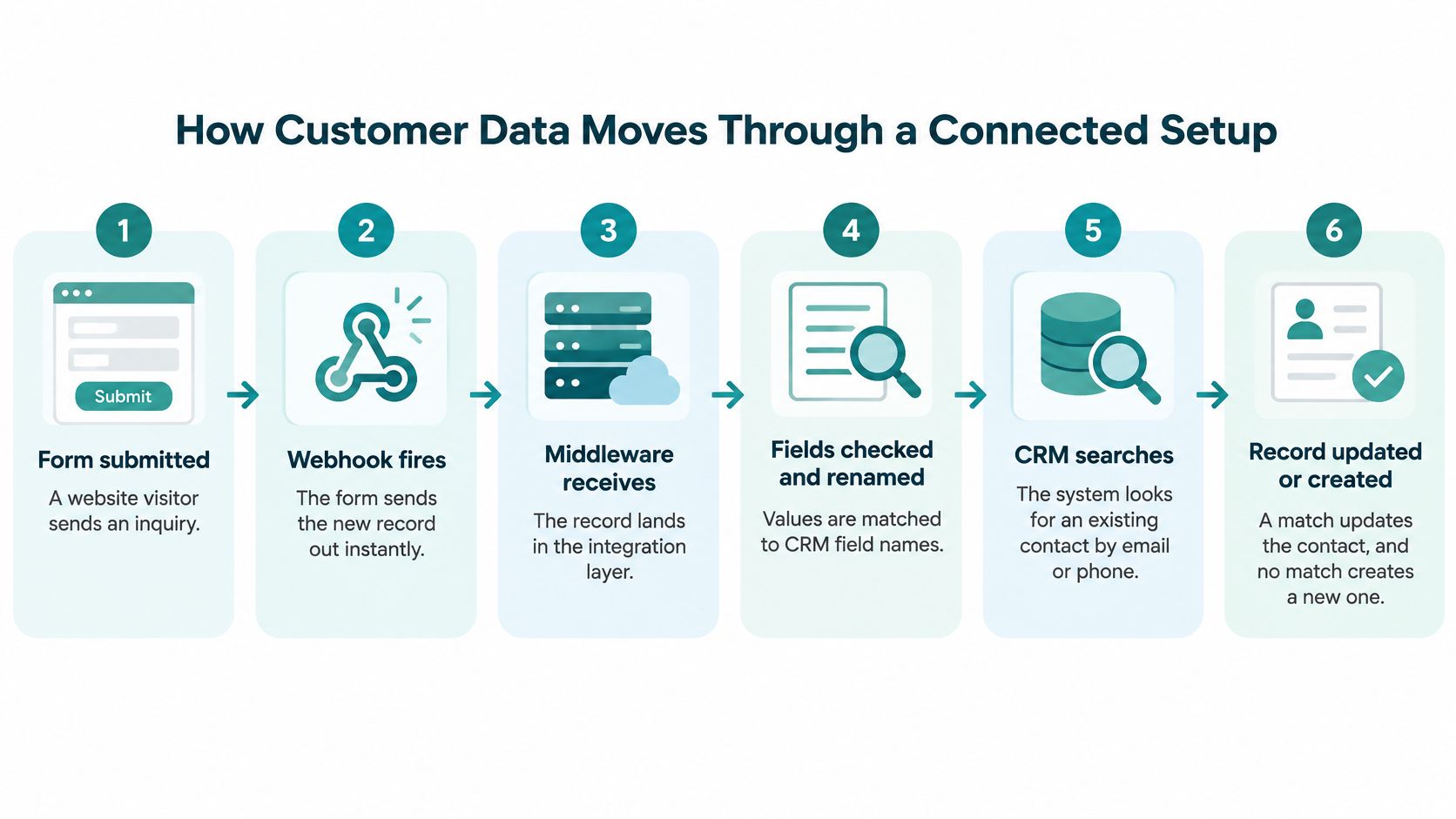
Each step has its own failure point. The form can accept a bad email. The webhook can fire and find the receiver offline. A field named "Phone" in one system and "Mobile" in another can land in the wrong place, and a weak search can create a second contact for a returning customer.
The rules underneath the flow
Your source of truth is the one system that wins when two systems disagree about a field. If your invoicing tool holds the billing address, the CRM shouldn't overwrite it. One-way sync pushes data in a single direction, while two-way sync lets changes flow back and forth, which is more useful and much easier to get wrong.
Reliability needs a target, not a hope. Google's Site Reliability Engineering guidance on service best practices uses service-level objectives and an error budget. A 99.99% availability target permits only a 0.01% monthly unavailability budget, so if CRM sync failures burn through that budget, you pause new changes until reliability recovers instead of piling on more features.
The short clip below walks through how these connections look from the receiving side when an event fires.
<iframe src="https://www.youtube.com/embed/n0XJ0lI_mg0" width="100%" height="400" frameborder="0" allowfullscreen></iframe>Good setups retry failed sends with gaps that grow over time, plus a small random offset. That stops hundreds of waiting messages from retrying in the same second and knocking the recovering system over again. Messages that keep failing go to a dead-letter queue, a holding area where staff can review, fix, and replay them instead of losing them without notice.
Ask what your setup exposes for measurement. You want webhook delivery success, API response latency, queue age, duplicate-event rate, and reconciliation backlog. Draw your own flow on one page, from form to alert, and mark who owns each arrow. If an arrow has no owner, you've found your weakest point.
Business Gains and Where the Gaps Remain
A new web lead arrives while your office is helping customers. With a well-governed integration, the lead is assigned promptly, staff can see the customer's history, and nobody has to retype the same details into several systems. Those gains depend on reliable ownership of the data, not just connecting more apps.
For a law firm, an intake form can create a contact with the practice area already recorded, helping route the inquiry to the right attorney. A home-service company can connect advertising platforms to its CRM and track which campaigns led to booked jobs rather than clicks. That information can also support targeted marketing automation workflows instead of generic messages.
The gap most owners don't expect
Connected tools can still leave staff with inconsistent records and unclear results. The connection may move data successfully while teams disagree about which fields are authoritative, what each sales stage means, or who should correct an error. A system that copies every field without those rules can spread bad data faster, not improve decisions.
A connection that's technically live can still be operationally useless if staff don't trust what it puts in front of them.
Start with a limited set of connections and assign an owner to each important field. For example, decide whether the CRM or the accounting system controls a customer's billing details, then prevent the other system from overwriting them without review. More connections can save manual work, but each one adds maintenance and another place where conflicting records can enter.
Set expectations for results in a sensible order. Response time may improve first, followed by fewer duplicate records. Revenue impact takes longer to establish because it depends on consistent tracking and a clear link between the integration and business outcomes. Promising immediate revenue proof skips that measurement work.
Choose three gains that matter to your business and define each in terms staff can observe. “Every web lead reaches an owner promptly” can be checked against assignment records. “Better synergy” cannot. Measure the chosen outcomes before expanding the integration, so you can tell whether another connection solves a real problem or merely adds complexity.
Protecting Customer Data When Systems Connect
Every connected app, plug-in, and API key is part of your attack surface, not a trusted internal part. IBM's 2025 breach research on the cost of a data breach identifies compromised applications, APIs, or plug-ins as a common route for supply-chain-related incidents. A connection you approved last year and forgot can become the easiest door in.
Require this checklist before you approve any connection. Each item closes a specific hole that shows up repeatedly in small business setups.
Your pre-approval checklist
- Name one owner and one written purpose: If nobody can say why a connection exists, it shouldn't.
- Grant least-privilege access: An accounting connector reads customer names, invoices, and payment status, but not clinical notes, legal memos, or internal comments.
- Use scoped OAuth permissions: Avoid shared administrator passwords, and set expiration or rotation dates so old keys don't live forever.
- Check webhook signatures: Verify the sender is real and restrict where callbacks can be sent, so a spoofed message can't write to your CRM.
- Strip sensitive fields before sending: Map only necessary fields, and keep protected details out of logs and retry payloads, where they tend to linger.
- Keep audit logs: Record authentication, exports, field changes, and admin actions so you can reconstruct what happened after a problem.
- Assign deletion and consent ownership: Name who passes a withdrawal or deletion request to every system, including backups and marketing lists, and set the deadline your privacy notice promises.
That last item gets skipped most often. Ask each vendor how a deletion reaches its system and how they confirm completion. "We handle that" isn't an answer you can show a regulator or an angry customer.
Healthcare and legal firms need one more step. Confirm the vendor will sign a business associate agreement where required, and review your broader cybersecurity best practices before protected data moves anywhere new. Also use idempotency keys and fixed external IDs, because without them a harmless retry can create duplicate contacts, appointments, orders, or cases.
Common Integration Mistakes and How to Fix Them
The most common failure isn't broken code. It's records nobody trusts. SuperOffice's compiled CRM statistics report that 74% of CRM users say the system gives them better access to customer data, while 47% say data-quality problems significantly affect satisfaction.
Those two numbers explain a lot of stalled projects. Access improves, so leadership declares victory. Staff still find duplicates and half-empty fields, so they keep a private spreadsheet on the side.
Most failures trace back to process, not programming. There's no agreed matching rule. There's no owner for a field. There's no alert when a sync quietly stops on a Friday night.
A duplicate problem in the wild
Consider a Cincinnati HVAC company whose website form created a new contact every time a customer typed a phone number in a different format. Dashes one visit, parentheses the next, a country code the third. One loyal customer appeared five times, and the service history scattered across all five records.
Adding more connections would have made that worse, not better. Each new app would copy the duplicates outward and invent its own version of the customer. A narrower integration with explicit data boundaries often outperforms a highly connected setup for exactly this reason.
| Symptom | Likely cause | Fix |
|---|---|---|
| The same customer appears twice | No agreed matching rule on email or phone | Set one matching key, then merge existing duplicates before launch |
| Leads arrive hours late | Batch sync used where real-time was needed | Trigger the form submission with a webhook and keep a nightly reconciliation |
| Staff say the contact details are wrong | Two systems both claim to own the same field | Name one system of record for each field and make the other read-only |
| Sync stops with no warning | No failure alerts, or an expired access token | Alert on failed events and schedule credential rotation |
| Retries create extra orders or contacts | No idempotency key or unique external ID | Store a unique ID with each record and check for it before creating |
| Reports disagree with the CRM | Different teams define a stage or date differently | Write one shared definition for each stage and date field |
These fixes work because they remove ambiguity instead of adding software. They're not enough on their own if nobody maintains them, though. Matching rules drift as new form fields and campaigns appear.
Before you connect anything new, audit 50 existing records by hand. Count the duplicates, missing fields, and inconsistent formats. That small sample will tell you whether you have a connection problem or a housekeeping problem wearing a connection costume.
Launch Your Integration and Review It at 90 Days
Record your baseline before launch, or you'll never know whether the project worked. Capture your current duplicate rate, average response time to web leads, hours spent on manual entry, and the share of leads that become opportunities. Four numbers, written down, dated.
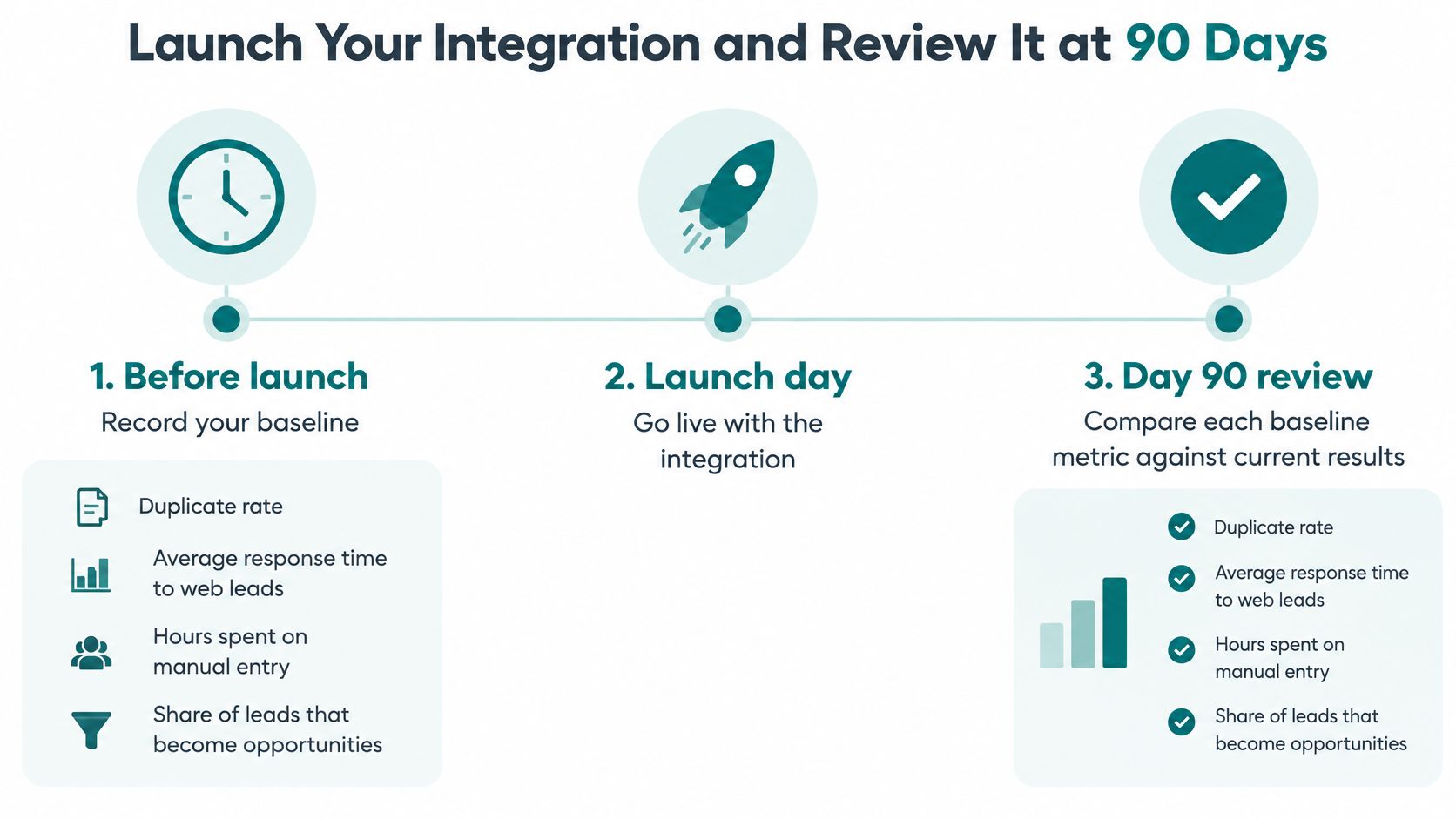
Six steps from baseline to review
- Set the baseline and state the reason: Write the purpose in one sentence a new hire would understand.
- Define ownership and formats: Name the system of record for each field, plus rules for required fields, phone and email formats, duplicate matching, and deletion requests.
- Build the smallest useful version: Map fields for one real workflow, then test it with a real inquiry from your website, including a duplicate and an incomplete submission.
- Pilot with one team for two weeks: Watch failure alerts and new duplicates daily while the blast radius stays small.
- Launch with a named owner: Turn on monitoring and write down the escalation path for when something breaks at an inconvenient hour.
- Review at 30, 60, and 90 days: Compare against the baseline and remove any connection that's adding noise instead of signal.
Step six matters more than most owners expect. An industry analysis citing Nucleus Research on falling CRM returns reports average return dropping from $4.90 to $3.10 per dollar, a 37% decline tied partly to platform complexity and integration work. Tie your own projected return to specific labour savings, conversion gains, or retention, not a generic benchmark.
| Checkpoint | What to measure | Signal of success |
|---|---|---|
| Day 30 | Duplicate rate, failed-sync count, required-field completeness | Duplicates falling and every failure explained |
| Day 60 | Response time to new web leads, staff hours on manual entry | Faster first response and fewer hours spent retyping |
| Day 90 | Lead-to-opportunity rate, closed revenue from integrated sources, consent coverage | Clear movement against the pre-launch baseline, with no unexplained data gaps |
For the revenue check, compare integrated lead sources against a comparable period or a source the change didn't touch. Seasonality and other campaigns move revenue too. Write your comparison method beside each result so a later reader can judge the claim fairly.
Treat integration as an experiment in operating performance, not a software installation. Some connections will earn their keep. A few should be switched off.
Start with a discovery call where someone reviews your current setup, your baseline numbers, and the smallest integration worth building first. Bring the list of details your staff types twice. That's the most useful document you can hand an implementer.
If your Cincinnati team is retyping leads, chasing duplicate contacts, or unsure which system should win when records disagree, Helbling Digital Media can review your website, CRM, and connected tools and map the smallest integration worth building first. Visit the site to request a discovery call and bring your current tool list, your baseline response times, and the workflows that break most often.