
Shoppers abandon product pages that show a handful of reviews and no other signal of trust. They abandon pages that hide the delivery cost, bury the return window, or leave sizing to guesswork. Getting someone onto the page is only half the job. The page has to answer the questions that decide whether they buy.
That changes what SEO for ecommerce product pages really means. For small and mid-sized stores, the highest-return work is usually repairing pages that already exist, so shoppers and search engines can read exactly what is for sale, which option is in stock, and what happens after checkout.
Reviews, shipping terms and fit notes work as ranking inputs as much as conversion copy. A page that states them plainly gives crawlers text to index and gives buyers a reason to stop comparing tabs.
Product Page Fixes Ranked by Impact
Manufacturer descriptions, buried delivery details, and confusing variant URLs are practical problems before they're technical ones. A shopper can't tell why your product suits them, what shipping will cost, or whether the selected option is available. Adding more keywords won't resolve those gaps.
Start with changes that improve both product clarity and the buying experience. The effort ratings below describe the type of work involved, not a fixed project quote.
Priority Product Page Fixes
| Fix | What to Check | Effort | Why It Matters |
|---|---|---|---|
| Product titles and H1s | Each page has one clear H1 that names the product and key attribute | Low | Helps search engines and shoppers match the page to their query |
| Visible shipping and returns | Shipping cost, delivery window and return period appear on the product page | Low | Removes purchase uncertainty and supports trust |
| Unique descriptions | Copy is written for this product, not pasted from the manufacturer | Medium | Gives shoppers useful distinctions rather than repeated catalog text |
| Product schema | Price, availability and review data in the markup match the visible page | Medium | Supports eligibility for richer search results |
| Image quality and alt text | Photos show scale and carry descriptive filenames and alt text | Medium | Supports image understanding and helps shoppers judge size |
| Variant handling | Each variant has a clear URL or canonical rule | High | Helps prevent unnecessary duplicate pages and overlooked variants |
| Mobile page speed | The main image and scripts load quickly on a phone | High | Supports search performance and a usable buying experience |
Copy changes are relatively contained. Variant logic can involve the theme, inventory system, product feed, and navigation, which makes it more expensive in engineering effort. Don't commission a catalog-wide URL rebuild before checking whether your strongest pages lack useful information.
For a complementary content checklist, Next Point Digital's guide to on-page optimization for ecommerce products is a useful resource for reviewing page elements alongside technical work.
Set a measurable speed benchmark
Google's Core Web Vitals guidance defines good performance as Largest Contentful Paint at 2.5 seconds or less, Interaction to Next Paint at 200 milliseconds or less, and Cumulative Layout Shift at 0.1 or less. Those measure the main content appearing, responsiveness to interactions, and unexpected layout movement, respectively.
Measure mobile product pages, not just the desktop homepage. A product gallery, review widget, and variant selector can behave very differently from a homepage banner.
For a manageable first-week task, open ten bestselling product pages while logged out and record missing fields in a spreadsheet. Fix recurring omissions in the shared template before editing the whole catalog individually.
Prioritization rule: Improve pages that already earn relevant impressions in Search Console before creating more pages to maintain.
How to Write Product Pages Search Engines Can Read
Shipping, returns, and sizing belong in your SEO work because they're meaningful product information, not because inserting policy keywords guarantees rankings. Clear, accessible text helps search engines interpret the offer while helping visitors decide whether it fits their needs.
In Baymard's testing of leading U.S. and European ecommerce sites, 43% failed to provide shipping information, including costs, on the product page, even though 64% of users actively looked for it there. That's an avoidable information gap, not a reason to redesign your logo.
Write the page around buying questions
-
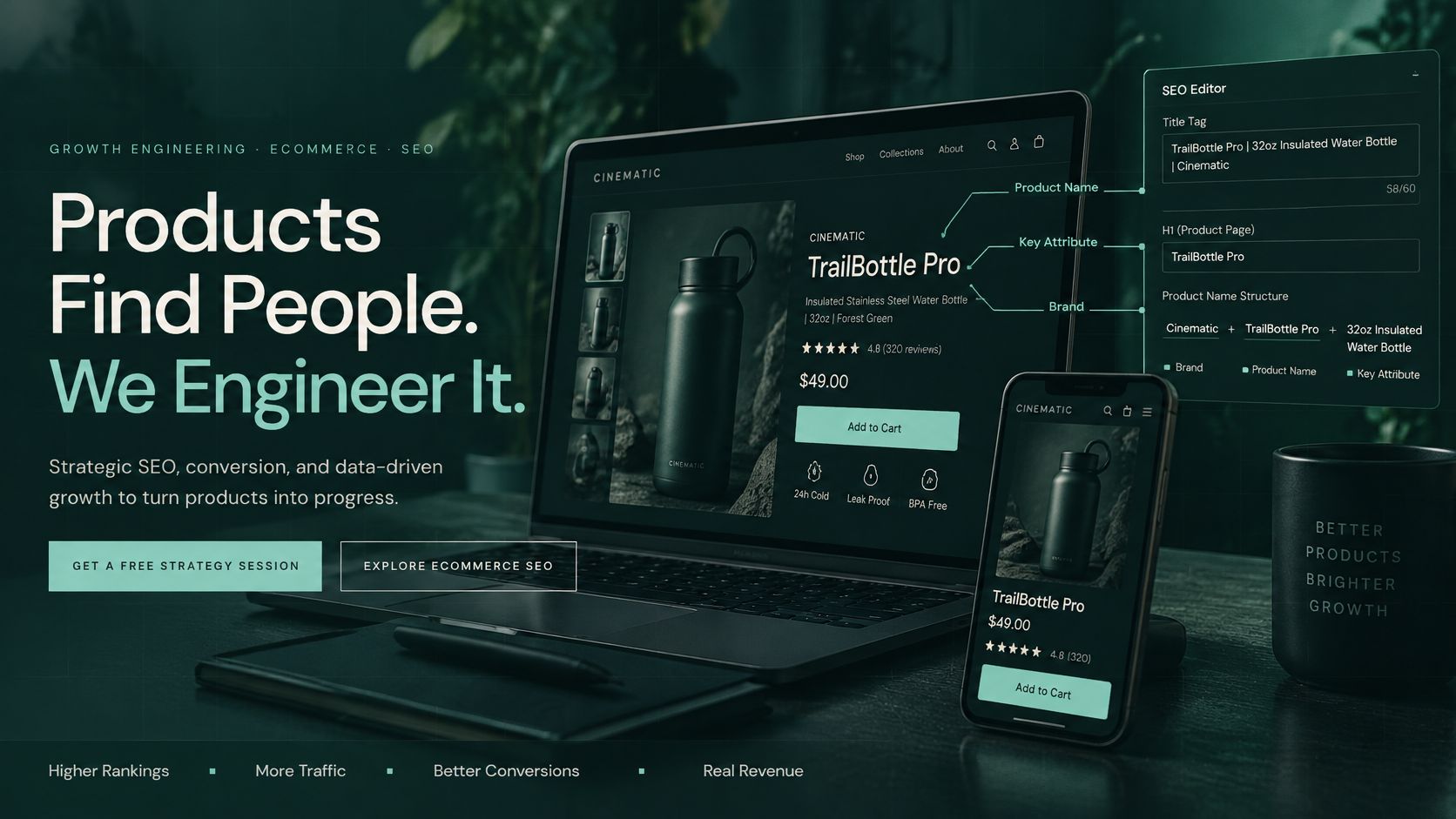
Make the title tag specific. Use the product name, a distinguishing attribute, and your brand, such as Women's Merino Crew Socks, Multipack | Brand. Keep the useful words toward the beginning rather than treating a character count as a guarantee of how Google will display it.
-
Use one clear H1. The H1 is the main visible heading, so name the product in language customers recognize. An internal SKU can appear in the specifications, but it shouldn't replace a useful product name.
-
Write a concise meta description. This is a proposed search-result summary, not another place to repeat every keyword. State the benefit and a verified detail, such as the material, compatibility, or delivery service you offer.
-
Replace generic manufacturer copy with buying guidance. Explain materials, fit, care, intended use, and meaningful limitations. For a travel mug, dishwasher compatibility and whether it fits a cup holder are more useful than a paragraph calling it premium.
-
Put commercial details beside the purchase decision. Show shipping charges or explain how they're calculated, provide an honest delivery estimate, and state the return window and important exclusions. Keep a link to the full policy, but don't make shoppers leave the page to understand its essentials.
-
Describe size in text as well as pictures. Include dimensions, fit notes, and relevant measurements in ordinary page text rather than only inside an image. For clothing, explain the cut; for furniture, distinguish overall dimensions from usable space.
-
Answer real questions briefly. Use support emails and reviews to identify questions about assembly, compatibility, washing, or replacement parts. Short question-and-answer lines work well when the answers are product-specific rather than generic store policies repeated everywhere.
Keep useful detail and remove filler
If you're using generated drafts to work through a large catalog, MyMentions tips for stronger product listings provide another editing reference. Check every draft against the actual specifications, and remove invented benefits, unsupported compatibility claims, and empty adjectives.
A finished page should let a shopper identify the product, understand its advantages, check fit, and see delivery and return terms without hunting. You don't need a long description for a simple replacement washer, but you do need accurate dimensions and compatibility.
Write for the shopper's questions. Length and keyword repetition can't compensate for an unanswered buying concern.
How to Set Up Product Schema Without Errors
Structured data, often called schema markup, is product information written in a format search engines can interpret. Shoppers read the page; search engines can also read fields identifying the product, its offer, and its availability.
Google's product structured data documentation explains that markup isn't required for inclusion in search, but it can improve product understanding and eligibility for richer appearances. Eligibility isn't a promise that Google will display a price, rating, or other enhancement.
Build a repeatable implementation
-
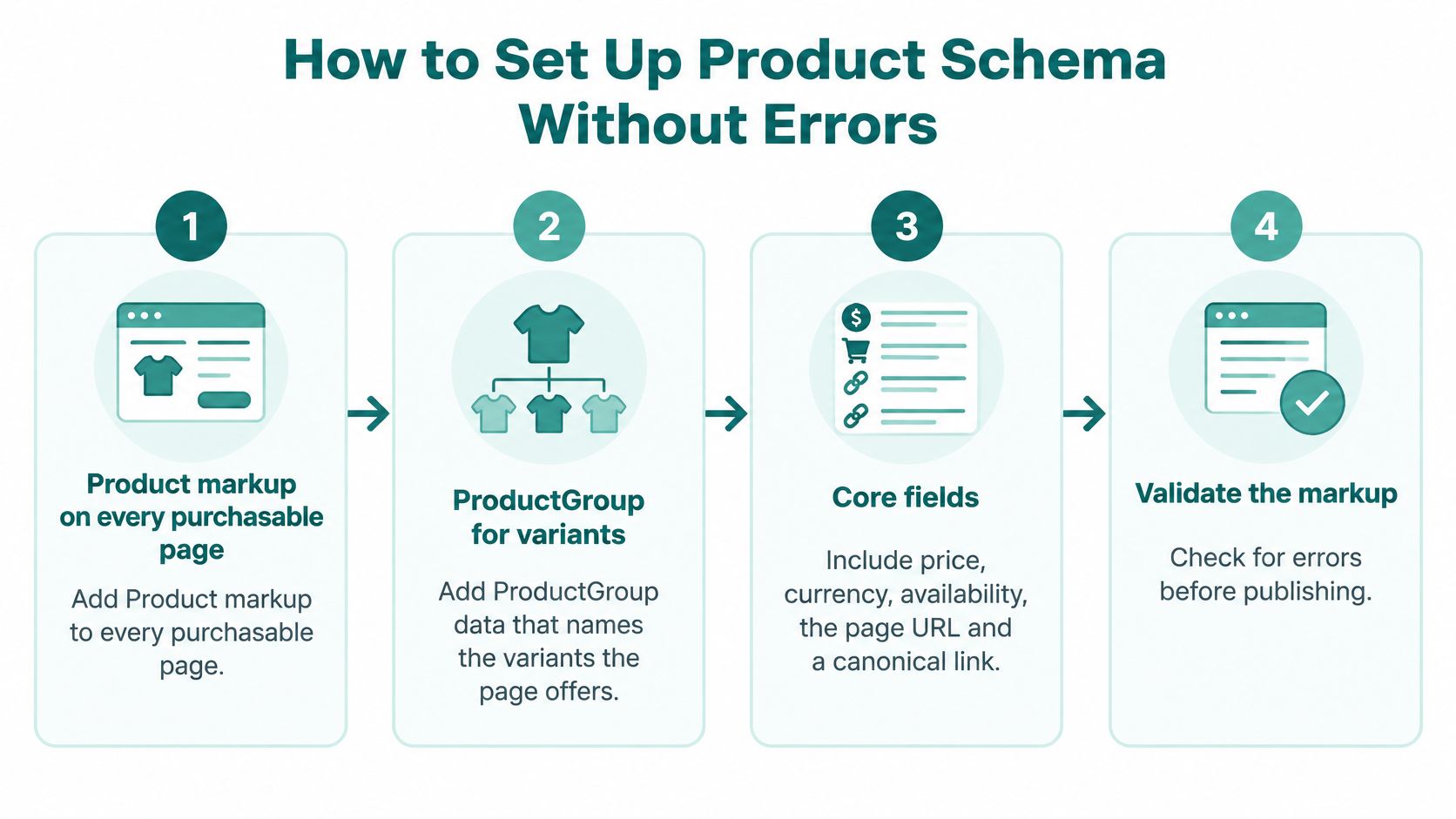
Add Product markup to purchasable pages.
Productidentifies what you're selling, whileProductGroupdescribes related variants where applicable. Implement this in the product template rather than pasting independent blocks into individual pages that staff will struggle to maintain. -
Connect core fields to live catalog records. Include price, currency, availability, the product URL, and appropriate identifiers such as a SKU or GTIN. A SKU is your inventory identifier; a GTIN is a standardized trade-item identifier, and you shouldn't invent one when none exists.
-
Publish a consistent Merchant Center catalog. A feed is the catalog file or integration that supplies product records to Google Merchant Center. Use the same underlying product records for that feed and the website, rather than maintaining competing spreadsheets with separate prices.
-
Validate representative templates. Google's Rich Results Test checks whether a page's markup meets relevant requirements. Test a straightforward product, a product with variants, and an unavailable item, because a passing result on the easiest page doesn't prove the whole template works.
-
Check what Google can access. Search Console's URL Inspection shows how Google encounters a URL and its rendered content. Investigate a
noindexinstruction that excludes a page from search, arobots.txtrule restricting crawling, a login requirement, or JavaScript that fails to produce essential content. -
Maintain discovery and recheck changes. An XML sitemap lists URLs you want search engines to discover. Keep it aligned with your intended product pages, and include markup checks in releases that alter pricing, stock handling, or variant selection.
Assign ownership beyond launch
The main implementation question is where each field comes from. If your store platform supplies the price but a separate SEO plugin supplies an old sale price, the problem isn't solved by installing another plugin.
Have the developer document which integration owns product markup and whether the theme emits another version. Our guide to a technical SEO audit provides context for checking these issues alongside crawling and indexing.
For catalogs larger than a few hundred products, I recommend a weekly sample check alongside automated alerts for missing or mismatched fields. That's a maintenance recommendation, not a Google requirement, and the sample should include recently changed products rather than only bestsellers.
Stale markup is the failure to watch. A page that visibly says sold out while its markup says available, or a promotion that ends only in the visible copy, communicates contradictory offers. Fix the connection to the source catalog instead of repeatedly patching the symptoms.
Variants, Canonicals and Pagination Rules
Canonicalizing every color and size to a parent product is convenient, but it isn't automatically the right decision. A canonical tag identifies the preferred URL among duplicate or closely similar pages. If you apply it indiscriminately, you may discourage indexing of a useful variant landing page.
Treat variants as a catalog-modeling decision first. Does the option represent a distinct buying need, and can you maintain an accurate, useful page for it?
When Each Variant Type Earns Its Own Page
| Variant Type | Give Its Own Page When | Consolidate Into Parent When | Keep It Visible By |
|---|---|---|---|
| Colour | Shoppers search for the color and stock or price differs | Only the swatch changes and search demand is negligible | Clickable swatches with a photo for each option |
| Size | Size changes the product type, such as maternity or petite cuts | It's standard size selection on one product | Size dropdown and a text size chart |
| Material | Material is a searched attribute with distinct content | Material is a minor detail of the same item | A short specification table on the page |
| Pack size | Multipacks are separate items with their own demand | The same item is sold in several quantities | Unit-price selector with the total shown |
A different stock count alone doesn't mean every option needs its own search landing page. Balance distinct demand and useful content against the cost of maintaining more URLs, photographs, copy, and merchandising rules.
Google's product variant documentation supports ProductGroup, including productGroupID, variesBy, and hasVariant. These describe the parent group, the attributes that differ, and the related products rather than leaving search engines to infer the relationship.

Run a launch QA matrix
Use a spreadsheet with a row for each representative variant and these checks:
- Canonical destination: Confirm the preferred URL matches your indexing decision.
- Internal links: Ensure category pages and relevant navigation reach variants intended to attract search traffic.
- Product relationships: Verify that markup identifies the group and the selected variant correctly.
- Sitemap inclusion: Include canonical, indexable product URLs rather than every selectable state.
- Feed identity: Match SKU or GTIN, image, offer, availability, and landing page across the website and Merchant Center.
A JavaScript selector may change the photograph without changing the URL or the HTML a crawler initially receives. Give meaningful variants stable URLs, or confirm that the default crawlable content accurately represents the page. Our site architecture for SEO guide explains the broader navigation decisions behind this work.
Pagination applies to category listings, not individual product pages. Give each listing page a distinct URL, crawlable navigation links, and a self-referencing canonical. Pointing later pages at the first page misrepresents different product sets as duplicates and can complicate their discovery.
Images, Speed and Crawl Checks for Product Pages
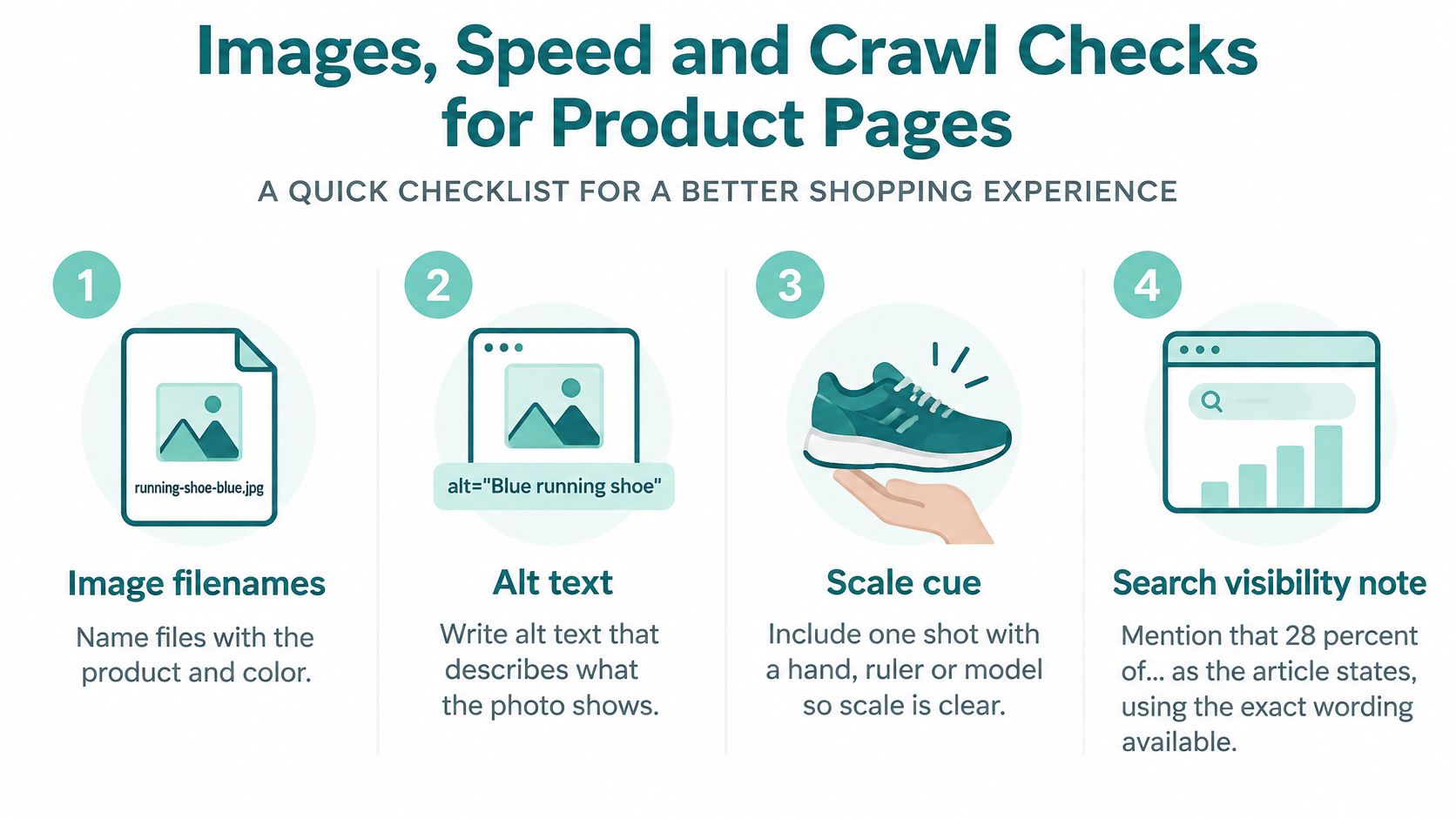
Start image work with the files shoppers need. Name a product photograph descriptively, such as merino-crew-socks-navy-side.webp, and write alt text that explains the image for someone who can't see it. Don't turn that description into a list of keywords.
Include a photograph that establishes scale, using a model, hand, ruler, or familiar setting where appropriate. A close-up can show texture beautifully while telling a shopper almost nothing about the object's size.
Make the gallery lighter without making it worse
Export appropriately sized WebP or AVIF images and inspect the result for lost detail. Fabric texture, small labels, and finish differences matter, so aggressive compression can undermine the very information the photograph should provide.
For staff writing image descriptions, Rankira advice on image SEO is a useful companion reference. Describe the visible view and relevant attribute, not every phrase you'd like the product to rank for.
- Prioritize the main photograph: Don't lazy-load the principal product image. Lazy loading delays an image until it's needed, which is useful for lower gallery images but counterproductive for the main view.
- Reserve layout space: Set image dimensions and leave predictable space for review summaries, badges, and changing variant images.
- Reduce competing scripts: Review tracking tags, chat tools, and recommendation widgets before assuming the platform itself needs replacing.
Use a performance trace to identify the actual bottleneck. A large image may delay the main view, while a review widget may make the variant selector slow to respond. Our guide to Core Web Vitals optimization explains how to connect those symptoms to specific fixes.
Check the offer before trusting the screen
A page looking correct in your browser doesn't prove its underlying product information is correct. Google's merchant-listing documentation requires the merchant's own nested Offer for merchant-listing markup, rather than relying only on AggregateOffer, and describes offer information that must match the page.
Offer means the terms under which you sell the product, not just a product description. Check price, currency, availability, and condition while logged out, then inspect the returned HTML and rendered output. Essential product information shouldn't depend entirely on a successful sequence of browser-side scripts.
Useful acceptance test: A developer should be able to show where the initial page response contains the correct product offer, not merely demonstrate that it eventually appears on screen.
For a check you can do today, open three product pages on a mid-range phone over mobile data. Select an option, open the gallery, and try adding to cart. Record what appears last, what moves unexpectedly, and which controls hesitate, then use those observations to guide technical testing.
Pick Your First Fix From the Numbers
Choose work by the number of useful pages it improves and the effort needed to deliver it. A shared shipping summary or repaired markup template can be a better investment than rewriting a product that rarely appears in relevant searches.
Google's merchant-listings announcement describes Search Console reporting for product-related search appearances and distinguishes purchasable merchant pages from broader product-information pages. Use that distinction when reviewing results: a product review article and a product checkout destination aren't the same kind of page.
Product Page Metrics to Track
| Metric | Where to Find It | What Improvement Looks Like |
|---|---|---|
| Product page impressions | Search Console Performance report, filtered to product URLs | Rising month over month on pages you optimized |
| Average position for product queries | Search Console Performance report | Moving up or holding steady on priority pages |
| Merchant listing errors | Search Console Merchant listings report | Falling after each template fix |
| Core Web Vitals on mobile | Search Console Core Web Vitals report | More product URLs in the good group |
| Add-to-cart rate | Analytics ecommerce reports | Rising after shipping and sizing details are added |
These are directions to investigate, not guaranteed outcomes. Impressions can rise because demand increased, and average position can change when Google starts showing a page for additional queries. Review the actual queries and clicks rather than treating a single average as a verdict.
In analytics, compare product-page add-to-cart behavior and checkout completion before and after a change. An eight-week window on either side is a practical starting point, but it doesn't eliminate seasonality; annotate promotions, stockouts, pricing changes, and tracking changes so you don't credit SEO for something else.
Choose one change you can verify
Keep the decision simple:
- Pages get impressions but few clicks: Review whether the title and product proposition match the queries.
- Visitors arrive but don't add to cart: Investigate unanswered delivery, fit, compatibility, and return questions.
- Errors appear after a release: Check the affected template and product-data integration before changing copy.
- Mobile controls remain sluggish: Identify the responsible script or component rather than buying a general speed package without a diagnosis.
Start by exporting your product URLs and marking the most widespread, fixable issue. Choose a single template-level improvement to complete this month, record its release date, and monitor both search visibility and buying behavior.
If the remaining cause sits inside the theme or platform, a developer, your platform support team, or a Cincinnati-area agency such as Helbling Digital Media can help evaluate the underlying implementation. The useful deliverable is a named image, script, integration, or layout problem with a clear repair, not another overall score.
At Helbling Digital Media, our ecommerce services include Shopify stores, WooCommerce stores, custom stores, and marketplace builds, alongside SEO and performance optimization. For stores with underlying technical concerns, our PHP, Security & AI-Readiness Audit has a fixed price agreed up front and checks the PHP, CMS, and plugins the site runs, what's publicly exposed, and whether AI search tools can read and understand it. Visit Helbling Digital Media to discuss your product-page priorities and identify whether content changes, technical repairs, or development work should come first.