
Only 56% of pages achieved a good result across all three Core Web Vitals in the 2025 Web Almanac, leaving roughly 44% failing the combined assessment. The same measurement found that the median homepage weighed 2.9 MB on desktop. The 2025 Web Almanac performance data puts a useful reality behind a phrase many business owners hear without much explanation: a polished website can still have technical problems that limit how well it performs in search.
Short answer: A technical SEO audit checks whether search engines can crawl, render and index your important pages, and whether speed, mobile usability or site structure is holding them back. It ends with a prioritized list of fixes, starting with the problems that block indexing.
A technical SEO audit checks whether search engines can reach your pages, understand what they mean, load them efficiently, and choose the right versions to show. You don't need to become a developer to evaluate one. You need enough practical knowledge to commission the right work, recognize a serious finding, and ask what should be fixed first.
What a Technical SEO Audit Really Checks
A technical SEO audit tests whether your search infrastructure supports the business. It examines how Google crawls pages, which pages it can index, how reliably visitors experience the site, and whether your content sends clear signals about its meaning and preferred URL.
The checklist should connect technical findings to decisions a business owner can make. Ask which templates are affected, whether valuable service or product pages are involved, what evidence supports the finding, and what fixing it could change. A useful report should also distinguish field data from lab tests, especially when evaluating speed, and include checks for eligibility in AI-generated search results. Healthcare and legal sites deserve particular care because unclear content signals, inaccessible pages, or missing structured data can affect how services and expertise are understood.
A useful audit usually examines:
- Crawlability: Can search engine bots reach important pages and the resources needed to render them?
- Indexing: Has Google included the pages you want potential customers to find?
- Performance: Do real visitors experience acceptable loading, stability, and responsiveness?
- Site architecture: Can users and crawlers move logically through related content? HDM also explains this through its guide to site architecture for SEO.
- Structured data: Does the markup accurately describe information visible on the page?
- Canonicalization: Have you identified the preferred URL when several addresses show similar content?
- Hreflang: If you serve different languages or regions, does each audience receive the appropriate version?
- Server behavior: Do logs show search bots spending time on useful pages rather than duplicate, broken, or low-value URLs?
Practical rule: A finding deserves priority when it affects a valuable page, a shared template, or an audience that contributes to revenue.
After more than two decades working with Cincinnati-area businesses, HDM sees the same pattern repeatedly. A redesign introduces an accidental noindex tag, a large hero image slows every service page, or an old staging rule remains active after launch. These issues are common, but they become manageable when the audit connects the technical cause to a business outcome. For another practitioner-oriented perspective, Wispra's guide to technical SEO offers useful context on how technical checks support modern search visibility.
Crawlability and Indexing Are Not the Same Thing
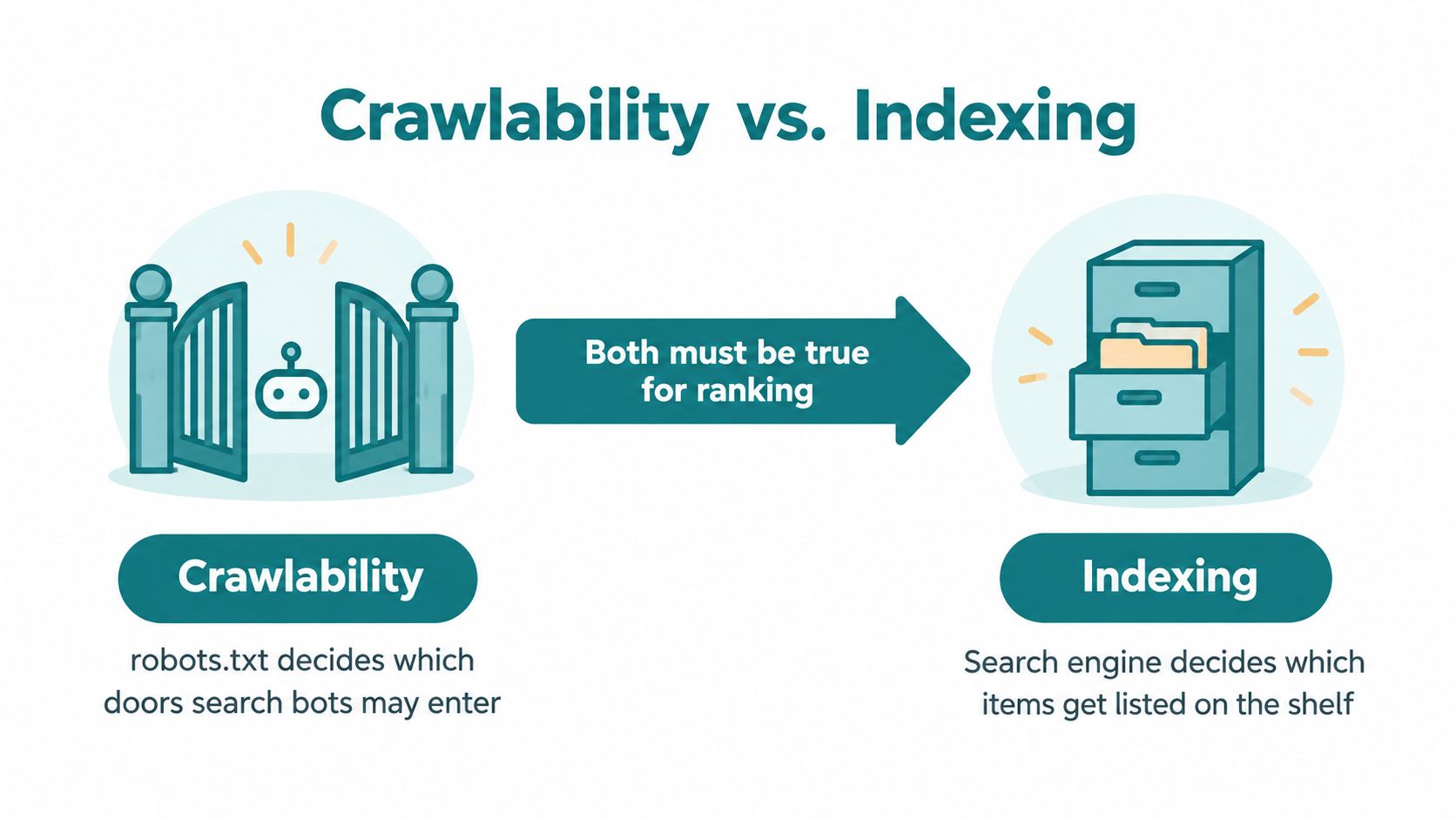
Think of your website as a storefront. Crawlability determines whether Googlebot is allowed to enter through a particular door. Indexing determines whether Google decides to place what it found into its catalog.
Those are separate decisions. A page can be crawlable but not indexed. A URL can also be blocked from crawling while Google still learns that the URL exists and keeps a reference to it. Google recommends robots.txt rules for controlling crawler access, while a noindex directive or a login requirement is the appropriate control when the goal is to keep a page out of the index.
What the audit should verify
Start with robots.txt. The file should not accidentally block a service directory, product area, JavaScript resource, or other material Google needs to understand the page. Blocking a URL in robots.txt doesn't reliably prevent indexing if Google discovers that URL through a link, sitemap, or external reference.
Then inspect the XML sitemap. Google treats sitemaps as an important way to identify important or recently updated pages, although it isn't limited to crawling sitemap URLs. A clean sitemap should contain the pages you want indexed, use their preferred URLs, and exclude outdated, redirected, private, or irrelevant addresses.
The provider should also compare these controls with your actual business priorities:
- Revenue-generating service pages should be reachable.
- Product and location pages should not carry accidental
noindexdirectives. - Internal search results and parameterized URLs should be managed deliberately.
- Login areas and client portals should not be exposed as public search destinations.
- Staging environments should remain separate from production settings.
Redesigns, migrations, and CMS changes create the greatest risk because developers often copy settings from one environment to another. HDM tests staging and production separately for Cincinnati clients because a site can look perfect to the owner while search engines receive entirely different instructions.
A sitemap is a priority list, not a guarantee that every listed page will rank.
Site Speed and Core Web Vitals Without the Jargon
A speed report matters only when it connects a technical measurement to a customer's experience. Google evaluates three Core Web Vitals, each covering a different moment after someone opens a page.
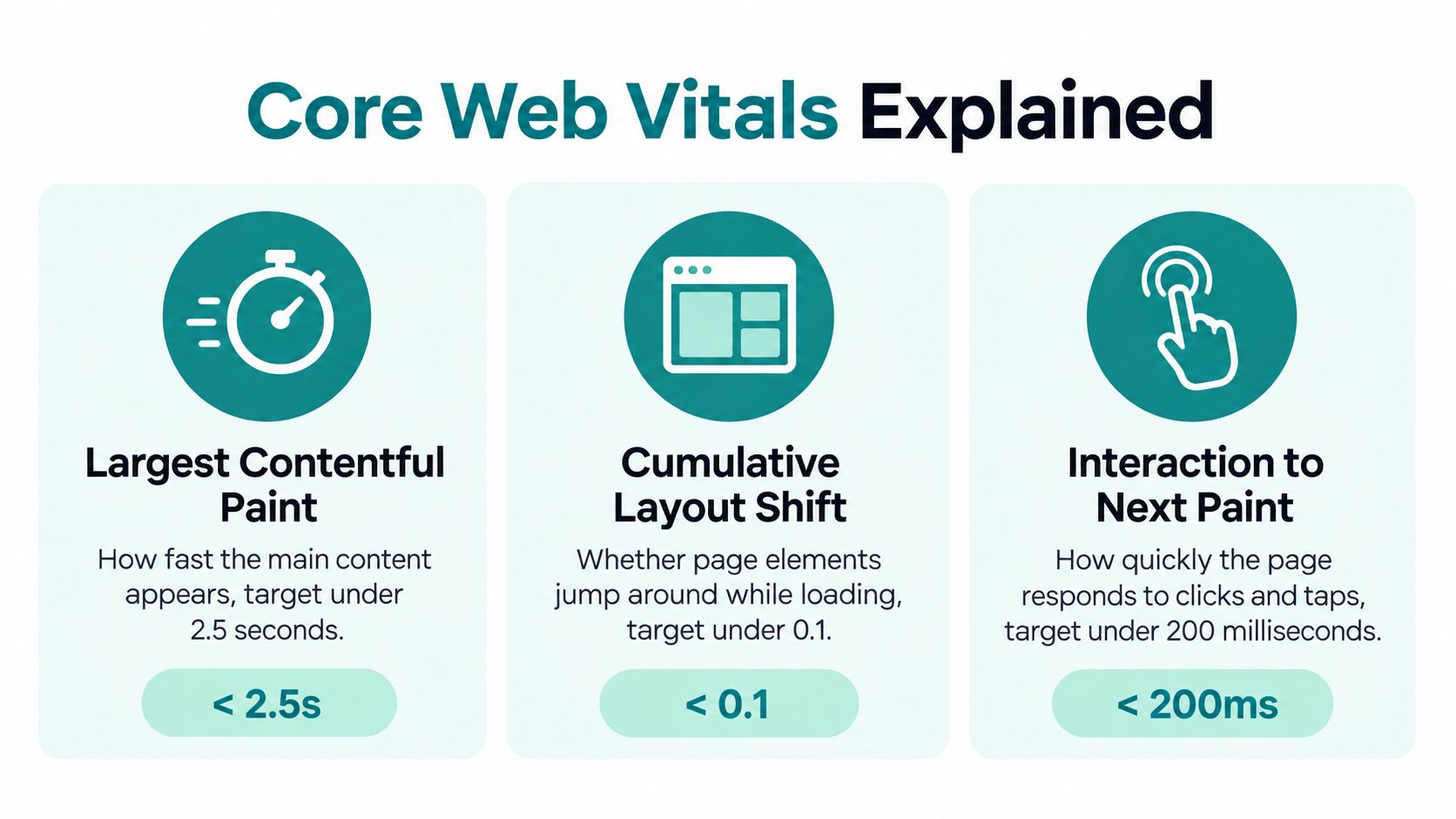
Largest Contentful Paint, or LCP, measures how quickly the main content appears. On a service page, that may be the headline and hero area. Cumulative Layout Shift, or CLS, measures unexpected movement while the page loads, such as an image pushing a button downward. Interaction to Next Paint, or INP, measures how quickly the page responds after a visitor taps, clicks, or uses a form.
Google considers a page good when LCP is 2.5 seconds or less, INP is 200 milliseconds or less, and CLS is 0.1 or less. Search Console uses the 75th percentile of real-user data over the preceding 28 days, and a URL group receives the status of its weakest metric. Google's Core Web Vitals guidance explains the thresholds and methodology.
The report you should ask to see
A laboratory test examines a page under controlled conditions. Field data records what real visitors experience, so the two reports answer different questions. A fast laptop and strong connection can produce a reassuring lab result while mobile visitors on older devices encounter delays.
Ask your provider:
- Can you show me field data from real users, not only a lab score?
- Which templates or page groups are failing, rather than which isolated URLs?
The second question often changes the recommended fix. If one template component delays every service page, correcting that component is more useful than editing pages one at a time. If an online store's product component causes layout movement, the development team should address that shared component.
A useful audit also explains the trade-off behind each recommendation. Compressing an image can improve loading, but excessive compression may reduce clarity. Removing a third-party feature can improve responsiveness, but it may affect chat, booking, analytics, or advertising. Ask which business function a proposed change affects and how the provider will test the result.
HDM's audits commonly examine how browser rendering, caching, resource loading, and page structure interact. The goal is a fix list tied to templates and customer actions, not a collection of unexplained scores.
For practical implementation examples, Wistec's resource on speed optimization for Australian stores covers trade-offs that also apply to local Cincinnati stores. HDM's Core Web Vitals optimization guide offers another practical reference for turning these measurements into development tasks.
Schema, Canonicals, and Hreflang Made Simple
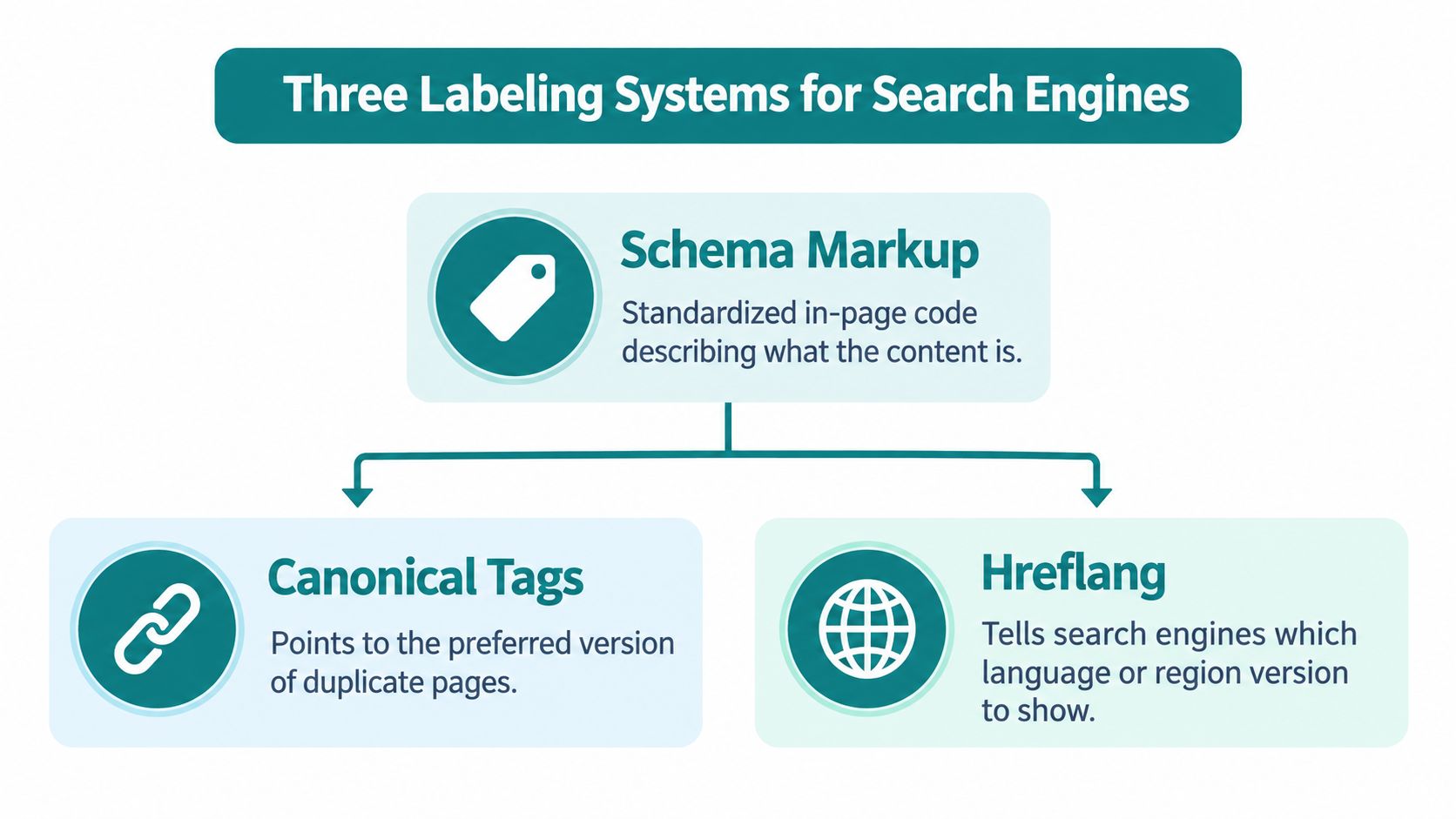
These three systems solve different labeling problems. Structured data tells search engines what visible content represents. A canonical tag identifies the preferred version when multiple URLs are similar. Hreflang identifies the language or regional version intended for a particular audience.
Structured data isn't a keyword field. It's in-page markup that can help Google classify a business, product, article, or other eligible content and may support enhanced search features. Google supports JSON-LD, Microdata, and RDFa, but recommends JSON-LD. The markup must describe information users can see. Google's structured data policies warn that hidden or inaccurate information can make markup ineligible.
How to inspect the labels
For a Cincinnati business, relevant structured data may include Organization, LocalBusiness, Product, or Article. A law firm shouldn't add markup for services, reviews, or locations that aren't visibly supported on the page. A retailer shouldn't mark up a price or availability status that visitors can't see.
A provider should validate representative templates with Google's Rich Results Test, then monitor the live site after a CMS or template change. Validation before launch catches syntax and eligibility issues. Post-launch monitoring catches problems caused by serving changes or theme updates.
Canonical tags address a different situation. A law firm might have similar practice-area pages reached through filters, tracking parameters, print versions, or alternate navigation paths. The canonical signal helps identify which URL should be treated as the primary version. It doesn't replace a thoughtful information architecture, and it shouldn't be used to conceal substantially different pages.
Hreflang applies when the same business serves different languages or regions. Without it, search engines may show an English page to a Spanish-speaking audience or send a regional visitor to the wrong version. The audit should confirm that alternate pages exist, identify one another consistently, and match the language and regional experience presented to users.
The right markup clarifies what a page already says. It can't turn hidden or unsupported claims into valid content.
Server Logs and AI-Search Readiness
Most business owners never see server logs, but they can reveal what automated visitors request. A log records requests reaching the server, including requests from search engine crawlers, and can show whether Googlebot spends time on useful pages, repeats requests to low-value URLs, or encounters errors.
For a small professional-services site, log analysis may expose repeated requests to old URLs, tracking parameters, or blocked resources. For a larger e-commerce site, it can reveal crawlers spending time across filters and variations that don't deserve search visibility. The value isn't the log itself. The value is deciding whether crawler activity matches the pages that generate business.
The newer question is whether a page is technically eligible for AI-driven search features. Google's 2025 guidance says pages appearing in generative AI features still need ordinary technical requirements: Googlebot must not be blocked, the server should return HTTP 200, and the page must contain indexable content. The same guidance identifies nosnippet, data-nosnippet, max-snippet, and noindex as controls for managing how content may be displayed. Google's guidance on succeeding in AI search explains the relationship between ordinary technical eligibility and content controls.
Crawlable doesn't mean universally exposed
A healthcare practice may want its public treatment information discovered while keeping patient-specific material out of search. A law firm may want its public practice-area pages summarized accurately but may not want internal documents, client resources, or low-value utility pages included in generated answers. A client portal should normally require authentication rather than relying on a crawler rule alone.
An AI-readiness audit should map crawlability and indexability by content type. It should also test staging environments, portals, internal search results, and parameterized URLs for accidental discoverability. Structured-data claims should match visible page content, since inaccurate labeling can create confusion in both traditional and AI-assisted search.
The practical lesson is selective visibility. Your goal isn't to make every URL as open as possible. Your goal is to keep valuable public content accessible while applying appropriate controls to private, sensitive, duplicated, or low-value material. For another perspective on how businesses can prepare for AI-driven discovery, see Olivetree Marketing's guide to AI search. HDM also discusses how to interpret bot traffic in Google Analytics, which helps separate automated activity from human engagement.
<iframe width="100%" style="aspect-ratio: 16 / 9;" src="https://www.youtube.com/embed/fryek00LXyw" frameborder="0" allow="autoplay; encrypted-media" allowfullscreen></iframe>Turning Audit Findings Into a Fix-First Priority List
An audit becomes valuable when it changes what your team does next. Providers should rank findings by business impact and effort, not by how many rows their crawler can export.
A blocked checkout, accidental noindex on a service page, or broken form deserves immediate attention because it can interfere directly with revenue or lead generation. A slightly oversized image may still matter, but it usually belongs behind a problem that prevents the right audience from reaching or using the page at all.
A practical ranking system
Use this table in your next provider meeting. “Typical effort” depends on the CMS, hosting setup, templates, and access to development resources, so treat it as a planning category rather than a promise.
| Finding | Priority | Business Impact | Typical Effort |
|---|---|---|---|
| Important service or product page blocked or accidentally noindexed | Immediate | Can remove a valuable page from search visibility | Low to medium |
| Checkout, contact form, or key conversion path broken | Immediate | Can prevent prospects from taking the next step | Medium |
| Staging or portal content publicly discoverable | Immediate | Can expose material that shouldn't be broadly available | Medium |
| Incorrect canonical across a revenue-generating template | High | Can make the wrong URL the preferred search result | Medium |
| Slow shared template caused by scripts or rendering | High | Can affect many pages and mobile experiences at once | Medium to high |
| Sitemap contains redirected, private, or obsolete URLs | High | Sends mixed signals about important site content | Low |
| Structured data inaccurate or unsupported by visible content | Medium | Can remove eligibility for enhanced search features | Low to medium |
| Oversized images on selected pages | Medium | Can slow visual loading and weaken user experience | Low to medium |
| Minor redirect cleanup on low-value legacy URLs | Lower | Improves maintenance and crawl clarity | Medium |
Questions that expose a padded audit
A long issue list isn't automatically a useful audit. Ask the provider to identify the two or three changes most likely to matter this quarter, explain which page groups are affected, and show how each recommendation connects to leads, sales, visibility, or user experience.
HDM groups fixes by template and traffic rather than arbitrary page count. That approach recognizes that one change to a shared component can resolve a recurring issue across many pages, while dozens of isolated warnings may have little commercial consequence. A good proposal should also separate urgent corrections from improvements that can wait for a planned development cycle.
If every finding has the same urgency, the audit hasn't done the prioritization for you.
Keeping Your Site Healthy After the Audit
A technical SEO audit is a starting point, not a certificate that lasts forever. Redesigns, CMS updates, new scripts, migrations, and content changes can alter crawlability, markup, speed, or indexing without making anything look broken to the owner.
Keep a short maintenance routine:
- Review field data: Check real-user Core Web Vitals after redesigns, major template changes, and performance work.
- Validate structured data: Re-test representative templates after theme, CMS, or content-model updates.
- Maintain the sitemap: Add important pages and remove pages that are retired, redirected, private, or no longer intended for indexing.
- Check launch settings: Review staging, production, portal, and authentication controls before every major release.
- Watch business templates: Review the page groups that generate leads, calls, bookings, applications, or purchases.
Ask your SEO or web provider three plain-English questions each year:
- Which important pages can't Google reach or index right now?
- What do real visitors experience on our main templates, not just what does a lab test show?
- What are the two highest-impact technical fixes we should fund next?
A technically healthy site gives content, local SEO, advertising, and conversion work a dependable foundation. That foundation compounds because each improvement has a better chance to be found, understood, loaded, and used. HDM treats technical health as step one for Cincinnati-area clients because strong marketing can't compensate for a site that search engines or customers can't properly access.
Frequently asked questions
- What does a technical SEO audit check?
- Crawlability, indexing, site speed, mobile usability, redirects, canonical tags, sitemaps, structured data and internal links.
- How often should I run a technical SEO audit?
- At least once a year, and after any redesign, platform change or large content migration.
- Can a technical SEO audit guarantee better rankings?
- No. It removes technical barriers, but rankings also depend on content, competition and links.
HDM provides technical SEO audits covering crawlability, indexation, Core Web Vitals, rendering, structured data, internal links, and server logs, with findings organized into a practical roadmap. Visit HDM to discuss an audit for your Cincinnati-area business and decide which fixes deserve attention first.