

A Cincinnati retailer may be watching mobile customers abandon a slow product page, while a law firm wonders why its contact form stopped working during a burst of suspicious traffic. The hosting company says the server is healthy, but that doesn't solve the problem visitors are having. Cloudflare can help by handling traffic before it reaches the website, but it isn't a magic switch that removes every performance or security concern.
A Familiar Story for Cincinnati Business Owners
A local business owner checks the site on a phone and waits for the homepage to load. A shopper gives up before checkout, or a potential client submits a contact form and never gets a response. Meanwhile, a competitor's site stays available through the same traffic spike. Those problems can cost real leads and sales, even when the business's hosting provider insists its servers are running normally.

Cloudflare is a service that sits between website visitors and the business's hosting. It can speed up delivery, help filter hostile traffic, and manage the system that directs visitors to the right website. That combination can replace separate tools, but it also means an important part of the site depends on one provider. Both sides matter.
For owners weighing web design, SEO, or digital marketing work, the practical question isn't whether Cloudflare is popular. It's whether its capabilities fit the site, whether the selected plan supports the site's actual needs, and what happens if Cloudflare has an outage. This guide uses published performance figures and 2025 threat measurements to put those decisions in plain English, without assuming you manage servers for a living.
A Cincinnati-based agency such as Helbling Digital Media can help an owner review the trade-offs during a site migration or redesign. The goal should be a faster, more resilient customer experience, with a clear plan for what happens if a service or configuration fails.
What Cloudflare Actually Does Behind the Scenes
Think of Cloudflare as a staffed gate and a nearby stockroom for your website. Visitors arrive at the gate first. Cloudflare can serve copies of common files from a location nearer to them, screen suspicious requests, and pass legitimate requests to the hosting server. The server, often called the origin, is the system that stores or generates the actual website.
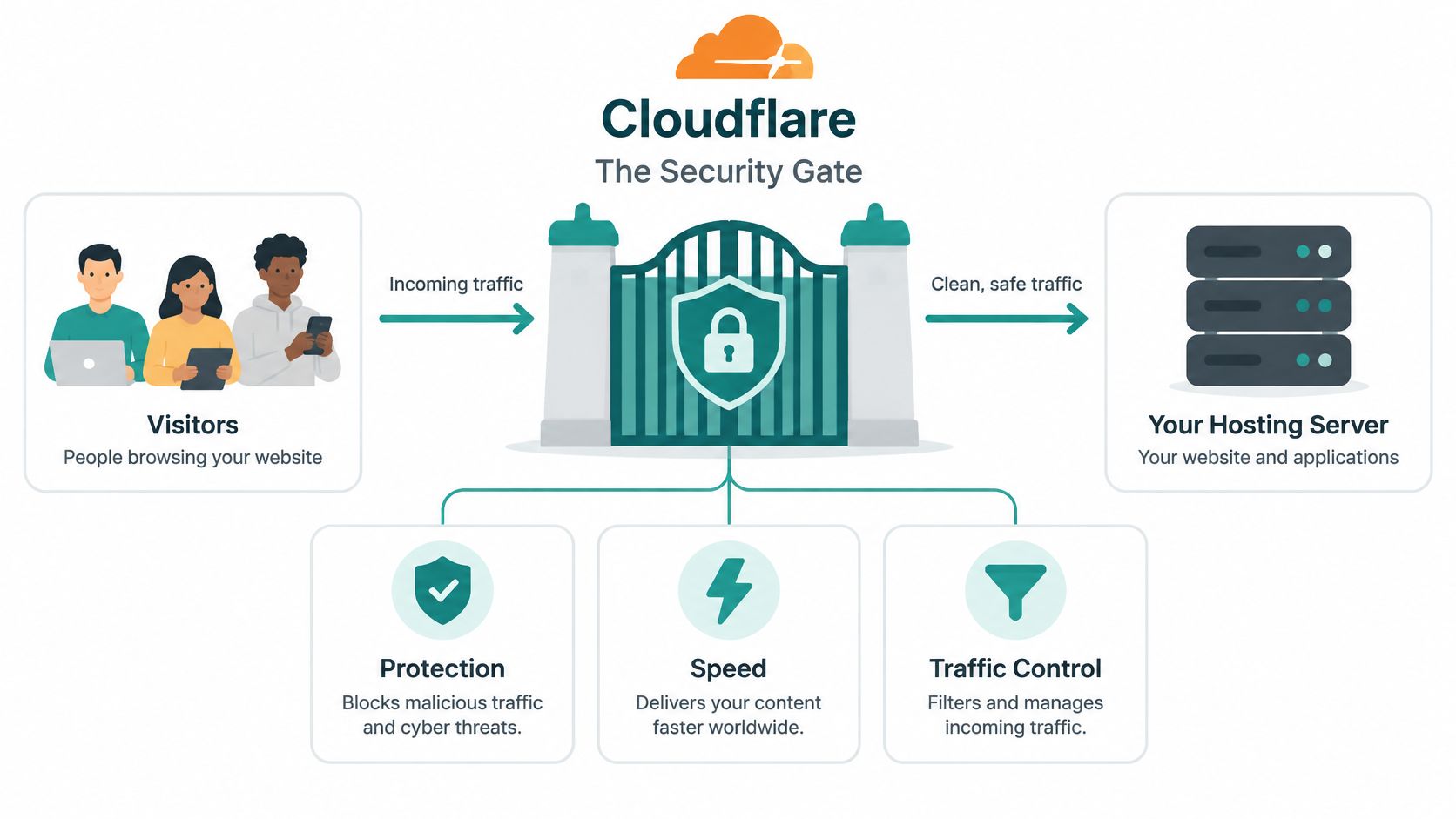
Four jobs in one layer
- Deliver common files faster. Cloudflare can cache static content, such as images and stylesheets, so every visitor doesn't have to wait for the hosting server to send a fresh copy. That can make pages feel more responsive, especially when a visitor is far from the server.
- Filter unwanted traffic. Security features can block or challenge requests that look malicious before they consume the website's hosting resources.
- Direct visitors to the right place. Its DNS service translates a domain name into the information a browser needs to connect. That lookup is an early step in opening a site.
- Apply rules to requests. A web application firewall, or WAF, can filter web requests using rules designed to catch suspicious behavior. Cloudflare Workers, its code platform, can also add custom behavior without a traditional application server.
Cloudflare describes its early performance impact as part of its company history. Early users reported sites became approximately 30% faster, and at launch Cloudflare reported a 60% reduction in bandwidth consumption and a 65% decrease in origin-server load (Cloudflare's company story). Those are historical company-reported figures, not a promise that a particular Cincinnati site will see the same result.
For a small business, the appeal is integration: content delivery, DNS, traffic filtering, and developer tools can sit together rather than requiring a small team to juggle several vendors. The business outcome is simpler to understand than the technology. Pages may load more smoothly, the host may handle less repeat traffic, and the owner gains another layer of protection between the public internet and the site.
Performance and Security Benefits That Matter Most
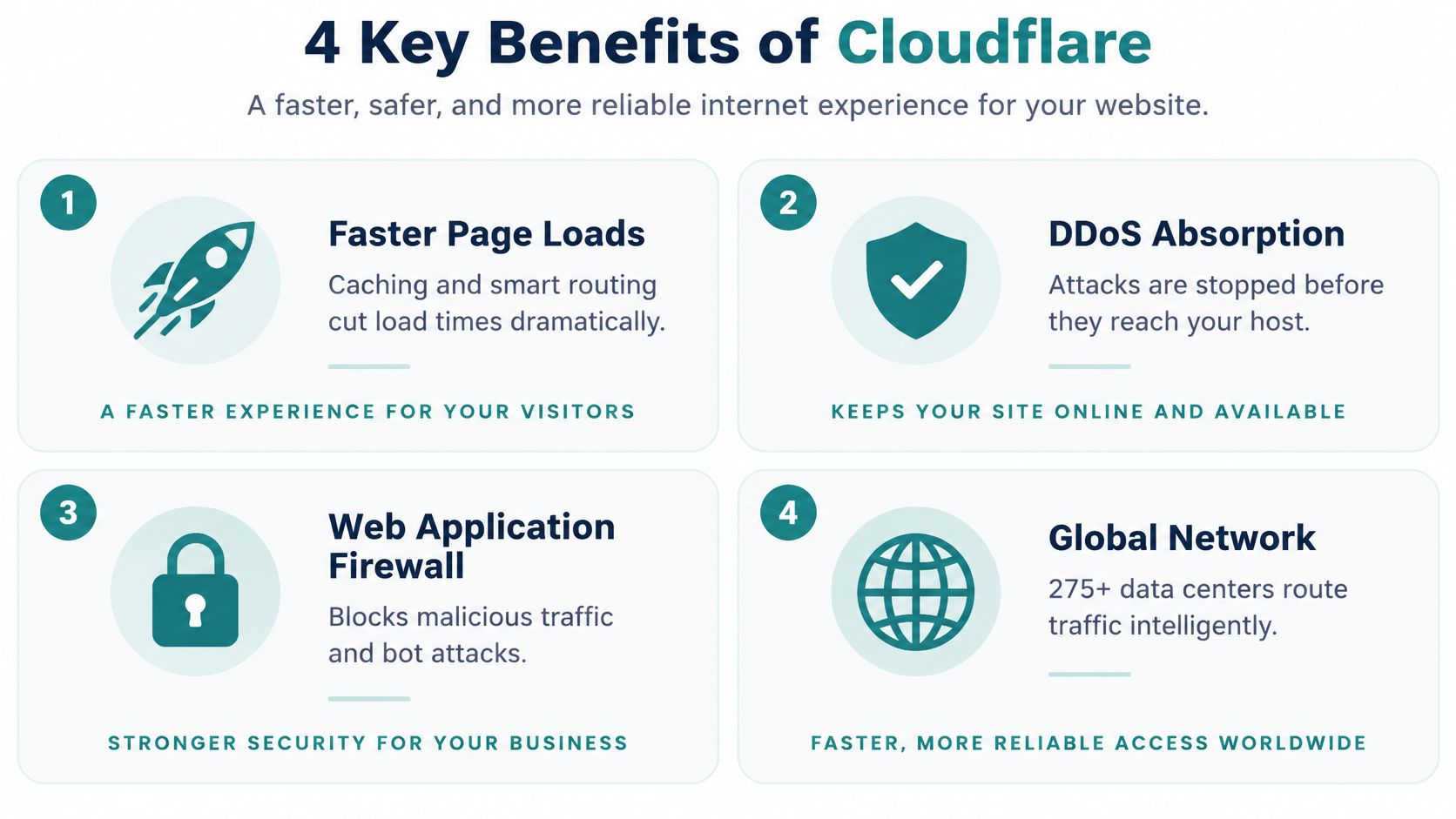
Cloudflare's strongest case is practical. It can improve delivery, absorb hostile traffic before it reaches a hosting server, and give site owners tools to filter requests to important pages. Those capabilities matter when a retailer is trying to complete orders, a law firm depends on inquiry forms, or a healthcare organization needs a patient-facing site to remain available.
Cloudflare Radar recorded 4.1 million HTTP DDoS attacks in Q2 2025, a 129% year-over-year increase; overall DDoS activity was 44% higher than in Q2 2024 (Cloudflare Radar's Q2 2025 DDoS report). HTTP DDoS attacks flood a website with requests. When those requests reach the server, they can use up the processing capacity needed for real visitors. Some attacks resemble ordinary browsing, which makes filtering them more difficult for a single business to manage.
Cloudflare's 2025 internet review also recorded a DDoS attack reaching 31.4 terabits per second and another reaching 14 billion packets per second (Cloudflare's 2025 year-in-review). A typical business shouldn't expect to absorb that kind of traffic through its own hosting connection and equipment. The point is not that every small business will face a record-setting attack. It's that traffic spikes and malicious requests can exceed what an individual site can handle.
What changes for the site owner
When Cloudflare is configured to proxy public website traffic, cached pages can be served without asking the origin server for every file. Suspicious requests can be challenged, and rate limits can restrict repeated attempts against sensitive areas such as login, search, checkout, or an expensive API. A WAF can filter common attack patterns, while bot controls can help address automated scraping and credential abuse.
The result can show up in customer experience and operations: fewer slow pages, fewer avoidable outages, and fewer complaints that a form or checkout won't load. It won't automatically fix a bloated website, poor hosting, or a broken integration. Each security feature also depends on configuration and plan availability, so ask what will be active before assuming a migration includes every protection.
For site-speed context, owners can review Helbling Digital Media's guide to Core Web Vitals optimization. Cloudflare is one part of the performance picture, not a substitute for checking the page itself.
A visual summary of the main benefits is included below.
Why DNS Deserves More Attention Than It Gets
DNS is the system that helps a browser find the right destination when someone enters a website's domain. It often gets treated as a domain-registration setting, then ignored. That's a mistake. If DNS is slow, misconfigured, or unavailable, visitors can struggle to reach the site even when the website itself is healthy.
Cloudflare's DNS documentation reports an average lookup performance of approximately 9 milliseconds, worldwide DNS propagation in less than 5 seconds, and processing capacity of about 24.6 million DNS queries per second as of Q1 2023 (Cloudflare's DNS security whitepaper). These are provider-reported capabilities, not a guarantee of a particular site's load time. Still, the lookup happens before a browser connects to the site, so DNS performance can affect how quickly a visit gets underway, particularly for people on mobile networks.
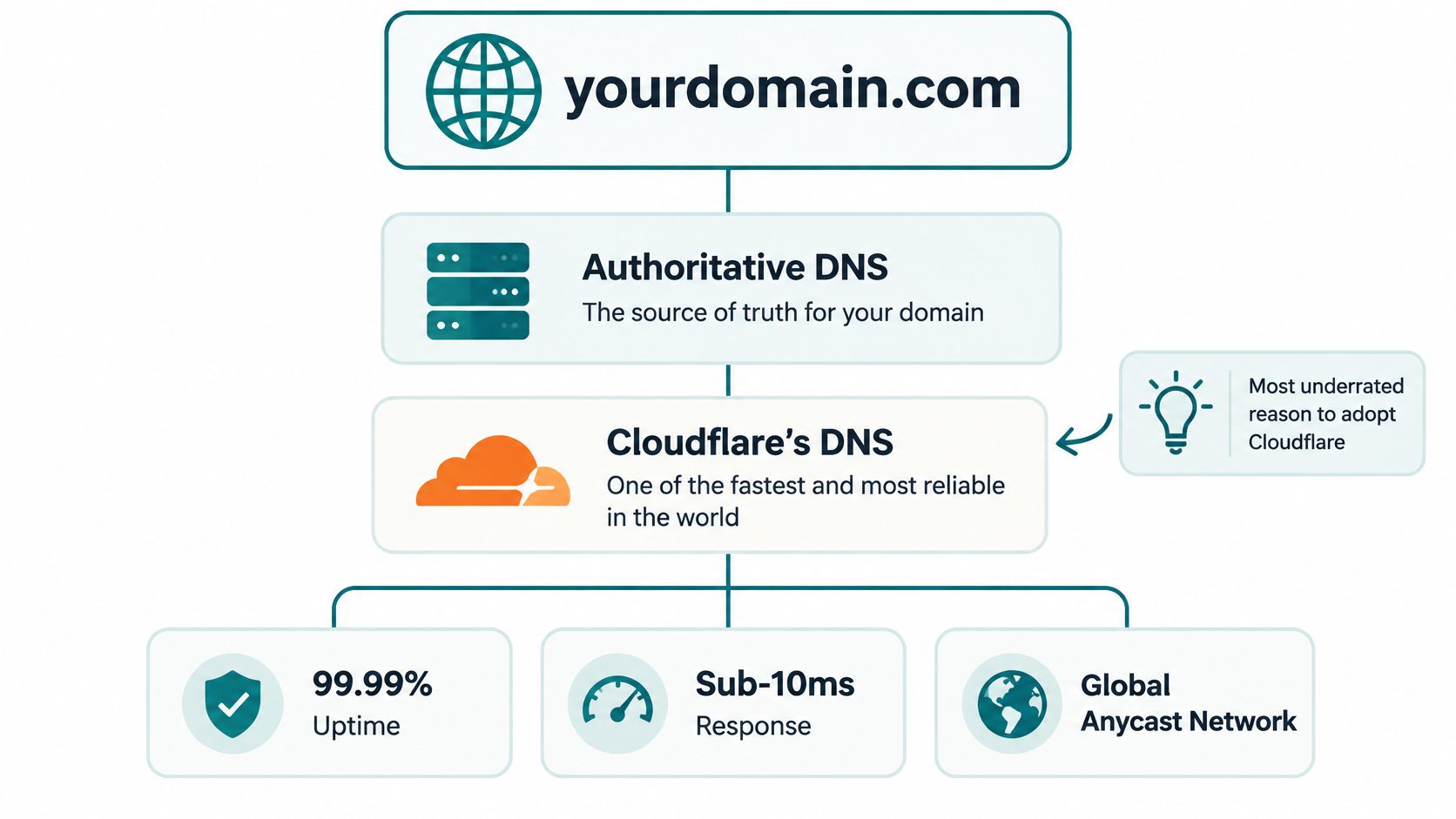
Treat DNS as part of the website
Cloudflare includes DNSSEC, a way for validating DNS resolvers to check that records are authentic and haven't been tampered with. That helps reduce the risk of visitors being sent to fraudulent infrastructure. For a Cincinnati healthcare practice, law firm, or online store, protecting that route to the site is part of protecting customer trust.
During a migration, use deliberate DNS settings rather than changing records in a rush. Enable DNSSEC, choose sensible time-to-live settings, and consider health-aware failover when it suits the site. Also avoid exposing the origin server's address in public DNS where possible. If attackers can bypass Cloudflare and reach the origin directly, the protection in front of it may be less useful.
Businesses reviewing their domain setup can use free DNS and email checks from mailX as a practical starting point for spotting configuration issues. For a plain-language explanation of how a domain's root relates to its other parts, see HDM's guide to root domains.
The trade-off is straightforward: consolidating DNS with Cloudflare can simplify management, but it also makes Cloudflare more central to the site's availability. That dependency deserves a deliberate fallback plan.
The Trade-Off Nobody Talks About
Cloudflare can reduce exposure to attacks and service interruptions, but it can also concentrate risk. If DNS, traffic proxying, security rules, caching, and custom code all depend on one provider, a provider incident can affect several functions at once. That doesn't make Cloudflare a poor choice. It means resilience requires more than switching it on.
Independent reporting on a November 2025 configuration error describes a major global outage, while a December 2025 WAF-related change reportedly caused about 28% of the HTTP traffic Cloudflare served to fail temporarily. A separate configuration error affected Cloudflare's 1.1.1.1 resolver worldwide for 62 minutes (incident reporting on Cloudflare's global outage). These events show why even a widely distributed service shouldn't be treated as an infallible safety net.
A Cincinnati retailer may lose orders if checkout is unavailable. A law firm may miss inquiries if its lead form fails. For a healthcare organization, disrupted access to a patient-facing service can create operational headaches even if the data itself remains secure.
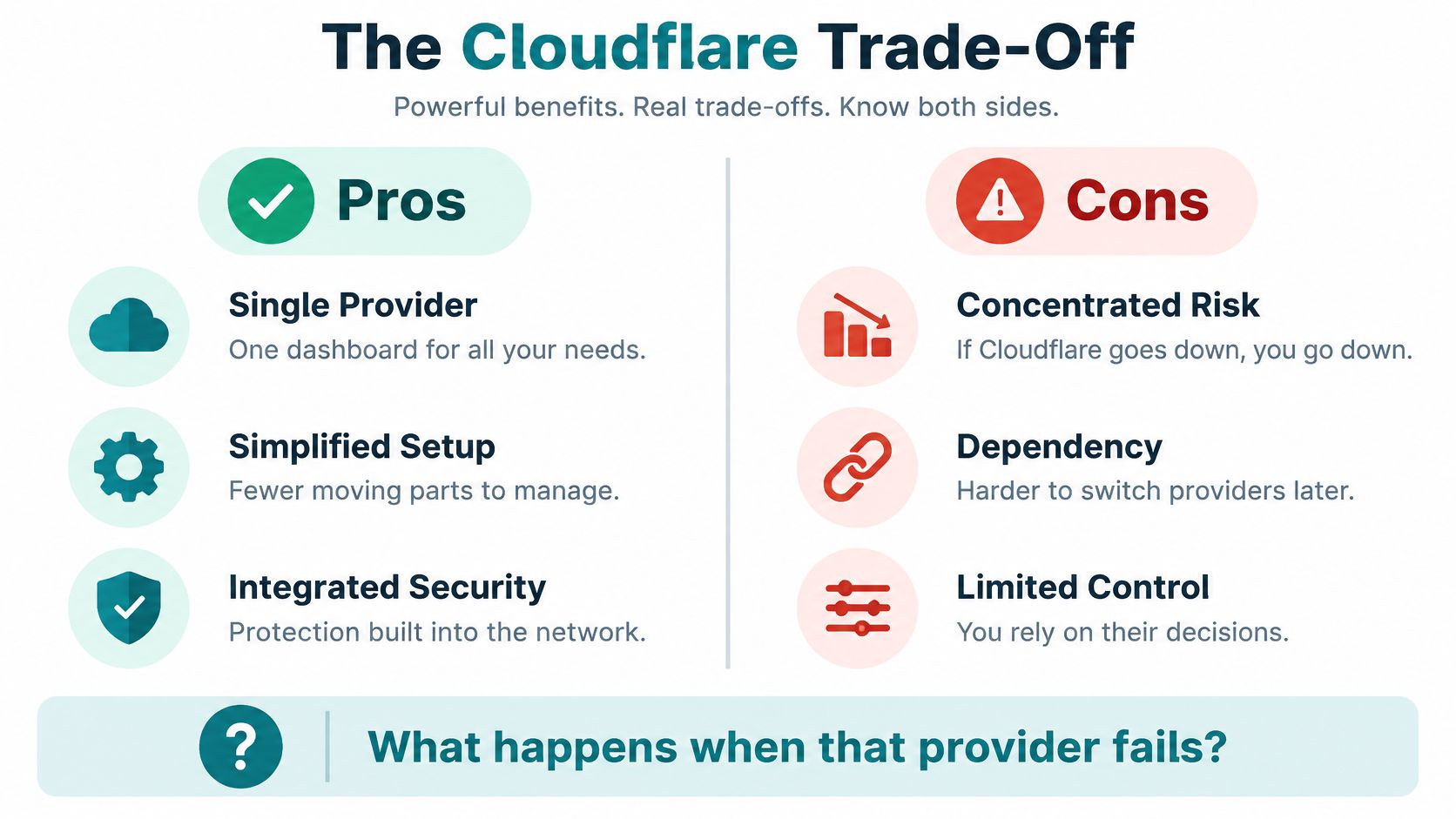
Build for recovery, not fear
A resilient setup includes a secondary DNS or documented DNS failover plan, written procedures for accessing the origin if Cloudflare is unavailable, and emergency security rules that don't accidentally block legitimate recovery traffic. Use independent uptime monitoring so the team can distinguish a site problem from a provider problem. Assign someone to approve configuration changes, and test how the team will respond before an outage forces a decision.
Privacy needs the same workload-specific attention. Cloudflare's GDPR documentation says transfers from the EEA, Switzerland, and the UK may rely on Standard Contractual Clauses and, for U.S. transfers, the EU-U.S. Data Privacy Framework (Cloudflare's GDPR documentation). That doesn't settle whether a specific healthcare portal, legal intake form, or analytics workflow is configured appropriately. Map what passes through CDN proxying, WAF inspection, Workers, Turnstile, logs, support access, and third-party services. Limit sensitive information in URLs and logs, set retention and deletion rules, and review contractual and regulatory questions with the right privacy or legal adviser.
For a broader checklist to discuss with a web vendor, see HDM's cybersecurity best practices. Cloudflare works best as a layer in a recoverable system, not as a promise that outages can't happen.
Choosing the Right Cloudflare Plan for an SMB
Pick a plan based on what the website does, not on a vague desire for maximum protection. A brochure site has different needs from a healthcare portal that accepts documents or a store with complex checkout and integrations. For many SMBs, the most important plan question is whether legitimate requests will fit within the service's limits.
Cloudflare documents maximum request-body sizes of 100 MB on Free and Pro, 200 MB on Business, and up to 5 GB on Enterprise in a self-serve configuration (Cloudflare Workers platform limits). If a customer submits a request larger than the applicable limit, the service returns HTTP error 413, which means the request is too large. That can break a document upload or form submission even when the site otherwise appears to work.
| Plan | Max Request Body | Worker Free Requests | Key Trigger to Upgrade |
|---|---|---|---|
| Free | 100 MB | 100,000 requests per day | Need more capacity, controls, or support for the site's use case |
| Pro | 100 MB | 100,000 requests per day | Larger upload requirements or business-specific capabilities |
| Business | 200 MB | 100,000 requests per day | Need the larger documented request-body limit or business-oriented features |
| Enterprise | Up to 5 GB | 100,000 requests per day | High-traffic or regulated platform needs that justify custom enterprise arrangements |
Cloudflare Workers pricing allows 100,000 requests per day on the free plan. The paid plan includes 10 million requests per month and charges $0.30 per additional million requests (Cloudflare Workers pricing). A Worker is code that runs when a request comes in. Requests can count even when caching is involved, because the Worker executes before Cloudflare's cache. Don't send every page through custom code unless the page needs it.
Cloudflare notes that static asset requests can be free and unlimited, while Worker-script requests are billed according to Workers pricing. If a project uses run_worker_first, matching requests always invoke the Worker; requests beyond a free-tier limit can receive HTTP 429 Too Many Requests instead of falling back to static asset delivery (Cloudflare's static asset billing documentation). Ask your developer to separate dynamic pages from images, stylesheets, and other static files, then test what happens if the quota is exhausted.
As a starting recommendation, Free or Pro may fit a straightforward marketing site, while Business can make sense for more demanding portals and integrations. Enterprise is a discussion for higher-traffic or regulated platforms with specific requirements. Confirm plan capabilities and pricing directly before signing, especially if the site accepts large uploads.
How a Cincinnati Agency Typically Implements Cloudflare
A responsible migration starts with an inventory, not a last-minute DNS change. Ask the agency to identify public website hostnames, the hosting origin, critical forms and APIs, the largest uploads, and the systems that rely on the site. That gives everyone a chance to catch issues before customers do.
Then have the agency proxy the public web and API hostnames through Cloudflare and restrict origin access to Cloudflare's published IP ranges. That prevents visitors from bypassing the filtering layer and connecting straight to the hosting server. The agency should also enable DNSSEC, choose deliberate TTLs during migration, and document how it will restore access if a change causes trouble.
Set rules around business-critical actions
Don't apply one broad rule to every page and hope for the best. Login, search, checkout, and expensive API endpoints may need their own rate limits or bot challenges. A legitimate customer should be able to complete a purchase or submit an inquiry, while repeated automated requests get slowed or challenged.
Workers can support lightweight features such as form processing, personalized landing pages, redirects, or connections between APIs. But if every page invokes custom code, request usage can grow unexpectedly. Ask the agency to map which URL patterns require a Worker and test quota-exhaustion behavior before launch, including whether visitors might see a 429 error instead of a normal page.
For healthcare and legal sites, request a service-by-service data map that shows what information passes through CDN proxying, WAF inspection, Workers, and logs. Include support access, subprocessors, retention, and deletion. E-commerce owners should also confirm that forms, payment integrations, and file uploads behave correctly after proxying. Don't assume an encryption label alone answers privacy or compliance questions.
Ask for proof before launch: Have the agency show you the origin-access plan, the DNS and failover procedures, the rules protecting important forms, and the upload tests. If nobody can explain what happens when a configuration change goes wrong, the implementation isn't finished.
Your Next Move With Cloudflare
Cloudflare can be one of the highest-value tools a Cincinnati SMB adopts, but it works best when the plan matches the site and a fallback is documented.
Move now if your current site feels slow, you've dealt with an attack or scraping problem, or a redesign is coming. It can wait if you have a new brochure site with no forms, already use a comparable CDN, or rely on a hosted platform that provides suitable edge caching. Check the details rather than assuming the platform covers every need.
Regardless of timing, ask your web agency for a written plan covering DNS, proxying, uploads, security rules, and recovery if the provider or a configuration fails. That request will quickly show whether the team is thinking beyond the initial setup.
Helbling Digital Media helps businesses plan and build websites, custom applications, and e-commerce experiences, alongside performance, security, and ongoing website maintenance. If you're weighing a Cloudflare migration or want a clear review of your current setup, visit Helbling Digital Media to discuss practical next steps.